
7 Best Construction Software (2026) - Real Pricing and Reviews
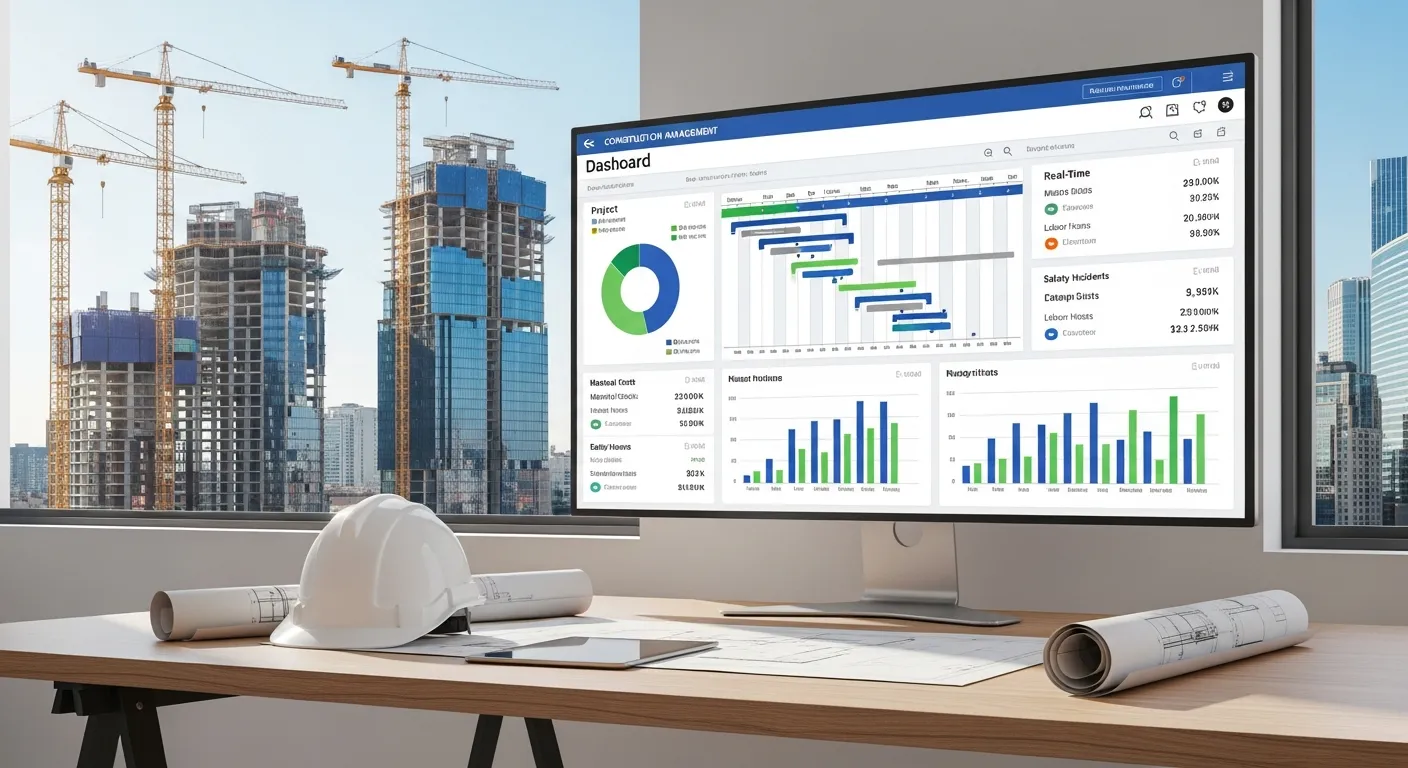
TL;DR: If you’re a small to mid-size contractor, Projul gives you real-time job costing and flat-rate pricing (no per-user fees). For large commercial GCs, Procore has the most depth. For budget-conscious teams just leaving spreadsheets, JobTread starts at $159/mo. For roofing-specific workflows, JobNimbus is the move. Keep reading for the full breakdown with real pricing, pros, cons, and who each platform is actually built for.
Picking the best construction software for your business is not easy. There are dozens of platforms out there, and every single one claims to be the top choice. Some are built for billion-dollar infrastructure firms. Some are designed for one-person handyman businesses. And if you pick the wrong one, you’re stuck migrating again in six months.
We’ve been in this industry a long time. We know what contractors actually need because we are contractors. So we put together an honest comparison of seven popular construction management software platforms to help you figure out which one fits your business.
Here’s what we looked at: pricing, features, ease of use, mobile experience, and who each platform is actually built for.
What Makes Great Construction Software?
Before we get into the list, let’s talk about what actually matters. The best construction software should do a few things well:
- Real-time job costing so you know where you stand on every project right now, not three weeks from now
- Scheduling that reaches the field so your crews see updates on their phones, not on a whiteboard in the office
- Estimating that connects to your budget so you’re not re-entering the same data three times
- A mobile app your crew will actually use because if the field team ignores it, the software is worthless
- Pricing that doesn’t punish growth because adding five guys to your crew shouldn’t double your software bill
With that in mind, here’s how all seven platforms compare at a glance.
Construction Software Comparison Table
| Platform | Best For | Pricing Model | Starting Price | Job Costing | Mobile App | Key Strength |
|---|---|---|---|---|---|---|
| Projul | Small to mid-size contractors | Flat rate (no per-user fees) | See pricing | Real-time | Field-first | Flat-rate pricing + real-time job costing |
| Buildertrend | Residential builders | Per user on higher tiers | $499/mo | Yes | Good | Client portal for homeowners |
| Procore | Large commercial GCs | Custom quote | $10,000+/yr | Yes | Good | Enterprise depth and integrations |
| JobTread | Budget-conscious contractors | Flat rate | $159/mo | Yes | Decent | Affordable budgeting tools |
| CoConstruct | Custom home builders | Per project | $449/mo | Yes | Average | Selection sheets and spec tracking |
| Houzz Pro | Design-build firms | Subscription | $149/mo | Basic | Basic | Lead gen through Houzz marketplace |
| JobNimbus | Roofing contractors | Per user | $200/mo per user | Limited | Good | Roofing-specific CRM and workflow |
Now let’s break down each one.
1. Projul
Best for: Small to mid-size contractors (residential and commercial)
Pricing: Three flat-rate annual plans with no per-user fees. See pricing for details.
Projul was built by contractors who got tired of software that didn’t fit how they actually run their businesses. That’s not a marketing line. The founders ran a construction company and built the tool they wished existed.
The standout here is real-time job costing. You can pull up any active project on your phone and see your budget, actual costs, and remaining margin in about 30 seconds. No waiting for your bookkeeper to reconcile at the end of the month. One roofing contractor told us he caught a $7,000 material overrun mid-project because the system flagged it. With his old setup, he wouldn’t have known until the final invoice.
That kind of visibility changes how you run your business. Instead of finding out you lost money on a job after it’s done, you catch problems while there’s still time to fix them. Contractors running 10 to 30 active projects say this feature alone pays for the software.
Scheduling is another strong point. Drag and drop in the office, instant push notifications to the field. When you move a job or reassign a crew, everyone sees it immediately. No phone trees. No group texts that get buried at 6 AM. For a full breakdown of scheduling options, see our best construction scheduling software roundup. Your superintendents can also view and adjust the schedule from the field, which cuts down on the back-and-forth calls that eat up your morning.
Projul also covers project management, estimating and change orders, time tracking, document management, client communication, and invoicing in one platform. If you are comparing options, our guide to the best construction project management software breaks down the top platforms side by side. The QuickBooks integration syncs your invoices, payments, and job costs automatically, so you’re not double-entering data or exporting CSV files every week.
The mobile app was built field-first, and contractors consistently say it’s the first software their crews adopted without being forced. That matters more than you’d think. The fanciest software in the world is useless if your guys refuse to open it.
The flat-rate pricing is a big deal. Most platforms charge per user, which means your bill climbs every time you add a crew member. With Projul, you pay one price regardless of team size. A 30-person team pays the same as a 5-person team on the same plan.
Strengths: Real-time job costing, job management, flat-rate pricing, mobile app crews actually use, built by contractors, strong QuickBooks sync
Weaknesses: Smaller brand name than Procore or Buildertrend, fewer integrations than enterprise platforms
2. Buildertrend
Best for: Residential builders and remodelers
Pricing: Starts around $499/mo, per-user pricing on higher tiers
Buildertrend has been around since 2006 and is one of the most well-known names in residential construction software. They offer project management, scheduling, estimating, financial tools, and a client portal.
Their client portal is a strong feature. Homeowners can log in, view project progress, make selections, and approve change orders. If you do a lot of custom home work, that client-facing piece can save you a ton of phone calls. Homeowners love feeling like they know what’s going on, and the portal gives them that without you needing to send daily update emails.
Buildertrend’s scheduling and to-do management is solid for residential projects. You can assign tasks, set dependencies, and push updates to subs. The daily logs are well-designed and make it easy to document progress with photos and notes.
The downside? Pricing gets expensive as your team grows because of per-user fees. A 15-person team on their higher tiers can easily spend $800 to $1,000 per month. Some contractors also report that the platform has gotten bloated over the years, with more features than most small teams actually need. The learning curve can be steep, and it might take your team a few weeks to feel comfortable.
Contractors switching from Buildertrend often cite the per-user cost as the main reason. When you’re adding field guys who only need to check the schedule and log time, paying $50+ per user per month for each one adds up fast.
Strengths: Strong client portal, well-established brand, good daily logs, solid for residential builders
Weaknesses: Per-user pricing adds up, steep learning curve, can feel bloated for smaller teams
3. Procore
Best for: Large commercial contractors and general contractors
Pricing: Custom quotes only (typically $10,000+ per year)
Procore is the biggest name in construction software. It’s publicly traded, well-funded, and built for large commercial operations. If you’re managing multi-million dollar projects with dozens of subcontractors, Procore has the tools to handle that complexity.
Their platform covers project management, quality and safety, financials, and workforce management. The depth is real. You get RFI tracking, submittals, punch lists, bid management, and reporting that can break down data across your entire portfolio. For a commercial GC running $50M+ in annual volume, that level of detail is necessary.
Procore also has the most integrations of any platform on this list. They connect with accounting software, BIM tools, scheduling platforms, and dozens of specialty apps. If your tech stack is complex, Procore probably plugs into it.
For small to mid-size contractors, Procore is usually overkill. The pricing requires a custom quote, and most small contractors report that it runs significantly more than alternatives. The setup process can take weeks or months, and you may need dedicated admin staff to manage it. One contractor told us he spent more time configuring Procore than actually using it in the first three months.
Strengths: Deep feature set for large projects, strong in commercial construction, most integrations, excellent RFI and submittal management
Weaknesses: Expensive, complex setup, overkill for small to mid-size contractors, long onboarding process
4. JobTread
Best for: Budget-conscious contractors and those focused on financial tracking
Pricing: Starts around $159/mo
JobTread has gained traction with contractors who want solid budgeting and financial tracking without the price tag of bigger platforms. It covers estimating, budgeting, scheduling, and project management.
Their budgeting tools are a strong point. You can track costs against your estimate in a clear, visual way. The interface is cleaner than some competitors, and the lower price point makes it accessible for smaller operations. Contractors who are just getting off spreadsheets often find JobTread to be a comfortable first step into real construction software.
JobTread also handles proposals and invoicing well. You can build an estimate, convert it to a proposal, get it signed electronically, and then track that budget through completion. The workflow is logical and doesn’t require a lot of training to understand.
The trade-off is that JobTread is still growing its feature set. Some contractors find the scheduling and field communication tools less developed than what you get with more established platforms. The mobile experience is decent but not as polished as some competitors. If your biggest need is getting your field crews connected and communicating in real time, you might find it lacking.
Strengths: Affordable, solid budgeting tools, clean interface, good for contractors leaving spreadsheets
Weaknesses: Less mature feature set, scheduling could be stronger, mobile app needs work, growing platform
5. CoConstruct
Best for: Custom home builders and remodelers
Pricing: Starts around $449/mo (merged with Buildertrend in 2022, pricing has shifted)
CoConstruct was purpose-built for custom home builders, and it shows. The selection sheets, specification tracking, and client communication tools are designed for the back-and-forth that comes with custom residential work.
If your projects involve a lot of client selections (tile, fixtures, paint colors, cabinet hardware), CoConstruct handles that workflow better than most. Homeowners can browse options, make their picks, and you get notified automatically. That alone can save hours of back-and-forth emails per project.
The estimating tools are also solid for custom work where every project is unique. You can build detailed estimates with allowances, then track actual costs against those allowances as the project moves forward.
Since merging with Buildertrend, there has been some confusion about the long-term roadmap. Some users report uncertainty about which features will stay and which will be folded into Buildertrend. If you’re evaluating CoConstruct today, it’s worth asking about their integration plans. Several contractors have told us they’re nervous about investing time in a platform that might get absorbed.
Strengths: Excellent for custom home selections, strong estimating for unique projects, great client collaboration
Weaknesses: Uncertain roadmap after Buildertrend merger, not great for commercial work, pricing changes, future unknown
6. Houzz Pro
Best for: Design-build firms and remodelers focused on lead generation
Pricing: Starts around $149/mo
Houzz Pro combines project management tools with access to the Houzz marketplace, which is a massive directory where homeowners find contractors. If lead generation is a big part of your strategy, that marketplace access is a unique perk you won’t find anywhere else.
The project management side covers estimating, invoicing, scheduling, and a client dashboard. It’s decent for smaller operations. You can create estimates, send proposals, and manage basic project timelines. For a two to five person remodeling crew, it checks enough boxes to get by.
But contractors running larger or more complex projects often find the tools too basic. There’s no real job costing. The scheduling is simple but lacks the depth you need once you’re juggling more than a handful of projects. And the time tracking is minimal compared to dedicated construction platforms.
The real value of Houzz Pro is marketing and lead gen. If you’re a design-build firm or remodeler who gets a lot of business from homeowners browsing online, the Houzz ecosystem can feed your pipeline. Just don’t expect the project management depth of a dedicated construction platform. See how it stacks up in our Projul vs Houzz Pro comparison.
Strengths: Built-in lead generation through Houzz marketplace, good for design-build, affordable entry point
Weaknesses: Project management tools are basic, no real job costing, not built for complex jobs, lead quality varies
7. JobNimbus
Best for: Roofing contractors and exterior trades
Pricing: Starts around $200/mo per user
JobNimbus started in the roofing industry and has expanded to serve other exterior trades like siding, gutters, and solar. Their CRM and sales pipeline tools are strong, and they connect well with tools like EagleView and CompanyCam that roofers use daily. If you’re shopping specifically for a CRM, our list of the best CRMs for small construction businesses is worth a look.
If you’re a roofing contractor, JobNimbus probably deserves a close look. The workflow is built around how roofing sales and production actually work, from the initial lead through insurance negotiation to final payment. You can track every lead through your pipeline, assign it to a sales rep, and move it through stages that match your actual process.
Their automation features are also worth noting. You can set up triggers that automatically send emails, create tasks, or update job stages based on certain actions. For a roofing company doing high volume, that automation saves real time.
For general contractors or builders working on more complex projects, JobNimbus may feel limited. The project management and job costing features aren’t as deep as what you’ll find in platforms built for multi-phase construction work. And the per-user pricing means your costs scale with your team size. A 15-person company could easily be paying $3,000+ per month. If you are comparing JobNimbus to another budgeting-focused tool, our JobNimbus vs JobTread comparison breaks down the key differences.
Strengths: Great for roofing workflows, strong CRM, good integrations with roofing-specific tools, solid automation
Weaknesses: Limited for general construction, per-user pricing, less depth in project management and job costing
Common Mistakes When Choosing Construction Software
After talking to hundreds of contractors who’ve switched platforms (including plenty who switched to Projul), we see the same mistakes over and over. Here’s what to avoid.
1. Choosing Based on Brand Name Alone
Procore is the biggest name. That doesn’t make it the best fit for a 10-person framing crew. Big brands build for their biggest customers, which are usually enterprise-level GCs running full construction ERP systems. If that’s not you, you’re paying for features you’ll never touch and fighting a learning curve designed for someone else’s workflow.
2. Ignoring Per-User Costs
This is the one that burns contractors the most. A platform that costs $50 per user per month sounds reasonable until you add your 15 field guys, your office manager, your bookkeeper, and your three project managers. Suddenly you’re at $1,000+ per month. And you haven’t even counted the subs who need view access. Always calculate total cost for your full team, not just the base price.
3. Not Testing the Mobile App
Your office staff might love the desktop version. But your crew lives on their phones. If the mobile app is a shrunken, frustrating version of the desktop, your field team won’t use it. Period. Ask for a mobile demo specifically. Hand the phone to your least tech-savvy crew lead and see if they can figure it out in five minutes.
4. Skipping the QuickBooks Question
If you’re running QuickBooks (and most contractors are), the integration quality matters a lot. Some platforms just export a CSV file. Others have a real two-way sync that pushes invoices, payments, and costs automatically. Ask exactly how the integration works before you commit. A bad QuickBooks connection means your bookkeeper is still doing double entry.
5. Not Involving Your Field Crews in the Decision
Your superintendent and crew leads are the ones who’ll use this software every day. If you pick a platform without their input, you’re rolling the dice on adoption. Bring them into the demo. Let them test the mobile app. If they buy in during the evaluation, they’ll actually use it after you sign up.
Mobile App Comparison: Which Ones Actually Work in the Field?
Your office staff sits at a desk with a big monitor and fast Wi-Fi. Your crew is standing on a roof with a cracked phone screen and one bar of signal. The mobile app experience matters more than any feature on the desktop.
We tested each platform’s mobile app by handing a phone to field guys and asking them to do three things: check tomorrow’s schedule, log their time for the day, and upload a job site photo. Here’s how they performed.
Projul - Built field-first, and it shows. The app loads fast, the navigation is simple, and crews can get to schedules, time tracking, and photo uploads within two taps. Offline mode lets you view project info and schedules when you lose signal. Photos sync automatically once you’re back on the network. Multiple contractors told us Projul was the first software their crews willingly opened every morning.
Buildertrend - Solid mobile app with good daily log features. Photo documentation is strong, and you can add notes directly to photos. The app can feel slow on older phones, and some features require extra taps to reach compared to the desktop version. No meaningful offline capability.
Procore - Good mobile app that covers most core features. RFIs, daily logs, photos, and punch lists all work well on mobile. The app is comprehensive but can be overwhelming for crew members who just need the basics. Limited offline viewing of drawings and project details is available.
JobTread - The mobile experience is functional but clearly adapted from the desktop. Navigation isn’t always intuitive for field crews. Budget tracking works on mobile, which is nice for PMs on the road. No offline mode.
CoConstruct - The mobile app is the weakest part of the platform. It works for basic tasks but feels dated compared to competitors. Selection sheets and client communication features translate reasonably well, but field crews find it frustrating. No offline capability.
Houzz Pro - Basic mobile app that handles lead management and simple scheduling. Good enough for a small remodeling crew checking their next appointment. Not built for complex field operations. No offline mode.
JobNimbus - Strong mobile app, especially for the sales and CRM side. Roofers can update job stages, take photos, and manage their pipeline from the truck between appointments. The production management side is less polished on mobile. Limited offline access.
The bottom line on mobile: If your field crews are the primary users, Projul and Procore have the strongest mobile experiences. Projul wins for simplicity and adoption, while Procore wins for feature depth on larger commercial projects. One thing we can’t stress enough: the mobile app is where adoption happens or doesn’t. A contractor running a 20-person crew told us he tried three platforms before Projul, and every time his guys stopped opening the app within two weeks. The software that your crew actually uses every day is infinitely more valuable than the one with the longest feature list that collects dust.
Implementation and Onboarding: How Long Until You’re Running?
Switching construction software is painful. You’re migrating data, training your team, and trying not to lose a beat on active projects. Here’s how long each platform typically takes to get running.
Projul - Most teams are fully operational within one to two weeks. Projul includes guided onboarding where their team helps you import your data (projects, contacts, cost codes) and trains your crew. They also offer field crew training sessions specifically focused on the mobile app, which is smart because that’s where adoption lives or dies.
Buildertrend - Expect two to four weeks for full onboarding. Buildertrend offers training resources and onboarding support, but the depth of features means there’s more to learn. Residential builders who use most of the platform’s features may need additional training sessions. Data migration from other platforms is supported but can take time depending on your setup.
Procore - Four to twelve weeks is typical, and some large organizations report longer timelines. Procore offers dedicated implementation managers, but the complexity of the platform means you’re investing serious time in configuration. Many contractors hire a Procore admin or assign someone internally to manage the system full-time. Data migration is well-supported but requires planning.
JobTread - One to two weeks for basic setup. JobTread’s simpler interface means less training time. Their team helps with data import and initial configuration. The learning curve is gentle, which makes it a good choice for teams with limited tech experience.
CoConstruct - Two to three weeks. The onboarding process is straightforward for custom home builders familiar with the workflow. Selection sheet setup takes the most time because you’re building out your product libraries. Data migration from other platforms is possible but not always seamless.
Houzz Pro - Under a week for most teams. The platform is simple enough that a small crew can be up and running after a few hours of setup. There’s less data to migrate because the feature set is lighter. Training requirements are minimal.
JobNimbus - One to two weeks. Roofing companies can get set up quickly because the workflow maps closely to how they already operate. JobNimbus offers onboarding support and training. Importing lead and customer data from spreadsheets or other CRMs is straightforward.
What about data migration? This is the part everyone worries about, and for good reason. Your project history, contact lists, cost code structures, and templates all need to come over. Most platforms on this list offer some level of migration support, but the quality varies. Projul’s onboarding team handles the heavy lifting for you. With Procore, you may need to involve your IT team. With smaller platforms, expect to do some manual work with CSV files.
Job Costing Comparison: Where Is Your Money Going?
Job costing is where construction software earns its keep. If you can’t see what a project is actually costing you in real time, you’re guessing. And guessing is how contractors lose money on jobs they thought were profitable.
Here’s how each platform handles job costing:
Projul - Real-time job costing is Projul’s flagship feature. Every dollar of labor (from time tracking), materials, subcontractor invoices, and equipment costs flows into the job cost report automatically. You can see budget vs. actual on any project at any moment. Cost codes are fully customizable, so you can track at whatever level of detail makes sense for your business. WIP (work in progress) reporting gives you a snapshot of where every active project stands financially. Contractors consistently say this is the feature that pays for the software.
Buildertrend - Solid job costing with budget tracking, change order management, and variance reporting. You can track costs by category and see where you’re over or under budget. The reporting is good but not always real-time since it depends on how quickly your team enters data. Works well for residential projects with straightforward cost structures.
Procore - Deep job costing with detailed cost code structures, commitment tracking, and robust financial reporting. Procore handles complex multi-phase projects with subcontractor cost management, retention tracking, and sophisticated WIP reporting. This is the most powerful job costing on the list, but it requires proper setup and often dedicated admin time to keep it accurate. For a detailed look at what Procore charges for these features, see our Procore pricing analysis.
JobTread - Strong budgeting tools that track estimated vs. actual costs in a clean visual format. Cost tracking is more budget-focused than true job costing. It works well for contractors who want to know if they’re on budget without needing deep cost code granularity. Good for smaller projects but may lack depth for complex multi-trade work.
CoConstruct - Decent job costing oriented around allowances and selections, which makes sense for custom home builders. You can track costs against original estimates and manage change orders. Less suited for commercial work or projects with complex cost code structures.
Houzz Pro - Basic financial tracking but not true job costing. You can compare invoiced amounts to your estimate, but there’s no real-time cost tracking with labor and material inputs flowing automatically. If job costing is a priority, Houzz Pro won’t cut it.
JobNimbus - Limited job costing. The platform is stronger on the CRM and sales pipeline side. You can track revenue and basic costs per job, but detailed cost code tracking and WIP reporting aren’t the focus. Roofing contractors with simpler cost structures may find it sufficient, but anyone running complex jobs will want more depth. For a closer look at JobNimbus pricing and what you get, read our JobNimbus pricing analysis.
Scheduling Comparison: Getting the Right Crew to the Right Job
Construction scheduling breaks down when the office makes a plan and the field never sees it. The best scheduling tools push updates to crews in real time and give you flexibility to adjust on the fly.
Projul - Drag-and-drop scheduling with an interactive Gantt view that shows dependencies, milestones, and resource allocation across projects. When you move a job or reassign a crew, push notifications hit the field instantly. Multi-project views let PMs see all active work on one screen. Crews see their daily schedule on the mobile app with job details, directions, and notes. Simple enough for a framing crew, detailed enough for a GC running 30 projects.
Buildertrend - Good scheduling with task dependencies and to-do management. The calendar view works well for residential projects. You can assign tasks to subs and internal crews, and daily logs tie into the schedule. Lacks the multi-project Gantt view that larger operations need, but handles single-project scheduling well.
Procore - Robust scheduling with Gantt charts, resource management, and the ability to import schedules from Microsoft Project or Primavera P6. For large commercial projects with hundreds of activities and multiple subs, Procore’s scheduling depth is hard to beat. The trade-off is complexity. Setting up a detailed schedule takes time, and field crews may find it harder to navigate.
JobTread - Basic scheduling with calendar and list views. You can assign tasks and set due dates, but there’s no Gantt view and limited support for dependencies. Works fine for smaller operations managing a handful of projects. Larger teams will find it limiting.
CoConstruct - Scheduling focused on the residential workflow. Good for managing phases of a custom home build. The calendar integrates with tasks and to-dos. Not designed for multi-project resource management or complex dependency tracking.
Houzz Pro - Simple calendar-based scheduling. Good enough for a small remodeling crew tracking appointments and basic project milestones. Not built for complex scheduling scenarios.
JobNimbus - Production board scheduling that works well for roofing workflows. You can see jobs in different stages (scheduled, in progress, complete) and drag them between stages. Great for high-volume production work. Less useful for projects with detailed phase-based schedules and dependencies.
Integration Ecosystem: Does It Play Nice With Your Other Tools?
No construction software does everything. Your accounting lives in QuickBooks. Your payroll might be in Gusto or ADP. You might use CompanyCam for photos or Buildr for your CRM. The question is whether your construction platform connects to the tools you already rely on.
Projul - Direct two-way QuickBooks integration that syncs invoices, payments, and job costs automatically. This is the integration most contractors care about, and Projul does it well. No CSV exports, no manual entry. The platform also connects with other tools through its API. For contractors whose biggest pain point is the QuickBooks double-entry problem, Projul solves it cleanly. For a full comparison of accounting integrations, see our construction accounting software comparison.
Buildertrend - Integrates with QuickBooks Online and Xero. Also connects with several CRM tools, email marketing platforms, and document storage services. The QuickBooks sync has improved over the years but some contractors report occasional sync issues that require manual cleanup. For full pricing details, see our Buildertrend pricing analysis.
Procore - The largest integration marketplace of any platform on this list. Over 500 integrations covering accounting (QuickBooks, Sage, Viewpoint), BIM tools (Autodesk, Revit), scheduling (Primavera, MS Project), and dozens of specialty apps. If you have a complex tech stack, Procore almost certainly connects to it. The downside is that some integrations require additional fees or third-party middleware.
JobTread - QuickBooks Online integration for basic accounting sync. The integration ecosystem is smaller than more established platforms. Zapier support allows you to connect with other tools, but it’s not the same as a native integration. Growing but still catching up.
CoConstruct - QuickBooks sync and some integrations with material suppliers. The ecosystem is focused on the residential builder workflow. Since the Buildertrend merger, the integration landscape has been in flux. Check current availability before committing.
Houzz Pro - Limited integrations outside the Houzz ecosystem. Basic QuickBooks connectivity. The platform is more of a standalone tool than part of a connected tech stack. If you rely heavily on other software, Houzz Pro may create data silos. For a comparison of how Houzz Pro (formerly Housecall Pro) stacks up on pricing, see our Housecall Pro pricing analysis.
JobNimbus - Good integrations for roofing workflows. Connects with EagleView, CompanyCam, SRS Distribution, and other roofing-specific tools. QuickBooks integration is available. Zapier support extends connectivity to other platforms. The integration ecosystem is focused but effective for its target market.
How Much Should You Budget for Construction Software?
This is the question everyone asks, and the answer depends entirely on your team size and which pricing model you choose. Here’s a realistic breakdown.
5-Person Team (Owner + PM + 3 Field)
| Pricing Model | Monthly Cost | Annual Cost |
|---|---|---|
| Per-user at $50/user | $250/mo | $3,000/yr |
| Per-user at $75/user | $375/mo | $4,500/yr |
| Flat rate (Projul Core) | See pricing | $4,788/yr |
At five people, per-user pricing looks competitive. This is the team size where it feels like a fair deal. But it won’t stay here.
15-Person Team (2 PMs + Office Manager + 12 Field)
| Pricing Model | Monthly Cost | Annual Cost |
|---|---|---|
| Per-user at $50/user | $750/mo | $9,000/yr |
| Per-user at $75/user | $1,125/mo | $13,500/yr |
| Flat rate (Projul Core) | See pricing | $4,788/yr |
Now the gap opens up. A flat-rate plan saves you $4,200 to $8,700 per year compared to per-user pricing. That’s real money. Enough to cover a few months of materials or another truck payment.
30-Person Team (4 PMs + 2 Office + 24 Field)
| Pricing Model | Monthly Cost | Annual Cost |
|---|---|---|
| Per-user at $50/user | $1,500/mo | $18,000/yr |
| Per-user at $75/user | $2,250/mo | $27,000/yr |
| Flat rate (Projul Core) | See pricing | $4,788/yr |
At 30 people, the difference is dramatic. You’re saving $13,000 to $22,000 per year with flat-rate pricing. And here’s the thing: with per-user pricing, you start thinking about who “really” needs access. You start cutting out field guys to save money. That means less data coming in, worse visibility on your projects, and the whole point of having the software starts to fall apart.
Flat-rate pricing means everyone gets access. Your newest apprentice can check the schedule on his phone. Your bookkeeper can pull reports. Nobody gets left out because of a budget decision. For a deeper look at what every major platform charges, read our construction software pricing guide.
How to Pick the Right One
Choosing the best construction software comes down to three questions:
What kind of work do you do? A custom home builder has different needs than a roofing company or a commercial GC. Make sure the platform was designed for your type of construction.
How big is your team? Per-user pricing can be fine for a three-person office. But if you have 15 field guys plus office staff, that per-user model will eat your budget. Flat-rate pricing (like Projul’s) protects you as you grow.
What’s your biggest problem right now? If you’re bleeding money on jobs and don’t know why, you need real-time job costing. If your crews are always confused about the schedule, you need a strong mobile app. If your bookkeeper is spending hours on manual data entry, you need a solid QuickBooks integration. Start with the problem and find the tool that solves it.
How are your projects structured? A roofer running 200 simple jobs a year has different needs than a GC managing 15 complex multi-trade projects. High-volume simple work benefits from automation and CRM features (JobNimbus). Multi-phase complex work needs detailed scheduling, cost code tracking, and Gantt views. Match the tool to your project complexity, not just your company size.
One more thing: actually demo the software before you buy. Not just the sales presentation. Ask to see the mobile app on a real phone. Ask to see how job costing works on a live project. Ask the salesperson to show you the thing you care about most. And bring your field team into the conversation. The best construction management software is the one your whole team actually uses.
The Bottom Line
There is no single best construction software for every contractor. But there is a best one for your business. The platforms on this list all solve real problems. The question is which problems matter most to you.
If you’re a small to mid-size contractor who wants real-time job costing, a mobile app your crew will actually use, and pricing that doesn’t punish you for growing, Projul is worth a look. We built it because the other options didn’t fit how we work. And based on what our contractors tell us, we’re not the only ones who felt that way.
Book a free demo and see for yourself. No pressure, no long-term contract. Just a look at whether it fits your business.
Construction Software We Considered But Didn’t Include
During our research, we tested or evaluated several other platforms that didn’t make the final seven. Here’s a quick rundown of why, in case you’re searching for them.
Contractor Foreman - Budget-friendly option with a free tier and paid plans starting under $100/mo. Covers a lot of ground for the price, but the interface feels dated and the mobile app needs polish. Worth a look if you’re on a very tight budget, but you’ll likely outgrow it quickly.
Knowify - Focused on job costing and accounting integration. Good QuickBooks sync and solid financial tools. But the project management and scheduling features are thin compared to full platforms. Better as a financial add-on than a complete solution.
Monday.com - Popular generic project management tool that some contractors try to adapt for construction. It’s flexible, but it doesn’t understand construction workflows out of the box. No built-in estimating, no job costing, no change orders. You’ll spend weeks building custom boards that still don’t work as well as a construction-specific platform.
Fieldwire - Strong task management and field collaboration tool, especially for punch lists and inspections. Acquired by Hilti. Good as a complement to other software, but doesn’t cover estimating, invoicing, or job costing on its own.
BuilderStorm - UK-based platform that’s gaining traction in the US market. Covers project management, financials, and CRM. Still building out its US presence and integration ecosystem. One to watch but not ready to recommend over the established options.
ClickUp / Asana / Trello - Generic project management tools that some contractors try to make work. They lack construction-specific features like cost codes, change orders, progress billing, and trade scheduling. If you’re running a construction company, you need construction software. Period.
Sage 300 CRE (formerly Timberline) - The old-school standard for construction accounting and job costing. Powerful but expensive, complex, and requires dedicated IT support. If your accountant insists on Sage, that’s a valid choice for financials, but you’ll still need a separate platform for field operations and scheduling.
ServiceTitan - Built primarily for home service businesses like HVAC, plumbing, and electrical service calls. Great for dispatching technicians to residential service work, but not designed for construction project management, multi-phase job costing, or crew scheduling across job sites. If you run a service company that also does construction work, you may need both ServiceTitan for service calls and a construction platform like Projul for project work.
PlanGrid (now Autodesk Build) - Was a popular field collaboration tool for blueprint management and punch lists. Autodesk acquired it and folded it into Autodesk Build, which is now part of the Autodesk Construction Cloud. If you’re already deep in the Autodesk ecosystem (Revit, BIM 360), this may make sense. For most small to mid-size contractors, it’s overkill and overpriced.
Smartsheet - Another generic tool that some contractors try to adapt. It’s essentially a spreadsheet with project management features bolted on. You can build construction workflows in it, but you’re starting from scratch every time. No built-in estimating, no job costing, no field app designed for crews. Skip it and use real construction software.
Related Comparisons
For a quick visual overview of features and pricing across dozens of platforms, see our construction software comparison chart for 2026.
Want a deeper look at how Projul stacks up against specific platforms? Check out these head-to-head comparisons:
- Projul vs. Buildertrend
- Projul vs. Procore
- Projul vs. JobTread
- Projul vs. CoConstruct
- Projul vs. JobNimbus
Pricing Deep Dives
Want to know exactly what each platform costs before you demo? These breakdowns cover real numbers:
Frequently Asked Questions
What is the best construction software for small to mid-size contractors?
How much does construction software cost?
Do I really need construction-specific software?
Can my field crew use construction software on their phones?
What is construction management software?
How long does it take to switch construction software?
Does construction software integrate with QuickBooks?
What is the cheapest construction software?
Related Articles
How to Build a Construction Technology Stack That Actually Works
Most contractors juggle 5 to 8 apps that don't talk to each other. Here's how to build a construction technology stack...
Read More →
Construction Technology Trends 2026: What Contractors Need to Know
Construction technology trends 2026 are reshaping how contractors schedule, estimate, and manage projects. Here's what...
Read More →
Best Construction Apps for Field Teams in 2026
Your crew doesn't have time to fight with clunky software. Here are the best construction apps for field teams in 2026,...
Read More →