
6 Best Construction Document Management Tools
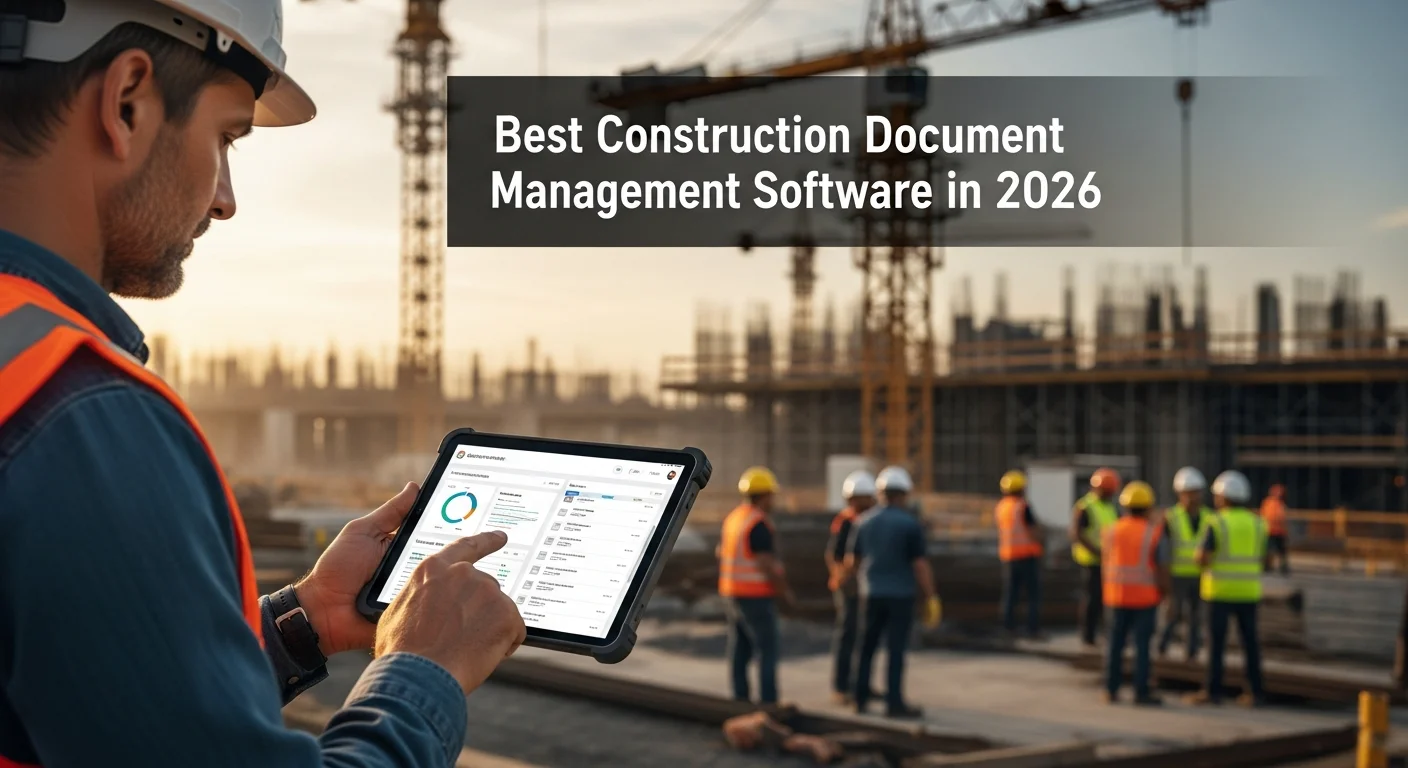
Best Construction Document Management Software in 2026
Every contractor has a story about the time someone built from an outdated set of plans. Or the submittal that got lost in an email chain. Or the change order that nobody could find when the dispute showed up six months later.
Documents are the backbone of every construction project. Plans, specifications, submittals, RFIs, contracts, change orders, daily reports, photos, permits, insurance certificates. The list goes on. And managing all of it with email, paper binders, and random shared drives stopped working a long time ago.
The good news is there are solid tools available now that make document management practical, even for contractors who aren’t tech-savvy. The bad news is there are too many options and most of them are either overbuilt for what you need or too basic to actually help.
Here’s a straight comparison of six options that are worth looking at in 2026.
Why Document Management Matters in Construction
Before we get into the tools, let’s be honest about what bad document management actually costs you.
Rework From Outdated Plans
This is the big one. When your field crew is working from a set of plans that’s two revisions old, you’re paying to tear out and redo work. On a mid-size commercial project, a single instance of rework from outdated drawings can cost $10,000 to $50,000 or more. A document management system with version control makes sure everyone is always looking at the current set. This becomes especially important when maintaining as-built drawings that reflect what was actually constructed.
Missed Submittals and RFIs
Submittals and RFIs have deadlines. Miss a submittal and you might delay material delivery by weeks. Miss an RFI response and your crew sits idle while you sort it out. Tracking these in email is a recipe for dropped balls.
Disputes and Claims
When a disagreement turns into a claim, the contractor with organized documentation wins. If you can pull up the signed change order, the approved submittal, the RFI response, and the daily log within minutes, you’re in a strong position. If you’re digging through filing cabinets and old emails, you’re in trouble.
Wasted Time
How much time does your team spend looking for documents? Searching through emails, calling the office to ask for a plan sheet, driving back to the trailer to check a spec. It adds up to hours every week per person. That’s time you’re paying for that produces nothing.
The 6 Best Construction Document Management Software Options
1. Projul
Best for: Mid-size contractors who want document management built into their project management tool.
Projul takes a different approach than standalone document management platforms. Instead of being a separate tool your team has to learn and switch between, document management is built right into the project management workflow. Plans, photos, contracts, and project files live alongside your schedules, estimates, and invoices.
Strengths:
- Documents are organized by project automatically
- Your crew accesses plans, photos, and files from the same app they use for time tracking and scheduling
- No separate login or tool to manage
- Simple enough that field crews actually use it
- QuickBooks integration keeps financial documents and data synced
- Transparent pricing with no per-user or per-project fees
Weaknesses:
- Not as deep on document-specific features as standalone tools (no built-in plan markups or transmittal workflows)
- If your primary need is heavy RFI and submittal tracking with automated workflows, a dedicated tool might be a better fit
- Best suited for small to mid-size operations, not enterprise-scale document management
Pricing: Three flat-rate annual plans with no per-user or per-project fees. All plans include document storage and project management features. See full details at the pricing page.
The bottom line: If you’re a mid-size contractor who doesn’t want to pay for and manage a separate document management tool, Projul gives you solid document handling inside the platform you’re already using for everything else. It won’t replace a dedicated DMS for large GCs running complex submittals workflows, but for most contractors, it’s more than enough.
2. Procore
Best for: Large general contractors and owners who need enterprise-grade document management.
Procore is the 800-pound gorilla in construction software. Their document management is thorough and covers just about every workflow you’d need on a large commercial or infrastructure project.
Strengths:
- Full submittal and RFI management with automated workflows
- Drawing management with version comparison and markup tools
- Transmittal tracking
- Spec section linking
- Deep integration between documents, daily logs, and project financials
- Mobile app works well in the field
- Extensive permissions and access controls
Weaknesses:
- Expensive, especially for smaller contractors
- The platform is big and takes time to learn
- Can feel like overkill for residential or small commercial work
- Pricing is project-volume based, which gets costly as you grow
Pricing: Custom quotes. Most contractors report annual costs starting around $10,000 to $50,000+ depending on project volume and modules.
3. PlanGrid (now Autodesk Build)
Best for: Field-focused teams that need fast, reliable access to current drawings on mobile devices.
PlanGrid was one of the first tools that made it practical for field crews to access plans on an iPad. Autodesk acquired it and folded it into Autodesk Build, but the core strength remains: getting the right plans into the right hands on the job site.
Strengths:
- Best-in-class drawing management and version control
- Excellent mobile experience, works even with spotty connectivity
- Markup and annotation tools are intuitive
- Hyperlinking between sheets and specs
- Photo documentation tied to plan locations
- Quick to roll out and train on
Weaknesses:
- Since the Autodesk acquisition, the product has been merging into Autodesk Build, which adds complexity
- Submittal and RFI features are solid but not as deep as Procore
- Pricing has shifted to Autodesk’s bundled model, which isn’t always clear
- Some users report the transition from PlanGrid to Autodesk Build has been bumpy
Pricing: Autodesk Build starts around $55/user/month. Bundles with other Autodesk products available. Pricing varies by agreement.
4. Bluebeam Revu
Best for: Estimators, project managers, and anyone who works heavily with PDFs and plan markups.
Bluebeam isn’t a full document management system in the traditional sense. It’s a PDF markup and collaboration tool that’s become the industry standard for plan review, takeoffs, and punch lists. If your document management needs center around working with drawings, Bluebeam is hard to beat.
Strengths:
- The best PDF markup tools in the construction industry
- Measurement and takeoff tools built in
- Studio Sessions allow real-time collaboration on documents
- Custom tool sets for common markup tasks
- Batch processing for large plan sets
- Works with any PDF, not locked into a specific ecosystem
Weaknesses:
- It’s a markup and collaboration tool, not a full DMS
- No built-in submittal or RFI tracking
- You still need somewhere to store and organize documents (Bluebeam Cloud helps, but it’s separate)
- Desktop application requires Windows (cloud version is newer and cross-platform)
- Per-user pricing adds up with larger teams
Pricing: Bluebeam Cloud starts at $240/user/year. Bluebeam Basics is $240/year, Core is $300/year, and Complete is $400/year per user.
5. Fieldwire
Best for: Subcontractors and field teams who need task management tied to plan documents.
Fieldwire bridges the gap between document management and field task management. It’s built around the idea that documents (especially plans) should be directly connected to the tasks happening in the field.
Strengths:
- Plans and tasks are linked, so you can tap a location on a drawing and see the associated tasks
- Good mobile experience for field use
- Punch list management is excellent
- Inspection tracking and form templates
- Simple enough for field crews to pick up quickly
- Free tier available for small teams
Weaknesses:
- Document management is focused on plans and field documents, less suited for contracts and financial documents
- Submittal and RFI tracking is basic compared to Procore
- Version control exists but isn’t as polished as PlanGrid/Autodesk Build
- Reporting is limited on lower tiers
Pricing: Free for up to 5 users on basic features. Pro at $39/user/month. Business at $59/user/month. Business Plus requires custom pricing.
6. Aconex (Oracle Aconex)
Best for: Large-scale infrastructure projects, government work, and owners who need audit-trail-grade document control.
Aconex is built for projects where document control isn’t just good practice, it’s a contractual requirement. Think airports, highways, hospitals, and major infrastructure. If you need ironclad audit trails and controlled distribution of every document, Aconex is designed for that.
Strengths:
- Document control workflows that meet the most demanding contractual requirements
- Full audit trail on every document action (who viewed, downloaded, printed, and when)
- Controlled document distribution with read receipts
- Transmittal management
- Process workflows for approvals, reviews, and sign-offs
- Multi-party access controls for owners, GCs, subs, and designers
Weaknesses:
- Expensive and complex to set up
- Overkill for anything other than large-scale projects
- The interface is functional but not modern or intuitive
- Implementation takes weeks to months
- Not practical for small or mid-size contractors
Pricing: Enterprise pricing only. Expect $50,000+ per year for large project deployments.
How to Choose the Right Document Management Tool
The right choice depends on your operation. Here’s how to think about it:
What kind of work do you do?
Residential and small commercial: You don’t need Procore or Aconex. Projul’s built-in document features or Fieldwire will cover you without the complexity or cost.
Mid-size commercial and specialty subcontracting: Projul gives you documents alongside your other project management needs in one platform. If you need more drawing-specific features, add Bluebeam for plan work.
Large commercial and infrastructure: Procore or Aconex, depending on whether you’re driven by GC project management needs (Procore) or strict document control requirements (Aconex).
How tech-savvy is your team?
Be honest about this. The fanciest document management system in the world is worthless if your superintendent won’t use it. Simpler tools with higher adoption rates beat powerful tools that sit unused.
Projul and Fieldwire tend to have the lowest learning curves. Bluebeam takes some training but people stick with it once they learn it. Procore and Aconex require real onboarding effort.
What’s your budget?
Per-user pricing kills you as your team grows. A 30-person company on Fieldwire Business is paying $1,770/month. The same company on Projul’s Core plan pays a single flat annual rate with no per-user fees. See pricing for details.
You can find definitions for all of these in our construction terminology reference.
This is one of the reasons mid-size contractors gravitate toward Projul. The flat pricing means you can give access to everyone, including field crews, without watching the bill climb.
Do you need standalone document management or an integrated platform?
If documents are your only pain point, a standalone tool makes sense. But most contractors have multiple pain points: scheduling, estimating, invoicing, time tracking, and documents. Running separate tools for each of these creates its own problems, mainly around data not flowing between systems.
An integrated platform like Projul handles estimating, scheduling, invoicing, time tracking, documents, and project management in one place. You lose some depth on individual features, but you gain simplicity and the ability to see everything about a project without switching tools.
Setting Up Document Management That Actually Works
Whatever tool you pick, the system only works if people use it. Here are some practical tips from contractors who’ve done this successfully.
Keep Your Folder Structure Simple
Don’t create 15 levels of nested folders. A basic structure that works for most contractors:
- Plans and Drawings (current set)
- Specifications
- Contracts and Change Orders
- Submittals
- RFIs
- Daily Reports and Photos
- Permits and Insurance
- Closeout Documents
That’s it. If someone can’t figure out where to file or find something in 10 seconds, your structure is too complicated.
Establish a Naming Convention
Pick a naming format and stick with it. Something like: ProjectNumber_DocumentType_Description_Date works for most situations. The key is consistency. When everyone names files differently, search becomes the only way to find anything.
Make Mobile Access Non-Negotiable
If your field crew can’t pull up a drawing on their phone, they’ll call the office or work from whatever paper copy they have (which might be outdated). Every tool on this list has mobile access. Make sure your team knows how to use it.
Assign Document Responsibilities
Someone needs to own the document system for each project. Who uploads new plan revisions? Who logs submittals? Who makes sure RFI responses get filed? If it’s “everyone’s job,” it’s nobody’s job.
Start Small
Don’t try to digitize everything on day one. Start with the highest-value items: current plan sets and submittals. Once your team is comfortable, add more document types. Trying to do everything at once leads to burnout and abandoned systems.
How Projul Handles Documents Alongside Everything Else
The reason we built document management into Projul’s project management platform is simple: contractors told us they were tired of switching between five different tools to manage one project.
When a document lives inside the same project where your schedule lives, where your estimate lives, where your invoices live, and where your time tracking lives, everything is connected. Your superintendent can check the current plan set, review the schedule, and log their time all from the same app.
And because Projul’s QuickBooks integration syncs your financial data, the paper trail from estimate to invoice to payment is all in one place. When an owner asks for documentation on a change order, you’re not digging through four different systems to assemble the story.
Is Projul the right choice for a $500 million infrastructure project with 200 subcontractors and strict document control specifications? No. That’s what Procore and Aconex are for.
But for the vast majority of contractors running $1 million to $50 million in annual revenue, Projul gives you what you need without the complexity and cost of enterprise tools. Schedule a demo if you want to see how it works in practice.
Final Thoughts
Document management in construction isn’t glamorous, but it’s one of those things that saves you real money when it’s done right and costs you real money when it’s not. Outdated plans, lost submittals, and missing change orders are problems that every contractor has dealt with.
The tools available today are good enough to solve these problems for any size operation. The key is picking the right tool for your size, your budget, and your team’s willingness to use it.
If you’re a mid-size contractor looking for a practical solution that handles documents alongside the rest of your project management needs, take a look at Projul. If you need deep, standalone document control, Procore, Bluebeam, or Aconex might be your answer.
Either way, stop relying on email and filing cabinets. Your projects deserve better, and so does your sanity.
Frequently Asked Questions
What is construction document management software?
Do I really need dedicated document management software?
Can Projul handle construction document management?
What's the difference between a DMS and a project management tool with document features?
How do I get my team to actually use document management software?
Related Articles

Construction Client Onboarding Guide: From Signed Contract to First Day on Site
A good client onboarding process prevents disputes, reduces callbacks, and builds trust before the first nail is...
Read More →
Switching From BuilderTrend to Projul: A Contractor's Migration Guide
If you're thinking about leaving BuilderTrend, you're not alone. Here's a practical guide to switching to Projul,...
Read More →
Construction Invoice Guide: Get Paid Faster With the Right Software
Construction invoicing software helps contractors create, send, and track invoices tied to actual job costs, change...
Read More →