
6 Best Construction Safety Software (2026)
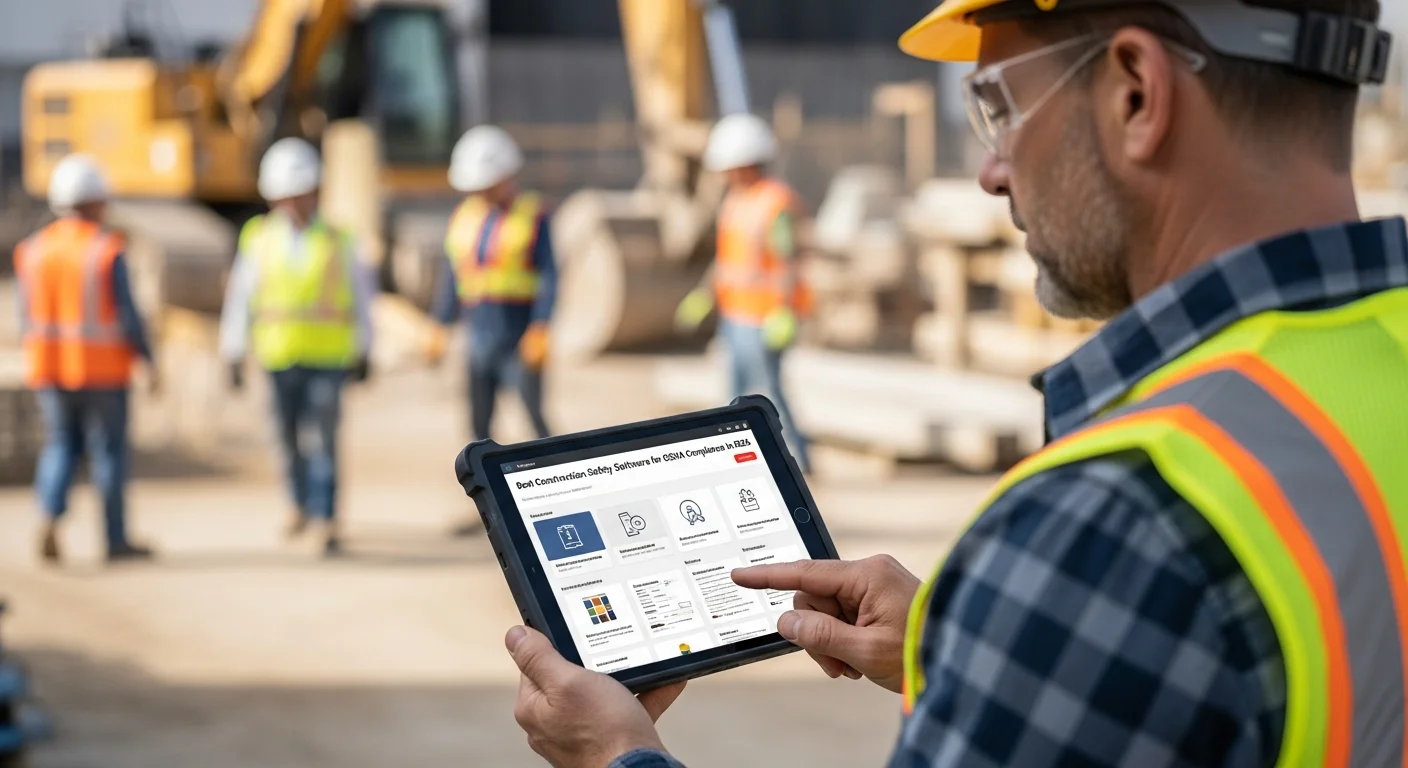
Construction is one of the most dangerous industries in the country. Every year, OSHA reports roughly 1,000 fatalities on construction job sites, and the agency has been increasing both the frequency of inspections and the size of fines. In 2026, a single serious violation can cost you over $16,000, and willful violations run north of $160,000 each.
Those numbers get your attention. But the real cost of poor safety management goes beyond fines. Worker injuries lead to project delays, increased insurance premiums, lost productivity, lawsuits, and damage to your reputation that can take years to rebuild.
The good news is that safety software has come a long way. Today’s platforms make it realistic to run toolbox talks, track inspections, manage incident reports, and maintain training records from a phone on the job site. No more binders full of paper forms that nobody looks at until OSHA shows up.
This guide covers the six best construction safety software platforms for 2026, what to look for when choosing one, and how your project management tools (like Projul) fit into the safety picture.
What to Look for in Construction Safety Software
Before we get into specific platforms, here is what actually matters when you are evaluating safety software for your crew.
Toolbox Talk Management
Toolbox talks are short safety meetings held before work begins, usually 5 to 15 minutes. They cover specific hazards relevant to the day’s work. Good safety software gives you a library of pre-built toolbox talk topics, lets you customize them for your projects, and records attendance digitally so you have proof the talk happened.
Incident Reporting
When something goes wrong on site, you need a fast way to document it. The best platforms let field workers file incident reports from their phones with photos, witness statements, and location data. The report should trigger automatic notifications to your safety manager and create a record you can reference for OSHA inquiries or insurance claims.
Safety Inspections and Audits
Regular site inspections are how you catch problems before they become incidents. Safety software should include customizable inspection checklists (or templates for common ones like scaffolding, trenching, and electrical), photo documentation, corrective action tracking, and sign-off workflows.
Training Tracking
OSHA requires specific training for hazards your crews are exposed to. Tracking who has completed what training, when certifications expire, and who needs refresher courses is a nightmare on paper. Software should make this automatic, with alerts when certifications are about to lapse.
Mobile Access
This one is non-negotiable. Your safety processes live on the job site, not in the office. If the software does not work well on a phone or tablet in the field, your crew will not use it. Period.
Reporting and Analytics
You need to pull reports for OSHA audits, insurance renewals, and internal safety reviews. The platform should generate incident trend reports, inspection completion rates, training compliance summaries, and other data without you having to build spreadsheets manually.
The 6 Best Construction Safety Software Platforms for 2026
1. SafetyCulture (formerly iAuditor)
SafetyCulture started as iAuditor, a mobile inspection app, and has grown into a full safety management platform used across multiple industries. It is one of the most recognized names in safety software.
Key Features:
- Massive template library with thousands of pre-built inspection checklists
- Custom checklist builder with drag-and-drop editing
- Photo and annotation tools for documenting hazards
- Issue tracking with corrective action assignments
- Training module for delivering and tracking safety courses
- Sensor integration for environmental monitoring
- Analytics dashboard with trend reporting
Pricing: Free plan for small teams (up to 10 inspections/mo). Premium plans start around $24/user/month.
Best For: Contractors who want a proven, feature-rich inspection and audit platform with a huge template library. SafetyCulture’s strength is its flexibility. It works for safety but also handles quality control, equipment inspections, and operational checklists.
Drawback: Per-user pricing gets expensive for larger crews. The platform covers a lot of industries, so some of the interface feels generic rather than construction-specific.
2. Procore Safety
Procore is one of the largest construction management platforms, and its safety module is a natural add-on for companies already in the Procore ecosystem.
Key Features:
- Incident management with OSHA 300 log generation
- Safety inspections tied to project records
- Toolbox talk scheduling and attendance tracking
- Observation reporting for near-misses
- Corrective action workflows with photo documentation
- Integration with Procore’s project management, drawing, and document tools
- Pre-built inspection templates aligned with OSHA standards
Pricing: Procore uses custom, quote-based pricing that varies by company size and modules selected. Expect to pay significantly more than standalone safety tools, especially if you are adding safety on top of Procore’s base platform.
Best For: Companies already using Procore for project management who want safety data tied directly to their project records. The integration between safety observations and project documentation is a real advantage.
Drawback: If you are not already on Procore, adding it just for safety is overkill and very expensive. Procore’s pricing model is opaque and typically requires an annual commitment.
3. SiteDocs
SiteDocs is a Canadian-built safety management platform designed specifically for construction and other field-based industries. It has built a strong reputation for being practical and contractor-friendly.
Key Features:
- Digital safety forms and permits (hot work, confined space, excavation)
- Toolbox talk management with attendance tracking
- Hazard assessments and site-specific safety plans
- Training and certification tracking with expiry alerts
- Incident and near-miss reporting
- Offline access for remote job sites without cell service
- Electronic signatures for safety documents
Pricing: Starts around $15/user/month. Volume discounts available for larger teams.
Best For: Contractors who need a construction-specific safety platform that works offline. SiteDocs is especially popular with companies working in remote areas where cell coverage is unreliable. The permit management features are a standout for heavy civil and industrial contractors.
Drawback: The interface is functional but not as polished as some newer competitors. Reporting could be more flexible.
4. Safesite
Safesite positions itself as the safety platform that actually improves your safety culture, not just your compliance paperwork. It takes a data-driven approach to identifying and reducing hazards before incidents happen.
Key Features:
- Free tier with core safety management features
- Hazard recognition and reporting
- Safety inspections with built-in scoring
- Toolbox talks with a content library
- Incident management and investigation tools
- Safety score that tracks your organization’s risk level over time
- OSHA recordkeeping assistance
- Insurance integration (some carriers offer premium discounts for Safesite users)
Pricing: Free plan available with basic features. Pro plans start around $16/user/month.
Best For: Small to mid-size contractors who want to start with a free platform and grow into paid features. The insurance discount angle is a real differentiator. If your carrier participates, the software can partially pay for itself through lower premiums.
Drawback: The free tier is limited, and the platform is less established than SafetyCulture or Procore Safety. Some users report that the scoring system feels more like a metric to track than a tool that changes behavior.
5. GoCanvas
GoCanvas is a mobile forms platform that many construction companies use for safety management. It is not a dedicated safety tool, but its flexibility makes it popular for building custom safety workflows.
Key Features:
- Drag-and-drop form builder for creating any type of safety form
- Pre-built construction safety templates
- Photo capture and annotation
- Automatic PDF generation and distribution
- Workflow automation (form submission triggers notifications, follow-up tasks)
- Integration with cloud storage, email, and other business tools
- Offline capability
Pricing: Starts around $30/user/month. Custom pricing for larger deployments.
Best For: Contractors who want full control over their safety forms and workflows. If you have specific documentation requirements that pre-built platforms do not cover, GoCanvas lets you build exactly what you need. It is also useful beyond safety for any field data collection.
Drawback: You are building your own system from templates and forms. There is no built-in safety intelligence, no OSHA log generation, and no training management. It is a powerful tool, but it requires more setup and maintenance than purpose-built safety software.
6. HammerTech
HammerTech is a safety and compliance platform built specifically for construction. It is popular with general contractors and larger operations that manage multiple subcontractors on complex projects.
Key Features:
- Worker orientation and site access management
- Permit to work system
- Incident reporting with root cause analysis tools
- Safety inspections and defect management
- Training and competency tracking
- Subcontractor prequalification and compliance monitoring
- Real-time dashboards for multi-project safety oversight
- Integration with access control systems
Pricing: Custom pricing based on company size and project volume. Generally positioned for mid-market to enterprise contractors.
Best For: General contractors managing multiple subs on large projects. HammerTech’s worker orientation and subcontractor compliance features are designed for sites with hundreds of workers from dozens of companies. If managing sub safety compliance is a major pain point, HammerTech addresses it directly.
Drawback: Overkill for small to mid-size specialty contractors. Pricing is not transparent, and implementation takes longer than simpler platforms.
Comparison at a Glance
Here is how these six platforms stack up across the features that matter most:
| Feature | SafetyCulture | Procore Safety | SiteDocs | Safesite | GoCanvas | HammerTech |
|---|---|---|---|---|---|---|
| Toolbox Talks | Yes | Yes | Yes | Yes | Build Your Own | Yes |
| Incident Reporting | Yes | Yes | Yes | Yes | Build Your Own | Yes |
| Inspections | Yes | Yes | Yes | Yes | Yes | Yes |
| Training Tracking | Yes | Yes | Yes | Limited | No | Yes |
| Offline Access | Yes | Limited | Yes | Yes | Yes | Limited |
| OSHA Log Generation | No | Yes | No | Yes | No | Yes |
| Free Plan | Yes | No | No | Yes | No | No |
| Construction-Specific | Partial | Yes | Yes | Yes | No | Yes |
How Projul Fits Into Your Safety Program
Projul is a construction management platform, not a standalone safety tool. But safety documentation does not exist in a vacuum. It is tied to your projects, your crews, and your daily operations. That is where Projul adds real value to your safety program.
Daily Logs for Safety Documentation
Projul’s daily logs let your field supervisors record safety observations, weather conditions, site visitors, equipment used, and any incidents or near-misses directly within each project. Every entry is timestamped, tied to the specific project, and stored permanently in your project record.
When an OSHA inspector shows up and asks about conditions on a particular day, you can pull up the daily log in seconds instead of digging through a filing cabinet.
Project-Level Safety Records
Safety documentation should live with your project data, not in a separate system. Projul’s file management lets you store safety plans, permits, inspection reports, and training records at the project level. Your team can access them from the field on their phones, which means the safety plan is actually available where the work happens.
Scheduling Safety Activities
Using Projul’s scheduling tools, you can build safety inspections, toolbox talks, and training sessions directly into your project timelines. When safety activities are part of the schedule rather than an afterthought, they actually get done.
Cost Tracking for Safety
Safety is not free. PPE, training, equipment inspections, and compliance activities all have costs. Projul’s job costing features let you track safety-related expenses at the project level, giving you real data on what safety costs and helping you bid future projects more accurately.
Projul starts at $4,788/year for the Core plan, with Core+ at $7,188/year and Pro at $14,388/year. No per-user fees on any plan. Check the pricing page for full details.
For many small to mid-size contractors, Projul’s daily logs and project documentation features provide enough safety documentation capability that a separate safety platform is not necessary. Larger operations or those in high-hazard work may benefit from pairing Projul with a dedicated safety tool like SafetyCulture or SiteDocs.
Building a Safety Program That Works
Software is just one piece of the puzzle. The best safety software in the world will not protect your crew if the culture is not there. Here are the fundamentals that matter more than any app.
Start With Leadership
Safety starts at the top. If the owner and project managers treat safety as a box to check, the field crews will too. When leadership genuinely prioritizes safety, invests in training, and holds everyone accountable, the culture follows.
Make It Easy
The number one reason safety processes fail is friction. If filing a hazard report takes 20 minutes and three forms, nobody does it. If it takes 30 seconds on a phone, people actually report hazards. Choose tools and processes that make the right thing the easy thing.
Train Continuously
OSHA requires training, but compliance minimums are not enough. Regular toolbox talks, hands-on demonstrations, and refresher courses keep safety top of mind. Use your safety software’s content library and scheduling features to build training into your weekly routine.
Investigate Everything
Near-misses are free lessons. Every near-miss that gets reported and investigated is an incident that did not happen. Build a culture where reporting near-misses is encouraged, not punished. Use your incident reporting tools to track trends and address root causes before someone gets hurt.
Track and Measure
You cannot improve what you do not measure. Track leading indicators (inspections completed, toolbox talks held, hazards reported) alongside lagging indicators (incidents, lost-time injuries, OSHA citations). Safety software gives you this data automatically if you are using it consistently.
Choosing the Right Safety Software
Here is a quick decision framework based on company size and needs:
Solo or small crew (1 to 10 workers): Start with Safesite’s free plan or use Projul’s daily logs for basic safety documentation. You probably do not need a dedicated safety platform yet.
Mid-size contractor (10 to 50 workers): SafetyCulture or SiteDocs give you solid safety management without breaking the bank. Pair with Projul for project management, estimating, invoicing, and QuickBooks integration.
Large GC or multi-project operation (50+ workers): HammerTech or Procore Safety handle the complexity of managing multiple subs and large sites. Projul handles the project management side with scheduling, estimating, and invoicing.
No matter which safety platform you choose, make sure your project management software supports safety documentation at the project level. Having safety records disconnected from your project data creates gaps that show up at the worst times, like during an OSHA audit.
Next Steps
Safety is not optional in construction, and the tools you use to manage it matter. Pick a safety platform that your crews will actually use in the field. Pair it with a project management system that keeps safety documentation tied to your projects.
If you are looking for construction management software that supports your safety program with daily logs, project documentation, and scheduling, schedule a demo with Projul and see how it fits into your operation.
Your crew deserves to go home safe every day. The right tools and the right culture make that possible.
Frequently Asked Questions
What is construction safety software?
How much does construction safety software cost?
Does Projul include safety management features?
What are the most common OSHA violations in construction?
Do I need separate safety software if I already use construction management software?
Related Articles

Construction Client Onboarding Guide: From Signed Contract to First Day on Site
A good client onboarding process prevents disputes, reduces callbacks, and builds trust before the first nail is...
Read More →
Switching From BuilderTrend to Projul: A Contractor's Migration Guide
If you're thinking about leaving BuilderTrend, you're not alone. Here's a practical guide to switching to Projul,...
Read More →
Construction Invoice Guide: Get Paid Faster With the Right Software
Construction invoicing software helps contractors create, send, and track invoices tied to actual job costs, change...
Read More →