
Best General Contractor Software (2026 Compared)
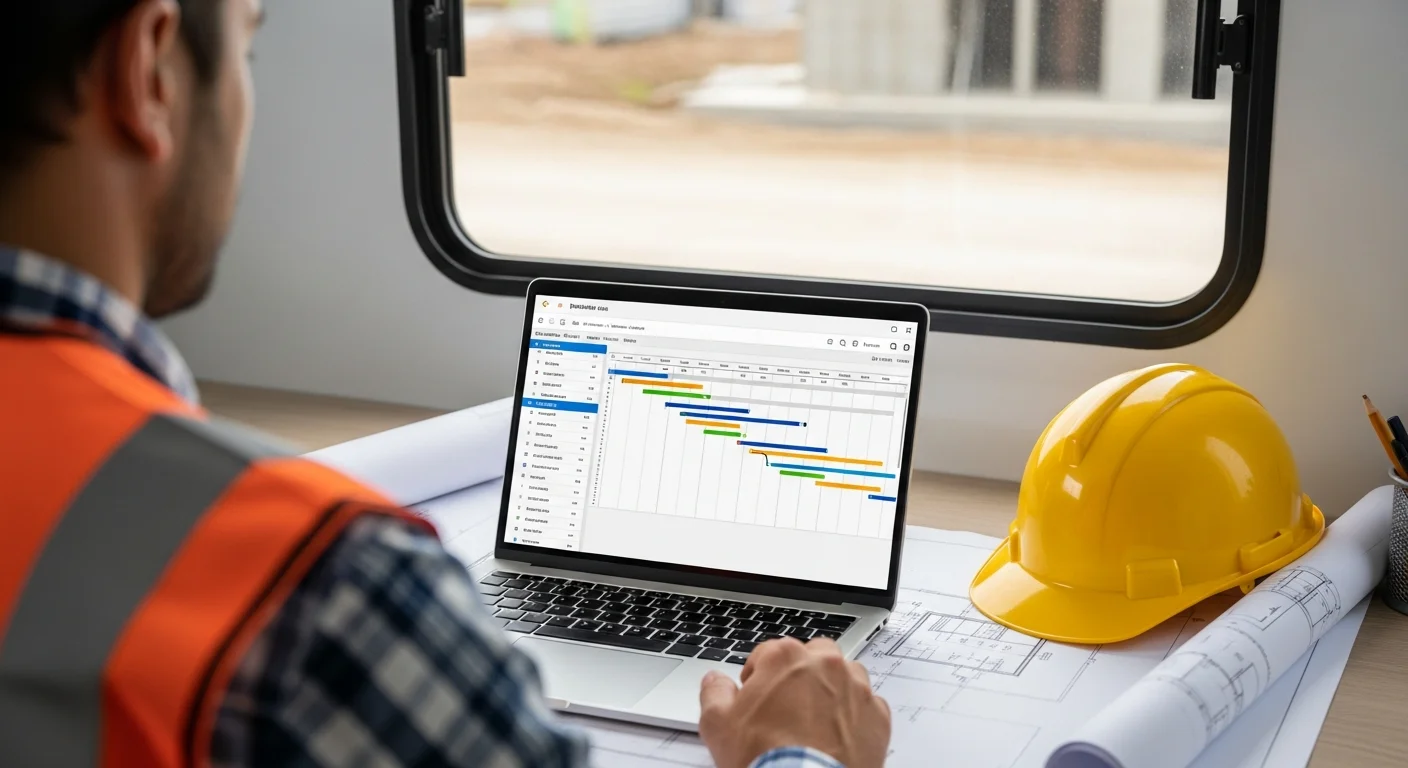
General contractors juggle more moving pieces than any other trade. You’re not just managing one crew. You’re coordinating electricians, plumbers, framers, concrete guys, and a dozen other subs, all while keeping the client happy and the inspector off your back.
Most construction software wasn’t built for that reality. It was built for single-trade contractors or massive enterprise companies with full-time IT departments. GCs get stuck in the middle, paying too much for features they don’t need or duct-taping three different apps together.
We broke down the top options for general contractors in 2026. Whether you’re running $2M in residential remodels or $50M in commercial builds, here’s what actually works.
What General Contractors Need From Software
GC work is different from specialty contracting. Your software needs to handle the chaos of running multiple trades on one job, not just track your own crew. Strong job management tools make all the difference.
Multi-trade coordination is the big one. You’ve got a framer who can’t start until the foundation is done, an electrician who needs to rough in before drywall goes up, and a tile guy who shows up whenever he feels like it. Your software needs to show you all of those dependencies at a glance. If one trade slips, you need to see which other trades get pushed. A basic calendar won’t cut it. You need real scheduling tools that let you map out work across trades and adjust when things shift.
Subcontractor management is a close second. Most GCs work with 20 to 50 different subs depending on the year. You need to track who’s available, who’s insured, who actually shows up on time, and who owes you a warranty callback. The best software keeps a database of your subs with their contact info, insurance expiration dates, and performance history. When it’s time to bid a job, you can pull up your go-to subs instead of digging through a filing cabinet.
Change orders will kill your margin if you’re not tracking them. The client wants to swap out the countertops. The architect updates the window specs. The city requires a different fire rating on the sheathing. Every one of those changes has a cost, and if you’re not documenting them in real time, you’re eating it. Your software should let you create a change order on your phone, get the client’s approval right there, and have it automatically update the project budget. Good estimating and change order tools pay for themselves on the first job.
Scheduling across trades is where most generic project management tools fall apart. You don’t just need a task list. You need Gantt-style views that show dependencies between trades. Our best construction scheduling software guide covers the platforms that handle multi-trade scheduling well. When the concrete pour gets delayed by rain, everything downstream shifts. Your PM shouldn’t need to call every sub individually to communicate that. The software should handle it.
Client communication matters more than a lot of GCs realize. Homeowners especially want to know what’s happening on their project. If you’re not sending regular updates with photos and progress notes, they’re going to show up at the job site and start asking your subs questions. That’s bad for everyone. Good software gives your clients a portal or automated updates so they feel informed without blowing up your phone.
Permit tracking is the unglamorous feature you’ll appreciate the most. Missed a permit inspection? Congratulations, your drywall crew just lost a week. Track permit applications, inspection dates, and approval status in one place so nothing falls through the cracks.
Top 5 Software Options for General Contractors
We looked at dozens of platforms and narrowed it down to five that actually make sense for GCs. We’re evaluating them on how well they handle multi-trade work, not just general construction features.
1. Projul
Best for: GCs who want one platform for everything without per-user pricing.
Projul was built by a contractor, and it shows. The project management tools are designed around how construction projects actually flow, not how a software engineer imagines they flow.
What stands out for GCs is the flat-rate pricing. At $4,788/year, you get no per-user fees. That’s a huge deal when you’ve got 10 people in the office, 30 in the field, and another 20 subs who need some level of access. Other platforms would charge you $200 to $500 per user per month for that kind of headcount.
The scheduling is built for multi-trade work. You can see all your trades on one timeline, set dependencies, and drag things around when plans change. Your subs get notifications when their window shifts, so you’re not playing phone tag all day.
Change orders are handled in the app. Create one on-site, attach photos, get client approval via text or email, and the project budget updates automatically. No separate spreadsheet. No “I’ll send that over when I get back to the office.”
The CRM, estimating, invoicing, job costing, and time tracking are all built in. You’re not paying for five different tools and trying to sync them together.
Pricing: $4,788/year flat. No per-user fees. That’s it. Check current pricing for the latest details.
2. Buildertrend
Best for: Residential GCs who want a well-known name with lots of integrations.
Buildertrend has been around for a while and has a solid reputation in residential construction. The platform covers project management, scheduling, financials, and client communication.
Their scheduling tool is decent for multi-trade work. You can create schedules with dependencies and share them with subs and clients. The client portal is one of the better ones out there, with daily logs, photos, and selection tracking.
The downside? Pricing. Buildertrend charges per user, and costs add up fast once you start adding PMs, office staff, and field crews. They also have multiple tiers, so the features you actually need (like advanced reporting and financial tools) are locked behind higher plans.
Don’t just take our word for it. See what contractors say about Projul.
Their mobile app works, but it’s not as intuitive as some newer platforms. Subs sometimes struggle with it, which means you end up fielding tech support calls instead of managing the project.
Pricing: Starts around $99/month for the base plan, but most GCs need the Pro or Premium tier. Per-user fees on top of that. A 20-person team can easily run $500 to $1,000+ per month.
3. Procore
Best for: Large commercial GCs with dedicated admin staff and big budgets.
Procore is the 800-pound gorilla of construction software. It’s powerful, well-known, and expensive. If you’re running $20M+ in annual revenue and have someone on staff to manage the platform, Procore can handle just about anything you throw at it.
The platform excels at document management, RFIs, submittals, and the kind of paperwork-heavy workflows that come with commercial construction. Their scheduling integrates with tools like P6 and Microsoft Project. The reporting is deep.
But Procore is overkill for most GCs under $10M in revenue. The implementation takes weeks (sometimes months), the per-user pricing is aggressive, and the learning curve is steep. Your field guys aren’t going to pick it up in an afternoon.
If you’re doing large commercial or institutional work and need a platform your architects and owners are already familiar with, Procore makes sense. For everyone else, it’s more than you need at a price that’s hard to justify.
Pricing: Custom quotes only. Expect to pay based on annual construction volume. Most GCs report costs between $1,000 and $5,000+ per month depending on user count and modules.
4. CoConstruct
Best for: Custom home builders and residential remodelers focused on selections and client experience.
CoConstruct (now part of the Buildertrend family) is built specifically for custom home builders and remodelers. If that’s your niche, it’s worth a look.
The selection management is where CoConstruct shines. Clients can browse options, make selections, and approve allowances through the portal. For GCs doing high-end residential work where clients are choosing every finish and fixture, this saves dozens of hours per project.
Scheduling is adequate but not as strong as dedicated multi-trade tools. The financial tracking works for residential budgets but lacks the depth that commercial GCs need.
The merger with Buildertrend has created some uncertainty about the product’s future direction. Some users report that updates have slowed and the platform feels like it’s in transition.
Pricing: Starts around $99/month, with pricing that scales based on the number of active projects and users. A busy custom builder can expect $300 to $600 per month.
5. Contractor Foreman
Best for: Budget-conscious GCs who want basic functionality at a low price.
Contractor Foreman is the value pick on this list. If you’re a smaller GC and your main goal is getting off spreadsheets and whiteboards without spending $500/month, this platform delivers the basics.
You get project management, scheduling, estimating, invoicing, and time tracking. The interface isn’t going to win any design awards, but it works. The mobile app covers the essentials for field crews.
Where Contractor Foreman falls short is in the details. The scheduling doesn’t handle complex multi-trade dependencies as well as Projul or Procore. Reporting is basic. The client-facing features are limited compared to Buildertrend or CoConstruct.
But if you’re a 5 to 15 person operation and you need something functional without the big price tag, Contractor Foreman gets the job done.
Pricing: Free plan available for very small teams. Paid plans start at $49/month and scale based on users and features. Most GCs land in the $100 to $300 per month range.
Feature Comparison
Here’s how these five platforms stack up on the features that matter most to general contractors:
| Feature | Projul | Buildertrend | Procore | CoConstruct | Contractor Foreman |
|---|---|---|---|---|---|
| Multi-trade scheduling | Yes, with dependencies | Yes | Yes, advanced | Basic | Basic |
| Change order management | Built-in, mobile | Yes | Yes, advanced | Yes | Basic |
| Sub management | Full database + comms | Yes | Yes | Limited | Basic |
| Client portal | Yes | Yes, strong | Yes | Yes, strong | Limited |
| Estimating | Built-in | Built-in | Separate module | Built-in | Built-in |
| Job costing | Real-time | Yes | Yes, advanced | Yes | Basic |
| Invoicing | Built-in | Built-in | Limited | Built-in | Built-in |
| Time tracking | GPS-verified | Yes | Yes | Yes | Yes |
| Permit tracking | Yes | Limited | Yes | No | No |
| CRM | Built-in | Built-in | Separate module | Built-in | Basic |
| QuickBooks integration | Yes | Yes | Yes | Yes | Yes |
| Mobile app | iOS + Android | iOS + Android | iOS + Android | iOS + Android | iOS + Android |
| no per-user fees | Yes | No | No | No | No |
Pricing Breakdown
This is where things get real. Per-user pricing sounds reasonable at 3 users. It gets brutal at 50.
GCs typically need access for office staff, project managers, field supers, and often subs or clients. Here’s what that actually costs across these platforms:
Cost at 10 Users
| Platform | Monthly Cost |
|---|---|
| Projul | $4,788/year |
| Buildertrend | $500 - $800 |
| Procore | $1,000 - $2,000 |
| CoConstruct | $300 - $500 |
| Contractor Foreman | $150 - $250 |
Cost at 20 Users
| Platform | Monthly Cost |
|---|---|
| Projul | $4,788/year |
| Buildertrend | $800 - $1,500 |
| Procore | $2,000 - $3,500 |
| CoConstruct | $500 - $800 |
| Contractor Foreman | $250 - $400 |
Cost at 50 Users
| Platform | Monthly Cost |
|---|---|
| Projul | $4,788/year |
| Buildertrend | $2,000 - $4,000 |
| Procore | $4,000 - $8,000+ |
| CoConstruct | $1,000 - $1,800 |
| Contractor Foreman | $500 - $900 |
See the pattern? Projul costs the same whether you have 5 users or 500. Every other platform punishes you for growing your team. When you add a new PM, hire a field super, or bring on seasonal help, your software bill goes up with everyone else. With Projul’s pricing, it doesn’t.
For a GC running 50 users, that’s a difference of $1,600 to $7,600 per month compared to the competition. Over a year, you’re looking at $19,000 to $91,000 in savings. That’s a truck. Or a full-time employee. Or just money back in your pocket.
How to Choose the Right Software
Picking construction software isn’t like picking a truck. You can’t just test drive it for an afternoon and know. Here’s a framework that works:
Start with your biggest pain point. What’s actually costing you money right now? If it’s missed change orders, prioritize platforms with strong change order workflows. If it’s scheduling chaos, focus on multi-trade scheduling tools. Don’t get distracted by feature lists. Focus on the one or two things that would make the biggest difference tomorrow.
Count your users honestly. Don’t just count office staff. Think about every PM, super, foreman, and admin who needs access. Then add subs who would benefit from seeing their schedules. Then add your accountant. That number is probably 2 to 3 times what you first thought. Now look at per-user pricing and do the math.
Test it with your least tech-savvy person. Seriously. If your 58-year-old superintendent can figure out the mobile app in 20 minutes, you’ve got a winner. If it takes a full day of training, multiply that training cost by every field person and decide if it’s worth it.
Ask about data migration. You’ve got years of client data, project history, and templates. Can the new platform import your existing data? Some platforms make this easy. Others expect you to start from scratch or pay a hefty setup fee.
Check the integrations that matter. For most GCs, that means QuickBooks. If your estimating data doesn’t flow into your accounting software, you’re going to be double-entering everything. That defeats the purpose.
Look at the company behind the software. Is it a construction-focused company or a generic SaaS company that bolted on construction features? Does the team include people who’ve actually run projects? Projul was founded by a contractor who got tired of using software that didn’t fit his workflow. That perspective shows in how the product is built.
Making the Switch
Switching construction software mid-stream feels like changing tires on a moving truck. But it doesn’t have to be painful if you plan it right.
Pick a natural break point. Don’t switch in the middle of your busiest season. The gap between wrapping up fall projects and kicking off spring work is ideal. Or switch at the start of a new project so you can run the new system clean from day one.
Run both systems for 30 days. You don’t have to go cold turkey. Keep your old system running for active projects and start all new projects in the new platform. This gives your team time to learn without risking current jobs.
Get one champion on your team. You don’t need everyone to be an expert on day one. Find the PM or office manager who’s most tech-comfortable and make them the go-to person. They learn it deeply, then help everyone else. That’s way more effective than sending the whole team to a generic training session.
Move your templates first. Before you bring over project data, get your estimate templates, schedule templates, and standard change order language set up. When the first new project hits, you want to be productive immediately, not building templates while a client waits for a bid.
Tell your subs. If your software change affects how subs receive schedules or submit invoices, give them a heads up. Send a one-page guide. Better yet, pick a platform like Projul where sub access is included at no extra cost, so there’s no awkward conversation about who’s paying for their login.
Projul’s general contractor tools are designed for this exact scenario. The team helps with data migration and onboarding, and the flat-rate pricing means you won’t have a surprise bill when you add your whole team.
Want to see this in action? Get a live demo of Projul and find out how it fits your workflow.
Frequently Asked Questions
What’s the best construction software for small general contractors?
For GCs with under 15 employees, Projul and Contractor Foreman are the strongest options. Projul gives you more features and no per-user fees at a flat $4,788/year, which is hard to beat as you grow. Contractor Foreman works if you’re on a tight budget and just need the basics.
How much does general contractor software cost per month?
It depends on the platform and your team size. Prices range from $49/month for basic tools to $5,000+ per month for enterprise platforms like Procore. Projul charges a flat $4,788/year with no per-user fees, which keeps costs predictable as your team grows.
Can I use construction software to manage subcontractors?
Yes. Most modern platforms let you maintain a sub database, share schedules, send notifications, and track insurance and compliance documents. Projul, Buildertrend, and Procore all handle sub management well. The key difference is whether sub access counts toward your user limit and adds to your monthly bill.
Is Procore worth the cost for a mid-size GC?
For most GCs doing under $10M in annual revenue, Procore is more than you need. The platform is powerful but built for large commercial contractors with dedicated admin staff. The implementation timeline and per-user costs make it a tough sell for mid-size operations. Look at Projul or Buildertrend first.
How long does it take to switch construction software?
Plan for 30 to 60 days from sign-up to full adoption. The first week is setup and data migration. Weeks two and three are for team training and running parallel with your old system. By week four or five, most teams are fully up and running. Simpler platforms like Projul have shorter ramp-up times because the interface is more intuitive.
Frequently Asked Questions
What's the most important feature in general contractor software?
How do GCs handle change orders in software?
Is per-user pricing a problem for general contractors?
Do general contractors need a client portal?
How do I track subcontractor performance?
Related Articles

Best Masonry Contractor Software for 2026
Masonry work is one of the most material-heavy, weather-sensitive trades in construction. Between estimating thousands...
Read More →
Best Concrete Contractor Software for 2026
Concrete work moves fast and doesn't forgive mistakes. Between calculating yards, scheduling pumps, watching weather,...
Read More →
Best Electrical Contractor Software for 2026
Electrical contractors deal with a mix of quick service calls and long commercial projects. You need software that...
Read More →