
Construction RFI Management: The Complete Guide (2026)
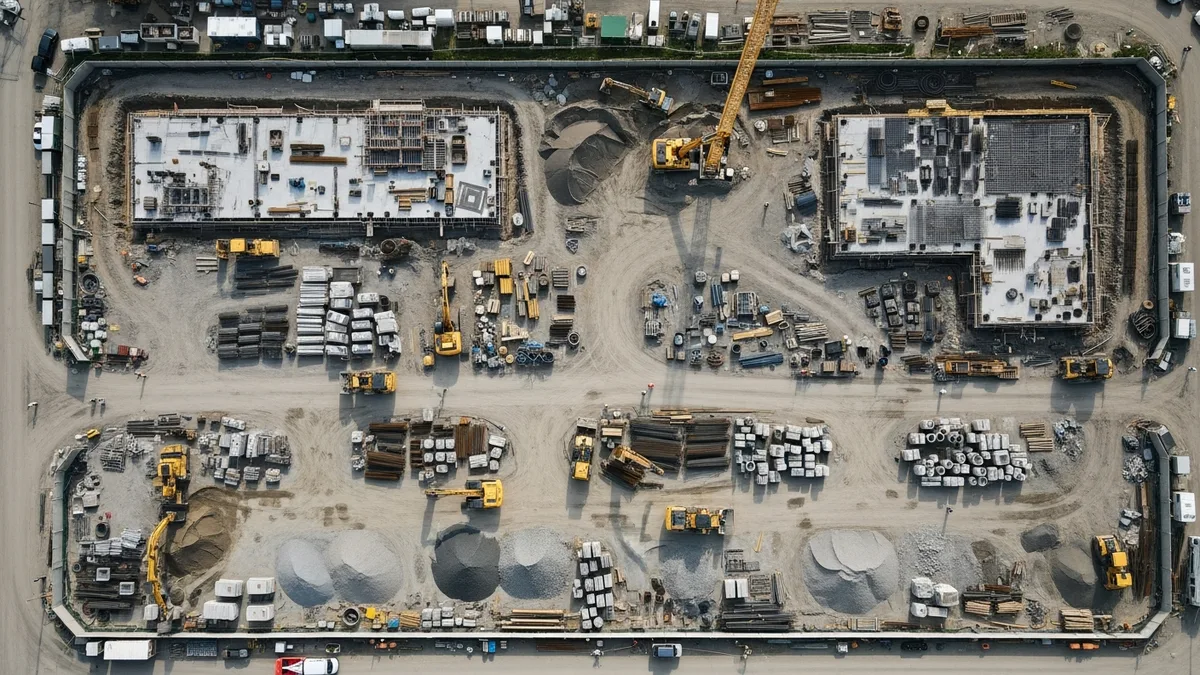
TL;DR: RFIs are unavoidable on construction projects, but slow responses and sloppy tracking cost contractors thousands per week in idle crews and schedule delays. This guide covers how to write RFIs that get answered fast, response time benchmarks, the difference between RFIs and submittals and change orders, how to build an RFI log that actually works, common mistakes that kill your margins, and how to reduce RFI volume before construction even starts. If you want one system to track RFIs alongside your schedule, budget, and documents, Projul starts at $399/mo flat rate with no per-user fees.
You’re three weeks into framing a commercial tenant improvement and your lead carpenter pulls you aside. “Hey, the plans show a 36-inch door into this storage room, but the hardware schedule calls for a 42-inch commercial frame. Which one is right?”
You know the answer isn’t going to come from staring at the plans harder. Someone made a mistake, or there’s context you’re not seeing. Either way, you need a formal answer from the architect before your crew can hang that wall. You need an RFI.
RFIs are one of those things every contractor deals with but few handle well. They pile up. Responses take forever. The crew sits around waiting. And by the time you get your answer, you’ve already lost two days of production and burned through your schedule float.
It doesn’t have to work that way. Good RFI management keeps your project moving, protects you legally, and makes sure nothing falls through the cracks. Here’s how to do it right.
What Is an RFI in Construction?
An RFI, or Request for Information, is a formal written question from one project party to another. In most cases, it goes from the general contractor to the architect or engineer asking for clarification on the construction documents.
RFIs exist because construction documents are never perfect. Plans and specifications are created by humans, and humans miss things. Dimensions conflict. Details get left out. Notes on one sheet contradict notes on another. And sometimes, site conditions don’t match what the drawings assumed.
When your crew hits one of these conflicts or gaps, you have two choices: guess and hope you’re right, or submit an RFI and get a documented answer. Guessing saves time in the short term. But when that guess turns into $15,000 worth of rework and a finger-pointing match about who approved the deviation, you’ll wish you had the paper trail.
An RFI is not a change order. This is worth saying clearly because people confuse them constantly. An RFI asks a question. A change order changes the scope, cost, or schedule. Sometimes an RFI response leads to a change order, but the RFI itself is just a request for clarification. We’ll break down the differences in detail below.
Common reasons to submit an RFI:
- Conflicting information between drawings and specs
- Missing details or dimensions on the plans
- Unclear notes or callouts
- Site conditions that don’t match the design
- Material substitution questions
- Code compliance questions where the plans are silent
If you’re running a well-organized project, your RFI process is just another part of the system. If you’re not, RFIs become the thing that brings everything to a stop.
RFI vs Submittal vs Change Order
Contractors mix these up all the time, and that confusion creates real problems. Each document has a specific purpose, and using the wrong one slows everything down.
RFI (Request for Information): A formal question asking for clarification about something already in the construction documents. You’re not asking for new work or proposing a product. You’re saying “the plans are unclear here, tell us what you intended.”
Submittal: A document you send to the architect or engineer for approval of a specific product, material, or method you plan to use. Shop drawings, product data sheets, material samples, and mockups are all submittals. You’re not asking a question. You’re saying “here’s what we plan to install, please confirm it meets the design intent.”
Change Order: A formal modification to the contract that changes the scope of work, contract price, or project schedule. Change orders require agreement from both parties and typically involve additional cost or credit. You’re not asking a question or getting approval. You’re modifying the deal.
Here’s when to use each:
| Situation | Use This |
|---|---|
| Plans show two different dimensions for the same wall | RFI |
| You want to install a specific light fixture brand | Submittal |
| Owner wants to add a conference room that wasn’t in the original plans | Change Order |
| Specs call out a product that’s been discontinued | RFI (then possibly a submittal for the replacement) |
| Architect’s RFI response requires additional framing not in the original scope | Change Order |
| You need to confirm the paint finish for a specific room | RFI if specs are unclear, submittal if you’re proposing a product |
The common trap: Contractors submit an RFI hoping the response will authorize extra work without going through the change order process. Architects catch this every time, and it slows down your RFI responses because now they’re reviewing every question through a legal lens. Keep your RFIs focused on clarifications. When additional scope comes up, use the change order process and get it documented properly. If you need templates for that, grab our free construction change order templates.
Another common mistake: Submitting an RFI when you should be sending a submittal. If you already know which product you want to use and just need approval, that’s a submittal. Routing it through the RFI process adds unnecessary steps and delays. Make sure your scope of work documents are clear enough that your team knows the difference.
Why RFI Management Matters
Every open RFI is a potential delay. That might sound dramatic, but think about what happens on a real jobsite when an RFI goes unanswered.
Delays stack up fast. Your framing crew can’t close up that wall until you know which door size is correct. But your electrician is scheduled to rough in that wall tomorrow. And your insulation crew is booked for Thursday. One unanswered RFI just created a chain reaction across three trades. If your scheduling system doesn’t flag these dependencies, you won’t see the domino effect coming until it’s too late.
This is why your daily reports should capture every RFI-related delay as it happens. That documentation is your evidence when schedule impact comes into question.
A 2022 study by Navigant (now Guidehouse) found that the average commercial construction project generates between 500 and 800 RFIs. On large projects, that number climbs into the thousands. Even if only 10% of those RFIs cause work stoppages, you’re looking at 50 to 80 points in your project where everything could grind to a halt.
The money adds up. Every day your crew can’t work in a specific area because of an open RFI costs you labor, equipment, and schedule. The average cost impact of a delayed RFI response varies wildly depending on project size, but contractors regularly report that individual RFI delays cost them $1,000 to $5,000 per day in lost productivity. Over the life of a project, poorly managed RFIs can easily eat 1 to 3% of total project costs. If you’re not tracking those cost impacts in your project budget, you’re flying blind on profitability.
Liability is the hidden risk. When a dispute hits and the lawyers get involved, the RFI log is one of the first things they look at. Did you ask the question? Did you get an answer? Did you follow the answer? If the RFI trail is sloppy, incomplete, or nonexistent, you’re going to have a very hard time proving your case.
Here’s a scenario that plays out more often than it should: a sub does work based on a verbal clarification from the architect’s field rep. No RFI was filed. The work doesn’t match what the architect’s office intended. Now there’s a $40,000 rework bill and nobody has a paper trail. The sub says the architect told them to do it that way. The architect says they never approved that. Without a documented RFI and response, it becomes a “he said, she said” situation that usually ends with the contractor eating the cost.
RFI Response Time Benchmarks
Knowing what “good” looks like for RFI response times helps you hold the design team accountable and plan your schedule around realistic expectations.
What the contracts say: Most standard construction contracts (AIA, ConsensusDocs) specify an RFI response window of 7 to 14 calendar days. Some fast-track or design-build contracts tighten this to 3 to 5 business days. Whatever your contract says, that’s your baseline. Know it before the project starts.
What actually happens: Industry data shows the average RFI response time on commercial projects is around 9.7 days. But averages hide the real story. About 30% of RFIs get answered within 48 hours because they’re simple clarifications. The other 70% take anywhere from a week to several months, especially when they involve structural engineering reviews, code interpretations, or owner decisions.
What good looks like:
- Same day to 48 hours: Simple clarifications where the answer is obvious from the documents. (“Confirm that dimension X on sheet A-201 should read 12’-6” per the enlarged plan on A-401.”) If these are taking longer than two days, something is wrong with the review process.
- 3 to 5 business days: Standard questions requiring the architect or engineer to review drawings, check specs, and provide a considered answer.
- 7 to 14 business days: Complex questions involving structural changes, code interpretations, or coordination between multiple design disciplines.
- Over 14 business days: Questions that require owner input, revised design, or third-party review. These should be flagged as high-risk schedule items immediately.
What delays actually cost: When a crew is standing around waiting on an RFI response, you’re burning money. A four-person framing crew costs roughly $1,600 to $2,400 per day in wages alone, depending on your market. Add equipment, overhead, and the ripple effect on downstream trades, and a single stalled RFI can cost $3,000 to $5,000 per day. Over a two-week wait, that’s $30,000 to $50,000 in lost productivity on one question.
How to track response times: Your RFI log should automatically calculate the number of days between submission and response. At your weekly project meetings, review every open RFI and its age. Anything past 75% of the contractual response window gets flagged. Anything past the deadline gets a formal follow-up with a note about potential schedule impact.
Build a simple dashboard that shows:
- Total open RFIs
- Average response time (rolling 30 days)
- Number of overdue RFIs
- RFIs on the critical path
This isn’t about being a pain to the design team. It’s about protecting your schedule and your project margins. When you can show the owner that the architect has 14 overdue RFIs and they’re collectively holding up $200,000 worth of scheduled work, that conversation gets productive fast.
The RFI Process Step by Step
The RFI process isn’t complicated, but skipping steps is where things go wrong. Here’s what it should look like from start to finish.
Step 1: Identify the Issue
Your field crew, a subcontractor, or your project manager spots something in the documents that doesn’t make sense. Maybe it’s a conflict between the structural and architectural drawings. Maybe the specs call out a product that’s been discontinued. Whatever it is, someone flags it.
The sooner you catch these issues, the better. Don’t wait until you’re standing in front of the problem with a crew that can’t work. Review plans ahead of time during project planning and flag anything that looks off before it becomes an emergency.
Step 2: Write the RFI
This is where most contractors either do it right or completely blow it. A good RFI includes:
- A clear, specific question. Not “the plans are confusing in the bathroom area.” Instead: “Sheet A-204, Detail 3: the plan shows 2x6 framing at 16” o.c. for the bathroom wet wall, but the plumbing riser requires 8 inches of clearance. Please confirm whether the wet wall should be framed with 2x8 studs or a furred-out 2x6 wall.”
- Drawing and specification references. Sheet numbers, detail numbers, spec sections. Make it easy for the reviewer to find exactly what you’re talking about.
- Photos or markups if helpful. A picture of the actual site condition or a markup of the drawing can save days of back-and-forth.
- Your suggested solution (when appropriate). Architects and engineers are more likely to respond quickly when you propose a solution rather than just dumping a problem on their desk. “We suggest framing with 2x8 studs per the attached sketch. Please confirm or advise.”
Step 3: Log and Submit
Every RFI gets a unique number. Every RFI gets logged with the date submitted, who submitted it, who it’s directed to, and what the question is about. This is non-negotiable.
Submit through whatever channel your contract specifies. Some projects use email. Some use a project management platform. Some still use hard copy transmittals. Whatever the method, make sure you have proof of when it was sent and to whom.
If you’re keeping your project documents organized, your RFI log should tie directly into your document management system so everything is in one place.
Step 4: Track the Response
Here’s where most contractors drop the ball. You submit the RFI and then… hope someone answers. No follow-up. No tracking. Just hope.
Set a response deadline based on your contract requirements (typically 7 to 14 days). If you don’t get a response by the deadline, follow up. Then follow up again. Document every follow-up. If the response is delayed and it impacts your schedule, document that too. This paper trail matters when it comes time to discuss schedule extensions or delay claims.
Step 5: Distribute the Response
You got your answer. Great. Now make sure everyone who needs it actually sees it. That means your field superintendent, the affected subcontractors, your project engineer, and anyone else whose work depends on that clarification.
Read real contractor reviews and see why Projul carries a 9.8/10 on G2.
This sounds obvious, but it’s one of the most common failure points. The PM gets the answer, saves it to their laptop, and forgets to tell the crew. Two weeks later, the electrician is still working off the original (wrong) assumption.
Step 6: Close It Out
Once the response is distributed and the issue is resolved, close the RFI in your log. Mark it complete. Attach the response. Note any cost or schedule impacts. Move on.
A clean RFI log with everything properly closed out is worth its weight in gold during closeout, audits, or any kind of dispute resolution.
Building an RFI Log That Actually Works
Your RFI log is the backbone of your entire RFI process. If it’s incomplete, outdated, or buried in someone’s email, you don’t really have a process at all.
Required Fields
Every RFI log needs these fields at minimum:
- RFI Number: Sequential, unique, never reused. Use a project prefix if you run multiple projects (e.g., PROJ-RFI-001).
- Date Submitted: When the RFI was formally sent. Not when you first noticed the issue.
- Submitted By: Name and company. Critical for subcontractor RFIs routed through the GC.
- Directed To: The specific person or firm responsible for answering.
- Subject/Description: A brief summary of the question. Enough detail that someone scanning the log knows what it’s about without opening the full RFI.
- Drawing/Spec Reference: Which sheets, details, or spec sections are involved.
- Response Due Date: Based on your contractual response window.
- Date Response Received: When you actually got the answer.
- Response Summary: A brief summary of what was decided.
- Status: Open, Overdue, Responded, Closed.
- Cost Impact: Did this RFI result in additional cost? If yes, note the amount and link to the change order.
- Schedule Impact: Did this RFI delay any work? If yes, note the number of days and affected activities.
Sample RFI Log Format
Here’s what a functional RFI log entry looks like:
| Field | Example |
|---|---|
| RFI Number | TI-RFI-027 |
| Date Submitted | 2026-02-10 |
| Submitted By | Mike Torres, ABC Framing |
| Directed To | Smith & Associates Architects |
| Subject | Wet wall framing depth conflict, Sheet A-204 Detail 3 |
| Drawing Reference | A-204, Detail 3; P-101 riser diagram |
| Response Due | 2026-02-24 |
| Response Received | 2026-02-19 |
| Response Summary | Use 2x8 studs at 16” o.c. for wet wall. No change to layout. |
| Status | Closed |
| Cost Impact | None |
| Schedule Impact | None (answered before framing reached this area) |
Why Spreadsheets Fail at Scale
Spreadsheets work fine when you have one project with 15 RFIs. Most contractors don’t stay in that world for long. Here’s where spreadsheets break down:
Version control: When your PM, superintendent, and project engineer each have a copy, you end up with three different “current” versions. Nobody knows which one is right. Somebody’s updates get overwritten.
No notifications: A spreadsheet won’t ping you when an RFI is five days overdue. You have to manually scan every row, every week. That works until it doesn’t, and the one you miss is the one that holds up a critical path activity.
No document attachment: The spreadsheet tracks metadata, but the actual RFI documents, markups, photos, and responses live in a separate folder or email chain. Cross-referencing wastes time and creates gaps.
No field access: Your super in the field can’t easily check the status of an RFI from their phone. They have to call the office, and the office has to open the file, find the row, and read it back. That’s a 1995 workflow in 2026.
No reporting: Want to know your average response time this quarter? Your most active RFI trade? How many RFIs are on the critical path right now? Good luck building that from a spreadsheet every week.
For contractors running multiple jobs, software that ties your RFI log into your job management and project management system pays for itself in the first month. You get one source of truth, automatic notifications, field access, and reporting without any manual work. Projul’s Core plan at $399/mo gives you this for your entire team with no per-user fees.
Common RFI Mistakes That Kill Profits
After years of watching how contractors handle RFIs, some patterns are painfully clear. These are the mistakes that show up on nearly every troubled project.
Verbal RFIs With No Paper Trail
This is the number one profit killer. Your superintendent asks the architect a question at the job meeting. The architect gives a verbal answer. Your crew proceeds based on that answer. Three months later, the owner’s rep says that work doesn’t match the design intent, and now you’re looking at $25,000 in rework.
Without a written RFI and a written response, you have nothing. It doesn’t matter what was said. It doesn’t matter who was in the room. If it’s not documented, it didn’t happen.
The fix: Every verbal clarification gets followed up with a formal RFI confirming what was discussed. Even if it feels redundant. Even if the architect rolls their eyes. Your contract protections are only as good as your documentation.
Not Linking to Drawings and Specs
“Please clarify the wall type in the break room.” Which break room? Which wall? Which floor? The architect’s office is working on eight projects. They don’t have your floor plan memorized.
Every RFI should reference specific sheet numbers, detail numbers, grid lines, and spec sections. Attach a markup if possible. The easier you make it for the reviewer to find the issue, the faster you get your answer.
Bundling Multiple Questions Into One RFI
RFI-042 asks about a door size, a ceiling height, and a paint color. The architect can answer the door size and paint color immediately but needs to consult the structural engineer about the ceiling height. Now the entire RFI sits in “pending” for two weeks while the easy answers wait for the hard one.
One question per RFI. Period. If you have three questions about the same detail, you can submit three RFIs and reference the same drawing. They’ll get individual responses and individual tracking, which means the easy answers come back fast and only the complex one takes extra time.
Not Tracking Cost Impacts
An RFI response tells you to frame a wall with 2x8 instead of 2x6. That’s a material and labor cost increase. If you don’t flag it, nobody’s going to hand you a change order. You just absorbed additional scope without compensation.
Every RFI response should be reviewed for cost and schedule impact. If the response changes anything from what was in the original bid documents, flag it immediately and route it through your change order process. Even if the cost seems small, those $500 and $1,000 hits add up fast across hundreds of RFIs.
Accepting Partial or Ambiguous Responses
The architect responds: “Use contractor’s best judgment.” That’s not an answer. That’s a liability transfer. If you proceed based on your “best judgment” and the result doesn’t match the design intent, you’re on the hook.
Push back on vague responses. Ask for specifics. If the response doesn’t give you enough information to proceed with confidence, resubmit the RFI with additional detail and ask for a definitive answer.
Using RFIs to Create Change Orders
Some contractors use RFIs as a backdoor to get scope changes approved. They phrase questions in a way that implies additional work, hoping the architect’s response will serve as authorization. This is a bad idea. It damages your credibility with the design team, slows down future RFI responses (because now they’re reviewing every question through a legal lens), and it rarely holds up in a dispute anyway.
Keep RFIs for clarifications. Use the change order process for scope changes. And once the project nears completion, unresolved RFIs can show up as punch list items that delay your final payment.
How to Reduce RFI Volume
The best RFI is the one you never have to write. Every RFI takes time to create, track, and resolve. If you can eliminate the need for 20% of your RFIs before construction starts, you’ll save weeks of cumulative delay and thousands in administrative costs.
Better Pre-Construction Plan Reviews
Most RFIs stem from conflicts or gaps that existed in the documents from day one. A thorough plan review before construction starts catches these issues while there’s still time to resolve them without schedule pressure.
Dedicate time during pre-construction to go through plans sheet by sheet with your project team. Have your key subs (mechanical, electrical, plumbing, structural) review their sections and flag conflicts. Build a list of questions and submit them as a batch of RFIs before the first shovel hits dirt.
This one habit can reduce your in-construction RFI count by 15 to 25%, and the ones you do catch early get resolved without any crew standing idle.
BIM Clash Detection
If the project has a BIM model, use it. Clash detection identifies physical conflicts between building systems before they become field problems. That duct running through a beam? The plumbing stack that conflicts with the electrical panel? Clash detection catches these in the model, not on the jobsite.
Not every project has BIM, and that’s fine. But when it’s available, use it aggressively during pre-construction. Every clash you resolve in the model is one less RFI in the field.
Design Team Kickoff Meetings
Before construction starts, get everyone in a room: the architect, engineers, key consultants, your project team, and your major subs. Walk through the documents together. Discuss design intent, material selections, and anything that looks ambiguous.
These meetings aren’t about catching the design team making mistakes. They’re about building a shared understanding of the project so everyone is working from the same page. When your team understands the designer’s intent, they make better decisions in the field and ask fewer questions.
Clearer Scopes of Work
A lot of RFIs come from subcontractor confusion about where one trade’s scope ends and another’s begins. Who’s responsible for backing in the tile shower? Who provides the fire caulking at penetrations? These are the questions that generate dozens of RFIs on every project.
Write detailed scopes of work that clearly define each trade’s responsibilities, including the gray areas. Address scope gaps and overlaps before the project starts, not after three subs are arguing about it in the field.
Lessons Learned From Past Projects
If you ran a similar project last year and generated 400 RFIs, review that RFI log before starting the new one. What were the most common questions? Where did the same conflicts keep appearing? Use that data to guide your pre-construction review and catch the same types of issues before they become RFIs again.
Keep a running database of common RFI topics by project type. Over time, this becomes a checklist your team uses during plan review. It’s one of the highest-value things you can do with historical project data, and a good CRM system helps you track which clients, architects, and project types consistently generate the most questions.
RFI Tracking: Spreadsheets vs Software
Let’s be honest. Plenty of contractors still track RFIs in spreadsheets. And for a single small project with a dozen RFIs, a spreadsheet works fine. It’s when you scale up that things fall apart.
The Spreadsheet Approach
A typical RFI tracking spreadsheet has columns for RFI number, date submitted, description, directed to, response due date, date received, status, and notes. It’s straightforward and cheap.
But spreadsheets have real limitations:
- Version control is a nightmare. When three people have copies of the spreadsheet and they’re all making edits, which one is the source of truth? Nobody knows.
- No automatic notifications. Nobody gets an alert when a response is overdue. You have to manually check every line and follow up yourself.
- Documents are separate. The spreadsheet tracks the RFI, but the actual question, markups, and response documents live somewhere else. You’re constantly cross-referencing between the log and your email or file folders.
- No visibility for the field. Your superintendent has to call the office to find out if the RFI they submitted last week got answered.
The Software Approach
Construction project management software handles RFIs as part of the overall project workflow. You create an RFI, attach drawings and photos, assign it to the right person, and the system tracks everything automatically.
The advantages are significant:
- One source of truth. Everyone on the project sees the same RFI log, the same statuses, and the same documents.
- Automatic notifications and reminders. The system pings people when responses are due or overdue.
- Documents attached directly. The question, markups, photos, and response all live in one record. No digging through email.
- Field access. Your super can check the status of any RFI from their phone on the jobsite.
- Reporting. You can pull reports on average response times, overdue RFIs, RFIs by trade, and other data that helps you manage the process proactively.
With a tool like Projul, your RFIs tie into the rest of your project management system. Documents, photos, schedules, and communication all live in one place. When an RFI response comes in, the people who need to see it can access it immediately without waiting for someone to forward an email. Plans start at $399/mo for your whole team, with Core+ at $599/mo and Pro at $1,199/mo for larger operations.
The cost difference between a spreadsheet and software is real, but so is the cost of a single delayed RFI that holds up your crew for a week. For most contractors running more than one or two projects at a time, software pays for itself quickly.
Best Practices for Faster RFI Resolution
If there’s one thing every contractor wants, it’s faster RFI responses. You can’t control how fast the architect reviews your question, but you can control a lot of the factors that affect turnaround time.
Write Better RFIs
This is the single most effective thing you can do. A well-written RFI with specific references, clear questions, and a proposed solution gets answered faster than a vague one every time. Architects and engineers are busy. If they have to spend 30 minutes figuring out what you’re even asking about, your RFI goes to the bottom of the pile.
Spend an extra five minutes writing a clear, complete question. It will save you days on the back end. For more on writing solid project documentation, check out our construction RFI guide with templates and examples.
Submit Early
Don’t wait until the work is imminent. Review upcoming phases during your weekly planning meetings and identify potential RFI items in advance. Getting questions into the pipeline early gives the design team time to respond without creating schedule pressure.
Some of the best project managers review plan sets section by section before each phase kicks off, specifically looking for conflicts and ambiguities. This one habit can cut your critical-path RFI delays in half.
Batch Strategically
If you have six questions about the same drawing or the same building system, submit them together. The architect has to pull up that drawing set and get into the context once instead of six separate times. Batching related questions speeds up the review process for everyone.
But don’t batch unrelated questions into one RFI. A question about the roof flashing detail should not be in the same RFI as a question about the basement floor drain. Keep each RFI focused so responses don’t get delayed because one part of a multi-topic RFI needs more review than the others.
Build Relationships with the Design Team
This isn’t a formal process tip, but it matters more than most people realize. If you have a good working relationship with the architect and their consultants, your RFIs get attention faster. Be professional. Don’t use RFIs to play gotcha or make the design team look bad. Ask clear questions, propose reasonable solutions, and make their job easier. They’ll return the favor with faster, more thoughtful responses.
Hold Weekly RFI Review Meetings
Dedicate 15 minutes of your weekly OAC meeting (or a separate internal meeting) to reviewing the RFI log. Go through every open item. Identify what’s overdue. Flag anything that could impact the schedule. This keeps RFIs from falling through the cracks and puts consistent pressure on the response timeline.
Track Response Times and Follow Up Consistently
Know what your contractual response window is and enforce it. If the contract says 10 business days and it’s day 12, send a follow-up. Be polite but persistent. And document every follow-up. If delayed responses eventually impact your schedule, that documentation supports your delay claim.
Use Photos and Markups Generously
A photo of the actual site condition or a markup of the conflicting detail is worth a thousand words in an RFI. These visual references help the reviewer understand your question immediately instead of having to visit the site or pull up drawings from scratch. Take the extra two minutes to attach a photo. It’s one of the simplest ways to speed up the process.
Keep Your Document Management Tight
Your RFIs don’t exist in isolation. They’re connected to plans, specs, submittals, and change orders. If your document management is a mess, your RFI process will be a mess too. Keep everything organized so that when an RFI references a specific drawing or submittal, anyone reviewing it can pull up that document in seconds.
Stop Letting RFIs Run Your Schedule
RFIs are never going away. As long as humans design buildings and other humans build them, there will be questions that need answering. The difference between a project that runs smoothly and one that’s constantly behind schedule often comes down to how well the team manages those questions.
The contractors who get this right share a few things in common. They submit RFIs early. They write clear, specific questions. They track everything in one central system. They follow up consistently. And they make sure every response gets to the people who need it.
None of this is complicated. It’s just discipline and having the right systems in place.
Book a free demo and see how Projul keeps your RFIs, schedule, documents, and budget in one place so nothing slows down your crew.
If you’re still tracking RFIs in spreadsheets and email threads, take a hard look at how much time and money that’s actually costing you. The answer might surprise you. And if you’re ready to get your project documents, RFIs, and communication into one place, check out what Projul can do for your team.
Frequently Asked Questions
What is an RFI in construction?
How long should an RFI response take?
Who can submit an RFI on a construction project?
What's the best way to track RFIs on a construction project?
What are the most common RFI mistakes contractors make?
Related Articles

How to Create a Construction Schedule in 5 Steps (+ Free Template)
A bad schedule costs you $1,500 to $5,000 per day in delays. Here is a 5-step method to build a construction schedule...
Read More →
Construction RFI Guide: How to Write, Submit, and Track RFIs
RFIs slow projects down when they are vague, late, or lost. This guide walks you through how to write a good...
Read More →
Why a Great Mobile App Matters in Construction Management Software
Running a construction business is no small feat. Managing multiple projects, teams, and job sites - while keeping...
Read More →