
Construction Website Design That Wins Jobs
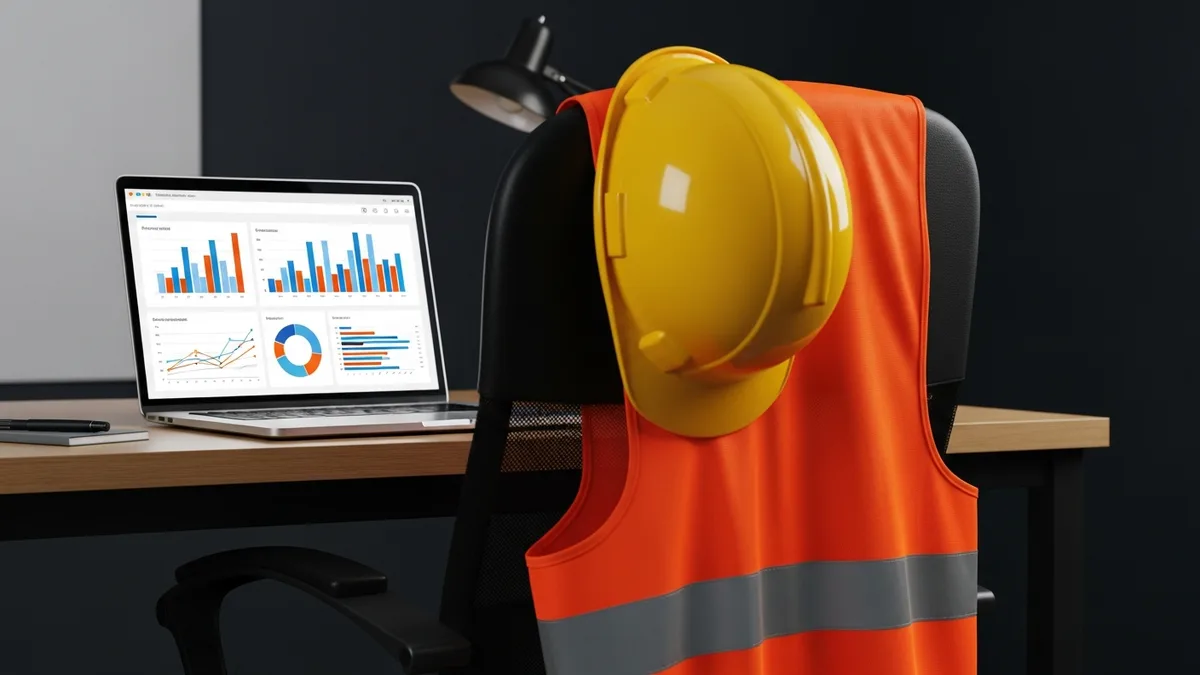
Your website works 24 hours a day, 7 days a week. It doesn’t take sick days. It doesn’t forget to follow up. And whether you realize it or not, it’s the first impression most potential clients get of your construction business.
The problem is that a lot of contractor websites were built once, five or ten years ago, and haven’t been touched since. They load slowly, look terrible on a phone, and don’t give visitors a clear reason to pick up the phone. Meanwhile, the contractor down the road with a sharp, fast, well-organized site is getting the calls you should be getting.
This guide covers exactly what a construction website needs to actually win jobs. No fluff. Just the pages, design decisions, and strategies that turn website visitors into paying clients.
Why Your Website Is Your Most Important Sales Tool
Think about the last time you hired someone for a service. Maybe a plumber or an electrician. What did you do? You probably searched online, clicked a few websites, and made a snap judgment about which company looked legitimate.
Your potential clients are doing the exact same thing with your construction business.
Here’s what makes your website different from every other marketing channel: it’s the one thing you fully control. You can’t control what people say about you on review sites. You can’t control where you show up in Google’s Map Pack (not entirely, anyway). You can’t control whether a referral actually passes along your name. But your website? That’s your turf.
Your website is where every other marketing effort leads. When someone sees your truck on the road and looks you up, they land on your website. When a GC gets your name from a colleague, the first thing they do is check your site. When your Google Business Profile shows up in search results, the “Website” button sends them straight to your homepage. If you haven’t improved your Google Business Profile yet, start there and then come back to this guide.
A strong website does three things:
- Builds trust fast. Visitors decide in seconds whether your company looks professional and capable. Clean design, real project photos, and clear information tell them you’re the real deal.
- Answers questions before they’re asked. What services do you offer? What areas do you cover? How do they get a quote? If a visitor has to hunt for this information, they’ll leave and find someone who makes it easy.
- Makes it simple to take the next step. Whether that’s calling, filling out a form, or requesting an estimate, the path from “I’m interested” to “I’m reaching out” should be obvious on every single page.
A lot of contractors think their reputation alone is enough. And reputation matters, no question. But reputation gets people to your website. Your website is what closes the deal.
What Homeowners and GCs Look for on a Contractor’s Website
Homeowners and general contractors look for different things when they’re evaluating a construction company online, but they share one thing in common: they’re both trying to figure out if you’re trustworthy and competent, and they want to figure that out fast.
What Homeowners Want to See
Homeowners are usually not construction experts. They’re nervous about hiring the wrong contractor. They’ve heard the horror stories about projects going sideways, budgets blowing up, and contractors disappearing mid-job.
Your website needs to calm those fears. Here’s what homeowners look for:
- Photos of completed work. Not stock photos. Real photos of real projects you’ve actually done. Before-and-after shots are gold. Homeowners want to see the quality of your craftsmanship with their own eyes.
- Reviews and testimonials. Third-party reviews (Google, Yelp) carry the most weight, but on-site testimonials still matter. Include the client’s name and general location if possible. “John D., Austin TX” feels more real than an anonymous quote.
- Clear service descriptions. Don’t assume people know what “general contracting” means. Spell out exactly what you do in plain language. Kitchen remodels. Room additions. New construction. Whatever your specialties are, list them.
- Licensing and insurance info. Homeowners want proof that you’re licensed, bonded, and insured. Don’t make them ask. Put it on your site.
- A way to communicate easily. Many homeowners prefer to reach out online before making a phone call. A simple contact form or even a customer portal where they can track their project goes a long way toward building confidence.
What General Contractors Want to See
GCs are evaluating you differently. They already understand construction. They want to know if you’re reliable, professional, and able to handle the scope of work they need.
- Project types and scale. GCs want to see that you’ve handled projects similar to what they need. Commercial experience? Multi-family? Show it.
- Safety record and certifications. OSHA compliance, safety certifications, and EMR rates matter to GCs who are putting their own reputation on the line by hiring subs.
- Capacity and team info. Can you handle the volume? Do you have a real team? GCs want to know they won’t be left hanging.
- Professional presentation overall. A sloppy website signals a sloppy operation. GCs will absolutely judge your company by how your website looks and functions.
The bottom line: both audiences are making a trust decision. Your website is either building that trust or undermining it.
Pages Every Construction Website Needs
You don’t need a 50-page website. You need a handful of pages that do their jobs well. Here are the ones that matter most:
Homepage
Your homepage is your storefront. It needs to communicate three things within five seconds: who you are, what you do, and how to get in touch. A strong headline, a few sentences about your company, and a clear call-to-action button (like “Get a Free Estimate”) should all be visible without scrolling.
Don’t cram everything onto your homepage. Its job is to give a great first impression and point visitors to the right places on your site.
Services Pages
Create individual pages for each major service you offer. “Kitchen Remodels” gets its own page. “Commercial Tenant Improvements” gets its own page. This does two things: it lets potential clients quickly find the specific service they need, and it gives Google more pages to index and rank for specific search terms.
Each service page should include:
- A description of the service in plain language
- Photos of completed projects in that category
- Your process (how the project typically works from start to finish)
- A call-to-action to request an estimate
About Page
People hire people, not companies. Your about page should tell your story: when you started, why you do this work, and what makes your company different. Include a photo of yourself or your team. Construction is a relationship business, and putting a face to the name builds trust.
Portfolio / Project Gallery
This is where your work speaks for itself. Organize projects by type (residential, commercial, remodel, new build) and include high-quality photos. Add a short description of each project: scope, timeline, any challenges you overcame. This gives potential clients a real sense of what you’re capable of.
Contact Page
Make it impossible for someone to visit your website and not know how to reach you. Your contact page should include:
- Phone number (clickable on mobile)
- Email address
- Contact form
- Service area
- Physical address (if you have one)
- Hours of availability
Also: put your phone number in the header of every page on your site. Don’t bury it.
Testimonials / Reviews Page
Dedicate a page to client testimonials. Pull in your best Google reviews. Include the client’s name, location, and project type when possible. Video testimonials are even more powerful if you can get them.
Blog (Optional but Valuable)
A blog helps with SEO and positions you as an expert. You don’t need to publish weekly. Even one solid post a month on a topic your clients care about (like “How Much Does a Kitchen Remodel Cost in [Your City]?”) can drive long-term traffic and leads.
Mobile-First Design: Most of Your Visitors Are on Phones
Here’s a stat that surprises a lot of contractors: over 60% of all web traffic now comes from mobile devices. For local service businesses like construction companies, that number is often even higher. People are searching for contractors on their phones, usually while standing in the room they want remodeled or on the job site where they need a sub.
If your website doesn’t work well on a phone, you’re losing more than half your potential leads. Period.
What Mobile-First Actually Means
Mobile-first design means your website is designed for phone screens first and then adapted for larger screens like desktops and tablets. It’s the opposite of how most contractor websites were built: designed for a big monitor and then “squished” to fit a phone screen.
Here’s what a mobile-friendly construction website looks like:
- Text is readable without zooming. If visitors have to pinch and zoom to read your content, you’ve already lost them.
- Buttons are big enough to tap. Small, tightly packed links that work fine with a mouse are a nightmare on a touchscreen. Your call-to-action buttons should be large and easy to tap.
- Phone number is click-to-call. On mobile, your phone number should be a tappable link that opens the phone dialer. This is the single most important conversion action on a contractor’s mobile site.
- Pages load in under 3 seconds. Mobile connections are often slower than desktop connections. Heavy images, unnecessary scripts, and bloated page builders can push your load times well past the point where visitors give up and hit the back button.
- Navigation is simple. A hamburger menu (the three horizontal lines) is fine for mobile. Keep your menu items to the essentials: Home, Services, About, Portfolio, Contact.
- Forms are short and easy to fill out. Nobody wants to fill out a 15-field form on a phone. Name, phone number, brief description of the project. That’s it.
How to Check Your Mobile Experience
Pull out your phone right now and visit your own website. Try to do the things a potential client would do: find your phone number, look at project photos, fill out your contact form. If any of that feels frustrating, your visitors feel the same frustration. Except they just leave.
Google also offers a free tool called PageSpeed Insights (pagespeed.web.dev) that grades your site’s mobile performance and tells you exactly what to fix.
SEO Basics That Help Contractors Show Up in Search
SEO (Search Engine Improvement) is how you get your website to show up when people search for contractors in your area. You don’t need to become an SEO expert. You just need to get the basics right.
Claim and Fine-tune Your Google Business Profile
This is the single biggest SEO win for local contractors. Your Google Business Profile is what shows up in the Map Pack (the map with three businesses that appears at the top of local search results). If you haven’t claimed and improved your profile, check out our complete guide to Google Business Profile for contractors.
Use Location-Based Keywords on Your Pages
Google needs to know where you work. Include your city, county, and service area naturally throughout your website. Your homepage might say “Custom Home Builder in Denver, CO” and your service pages might target specific neighborhoods or suburbs.
Don’t stuff keywords in unnaturally. Write for humans first, and make sure your location shows up in:
- Page titles
- Headings (H1 and H2 tags)
- The first paragraph of each page
- Image alt text
- Your footer
Create Separate Pages for Each Service
We mentioned this earlier, but it’s worth repeating from an SEO perspective. A single “Services” page that lists everything you do in bullet points gives Google very little to work with. Dedicated pages for “Bathroom Remodel in [City]” or “Commercial Buildout in [City]” give you far more chances to rank for the searches people are actually making.
Get Your Technical Basics Right
You don’t need to be a developer, but make sure these fundamentals are in place:
- SSL certificate (HTTPS). Your site should show the padlock icon in the browser. Without HTTPS, Google will flag your site as “Not Secure” and visitors will bounce.
- Fast load times. Compress your images, minimize unnecessary plugins, and choose a hosting provider that doesn’t slow you down. Site speed is a direct ranking factor.
- Proper title tags and meta descriptions. Every page should have a unique title tag (the text that shows in the browser tab and search results) and meta description (the snippet below the title in search results). These should include your target keywords and location.
- Image alt text. Every image on your site should have descriptive alt text. Instead of “IMG_4521.jpg” use “completed kitchen remodel with granite countertops in Austin TX.” This helps Google understand your images and can drive traffic from image search.
Build Backlinks Through Real Relationships
Backlinks (links from other websites to yours) are one of Google’s top ranking factors. The best way for contractors to earn them is through real-world relationships:
- Get listed in your local chamber of commerce directory
- Ask suppliers and manufacturers to link to you as a certified installer
- Partner with complementary businesses (architects, interior designers, real estate agents) and link to each other
- Sponsor local events or charities and get a link from their website
Track What’s Working
Install Google Analytics and Google Search Console on your site. Both are free. Analytics shows you how many visitors your site gets, where they come from, and what they do on your site. Search Console shows you which search queries are bringing people to your site and flags any technical issues Google finds.
Read real contractor reviews and see why Projul carries a 9.8/10 on G2.
You don’t need to check these daily. A monthly review is plenty. But knowing which pages and keywords are driving traffic lets you double down on what’s working.
Lead Capture: Turning Website Visitors Into Phone Calls
Getting traffic to your website is only half the battle. The other half is converting those visitors into actual leads: phone calls, form submissions, and estimate requests. This is where most contractor websites fall short.
Make Your Phone Number Impossible to Miss
Your phone number should be visible at the top of every single page. Not in the footer. Not buried on the contact page. Right there in the header where no one can miss it. On mobile, it should be click-to-call.
A lot of construction clients, especially homeowners, still prefer to call. Make it as easy as possible.
Use Clear Calls-to-Action
Every page on your site should have a clear next step for the visitor. That might be:
- “Get a Free Estimate”
- “Call Us Today”
- “Schedule a Consultation”
- “Request a Quote”
These calls-to-action should be buttons that stand out visually. Don’t be subtle. If someone is on your kitchen remodel page and they’re interested, there should be a big, obvious button that says “Get Your Kitchen Remodel Estimate.” A tool like Projul’s estimating feature can help you respond to those requests quickly and professionally once they come in.
Keep Forms Short
The longer your form, the fewer people will fill it out. For most contractors, you need three to five fields:
- Name
- Phone number
- Brief project description
- Zip code or city (to confirm they’re in your service area)
That’s it. You can gather the rest of the details on the initial phone call. The goal of the form is to start the conversation, not to collect every piece of information upfront.
Follow Up Fast
Here’s where leads die: the gap between when someone fills out a form and when you actually call them back. Research consistently shows that the first contractor to respond wins the job the majority of the time. If someone submits a request at 7 PM and you don’t call until the next afternoon, they’ve probably already talked to two other contractors.
This is where a good CRM becomes essential. A CRM (Customer Relationship Management) tool captures incoming leads, sends automatic confirmation messages, and makes sure nothing falls through the cracks. When a lead comes in, you get notified immediately and can respond while you’re still on their mind.
Add Trust Signals Near Your Forms
Right next to your contact form, include trust-building elements:
- Star ratings from Google reviews
- Logos of certifications or associations (BBB, local HBA, trade associations)
- A brief testimonial from a happy client
- “Licensed, Bonded & Insured” badge
- A note about your response time (“We respond to all inquiries within 2 hours”)
These elements reduce the friction that keeps people from filling out the form. They’re thinking, “Can I trust this company?” Give them the answer right there.
Track Your Conversions
You should know exactly how many leads your website generates each month and where they come from. Set up conversion tracking in Google Analytics to monitor form submissions and click-to-call actions. This tells you which pages and traffic sources are actually producing revenue, not just visits.
Without conversion tracking, you’re flying blind. You might be spending money on advertising that drives traffic but zero leads, or you might have a blog post quietly generating five leads a month that you didn’t even know about.
Build a Website That Works as Hard as You Do
Your construction website isn’t a digital brochure. It’s a sales tool. It should be working around the clock to build trust, answer questions, and convert visitors into real leads.
To recap what matters most:
- Design for mobile first. Most of your visitors are on phones.
- Include the right pages. Homepage, services, about, portfolio, contact, and testimonials at a minimum.
- Get the SEO basics right. Google Business Profile, location keywords, separate service pages, fast load times.
- Make lead capture effortless. Prominent phone number, clear calls-to-action, short forms, fast follow-up.
- Use the right tools. A CRM to manage leads, a customer portal to keep clients informed, and estimating software to turn inquiries into professional quotes quickly.
You don’t need to spend $20,000 on a custom website. You need a clean, fast, well-organized site that makes it easy for the right people to find you and reach out. That’s construction website design that actually wins jobs.
Ready to see how Projul helps contractors manage the leads their website generates? Check out our pricing and see which plan fits your business.
Ready to see how Projul can work for your crew? Schedule a free demo and we will walk you through it.
Frequently Asked Questions
How much does a construction website cost?
A professional construction website typically costs between $2,000 and $10,000 for a custom design, or $500 to $2,000 if you’re using a template-based builder like Squarespace or WordPress with a premium theme. Monthly hosting and maintenance usually runs $20 to $100 per month. The most important thing is that your site loads fast, looks good on mobile, and makes it easy for potential clients to contact you. A $3,000 site that does those things well will outperform a $15,000 site that doesn’t.
Can I build a contractor website myself?
Yes, and a lot of contractors do. Platforms like Squarespace, Wix, and WordPress make it possible to build a decent-looking site without coding skills. The trade-off is time: expect to spend 20 to 40 hours getting everything set up if you’re learning as you go. If your time is better spent on the job site, hiring a web designer who specializes in construction or trades businesses is usually worth the investment. They’ll know what works for your industry.
How often should I update my construction website?
At a minimum, update your website every time you complete a notable project (add it to your portfolio), change your services, or update your contact information. Beyond that, refreshing your content every few months and adding the occasional blog post keeps your site relevant in Google’s eyes. Websites that sit untouched for years gradually lose their search rankings.
What’s the most important page on a contractor website?
Your homepage gets the most traffic, but your service pages often do the most work in converting visitors to leads. That’s because someone who lands on your “Kitchen Remodel in [City]” page from a Google search already knows what they want. They’re further along in the decision-making process than a casual homepage visitor. Make sure each service page has strong photos, clear descriptions, and an obvious call-to-action.
Do contractors really need a blog on their website?
A blog isn’t strictly required, but it’s one of the most effective ways to drive organic traffic over time. When you write a detailed post answering a question your clients commonly ask (like “How long does a home addition take?”), that post can rank in Google and bring in visitors for months or years. You don’t need to publish constantly. One well-written post per month is enough to make a real difference in your search visibility. The key is consistency and focusing on topics your target clients are actually searching for.
Frequently Asked Questions
How much should a contractor pay for a website?
What pages does a construction website actually need?
Does my construction website need to work on mobile?
How do I get my contractor website to show up on Google?
Should I use stock photos or real project photos on my website?
Related Articles
Free Construction Business Plan Template (2026)
Most contractors skip the business plan and learn as they go. That works until you need a bank loan, a bonding line, or...
Read More →
5 Free Construction Change Order Templates for 2026 (Ready to Use)
Verbal change orders cost contractors thousands every year. Use these free construction change order templates to...
Read More →
7 Free Construction Scope of Work Templates (2026) + Writing Guide
Vague scopes of work cost contractors thousands in disputes and change orders every year. Grab these free construction...
Read More →