
Multi-Family Construction Management: What's Different (And What Trips Contractors Up) | Projul
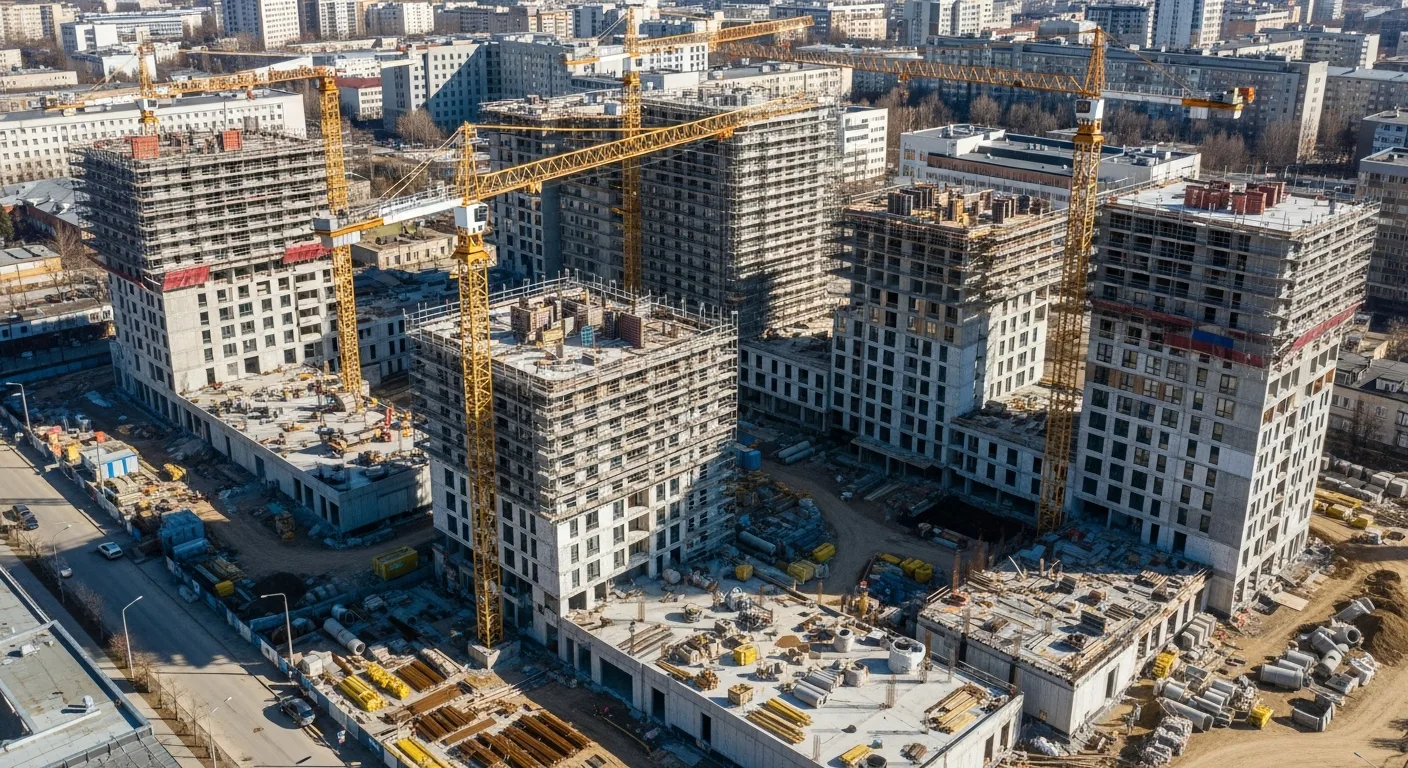
If you have built single-family homes and you think multi-family is just “more of the same,” you are in for a rude awakening. Multi-family construction is a different animal. The workflows are different, the billing is different, the coordination is different, and the things that trip you up are things you never had to worry about on a single-family job.
This guide is for contractors who are already in multi-family or thinking about getting into it. We will cover what makes these projects unique, where contractors commonly stumble, and how to set up your systems so you are not drowning in spreadsheets and sticky notes by month three.
What Makes Multi-Family Different
At the surface level, multi-family construction is repetitive. You are building the same unit type over and over, which should make things simpler. In reality, that repetition creates complexity because everything is happening in parallel.
On a single-family home, your plumber finishes rough-in, then your electrician comes in, then insulation, then drywall. It is sequential. On a multi-family project, your plumber is roughing in Unit 12 while your electrician is in Unit 8 while drywall is going up in Unit 3. Multiply that across four buildings and 80 units, and you have a coordination challenge that is nothing like what you dealt with on single-family homes.
Parallel Workflows
The key difference is parallel execution. Instead of managing one linear sequence of work, you are managing dozens of sequences happening simultaneously. This creates several problems that do not exist on simpler projects:
- Crew stacking: Two trades show up in the same unit at the same time, and neither can work efficiently.
- Inspection bottlenecks: The building inspector can only be in one place at a time. If you have 20 units ready for rough-in inspection on the same day, you have a scheduling problem.
- Material staging: You need the right materials in the right building at the right time. With multiple buildings under construction simultaneously, material logistics become a real discipline.
- Progress tracking: “We’re about 60% done” is not good enough on a multi-family project. Your lender, owner, and subs all need to know exactly which units are at which stage.
Shared Systems
Multi-family buildings have systems that serve multiple units: plumbing risers, fire suppression, electrical distribution, HVAC, elevators, and common area finishes. These shared systems create coordination challenges because work in one unit can affect other units, and sequencing mistakes can require expensive rework.
For example, a plumbing riser serves every unit on a vertical stack. If the plumber cannot finish the riser because one unit is not ready, it holds up every unit above it. Understanding these dependencies and building your schedule around them is critical.
Repetitive Does Not Mean Identical
Even when you have 40 units of the same floor plan, they are not truly identical. Mirror-image layouts, corner units, ADA-accessible units, and units with different finish packages all introduce variations that your crews need to track. A framing crew that gets sloppy about which unit they are in can cause expensive corrections.
Unit-Level Tracking
This is the single most important system you need for multi-family work. If you cannot track progress, inspections, punch items, and completion status at the unit level, you are flying blind.
What to Track Per Unit
- Current construction phase (framing, rough-in, drywall, finishes, etc.)
- Inspection status (scheduled, passed, failed, re-inspection needed)
- Punch list items (documented, assigned, completed, verified)
- Finish selections (if units have different options)
- Completion percentage (for progress billing)
- Key dates (start, substantial completion, final)
How to Set Up the System
The temptation is to create a massive spreadsheet with a row for every unit and columns for every task. This works for about two weeks before it becomes unmanageable. The spreadsheet does not update itself, nobody knows which version is current, and your field team stops using it because it takes too long to find anything.
A better approach is to use project management software that supports unit-level tracking natively. Each unit becomes its own trackable entity with its own task list, inspection log, and punch list. Your field team updates progress from their phones, and everyone sees the same real-time data.
Projul handles this well. You can set up each unit as a tracked entity within the project, assign tasks, log inspections, and manage punch lists without creating a separate spreadsheet empire.
Scheduling Multi-Family Projects
Multi-family scheduling is where a lot of contractors get tripped up. The schedule has to account for parallel work streams, shared system dependencies, inspection sequences, and crew rotations. A standard linear schedule does not work.
The Flow Approach
The most effective scheduling method for multi-family is a flow-based approach (sometimes called a line of balance or takt time schedule). Instead of scheduling each unit independently, you schedule crews to flow through units in a planned sequence.
For example:
- Week 1: Framing crew in Building A, Units 1 to 4
- Week 2: Framing crew moves to Units 5 to 8; Plumbing rough-in starts in Units 1 to 4
- Week 3: Framing in Units 9 to 12; Plumbing in Units 5 to 8; Electrical rough-in in Units 1 to 4
Each trade follows the previous one through the building in a steady rhythm. When it works, it is efficient and predictable. When it breaks down (because someone falls behind or an inspection fails), the ripple effects hit every trade behind them.
Buffer Between Trades
Build buffer time between trades in each unit. If your framing crew finishes Unit 5 on Friday and your plumber is scheduled to start Monday, one day of delay wrecks the sequence. A two or three-day buffer absorbs minor delays without cascading.
Inspection Scheduling
On multi-family projects, you need a deliberate inspection strategy. Some tips:
- Batch inspections. Schedule the same inspection type for multiple units on the same day. Inspectors prefer this, and it reduces the number of inspection visits.
- Stagger readiness. Do not have all 20 units ready for the same inspection on the same day. Stagger your sequence so units are ready in groups of four to six.
- Build inspector relationships. Know your inspector’s schedule and preferences. Some inspectors are flexible about timing. Others are not. Work with what you have.
- Track failures aggressively. A failed inspection in one unit often indicates a systemic issue that affects other units. Catch it early and fix it across all units before the inspector comes back.
Progress Billing Per Building
Multi-family projects are typically financed with construction loans that require progress-based draws. The lender sends an inspector to verify completion percentages before releasing funds. If your tracking is sloppy, your draws get delayed, and your cash flow suffers.
How Progress Billing Works
The draw schedule is usually broken down by building and by category (site work, foundation, framing, mechanical, electrical, plumbing, finishes, etc.). Each month, you submit an application for payment showing the percentage of completion for each category in each building.
The lender’s inspector visits the site, verifies your numbers, and either approves or adjusts the draw. If your numbers do not match what they see in the field, the draw gets reduced or delayed.
Getting Draws Approved
- Track completion by building, not just by project. If Building A is 80% framed and Building B is 40% framed, the draw should reflect that. Averaging across the project masks real progress and makes the lender nervous.
- Document everything with photos. Before you submit a draw, photograph the completed work in each building. This supports your completion claims and speeds up the lender’s review.
- Match your schedule of values to the lender’s format. Ask the lender for their draw worksheet template early in the project and set up your billing to match it. Do not make them translate your numbers into their format.
- Submit on time. Late draw submissions delay funding, which delays your payments to subcontractors, which damages those relationships. Build draw submission into your monthly routine and do not let it slip.
Punch Lists at Scale
Punch lists on multi-family projects are a different beast than single-family. Instead of one list with 30 items, you might have 80 lists with 20 items each. That is 1,600 individual punch items to document, assign, track, complete, and verify.
A System That Actually Works
- Inspect each unit individually. Walk each unit with a checklist specific to that unit type. Do not group units together or assume they have the same issues.
- Document with photos and locations. A punch item that says “touch up paint, bedroom” is not helpful when you have 80 units. Include the unit number, the specific room, the exact location (e.g., “north wall, left of window”), and a photo.
- Assign to specific subcontractors. Each punch item should be assigned to the sub responsible for fixing it, with a due date. Do not create a generic list and hope subs figure out what is theirs.
- Track completion and verify. When a sub marks an item complete, someone from your team needs to verify it before closing it out. Otherwise, you will be re-punching units that were supposedly finished.
- Use software. Doing this manually with paper or spreadsheets on a project with more than 20 units is not realistic. You need a system where your team can create, assign, and close punch items from their phones.
Punch List Timing
Start your punch lists earlier than you think you need to. On a multi-family project, you cannot punch 80 units in the last two weeks before turnover. Start punching units as each one reaches substantial completion, even if other units in the same building are still under construction.
This spreads the punch list work over a longer period, gives subcontractors more time to make corrections, and avoids the end-of-project crunch that results in sloppy fixes.
HOA and Property Management Handoffs
When the project is finished, you are not just handing keys to an owner. You are typically turning over common areas, shared systems, and maintenance responsibilities to an HOA or property management company. This handoff is more complex than a single-family closing, and doing it poorly creates callbacks and liability.
What to Include in the Handoff
- Warranties: Compile all manufacturer warranties for equipment, roofing, windows, appliances, and other warranted items. Organize them by building and system.
- Maintenance manuals: Provide operation and maintenance manuals for all building systems, including HVAC, plumbing, electrical, fire suppression, elevators, and any specialized equipment.
- As-built drawings: Updated drawings showing actual conditions, including any changes made during construction. These are critical for future maintenance and renovations.
- Spare materials: Leave labeled spare materials (paint touch-up kits, extra tile, replacement hardware) as specified in the contract.
- Reserve study data: The HOA will need information about the expected lifespan and replacement cost of major building components. Providing this data upfront helps them plan their reserve fund.
- Training: Walk the property manager through building systems, showing them where shut-offs are, how the HVAC controls work, how to reset the fire panel, and other operational basics.
Creating a Smooth Handoff
Start preparing for the handoff months before turnover. Collect warranties and manuals as equipment is installed, not after the project is done. Create a handoff checklist at the beginning of the project so nothing is missed at the end.
Schedule a formal turnover meeting with the HOA or property management company. Walk the property together, review the handoff documents, and address any questions. Document the meeting and get sign-off acknowledging receipt of all materials.
Common Mistakes in Multi-Family Construction
Underestimating Coordination Complexity
The jump from single-family to multi-family is bigger than most contractors expect. If you are used to managing one crew in one building, managing 10 crews across four buildings simultaneously requires a fundamentally different approach to scheduling, communication, and tracking.
Treating All Units the Same
Even identical floor plans have variations due to location, orientation, ADA requirements, and finish selections. Make sure your crews know which unit they are in and what is specific to that unit.
Ignoring Common Areas Until the End
Common areas (lobbies, hallways, amenity spaces, parking structures) often get pushed to the end of the schedule. This creates a crunch at turnover when you are trying to finish common areas while also punching individual units. Build common area work into your schedule from the start.
Sloppy Material Management
On a single-family job, material waste is an annoyance. On a multi-family job, it is a budget killer. If every unit wastes 5% more material than planned, that multiplied across 80 units is a significant cost overrun. Track material usage per unit and address waste early.
Not Having a Dedicated Project Manager
Multi-family projects need a dedicated PM, not someone splitting time across three other jobs. The coordination requirements demand full-time attention. If you cannot dedicate a PM, the project is probably too big for your current capacity.
Software for Multi-Family Construction
Managing a multi-family project with generic tools, or worse, with paper and spreadsheets, is possible for very small projects. But once you get past 10 or 15 units, you need software that was built for this kind of work.
What to look for:
- Unit-level tracking so you can see the status of every unit at a glance
- Scheduling tools that handle parallel work streams and crew rotations
- Progress billing that ties to specific buildings and categories
- Punch list management with photo documentation and subcontractor assignment
- Document management for the mountain of submittals, RFIs, and drawings
- Mobile access so your field team can update progress and punch items from the site
Projul was built for contractors who manage complex projects. It gives you all of these capabilities in one platform, so you are not stitching together five different apps and hoping the data stays in sync.
Making the Jump to Multi-Family
If you are considering moving into multi-family construction, here is honest advice:
- Start as a subcontractor. Working on someone else’s multi-family project teaches you the pace, the coordination requirements, and the billing process without taking on GC-level risk.
- Invest in systems before you need them. Get your project management software, tracking templates, and processes set up before your first multi-family job, not during it.
- Hire experience. If you do not have multi-family experience on your team, hire someone who does. A superintendent or PM who has run multi-family projects will save you from expensive mistakes.
- Build your sub base. Multi-family projects need subcontractors who can handle the volume and pace. Not every sub who works on your single-family projects will be able to scale up.
- Understand the financing. Construction loans, draw schedules, and lender inspections add a layer of complexity that does not exist on most single-family projects. Learn how they work before you bid your first job.
Multi-family construction is demanding, but it is also profitable and rewarding for contractors who do it well. The key is respecting the complexity, investing in the right systems, and not assuming that what worked on single-family homes will automatically work here.
Frequently Asked Questions
What counts as multi-family construction?
How is multi-family different from single-family construction?
What is the biggest challenge in multi-family construction?
How do you track progress on multi-family projects?
How does billing work on multi-family projects?
What is an HOA handoff in multi-family construction?
How do you manage punch lists on large multi-family projects?
What software is best for multi-family construction management?
Related Articles

BIM Clash Detection: How to Catch Conflicts Before They Cost You on the Jobsite
BIM Clash Detection: How to Catch Conflicts Before They Cost You on the Jobsite Every contractor has a story about the...
Read More →
Asphalt Paving and Compaction Guide: Mix Types, Laydown Temperatures, and Quality Testing
Asphalt paving looks straightforward from a distance. A truck dumps material, the paver lays it down, and rollers...
Read More →
Construction Jobsite Wi-Fi & Connectivity Guide: Setting Up Reliable Internet in the Field
A practical guide to getting reliable internet on construction job sites. Learn about cellular hotspots, mesh networks,...
Read More →