
Sell More Jobs With Photos in Your Estimates | Projul
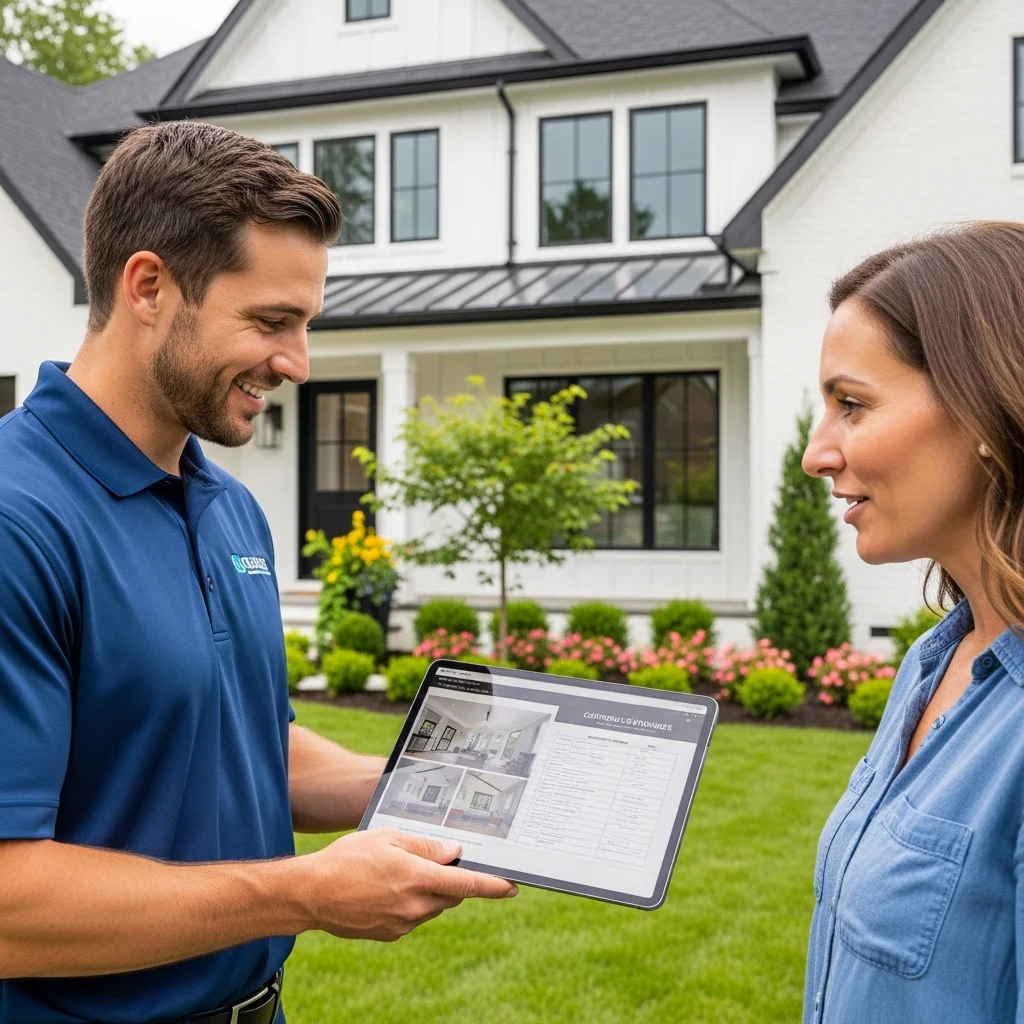
Sell More Jobs With Photos in Your Estimates
You show up to a job site. You walk the property. You take measurements, make mental notes, and drive back to the office. Then you sit down and type out an estimate full of line items and dollar amounts.
The homeowner gets your bid. They read through it. They see “Remove and replace 40 linear feet of damaged fascia board” next to a price. But they don’t remember which fascia boards you were talking about. They aren’t sure what “damaged” means to you. And they have two other bids sitting on their counter that look almost the same.
So they pick the cheapest one. Or they pick none of them, because they’re confused and don’t want to make a wrong choice.
This happens every single day in construction. And it doesn’t have to.
Adding photos to your estimates is one of the simplest things you can do to win more work. It costs nothing extra. It takes only a few more minutes. And contractors who do it consistently report closing 30% to 50% more of the jobs they bid.
In this post, we’ll walk through exactly why photo-rich estimates work, what to photograph, how to present photos in your bids, and how Projul’s estimating tools and built-in photo management make the whole process fast and easy.
Why Plain Text Estimates Lose Jobs
Let’s be honest about what most estimates look like. They’re a list of items with prices. Maybe a short scope of work paragraph at the top. Maybe a few terms and conditions at the bottom.
From your perspective, that estimate makes perfect sense. You know exactly what “demo existing tile surround and install new subway tile with Schluter trim” means. You’ve done it a hundred times.
But the homeowner doesn’t know what that means. They might not know what Schluter trim is. They might picture something totally different from what you have in mind. And when they’re confused, they don’t call you to ask questions. They just move on to the next contractor.
Here’s what happens with text-only bids:
The homeowner forgets what you discussed. You spent 45 minutes walking the property with them. You pointed at things. You explained your plan. But by the time they read your estimate two days later, they’ve forgotten half of it. Without photos, your estimate doesn’t bring them back to that conversation.
They can’t compare your bid fairly. When every estimate is just words and numbers, the only easy comparison is price. The homeowner can’t tell that your bid includes removing rotted sheathing while the other guy’s bid doesn’t, because both bids just say “replace siding.” Photos make the difference obvious.
They don’t trust the scope. A homeowner who doesn’t fully understand what they’re paying for will hesitate. That hesitation turns into “let me think about it,” which turns into a lost job. Photos give them confidence that you saw the same problems they see, and that your plan addresses them.
Change orders become battles. When you start the job and find something that wasn’t in the original scope, the homeowner says, “I thought that was included.” Without photo proof of what the site looked like before work started, you’re stuck arguing about who said what.
The Numbers Behind Visual Estimates
This isn’t just a feel-good strategy. Real data backs up the impact of adding photos to your proposals.
A 2023 study by the National Association of Home Builders found that contractors who included visual elements in their proposals saw win rates increase by an average of 33%. The study surveyed over 400 residential contractors across the United States.
Remodeling Magazine reported that contractors using photo documentation in their sales process closed at a rate of 48%, compared to 31% for those using text-only estimates. That’s a 55% improvement in close rate, just from adding pictures.
BuilderTrend published case studies showing that their top-performing users all had one thing in common: they included at least 5 photos per estimate. Those users won 42% of their bids, while the platform average was 29%.
Here’s what that looks like in real dollars. Say you bid 10 jobs per month at an average of $15,000 each. At a 30% close rate, you’re winning 3 jobs and bringing in $45,000 in revenue. Bump that close rate to 42% by adding photos, and you’re winning 4.2 jobs for $63,000 in revenue. That’s $18,000 more per month, or $216,000 more per year, from a change that takes five extra minutes per estimate.
The numbers get even better when you factor in reduced change orders. The Construction Financial Management Association found that projects with thorough photo documentation at the estimate stage had 65% fewer disputed change orders. Each avoided dispute saves you time, money, and a headache.
What Photos Do to a Homeowner’s Brain
There’s a reason photos work so well. It comes down to basic psychology.
People process images 60,000 times faster than text. That stat comes from research at the University of Minnesota. When a homeowner looks at your estimate and sees a photo of their cracked foundation wall with your notes on it, they instantly understand the problem and your solution. No reading required.
Photos build trust. When you include a photo of the exact area you’re talking about, the homeowner knows you actually looked at their house. You didn’t just copy and paste from a template. You were there. You paid attention. You care about getting it right.
Visuals reduce uncertainty. Behavioral economists call this “ambiguity aversion.” People hate making decisions when they feel uncertain about what they’re getting. A photo of the finished product, or even a photo of similar work you’ve done before, removes that uncertainty. The homeowner can see what they’re buying.
Before and after photos sell the vision. When you show a photo of their peeling deck next to a photo of a deck you recently refinished, the homeowner can picture the end result. They’re no longer buying “sand and stain existing deck.” They’re buying the beautiful outdoor space they’ve been wanting for three years.
What to Photograph During Your Site Visit
Now let’s get practical. Here’s what you should be snapping photos of every time you visit a job site for an estimate.
Existing Conditions
This is the most important category. Take photos of everything that currently exists in the work area.
- Damage that needs repair (cracks, rot, water stains, peeling paint)
- Areas where you’ll be working, even if they look fine now
- Access points and obstacles (tight hallways, narrow gates, low-hanging wires)
- Adjacent areas that could be affected by the work
- Current fixtures, finishes, or materials that will be removed
These photos serve two purposes. First, they help the homeowner remember what you talked about when they review your estimate. Second, they protect you if a dispute comes up later about what was or wasn’t included in the original scope.
Measurements and Details
Take close-up photos of things that affect your pricing.
- Unusual framing or structural details
- Plumbing or electrical that may need to be moved
- Grade changes and drainage patterns
- Material labels or model numbers on existing equipment
- Anything that could cause a surprise once the work begins
Reference Photos
These aren’t photos of the job site. These are photos from your portfolio that show the homeowner what the finished product will look like.
- Completed projects similar to what you’re proposing
- Material samples or color options
- Detail shots of craftsmanship (trim work, tile patterns, custom features)
- Before and after sets from past jobs
Keep a folder of your best work photos on your phone. You’ll use them over and over.
Site Context
Wide shots that show the overall property and the relationship between different work areas.
- The full exterior of the house
- The full room before renovation
- The yard layout for landscaping or hardscaping projects
- Neighboring structures or property lines
These wide shots help the homeowner (and your crew) understand the big picture.
How to Present Photos in Your Estimates
Taking photos is only half the battle. How you present them matters just as much.
Attach Photos to Specific Line Items
Don’t just dump a photo gallery at the end of your estimate. Tie each photo to the line item it relates to. When the homeowner reads “Replace water-damaged subfloor in master bathroom,” they should see a photo of that exact water damage right below the line item.
This is where most contractors give up, because their estimating software makes it hard. They’d have to export the estimate, paste photos into a Word doc, format everything, and send a PDF. It takes forever, so they skip it.
Projul’s estimating feature was built to solve this. You can attach photos directly to individual line items inside the estimate. When the homeowner views your proposal, they see the photo right where it matters. No exporting. No formatting. No extra steps.
Use Captions and Annotations
A photo without context is just a picture. Add a short caption that tells the homeowner what they’re looking at and why it matters.
Bad: (photo of a wall)
Good: “East wall of garage showing water intrusion at the base. This area needs new flashing and sealant before we can paint.”
Some contractors go further and draw directly on photos. Circle the problem area. Draw an arrow pointing to the crack. Add a note showing where the new beam will go. This level of detail makes you look like the most professional contractor the homeowner has ever talked to.
Include Before and After Comparisons
If you’re doing a project similar to something you’ve done before, include a before and after set from that past job. Put the “before” photo next to the current photo of the homeowner’s property, and put the “after” photo next to it.
This helps the homeowner visualize the outcome. It also shows them that you’ve done this kind of work before and done it well.
Keep It Organized
More photos is generally better, but don’t create a chaotic mess. Group your photos logically:
- By room or area of the house
- By phase of work
- By line item in the estimate
A well-organized photo estimate tells the homeowner, “This contractor has a system. They’re organized. They’ll run my project the same way.” That impression is worth more than you think.
Real Contractors, Real Results
Let’s look at some specific examples of contractors who started adding photos to their estimates and saw measurable results.
A Roofing Company in Texas
A mid-size roofing company in Dallas was closing about 25% of their estimates. The owner started requiring his sales team to take at least 10 photos per site visit and include them in every proposal. Within three months, their close rate jumped to 38%. The owner estimated the change brought in an extra $400,000 in annual revenue.
The biggest factor? Homeowners could see the exact shingles that were damaged, the exact areas where flashing had failed, and photos of similar roofs the company had completed. One homeowner told them, “Your estimate was the only one that actually showed me what was wrong with my roof.”
A Remodeling Contractor in Ohio
A kitchen and bath remodeler in Columbus was frustrated with losing bids to cheaper competitors. He started including 15 to 20 photos per estimate: existing conditions, material samples, and before/after sets from similar projects. His close rate went from 30% to 47%.
But the bigger win was in change orders. Before using photos, he averaged 3.2 change orders per project. After documenting everything upfront with photos, that dropped to 0.8 change orders per project. Fewer surprises, fewer arguments, and happier clients.
A Painting Company in Colorado
A residential painting company started using Projul to attach photos to their estimates. Before the switch, they sent plain PDF estimates with just line items and prices. Their close rate was 35%.
After switching to photo-rich estimates in Projul, their close rate hit 52% within two months. The owner said, “Homeowners started telling us that our estimates looked more professional than anyone else’s. We didn’t change our prices. We just showed them what we were talking about.”
A Landscaping Company in Florida
A landscaping contractor was bidding large hardscaping projects in the $20,000 to $50,000 range. At those price points, homeowners were very hesitant to commit. By including drone photos of the property, annotated site plans, and photos of completed projects with similar scope, the contractor increased his close rate from 22% to 35%.
On a $35,000 average job, that meant winning roughly one extra job per month. That’s $420,000 in additional annual revenue, from spending 10 extra minutes per estimate.
Common Objections (And Why They Don’t Hold Up)
Every time I talk to contractors about adding photos to estimates, I hear the same pushback. Let’s address it.
”It takes too long.”
It doesn’t. Taking 10 photos during a site visit adds about 3 minutes. Attaching them to an estimate in Projul adds about 2 minutes. Five minutes total for a 30% to 50% improvement in close rate.
Think about it this way. You already spend 30 to 60 minutes on a site visit and another 30 to 60 minutes writing the estimate. Adding 5 minutes to that process is nothing. And if it helps you win even one extra job per month, those 5 minutes just made you tens of thousands of dollars.
”My estimates are already good enough.”
Maybe they are. But “good enough” leaves money on the table. If you’re closing 30% of your bids, that means 70% of the people you visit are saying no. Even a small improvement in close rate has a massive impact on revenue.
”Homeowners don’t care about photos.”
They do. They really do. Survey after survey shows that homeowners rank “clear explanation of the work” as the number one factor in choosing a contractor, ahead of price. Photos are the fastest way to make your explanation clear.
”I don’t want to show competitors what I’m doing.”
Your competitors aren’t looking at your estimates. Your homeowners are. And those homeowners are comparing your text-only bid against another contractor who included photos. Who do you think they’re going to call back?
”My phone takes bad photos.”
Any smartphone made in the last five years takes perfectly good photos for estimates. You don’t need professional photography. You need clear, well-lit shots that show the homeowner what you’re talking about. Turn on your flash if it’s dark. Wipe your lens. That’s it.
How Projul Makes Photo Estimates Easy
We’ve been talking about why photos matter and what to photograph. Now let’s talk about the how. Because the biggest barrier to adding photos to estimates isn’t motivation. It’s the software.
Most construction management tools treat photos and estimates as two separate things. You take photos in one app, build estimates in another, and somehow try to combine them into a single document. It’s painful. So contractors skip it.
Projul was built differently. Photos and estimating are connected from the start. Here’s how it works.
Snap Photos on Your Phone
During your site visit, open the Projul app on your phone. Take photos directly in the app, or import them from your camera roll. Every photo is automatically tagged with the date, time, and job. No manual organizing.
Attach Photos to Line Items
When you build your estimate, you can attach any of those photos to individual line items. Working on a line item for “Replace rotted deck boards”? Tap the photo icon, select the photo of the rotted boards you took earlier, and it’s attached. Done.
The Homeowner Sees a Professional Proposal
When you send the estimate, the homeowner gets a clean, professional-looking proposal. Photos appear right alongside the relevant line items. They can view it on their phone, tablet, or computer. No app download required.
Photos Stay With the Job
Those same photos follow the job from estimate through production. Your crew can see the photos when they start work. Your project manager can reference them during the build. And if the homeowner has a question three months later, the photos are right there in the job record.
Unlimited Photo Storage
With Projul, you don’t have to worry about running out of storage or paying extra for photo capacity. Take as many photos as you need. They’re all stored securely and accessible from any device.
Building a Photo Habit: Tips for Your Team
Getting yourself to take photos is one thing. Getting your whole team to do it consistently is another. Here are some tips for making it stick.
Create a Photo Checklist
Write a simple checklist for each type of job you bid. For a roofing estimate, the checklist might include:
- Full exterior of the house (all four sides)
- Close-ups of damaged shingles or tiles
- Flashing at walls, chimneys, and valleys
- Gutters and downspouts
- Interior shots of any water damage
- Attic (if accessible) showing decking and ventilation
- At least two “after” photos from a similar completed job
Print the checklist or add it to your Projul workflow. When your sales rep finishes a site visit, they can check the list before they leave.
Make It Part of the Process, Not an Extra Step
If photos feel like extra work, people won’t do them. Build them into your existing site visit workflow. Instead of walking the property and then taking photos, take photos as you walk. Narrate the issue out loud while you snap the picture, so you remember what to write in the caption later.
Review Estimates Before They Go Out
Before sending any estimate, do a quick review. Ask yourself: “If I were the homeowner and had never seen this property before, would this estimate make sense?” If the answer is no, you probably need more photos or better captions.
Celebrate Wins
When a homeowner specifically mentions that your photos helped them choose you, share that with your team. Nothing motivates a habit like seeing it produce results.
Photos Protect You, Too
We’ve focused mostly on how photos help you win more jobs. But they also protect you during and after the project.
Pre-Existing Damage
You photograph a hairline crack in the drywall before you start a bathroom remodel. Three weeks later, the homeowner notices the crack and says your crew caused it. You pull up the photo from your estimate and show them it was already there. Dispute resolved in 30 seconds.
Scope Disputes
The homeowner says, “I thought you were going to replace all the trim, not just the damaged pieces.” You pull up the estimate with the photos showing exactly which trim pieces were marked for replacement. No argument needed.
Insurance Claims
If a homeowner files an insurance claim related to your work, having a full photo record of the conditions before, during, and after the project is incredibly valuable. It protects both you and the homeowner.
Warranty Calls
A homeowner calls a year later saying the paint is peeling. You pull up photos from the original estimate showing that you flagged moisture issues and recommended addressing them first. The homeowner declined that part of the scope. The photos prove it.
A Simple Test You Can Run This Week
If you’re not sure whether photos will make a difference for your business, try this simple test.
For the next two weeks, split your estimates into two groups. Send half of your estimates the way you normally do, with just text and numbers. For the other half, add 8 to 12 photos with captions.
Track two things:
- Which estimates get a response (even a question or follow-up)
- Which estimates turn into signed contracts
At the end of two weeks, compare the numbers. Most contractors who run this test see a clear difference within the first week.
The Bottom Line
Adding photos to your estimates isn’t complicated. It isn’t expensive. And it isn’t time-consuming. But it can be the difference between winning 3 out of 10 bids and winning 4 or 5 out of 10 bids.
The contractors who are growing right now aren’t necessarily doing better work than you. They’re not necessarily cheaper than you. They’re just doing a better job of showing the homeowner what they’re getting.
Photos do that. They show the homeowner that you were paying attention. They show the problem clearly. They show the solution. And they show that you’ve done this kind of work before and done it well.
If your current estimating software makes it hard to include photos, that’s a sign you need better tools. Projul was designed from the ground up to make photo-rich estimates fast, easy, and professional-looking.
Ready to Start Winning More Jobs?
Projul gives you everything you need to build estimates that stand out. Attach photos to line items. Send professional proposals. Track your win rate. And manage the entire job from estimate to final invoice.
Projul’s estimating and photo features are included on every plan. No hidden fees for storage or photo uploads. See all plan details on our pricing page.
Want to see it in action? Schedule a free demo and we’ll walk you through exactly how to build a photo-rich estimate in Projul. Most contractors are up and running within a day.
Stop losing bids to cheaper competitors. Start showing homeowners exactly what you bring to the table. Your next estimate could be the one that changes your close rate for good.
Frequently Asked Questions
Can I add photos directly to my estimates in Projul?
Do photo-rich estimates actually win more jobs?
Will adding photos slow down my estimating process?
What kinds of photos should I include in estimates?
Can the homeowner see the photos when they view my estimate?
Related Articles
Change Orders: Stop Giving Away All Your Profit
Change orders are where most contractors lose their profit. Not because the work is hard, but because the paperwork...
Read More →
Building Your Own Contractor Shop or Yard: What Every GC Needs to Know
At some point, every growing contractor faces the same question: do we keep renting, or do we build our own shop? This...
Read More →
Construction Contract Negotiation: 25 Tips to Protect Your Business Before You Sign
Most contractors lose money not because they can't build, but because they signed a bad contract. Here are 25...
Read More →