
Why a Real Mobile App Matters for Construction Companies | Projul
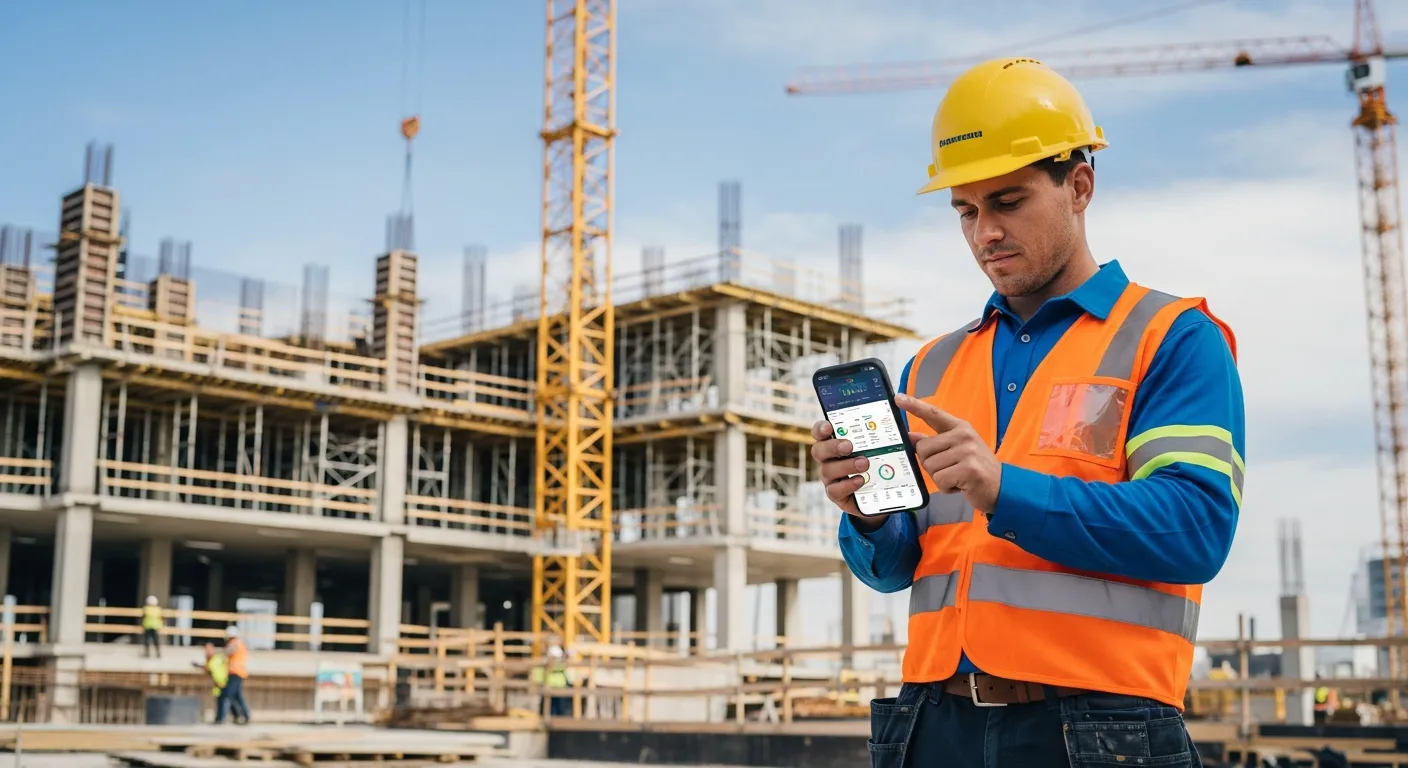
Your crew is not sitting at a desk. They are on a roof, in a ditch, or driving between job sites. If your construction management software only works well on a computer, it does not work for the people who need it most.
A construction mobile app is not a nice-to-have anymore. It is the difference between a crew that knows what is happening and one that is constantly calling the office for answers.
But here is the problem. Not all mobile apps are created equal. Some construction management tools have great desktop software and a mobile app that barely functions. Others skip the app store entirely and give you a website bookmark instead.
This post breaks down why mobile matters for construction companies, what to look for in a construction management app, and where most tools fall short.
Your Field Crews Run on Their Phones
Think about how your average day works. Your office staff might use a laptop. But your foremen, superintendents, and crew leads? They are on their phones all day.
They need to check the schedule. They need to look at plans. They need to log time. They need to send photos of progress or problems. They need to update a task status so the next trade knows when to show up.
If any of those things require driving back to the office or opening a laptop in the truck, it is not going to happen consistently. People default to whatever is easiest. If your app is clunky or slow on a phone, your crew will go back to texting and calling.
That means your data is incomplete. Your schedule is out of date. Your job costs are wrong. And you are making decisions based on bad information.
The Real Cost of Bad Mobile Access
When your crew cannot update jobs from the field, here is what happens:
- Time tracking gets estimated instead of logged. A foreman guesses hours at the end of the week instead of clocking in and out on site. That means your labor costs on every job are a rough guess, not real numbers.
- Photos never get taken. If uploading a photo means opening a browser and navigating three menus, it will not happen. You lose documentation that protects you on warranty claims, change orders, and disputes.
- Schedule changes get lost. A PM moves a task on the desktop calendar, but the crew in the field does not see it. They show up to the wrong site or start the wrong work. That is wasted labor and frustrated clients.
- Communication breaks down. Without a central app, everything happens in text threads that not everyone is on. New crew members miss context. Messages get buried.
Every one of these problems costs real money. Not someday. Every week.
What to Look for in a Construction Mobile App
Not every app that shows up on your phone is doing the job. Here is what separates a real construction mobile app from a half-baked one.
Native App vs. Browser Shortcut
This is the biggest one. A native app is built for your phone. You download it from the Apple App Store or Google Play. It is designed to use your phone’s hardware: camera, GPS, notifications, offline storage.
A progressive web app (PWA) is a website that you can add to your home screen. It looks like an app, but it is running in a browser. That means limited offline support, no push notifications on many devices, no geofencing, and generally slower performance.
Some construction management tools only offer a PWA. They will tell you it works on mobile, and technically it does. But “works” and “works well for a crew lead on a job site with spotty cell service” are two very different things.
If you cannot find the software in an app store, that is a red flag.
Full Feature Access
Open the mobile app and try to do everything you do on the desktop. Can you create an estimate? Send a proposal? View a report? Approve a change order?
Many construction management apps hide features behind the desktop version. You can view your schedule on your phone, but you cannot create an invoice. You can see a list of tasks, but you cannot attach a document.
That forces your team to switch between phone and computer constantly. It also means anyone who works primarily in the field is always working with an incomplete tool.
A good construction mobile app gives you the same features on every device. No asterisks. No “coming soon.”
Offline Mode That Actually Works
Construction sites are not known for great Wi-Fi. If your app goes blank when you lose signal, it is useless at the exact moment your crew needs it.
Real offline mode means your data is stored locally on the device. Your crew can view schedules, log time, add notes, and take photos without a connection. When service comes back, everything syncs automatically.
This is another place where native apps beat browser-based tools. Native apps can store data on the device. PWAs have limited storage and unreliable offline behavior.
GPS and Geofencing
Geofencing lets you draw a virtual boundary around a job site. When a crew member’s phone crosses that boundary, the app can automatically clock them in or send a reminder. When they leave, it clocks them out.
This is only possible with a native app that has access to your phone’s GPS. Browser-based tools cannot do it reliably.
For companies that track field labor across multiple sites, geofencing alone can save hours of manual time entry every week.
Push Notifications
Your crew is not going to sit and refresh a browser tab. They need push notifications that tell them when a schedule changes, when a new task is assigned, or when a client approves a proposal.
Native apps deliver real push notifications through your phone’s built-in system. They show up on your lock screen. They vibrate your phone. They get attention.
PWAs can send notifications on some devices, but support is inconsistent. On iPhones in particular, PWA notifications have been unreliable for years.
Where Most Construction Management Apps Fall Short
Here is the uncomfortable truth. Most construction management software was built for desktops first. Mobile was tacked on later, and it shows.
Missing Features on Mobile
The most common gap is feature parity. The desktop version does everything. The mobile version does 60% of it. Sometimes less.
This is a problem that gets worse over time. The company keeps adding features to the desktop app. The mobile app falls further behind. Eventually, you have two completely different products with the same name.
Before you commit to any software, open the mobile app and try every workflow your team uses. Build an estimate. Send an invoice. Approve a time entry. If you cannot do it on your phone, assume your field team will never do it.
Buggy or Slow Mobile Experience
Some tools have a native app in the app store, but it crashes, loads slowly, or has a confusing layout. Check the app store reviews. If you see complaints about bugs, freezing, or missing functionality, believe them. Those reviews come from contractors who tried to use the app on a real job site and gave up.
No Offline Support
If the app requires a constant internet connection, it will fail your crew exactly when they need it. Rural job sites, basements, metal buildings, and new construction sites often have no reliable cell service. An app that spins forever without a connection is an app that gets deleted.
Roofing-Only or Trade-Specific Limitations
Some construction mobile apps work great, but only for one trade. If you are a general contractor, a remodeler, or a multi-trade company, you need a tool that handles the full scope of construction work. Scheduling, estimating, invoicing, project management, client communication, and field documentation all need to work on mobile for every type of job you run.
How Projul Handles Mobile
Projul was built with field crews in mind from day one. The native iOS and Android apps are not a stripped-down version of the desktop software. They are the full product.
Everything you can do on your computer, you can do on your phone. Create estimates, send proposals, schedule crews, track time, manage documents, communicate with your team, and invoice clients. No features are held back.
The apps are available in the Apple App Store and Google Play. They support offline mode, push notifications, geofencing for automatic time tracking, and full access to your camera for job site photos and documentation.
This is not a PWA or a mobile-friendly website. It is a real native app built for the way construction companies actually work.
What That Looks Like in Practice
A superintendent gets a push notification that a schedule changed. They open the app, see the updated calendar, and reassign their crew in 30 seconds. No phone call to the office. No confusion.
A foreman arrives on site. Geofencing clocks them in automatically. They open their task list, snap a photo of the morning conditions, and mark the previous day’s punch list items as complete. All before the first cup of coffee.
A project manager reviews an estimate on their phone between site visits. They make a quick edit, send the proposal to the client, and get approval before lunch. No laptop required.
That is what a real construction mobile app does. It keeps your data current, your team informed, and your jobs moving forward without bottlenecks.
The Bottom Line
Your construction management software is only as good as its worst device. If the mobile app does not do the job, your field team will find workarounds. Those workarounds cost you time, accuracy, and money.
When you evaluate construction management apps, do not just look at the desktop demo. Download the mobile app. Open it on your phone. Try to do real work. If it feels like a second-class experience, it probably is.
A real native app with full features, offline support, and job site tools like geofencing and push notifications is not a bonus feature. It is the baseline for any tool that claims to support field crews.
If you want to see what full mobile access looks like, check out Projul’s native apps and try them on your next job.
Frequently Asked Questions
What is a construction mobile app?
What is the difference between a native app and a PWA?
Can I run my whole construction business from my phone?
Why do some construction management tools have bad mobile apps?
Does Projul work offline on mobile?
Related Articles
7 Benefits of Construction Estimating Software (That Spreadsheets Can't Match)
Still using spreadsheets for construction estimates? Here are 7 benefits of construction estimating software that Excel...
Read More →
Construction Company Software: How to Pick the Right Tool for Your Business
Picking the right construction company software can save you thousands of hours and dollars every year. Here is what...
Read More →
Best Construction Software (2026): 7 Options Compared
We compared 7 of the most popular construction software platforms to help you find the right fit for your business.
Read More →