
6 Best Construction Safety Software (2026)
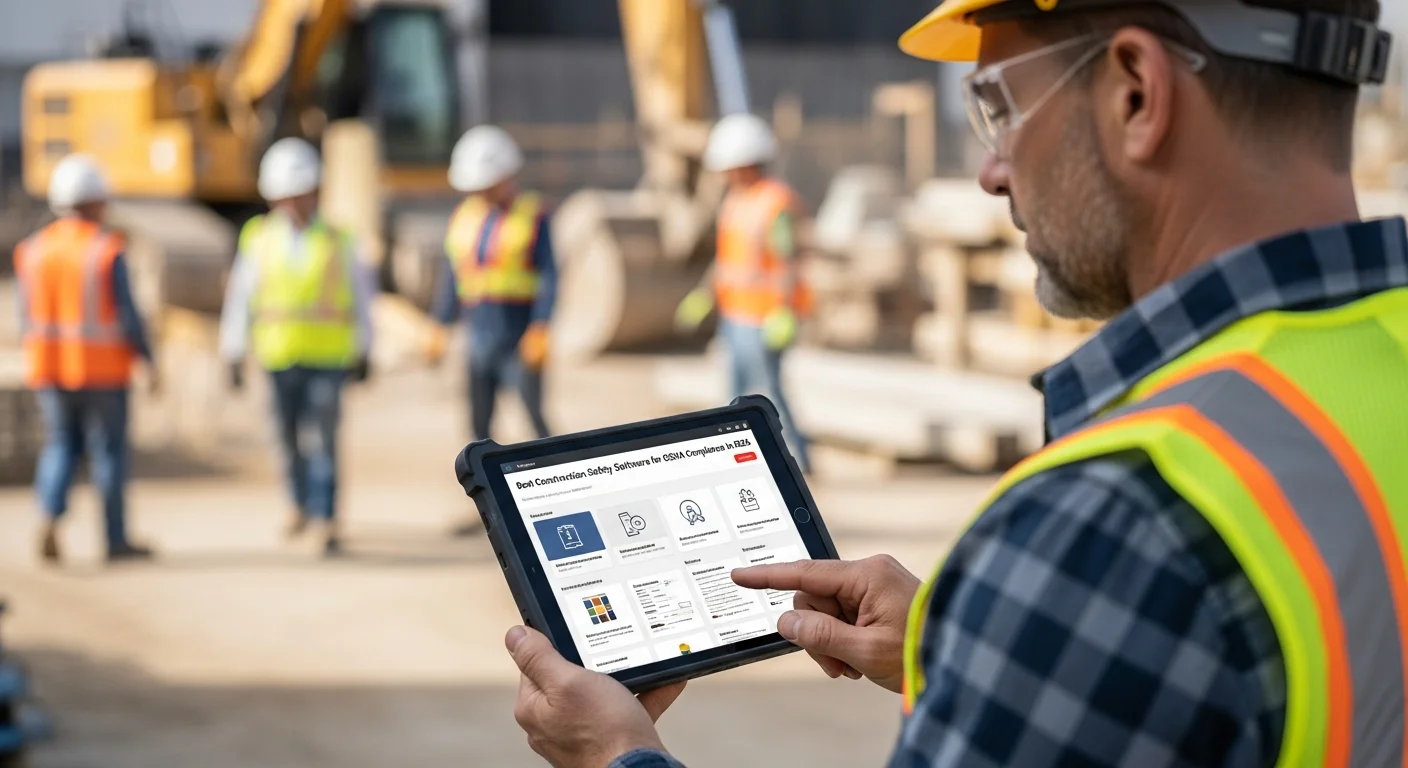
Construction is one of the most dangerous industries in the country. Every year, OSHA reports roughly 1,000 fatalities on construction job sites, and the agency has been increasing both the frequency of inspections and the size of fines. In 2026, a single serious violation can cost you over $16,000, and willful violations run north of $160,000 each.
Those numbers get your attention. But the real cost of poor safety management goes beyond fines. Worker injuries lead to project delays, increased insurance premiums, lost productivity, lawsuits, and damage to your reputation that can take years to rebuild.
The good news is that safety software has come a long way. Today’s platforms make it realistic to run toolbox talks, track inspections, manage incident reports, and maintain training records from a phone on the job site. No more binders full of paper forms that nobody looks at until OSHA shows up.
This guide covers the six best construction safety software platforms for 2026, what to look for when choosing one, and how your project management tools (like Projul) fit into the safety picture.
What to Look for in Construction Safety Software
Before we get into specific platforms, here is what actually matters when you are evaluating safety software for your crew.
Toolbox Talk Management
Toolbox talks are short safety meetings held before work begins, usually 5 to 15 minutes. They cover specific hazards relevant to the day’s work. Good safety software gives you a library of pre-built toolbox talk topics, lets you customize them for your projects, and records attendance digitally so you have proof the talk happened.
Incident Reporting
When something goes wrong on site, you need a fast way to document it. The best platforms let field workers file incident reports from their phones with photos, witness statements, and location data. The report should trigger automatic notifications to your safety manager and create a record you can reference for OSHA inquiries or insurance claims.
Safety Inspections and Audits
Regular site inspections are how you catch problems before they become incidents. Safety software should include customizable inspection checklists (or templates for common ones like scaffolding, trenching, and electrical), photo documentation, corrective action tracking, and sign-off workflows.
Training Tracking
OSHA requires specific training for hazards your crews are exposed to. Tracking who has completed what training, when certifications expire, and who needs refresher courses is a nightmare on paper. Software should make this automatic, with alerts when certifications are about to lapse.
Mobile Access
This one is non-negotiable. Your safety processes live on the job site, not in the office. If the software does not work well on a phone or tablet in the field, your crew will not use it. Period.
Reporting and Analytics
You need to pull reports for OSHA audits, insurance renewals, and internal safety reviews. The platform should generate incident trend reports, inspection completion rates, training compliance summaries, and other data without you having to build spreadsheets manually.
The 6 Best Construction Safety Software Platforms for 2026
1. SafetyCulture (formerly iAuditor)
SafetyCulture started as iAuditor, a mobile inspection app, and has grown into a full safety management platform used across multiple industries. It is one of the most recognized names in safety software.
Key Features:
- Massive template library with thousands of pre-built inspection checklists
- Custom checklist builder with drag-and-drop editing
- Photo and annotation tools for documenting hazards
- Issue tracking with corrective action assignments
- Training module for delivering and tracking safety courses
- Sensor integration for environmental monitoring
- Analytics dashboard with trend reporting
Pricing: Free plan for small teams (up to 10 inspections/mo). Premium plans start around $24/user/month.
Best For: Contractors who want a proven, feature-rich inspection and audit platform with a huge template library. SafetyCulture’s strength is its flexibility. It works for safety but also handles quality control, equipment inspections, and operational checklists.
Drawback: Per-user pricing gets expensive for larger crews. The platform covers a lot of industries, so some of the interface feels generic rather than construction-specific.
2. Procore Safety
Procore is one of the largest construction management platforms, and its safety module is a natural add-on for companies already in the Procore ecosystem.
Key Features:
- Incident management with OSHA 300 log generation
- Safety inspections tied to project records
- Toolbox talk scheduling and attendance tracking
- Observation reporting for near-misses
- Corrective action workflows with photo documentation
- Integration with Procore’s project management, drawing, and document tools
- Pre-built inspection templates aligned with OSHA standards
Pricing: Procore doesn’t publish prices. It charges an annual fee per product based on your annual construction volume, and Capterra lists a starting price of about $10,000 a year (as of October 2026). Expect to pay significantly more than standalone safety tools, especially if you are adding safety on top of Procore’s base platform.
Best For: Companies already using Procore for project management who want safety data tied directly to their project records. The integration between safety observations and project documentation is a real advantage.
Drawback: If you are not already on Procore, adding it just for safety is overkill and very expensive. Procore’s pricing model is opaque and typically requires an annual commitment.
3. SiteDocs
SiteDocs is a Canadian-built safety management platform designed specifically for construction and other field-based industries. It has built a strong reputation for being practical and contractor-friendly.
Key Features:
- Digital safety forms and permits (hot work, confined space, excavation)
- Toolbox talk management with attendance tracking
- Hazard assessments and site-specific safety plans
- Training and certification tracking with expiry alerts
- Incident and near-miss reporting
- Offline access for remote job sites without cell service
- Electronic signatures for safety documents
Pricing: Starts around $15/user/month. Volume discounts available for larger teams.
Best For: Contractors who need a construction-specific safety platform that works offline. SiteDocs is especially popular with companies working in remote areas where cell coverage is unreliable. The permit management features are a standout for heavy civil and industrial contractors.
Drawback: The interface is functional but not as polished as some newer competitors. Reporting could be more flexible.
4. Safesite
Safesite positions itself as the safety platform that actually improves your safety culture, not just your compliance paperwork. It takes a data-driven approach to identifying and reducing hazards before incidents happen.
Key Features:
- Free tier with core safety management features
- Hazard recognition and reporting
- Safety inspections with built-in scoring
- Toolbox talks with a content library
- Incident management and investigation tools
- Safety score that tracks your organization’s risk level over time
- OSHA recordkeeping assistance
- Insurance integration (some carriers offer premium discounts for Safesite users)
Pricing: Free plan available with basic features. Pro plans start around $16/user/month.
Best For: Small to mid-size contractors who want to start with a free platform and grow into paid features. The insurance discount angle is a real differentiator. If your carrier participates, the software can partially pay for itself through lower premiums.
Drawback: The free tier is limited, and the platform is less established than SafetyCulture or Procore Safety. Some users report that the scoring system feels more like a metric to track than a tool that changes behavior.
5. GoCanvas
GoCanvas is a mobile forms platform that many construction companies use for safety management. It is not a dedicated safety tool, but its flexibility makes it popular for building custom safety workflows.
Key Features:
- Drag-and-drop form builder for creating any type of safety form
- Pre-built construction safety templates
- Photo capture and annotation
- Automatic PDF generation and distribution
- Workflow automation (form submission triggers notifications, follow-up tasks)
- Integration with cloud storage, email, and other business tools
- Offline capability
Pricing: Starts around $30/user/month. Custom pricing for larger deployments.
Best For: Contractors who want full control over their safety forms and workflows. If you have specific documentation requirements that pre-built platforms do not cover, GoCanvas lets you build exactly what you need. It is also useful beyond safety for any field data collection.
Drawback: You are building your own system from templates and forms. There is no built-in safety intelligence, no OSHA log generation, and no training management. It is a powerful tool, but it requires more setup and maintenance than purpose-built safety software.
6. HammerTech
HammerTech is a safety and compliance platform built specifically for construction. It is popular with general contractors and larger operations that manage multiple subcontractors on complex projects.
Key Features:
- Worker orientation and site access management
- Permit to work system
- Incident reporting with root cause analysis tools
- Safety inspections and defect management
- Training and competency tracking
- Subcontractor prequalification and compliance monitoring
- Real-time dashboards for multi-project safety oversight
- Integration with access control systems
Pricing: Custom pricing based on company size and project volume. Generally positioned for mid-market to enterprise contractors.
Best For: General contractors managing multiple subs on large projects. HammerTech’s worker orientation and subcontractor compliance features are designed for sites with hundreds of workers from dozens of companies. If managing sub safety compliance is a major pain point, HammerTech addresses it directly.
Drawback: Overkill for small to mid-size specialty contractors. Pricing is not transparent, and implementation takes longer than simpler platforms.
Comparison at a Glance
Here is how these six platforms stack up across the features that matter most:
| Feature | SafetyCulture | Procore Safety | SiteDocs | Safesite | GoCanvas | HammerTech |
|---|---|---|---|---|---|---|
| Toolbox Talks | Yes | Yes | Yes | Yes | Build Your Own | Yes |
| Incident Reporting | Yes | Yes | Yes | Yes | Build Your Own | Yes |
| Inspections | Yes | Yes | Yes | Yes | Yes | Yes |
| Training Tracking | Yes | Yes | Yes | Limited | No | Yes |
| Offline Access | Yes | Limited | Yes | Yes | Yes | Limited |
| OSHA Log Generation | No | Yes | No | Yes | No | Yes |
| Free Plan | Yes | No | No | Yes | No | No |
| Construction-Specific | Partial | Yes | Yes | Yes | No | Yes |
How Projul Fits Into Your Safety Program
Projul is a construction management platform, not a standalone safety tool. But safety documentation does not exist in a vacuum. It is tied to your projects, your crews, and your daily operations. That is where Projul adds real value to your safety program.
Daily Logs for Safety Documentation
Projul’s daily logs let your field supervisors record safety observations, weather conditions, site visitors, equipment used, and any incidents or near-misses directly within each project. Every entry is timestamped, tied to the specific project, and stored permanently in your project record.
When an OSHA inspector shows up and asks about conditions on a particular day, you can pull up the daily log in seconds instead of digging through a filing cabinet.
Project-Level Safety Records
Safety documentation should live with your project data, not in a separate system. Projul’s file management lets you store safety plans, permits, inspection reports, and training records at the project level. Your team can access them from the field on their phones, which means the safety plan is actually available where the work happens.
Scheduling Safety Activities
Using Projul’s scheduling tools, you can build safety inspections, toolbox talks, and training sessions directly into your project timelines. When safety activities are part of the schedule rather than an afterthought, they actually get done. On the Pro plan, Projul AI Connect lets you ask ChatGPT, Claude, or Gemini to set up a repeating weekly toolbox talk or site inspection, complete with a checklist, instead of entering each one by hand.
Cost Tracking for Safety
Safety is not free. PPE, training, equipment inspections, and compliance activities all have costs. Projul’s job costing features let you track safety-related expenses at the project level, giving you real data on what safety costs and helping you bid future projects more accurately.
Projul starts at $2,388/year for the Starter plan, with Core at $4,788/year, Core+ at $7,188/year and Pro at $14,388/year. No per-user fees on any plan. Check the pricing page for full details.
For many small to mid-size contractors, Projul’s daily logs and project documentation features provide enough safety documentation capability that a separate safety platform is not necessary. Larger operations or those in high-hazard work may benefit from pairing Projul with a dedicated safety tool like SafetyCulture or SiteDocs.
Safety Documentation and Reporting Features Compared
Safety documentation is where compliance meets reality. When OSHA knocks on your trailer door, they are not interested in your good intentions. They want records. Specifically, they want to see incident reports, near-miss documentation, OSHA 300 logs, and evidence that you investigated problems and took corrective action. The platforms in this guide handle documentation differently, and those differences matter when you are sitting across from a compliance officer.
Incident Report Workflows
A proper incident report captures what happened, when it happened, who was involved, what conditions contributed, and what corrective actions were taken. The best safety software turns this into a guided workflow rather than a blank form.
SafetyCulture and Procore Safety both offer structured incident reporting with required fields, photo attachments, witness statements, and automatic notification chains. When a field worker submits an incident report on SafetyCulture, the safety manager gets an immediate push notification, the report is timestamped and geotagged, and a corrective action task is automatically created with a due date. Procore Safety takes it a step further by linking the incident directly to the project record, so the GC has a complete timeline of safety events for every project.
SiteDocs and Safesite offer similar workflows but with less automation. SiteDocs stands out for its offline incident reporting capability. If an incident happens on a remote job site with no cell service, the field worker can complete the full report offline, including photos and signatures, and it syncs automatically when connectivity returns. That is a real advantage for contractors working in rural areas, on highway projects, or in underground construction.
HammerTech adds root cause analysis tools to its incident workflow. After an incident is documented, the platform walks the safety manager through a structured investigation process, including contributing factor analysis, corrective action planning, and follow-up verification. For larger operations managing dozens of incidents across multiple projects, that structured approach prevents investigations from falling through the cracks.
GoCanvas requires you to build your incident reporting workflow from scratch. You have full flexibility to design forms that match your exact process, but there is no built-in intelligence or automation. You are trading convenience for customization.
Near-Miss Tracking
Near-misses are the leading indicator that most contractors ignore until it is too late. Research consistently shows that for every serious injury on a construction site, there are roughly 300 near-misses that preceded it. Capturing those near-misses gives you the data to prevent injuries before they happen.
The challenge is making near-miss reporting frictionless enough that field workers actually do it. If reporting a near-miss takes more than a minute or two, compliance drops dramatically. SafetyCulture and Safesite both offer quick-report features designed for this. A worker can open the app, snap a photo, add a one-line description, and submit in under 60 seconds. The report is automatically categorized, timestamped, and routed to the appropriate supervisor.
Procore Safety and HammerTech integrate near-miss data into their analytics dashboards, so you can identify patterns across projects. If near-miss reports show a spike in fall hazards on one project, you can intervene before someone actually falls. That pattern recognition is where near-miss tracking pays for itself.
SiteDocs treats near-misses as a category within its general reporting system. It works, but there is no separate streamlined workflow optimized for quick field reporting.
For contractors using Projul, near-miss observations can be captured in daily logs with photo documentation attached directly to the project record. While it is not a dedicated near-miss tracking system with analytics, it creates a timestamped record tied to the specific project and date, which is exactly what you need for compliance documentation.
OSHA 300 Log Generation
Every contractor with more than 10 employees is required to maintain OSHA Form 300 (Log of Work-Related Injuries and Illnesses), Form 300A (Summary), and Form 301 (Injury and Illness Incident Report). Maintaining these logs manually is tedious and error-prone. Getting them wrong can result in recordkeeping violations on top of whatever safety issue triggered the entry.
Procore Safety, Safesite, and HammerTech all generate OSHA 300 logs automatically from your incident data. When you file an incident report that meets OSHA recordability criteria, the platform flags it, adds it to your 300 log, and keeps your running totals current. At year-end, generating your 300A summary is a one-click export.
SafetyCulture, SiteDocs, and GoCanvas do not generate OSHA logs natively. If you are using one of these platforms, you will need to maintain your OSHA logs separately or use an integration. This is not a dealbreaker for smaller operations, but for contractors managing 50 or more employees, automated OSHA log generation saves significant administrative time and reduces the risk of recordkeeping errors.
Documentation Best Practices
Regardless of which platform you choose, strong safety documentation follows a few principles. First, document in real time, not at the end of the week from memory. Second, attach photos to everything because a photo with a timestamp and GPS location is far more credible than a text description written after the fact. Third, always close the loop on corrective actions. An incident report without a documented resolution looks worse to OSHA than no report at all, because it shows you identified a hazard and did nothing about it.
Toolbox Talk Management and Training Tracking
Toolbox talks and training records are the two areas where OSHA compliance is most straightforward to prove and most embarrassing to fail. An inspector who asks for your toolbox talk records and gets a blank stare is going to dig deeper into everything else. An inspector who sees organized digital records of weekly talks with attendance is already inclined to give you the benefit of the doubt.
Toolbox Talk Content Libraries
Creating toolbox talks from scratch every week is one of those tasks that sounds easy but never gets done consistently. The best safety platforms solve this with pre-built content libraries covering the OSHA Focus Four (falls, struck-by, electrocution, caught-in/caught-between) and dozens of other construction-specific hazards.
SafetyCulture offers the largest content library, with thousands of templates spanning multiple industries. For construction specifically, you will find talks on scaffolding safety, trench and excavation hazards, heat illness prevention, silica dust exposure, PPE requirements, lockout/tagout procedures, and more. Each talk includes talking points, discussion questions, and a digital attendance sign-off sheet.
Safesite takes a curated approach. Its library is smaller but focused entirely on construction. Each talk is written in plain language at a reading level appropriate for field crews, which matters more than you might think. A toolbox talk full of regulatory jargon does not actually communicate anything to the worker swinging a hammer.
SiteDocs and HammerTech offer solid libraries with the ability to create custom talks using your own content. This is important for specialty contractors whose hazards are not always covered by generic templates. A roofing contractor working with hot tar has different toolbox talk needs than a concrete contractor, and the ability to build custom content for your specific trade is valuable.
Procore Safety integrates toolbox talks into the project schedule, so talks are planned alongside work activities. This is a subtle but powerful feature. When the toolbox talk about fall protection is automatically scheduled on the same day as elevated work begins on a project, it reinforces that safety planning is part of production planning, not a separate activity.
Digital Attendance Tracking
Paper sign-in sheets for toolbox talks are problematic. They get lost, they are illegible, and there is no way to verify that the signatures correspond to people who were actually present. Digital attendance tracking solves all of these issues.
Most platforms in this guide offer some form of digital attendance. The best implementations let workers sign in on a tablet or their own phones using digital signatures or QR codes. The attendance record is automatically linked to the specific talk topic, date, time, and location. Some platforms, including HammerTech and SiteDocs, support badge scanning or NFC check-in for sites with access control systems.
The key benefit of digital attendance is searchability. When you need to prove that a specific worker attended fall protection training before working on scaffolding, you can pull that record in seconds. With paper sign-in sheets, you are flipping through binders hoping you filed it in the right place.
Training and Certification Management
OSHA requires specific training for various construction hazards, and many certifications have expiration dates. OSHA 10 and OSHA 30 certifications do not technically expire, but many GCs and project owners require them to be current within a certain timeframe. Forklift certifications expire every three years. First aid and CPR certifications expire every two years. Competent person designations for trenching, scaffolding, and fall protection require documented training.
Tracking all of this across a crew of 20, 50, or 100 workers is where paper systems completely break down. Safety software with training management features lets you store each worker’s certifications, set expiration dates, and receive automatic alerts when renewals are due. Some platforms, including SafetyCulture and HammerTech, let you deliver training content directly through the platform and record completion automatically.
For contractors using Projul alongside a safety platform, time tracking data can help verify that workers were on site during training activities. If a question ever arises about whether a worker actually attended a safety training session, having both a digital attendance record from your safety platform and time tracking data from Projul showing the worker was clocked in during that period creates a strong compliance record.
Scheduling Toolbox Talks Effectively
The most effective toolbox talk programs are tied to the actual work being performed that day or that week. Generic safety talks given on a rotating schedule are better than nothing, but talks that address the specific hazards of the day’s activities are significantly more impactful.
Use your project schedule to drive your toolbox talk schedule. If your crew is starting excavation work on Monday, schedule a trenching safety talk for Monday morning. If roofing work begins Wednesday, fall protection is the topic for Wednesday’s talk. This approach requires a little more planning, but it produces dramatically better safety outcomes because workers are hearing about hazards they are about to encounter, not hazards they might face at some point in the future.
Safety Inspection Checklists and Mobile Field Compliance
Safety inspections are where your safety program either proves itself or exposes its weaknesses. Regular, documented inspections demonstrate due diligence, catch hazards early, and create a paper trail that protects you during OSHA audits and insurance reviews. The challenge has always been making inspections consistent and easy enough that they actually happen on a regular cadence.
Pre-Built vs. Custom Checklists
Every safety platform in this guide offers inspection checklists, but the approach varies significantly. SafetyCulture leads the pack with over 100,000 templates in its public library, including construction-specific checklists for scaffolding inspections, ladder safety, trenching and shoring, electrical panel clearance, fire extinguisher checks, housekeeping audits, and PPE compliance. You can use these templates as-is or customize them to match your company’s specific requirements.
Procore Safety and HammerTech take a more structured approach with inspection templates that align with OSHA standards and generate compliance scores. When you complete a scaffolding inspection in Procore Safety, the system knows which OSHA standards apply and flags any items that indicate a potential violation. That built-in regulatory intelligence is a meaningful advantage for contractors who are not confident they know every applicable standard by heart.
SiteDocs and GoCanvas both offer strong customization capabilities. SiteDocs provides construction-specific templates as starting points, while GoCanvas gives you a completely blank canvas to design your own. For specialty contractors with unique inspection requirements, that flexibility is essential. A marine contractor inspecting barge-mounted cranes has very different checklist needs than an electrical contractor inspecting temporary power installations.
Safesite takes a streamlined approach with focused checklists designed to be completed quickly in the field. Each inspection item includes guidance on what to look for and how to score it. The platform generates a safety score for each inspection that you can track over time, giving you a measurable indicator of whether conditions on your sites are improving or declining.
Mobile Field Compliance
The single biggest factor in whether your safety inspection program succeeds or fails is mobile usability. If completing an inspection requires a laptop, an internet connection, and 45 minutes of data entry, it will not happen consistently. If it takes 10 minutes on a phone while walking the site, it becomes a natural part of the day.
All six platforms in this guide offer mobile apps, but the quality of the mobile experience varies. SafetyCulture and SiteDocs consistently receive the highest marks for mobile usability. Both apps are designed for field use first, with large tap targets, offline capability, fast photo capture, and streamlined data entry. SafetyCulture’s app even supports voice-to-text for adding notes, which is useful when you are wearing gloves or holding a flashlight.
Procore’s mobile app is capable but complex. It does a lot, and that breadth sometimes comes at the cost of simplicity. Field workers who only need to complete inspections may find the navigation confusing compared to a purpose-built safety app.
For teams using Projul for project management, the mobile app supports photo documentation of site conditions directly within the daily log. Supervisors can walk a site, snap photos of hazards or compliant conditions, and add notes, all from their phone. Those photos are timestamped, tied to the project, and stored permanently. While this is not a formal inspection checklist, it creates a photographic record of site conditions that supports your compliance documentation.
Corrective Action Tracking
Finding a hazard during an inspection is only half the job. The other half is fixing it and documenting the fix. Corrective action tracking closes this loop by assigning responsibility for fixing identified hazards, setting due dates, and recording completion with evidence (usually a follow-up photo showing the corrected condition).
SafetyCulture, Procore Safety, and HammerTech all offer robust corrective action workflows. When an inspector flags a hazard, the platform automatically creates a task assigned to the responsible party with a due date, priority level, and reference photos. The responsible party receives a notification, completes the corrective action, uploads evidence of completion, and the item is closed out in the system.
This workflow is critical for OSHA compliance. During an inspection, OSHA does not just look at whether you identified hazards. They look at whether you did something about them and how quickly. A system that shows you identified a fall hazard on Monday and corrected it by Tuesday is far more compelling than a paper inspection form with no evidence of follow-through.
Inspection Frequency and Scheduling
How often you should inspect depends on the type of work and the hazards present. OSHA requires daily inspections for scaffolding, excavations, and cranes. General site safety inspections are typically performed weekly or bi-weekly. Equipment inspections (forklifts, aerial lifts, power tools) should happen before each shift or each use.
Build these inspection cadences into your safety software’s scheduling system. Automated reminders ensure inspections happen on time, and overdue inspections generate alerts so nothing slips through the cracks. Some platforms track inspection completion rates as a KPI, which is useful for holding supervisors accountable and demonstrating your program’s consistency during audits.
The ROI of Construction Safety Software
Safety software costs money. The platforms in this guide range from free to several hundred dollars per month. For contractors watching every dollar, the question is whether the investment pays for itself. The short answer is yes, often many times over. Here is the math.
EMR Reduction and Insurance Savings
Your Experience Modification Rate (EMR) is a number calculated by the National Council on Compensation Insurance (NCCI) that reflects your company’s injury history compared to other companies of similar size in your industry. An EMR of 1.0 is average. Below 1.0 means fewer injuries than average. Above 1.0 means more.
Your EMR directly multiplies your workers’ compensation premium. If your base premium is $100,000 per year and your EMR is 1.3, you are paying $130,000. Drop your EMR to 0.8 and you are paying $80,000. That is a $50,000 annual difference on a single metric.
Safety software helps reduce your EMR by preventing the injuries that drive it up. Better hazard identification through inspections, more effective toolbox talks, faster incident response, and improved training compliance all contribute to fewer workplace injuries. A single prevented lost-time injury can save you tens of thousands of dollars in direct costs and years of elevated EMR.
Beyond EMR, many insurance carriers offer premium discounts for contractors who can demonstrate active safety management programs. Safesite has formal partnerships with several carriers that provide measurable premium reductions for companies using the platform. Even without a formal partnership, presenting your safety software’s inspection reports, training records, and incident trend data during your insurance renewal gives your broker leverage to negotiate better rates.
OSHA Penalty Avoidance
OSHA’s maximum penalties increase annually with inflation adjustments. As of 2026, the maximum penalty for a serious violation is $16,550 per violation. Willful or repeated violations can reach $165,514 each. These are per-violation maximums, meaning a single OSHA inspection can result in multiple violations and six-figure total penalties.
The most common citations in construction are predictable: fall protection, scaffolding, hazard communication, ladders, electrical, and personal protective equipment. Every one of these hazards can be addressed through regular inspections, toolbox talks, and training, which is exactly what safety software facilitates.
Consider a realistic scenario: OSHA inspects your site and finds three serious violations related to fall protection and ladder safety. At $16,550 each, that is $49,650 in fines. Add the indirect costs of the inspection (project delays, management time, potential work stoppage), and the real cost easily exceeds $75,000. If a $200 per month safety software subscription and consistent use of inspection checklists and toolbox talks would have prevented even one of those violations, the ROI is obvious.
Indirect Cost Savings
The direct costs of workplace injuries, including medical bills, compensation claims, and OSHA fines, are only part of the picture. Studies by OSHA and the National Safety Council consistently find that indirect costs are 2 to 4 times higher than direct costs. Indirect costs include:
- Project delays caused by incident investigation, work stoppages, and crew disruption
- Replacement labor costs when injured workers are out, including overtime for remaining crew
- Administrative time spent on incident investigation, insurance claims, and regulatory responses
- Equipment damage associated with many construction incidents
- Litigation costs from workers’ compensation disputes or third-party lawsuits
- Reputation damage that affects your ability to win bids, especially with GCs who check safety records during prequalification
A single serious injury that costs $25,000 in direct expenses can easily generate $50,000 to $100,000 in indirect costs when you account for project delays, management distraction, and increased insurance premiums over the following three to five years.
Bidding and Prequalification Advantages
Many GCs and project owners now require subcontractors to demonstrate active safety programs during prequalification. They ask for your EMR, your OSHA incident history, your training program documentation, and evidence of regular safety inspections. Contractors who can produce organized digital records from a safety management platform have a clear advantage over those handing over a stack of photocopied paper forms.
Some project owners set EMR thresholds for prequalification. If your EMR exceeds 1.0 or 1.2, you do not even get to bid. Safety software that helps you maintain a low EMR directly expands the pool of projects you can compete for. That revenue impact dwarfs the monthly subscription cost.
Calculating Your Specific ROI
To determine whether safety software is worth it for your operation, look at three numbers: your current workers’ compensation premium, your EMR, and your incident history over the past three years. If your EMR is above 1.0, every point you reduce it saves a measurable percentage of your premium. If you have had even one OSHA citation in the past three years, the penalty cost alone likely exceeds several years of safety software subscription fees.
For a mid-size contractor paying $150,000 per year in workers’ comp premiums with an EMR of 1.15, reducing the EMR to 1.0 saves $19,500 annually. That covers the cost of most safety software platforms several times over, and it does not account for the avoided OSHA fines, reduced litigation risk, and improved prequalification standing that come with better safety management.
Building a Safety Program That Works
Software is just one piece of the puzzle. The best safety software in the world will not protect your crew if the culture is not there. Here are the fundamentals that matter more than any app.
Start With Leadership
Safety starts at the top. If the owner and project managers treat safety as a box to check, the field crews will too. When leadership genuinely prioritizes safety, invests in training, and holds everyone accountable, the culture follows.
Make It Easy
The number one reason safety processes fail is friction. If filing a hazard report takes 20 minutes and three forms, nobody does it. If it takes 30 seconds on a phone, people actually report hazards. Choose tools and processes that make the right thing the easy thing.
Train Continuously
OSHA requires training, but compliance minimums are not enough. Regular toolbox talks, hands-on demonstrations, and refresher courses keep safety top of mind. Use your safety software’s content library and scheduling features to build training into your weekly routine.
Investigate Everything
Near-misses are free lessons. Every near-miss that gets reported and investigated is an incident that did not happen. Build a culture where reporting near-misses is encouraged, not punished. Use your incident reporting tools to track trends and address root causes before someone gets hurt.
Track and Measure
You cannot improve what you do not measure. Track leading indicators (inspections completed, toolbox talks held, hazards reported) alongside lagging indicators (incidents, lost-time injuries, OSHA citations). Safety software gives you this data automatically if you are using it consistently.
Choosing the Right Safety Software
Here is a quick decision framework based on company size and needs:
Solo or small crew (1 to 10 workers): Start with Safesite’s free plan or use Projul’s daily logs for basic safety documentation. You probably do not need a dedicated safety platform yet.
Mid-size contractor (10 to 50 workers): SafetyCulture or SiteDocs give you solid safety management without breaking the bank. Pair with Projul for project management, estimating, invoicing, and QuickBooks integration.
Large GC or multi-project operation (50+ workers): HammerTech or Procore Safety handle the complexity of managing multiple subs and large sites. Projul handles the project management side with scheduling, estimating, and invoicing.
No matter which safety platform you choose, make sure your project management software supports safety documentation at the project level. Having safety records disconnected from your project data creates gaps that show up at the worst times, like during an OSHA audit.
Next Steps
Safety is not optional in construction, and the tools you use to manage it matter. Pick a safety platform that your crews will actually use in the field. Pair it with a project management system that keeps safety documentation tied to your projects.
If you are looking for construction management software that supports your safety program with daily logs, project documentation, and scheduling, schedule a demo with Projul and see how it fits into your operation.
Your crew deserves to go home safe every day. The right tools and the right culture make that possible.
Frequently Asked Questions
What is construction safety software?
How much does construction safety software cost?
Does Projul include safety management features?
What are the most common OSHA violations in construction?
Do I need separate safety software if I already use construction management software?
Related Articles

How to Choose Construction Management Software: The Contractor's Buying Guide
Every contractor has a different workflow, budget, and growth trajectory. Here's how to cut through the noise and pick...
Read More →
Construction Client Onboarding Guide: From Signed Contract to First Day on Site
A good client onboarding process prevents disputes, reduces callbacks, and builds trust before the first nail is...
Read More →
Switching From BuilderTrend to Projul: A Contractor's Migration Guide
If you're thinking about leaving BuilderTrend, you're not alone. Here's a practical guide to switching to Projul,...
Read More →