
Best AI Tools for Contractors in 2026
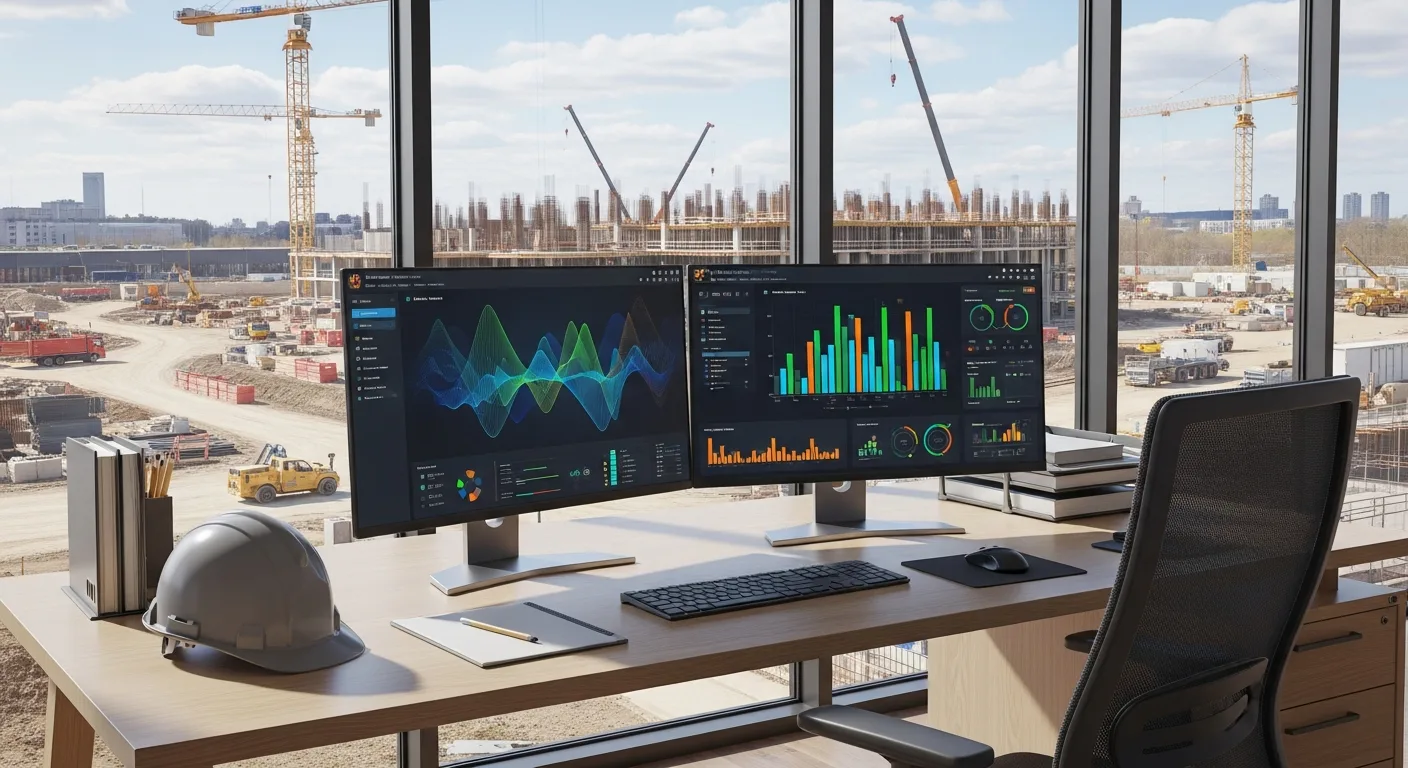
Every trade show in 2025 and 2026 has been packed with vendors promising that artificial intelligence will change everything about how you run your business. Some of those promises are real. Many of them are not.
This guide cuts through the noise. We will look at the AI tools that are actually delivering value for contractors right now, the ones that are still more promise than product, and how to evaluate whether any given AI tool is worth your time and money.
The State of AI in Construction: 2026 Reality Check
Construction has historically been slow to adopt new technology. There are good reasons for that. The work is physical, every project is different, and the consequences of getting things wrong are serious. A software bug in a scheduling app is annoying. A structural failure is catastrophic.
That said, AI adoption in construction has accelerated significantly over the past two years. The tools have gotten better, the interfaces have gotten simpler, and early adopters are starting to show measurable results. We are past the “interesting demo” phase and into the “this actually works on real projects” phase for several categories.
But not all categories. Some AI applications in construction are genuinely useful today. Others are still experimental. And a few are mostly marketing buzzwords wrapped around basic automation. Knowing the difference saves you money and frustration. For a broader look at how these technologies fit into the industry, check out our construction AI technology guide.
AI Estimating: The Biggest Win Right Now
If there is one area where AI is delivering clear, measurable value for contractors in 2026, it is estimating. This is where the technology has the most mature products and the easiest-to-prove ROI. For a full breakdown of what’s available, see our guide to the best construction estimating software.
What AI Estimating Does Well
Quantity takeoffs. AI-powered takeoff tools can scan blueprints and automatically count doors, windows, fixtures, linear feet of pipe, square footage of drywall, and hundreds of other quantities. What used to take an estimator hours now takes minutes. If your team needs a refresher on interpreting construction drawings, our guide on how to read construction blueprints covers the fundamentals.
The accuracy has improved dramatically. The best tools are consistently within a few percentage points of manual counts, and they catch items that human estimators sometimes miss, especially on large, complex plans.
Historical pricing. AI tools that are connected to your past project data can suggest pricing based on what similar work actually cost you before. This is more useful than published cost databases because it reflects your specific labor rates, material suppliers, and local market conditions.
Bid analysis. Some AI tools can analyze your win/loss history and identify patterns. Maybe you consistently win residential projects under $500,000 but lose commercial bids over $2 million. That kind of insight helps you focus on the work where you have the best margins.
What AI Estimating Still Struggles With
Unusual conditions. AI works by recognizing patterns. When a project has genuinely unusual conditions, like a renovation inside an active hospital or a site with severe access restrictions, the AI may not account for the extra complexity. You still need experienced estimators to catch these situations.
Subcontractor pricing. AI can suggest pricing based on historical data, but it cannot call your subs and get current quotes. The relationship-driven part of estimating is still very much a human job.
Scope interpretation. Reading between the lines of an architect’s notes, understanding what is included versus excluded, and catching ambiguities in the specs requires judgment that AI does not have yet.
Tools Worth Looking At
Several AI estimating platforms have proven themselves in the field. Look for tools that offer plan digitization with automatic quantity extraction, integration with your existing cost databases, and the ability to learn from your historical project data. The ones connected to major construction management platforms tend to be the most practical because your data flows directly into your project workflow. Projul’s estimating and change order features are built to work this way.
AI Scheduling: Getting Smarter, Not Perfect
AI scheduling tools have improved significantly, but they are not as far along as AI estimating. The challenge is that construction schedules involve a massive number of variables: weather, crew availability, material deliveries, inspections, subcontractor coordination, and the unpredictable nature of field conditions.
What AI Scheduling Does Well
Pattern recognition. AI can look at your past projects and identify how long specific activities actually took versus how long they were scheduled to take. Over time, this helps you build more realistic schedules.
Conflict detection. AI is excellent at spotting scheduling conflicts that humans might miss: two trades scheduled in the same space, a task scheduled before its predecessor is complete, or a delivery arriving after the crew that needs it has already mobilized.
What-if analysis. Good AI scheduling tools let you model scenarios quickly. What happens if the concrete pour gets pushed back three days? The AI can cascade the impacts through the entire schedule in seconds, showing you exactly which downstream tasks are affected.
What AI Scheduling Still Struggles With
Real-time field conditions. A rain delay, an injury, a failed inspection, or a sub who no-shows all require immediate human judgment. AI can help you replan after the disruption, but it cannot manage the moment-to-moment decisions on site.
Crew dynamics. AI does not know that your best finish carpenter is also coaching his kid’s baseball team on Tuesdays, or that two of your foremen do not work well together. The human factors in scheduling are still firmly in human territory.
Complex dependencies. While AI handles straightforward finish-to-start relationships well, the nuanced dependencies in construction (this task can start when the other is 60% complete, but only if the inspector is available and the material has cured for 72 hours) still require human oversight.
Where Scheduling AI Adds the Most Value
The sweet spot for AI scheduling is on medium to large projects with lots of moving parts. If you are running a simple room addition, a spreadsheet or basic scheduling tool works fine. But when you are coordinating 15 subcontractors across a 12-month commercial project, AI scheduling tools can save your project manager hours of planning time each week.
How AI Estimating and Takeoff Tools Actually Work
Understanding what happens under the hood helps you separate genuine AI estimating from glorified spreadsheet macros. Here is how the best AI takeoff tools process construction plans and generate usable quantities.
Plan Digitization and Object Recognition
Modern AI estimating tools use computer vision models trained on thousands of construction drawings. When you upload a PDF or scanned blueprint, the software does not just see lines and shapes. It recognizes architectural symbols, mechanical equipment, structural members, and finish annotations the same way an experienced estimator would.
The process starts with page classification. The AI identifies which sheets are floor plans, elevations, sections, mechanical layouts, or electrical plans. It then applies specialized recognition models to each sheet type. A floor plan model looks for walls, doors, windows, rooms, and dimensions. A mechanical model identifies ductwork runs, diffusers, piping, and equipment schedules.
Once objects are identified, the AI extracts quantities automatically. It counts doors by type, calculates linear footage of walls by material, measures areas for flooring and ceiling finishes, and tallies plumbing fixtures by specification. The output is a structured quantity list organized by CSI division or your custom cost codes.
Learning From Your Historical Data
The real power of AI estimating comes from connecting quantity extraction to your company’s actual cost history. When the AI pulls 47 hollow metal door frames from a set of plans, it does not just report the count. It looks at what you paid for hollow metal frames on your last ten projects, adjusts for current material pricing trends, and suggests a unit cost that reflects your specific buying power and market.
This feedback loop gets smarter over time. Every completed project where you reconcile estimated versus actual costs teaches the model about your operation. After six months of feeding it real data, the pricing suggestions become significantly more accurate than published cost databases. After a year, many contractors report that AI-generated estimates land within 2 to 5 percent of final project costs for standard work.
If you want to see how this fits into a broader estimating workflow, Projul’s construction estimating features show how takeoff data flows directly into proposals and change orders without re-keying numbers.
Where Takeoff AI Breaks Down
AI takeoff tools struggle with hand-drawn markups, poor scan quality, and non-standard drawing conventions. If your architect uses unusual symbols or buries critical notes in general sheets rather than placing them on the relevant plan, the AI may miss them. Renovation projects with existing conditions shown alongside new work create confusion for object recognition models.
The bottom line: AI takeoff is a massive time saver for quantity extraction on clean, well-organized plan sets. It is not a replacement for an estimator who reviews the output, checks the specs, and applies judgment to unusual conditions.
AI Scheduling and Resource Optimization
While AI estimating has reached practical maturity, AI scheduling is catching up fast. The newest tools go beyond basic conflict detection and into predictive territory, helping contractors anticipate problems before they happen and allocate resources more efficiently.
Predictive Delay Analysis
AI scheduling tools ingest data from your past projects and external sources to forecast likely delays. Weather data, permit processing times, inspection pass rates, material lead times, and even local traffic patterns feed into models that predict where your schedule is most vulnerable.
For example, an AI tool might flag that concrete pours scheduled for the third week of March in your region have a 40 percent chance of weather delays based on 10 years of historical data. Or it might notice that a specific municipality averages 11 business days for rough-in inspections, not the 5 days you assumed in your schedule. These predictions let you build realistic float into the right activities instead of padding the entire schedule.
The best predictive tools also learn from your specific subcontractors. If a particular electrical sub has been late on their last four projects, the AI adjusts expected durations for their scope automatically. This is not about punishing the sub. It is about building a schedule that reflects reality.
Crew Allocation and Workload Balancing
Resource optimization is where AI scheduling delivers its clearest ROI on multi-project operations. When you are running five or ten projects simultaneously, deciding which crews go where on any given day is a complex puzzle. AI tools model crew skills, certifications, travel time between sites, and project priorities to suggest optimal daily assignments.
The math behind this is genuinely difficult for humans to do well. A superintendent managing three projects might make reasonable crew assignments based on gut feel and experience. An AI tool modeling all constraints simultaneously across ten projects will almost always find a more efficient allocation, reducing idle time and travel while keeping critical path activities staffed.
Projul’s project scheduling tools are designed to centralize schedule data across all your active projects, giving AI optimization tools the clean input they need to generate useful recommendations.
Real-Time Rescheduling
When disruptions happen, and they always do, AI scheduling tools can regenerate a workable plan in minutes instead of hours. A superintendent reports that the framing crew is two days behind. The AI immediately cascades the impact, identifies which downstream trades are affected, checks crew availability for those new dates, and proposes an updated schedule that minimizes total project delay.
This does not replace the project manager’s judgment. The PM still decides whether to approve the new plan, negotiate with subs, or authorize overtime to get back on track. But having an AI-generated recovery plan as a starting point saves significant time compared to reworking the schedule manually in a CPM tool.
AI Safety Monitoring: Computer Vision on the Jobsite
Construction remains one of the most dangerous industries in America. AI-powered safety monitoring tools use cameras and computer vision to identify hazards in real time, and this category has matured rapidly since 2024.
How Computer Vision Safety Tools Work
These systems use cameras mounted at fixed points on the jobsite or integrated into existing security camera infrastructure. Computer vision models analyze the video feed continuously, watching for specific safety violations and hazardous conditions.
PPE detection. The AI identifies whether workers are wearing required personal protective equipment: hard hats, high-visibility vests, safety glasses, gloves, and fall protection harnesses. When someone enters a designated area without proper PPE, the system flags the violation immediately. Some systems trigger an audible alert on site. Others send a notification to the safety manager’s phone.
Fall hazard detection. AI models can identify workers near unprotected edges, open holes, or elevated surfaces without proper fall protection. These models are trained on thousands of images of construction environments and can distinguish between a worker safely behind a guardrail and one standing on an unprotected ledge.
Struck-by hazard monitoring. Some advanced systems track the proximity of workers to heavy equipment, overhead loads, and active crane operations. When a worker enters a danger zone, the system alerts both the worker and the equipment operator.
Housekeeping and compliance. AI can monitor general site conditions: blocked egress paths, missing barricades, improper material storage, and tripping hazards. While not as immediately life-threatening as fall or struck-by hazards, poor housekeeping is a leading contributor to jobsite injuries.
The ROI Case for AI Safety
Beyond the moral imperative to protect workers, AI safety monitoring has a clear financial case. OSHA fines for serious violations now exceed $16,000 per instance, and willful violations can reach six figures. Workers’ compensation costs, project delays from incidents, and the reputational damage from a serious injury all add up quickly.
Contractors using AI safety monitoring report measurable reductions in recordable incidents, typically in the range of 20 to 40 percent within the first year. The systems also create a documented record of safety compliance that is valuable during audits, insurance renewals, and bid qualification.
Limitations and Privacy Considerations
AI safety monitoring is not perfect. The models can generate false positives, especially in cluttered or poorly lit environments. A hard hat sitting on a stack of lumber might trigger a “missing PPE” alert. Workers moving behind partially obscured barriers might be flagged incorrectly.
Privacy is a legitimate concern. Workers may be uncomfortable with constant video monitoring, even if the stated purpose is safety. Clear communication about what the cameras are watching for, how the data is used, and how long footage is retained is essential for maintaining trust. Some jurisdictions have specific regulations about workplace surveillance that you need to comply with.
The most successful implementations treat AI safety monitoring as a coaching tool, not a punishment system. The goal is to identify and correct hazards before someone gets hurt, not to build a case for disciplining workers.
What to Look for When Evaluating AI Construction Tools
The construction AI market is flooded with products, and separating genuine capability from marketing noise requires a structured approach. Use this checklist before committing time or money to any AI tool.
The Substance Checklist
Does it solve a problem you actually have? This sounds obvious, but vendors are skilled at creating urgency around problems you did not know you had. Start with your biggest operational pain points and work backward to tools, not the other way around.
Can you validate the core claim in under 30 days? A legitimate AI tool should demonstrate measurable value within a month of implementation. If the vendor says you need six months before you see results, the tool either requires extensive training data (which is fine if disclosed upfront) or the value proposition is weak.
Is the AI actually doing something, or is it just automation with a buzzword? Many tools marketed as “AI-powered” are really rule-based automation. There is nothing wrong with automation. It can be very useful. But if you are paying an AI premium for a tool that runs if-then rules on your data, you are overpaying. True AI learns from data, improves over time, and handles situations it was not explicitly programmed for.
What happens when you stop paying? Can you export your data? Do you retain the trained models or historical analysis? Or does everything disappear behind a paywall? Data portability matters, especially for a tool that gets smarter with your data over time.
How does the vendor handle model updates? AI models need to be retrained and updated as construction practices, codes, and materials evolve. Ask the vendor how often they update their models, whether updates are included in your subscription, and whether updates can break existing workflows.
The Hype Detection Checklist
Watch for these warning signs that a product leans more toward marketing than substance:
- The demo uses cherry-picked examples that look nothing like your actual projects
- The vendor talks about “the future” more than “right now”
- Accuracy claims are vague (“highly accurate”) rather than specific (“within 3 percent on quantity takeoffs for commercial projects over 50,000 square feet”)
- The pricing page is hidden or requires a sales call for basic information
- There is no free trial, sandbox environment, or pilot program
- Customer testimonials are all from companies outside your trade or size range
- The tool requires you to change your existing workflow significantly rather than integrating into it
- “AI” appears in the product name but the vendor cannot explain what the model is actually learning
Build Your Own Evaluation Framework
Before looking at any tool, write down three things: the specific problem you want to solve, the metric you will use to measure success, and the maximum you are willing to spend per month. Having these boundaries defined before the first sales call prevents you from being talked into features you do not need or budgets you cannot sustain.
Test every tool against a known baseline. Run your AI takeoff against a project you already estimated manually. Compare the AI schedule against one your PM built by hand. If the AI output is not meaningfully better, faster, or cheaper, it is not worth adopting regardless of how impressive the demo looked.
AI Photo Documentation: Surprisingly Useful
This is a category that has gone from “interesting concept” to “genuinely practical” faster than most people expected. AI-powered photo documentation tools are being used by thousands of contractors, and the results are impressive.
How It Works
These tools use AI to automatically organize, tag, and analyze photos taken on the jobsite. Instead of a camera roll with 500 unorganized photos, you get images sorted by location, date, trade, and even specific elements like electrical panels, framing, or finish work.
What Makes It Valuable
Progress tracking. AI can compare photos from different dates and highlight what has changed. This is useful for progress reporting, owner updates, and documentation for payment applications.
Issue detection. Some tools can identify potential problems in photos: exposed wiring, missing fire stopping, incorrect installations, or safety violations. This is not a replacement for a trained superintendent, but it is a helpful second set of eyes.
Dispute documentation. When a disagreement arises about what was installed or when, having automatically timestamped, geotagged, and AI-organized photos is powerful evidence.
Punch list automation. Point your camera at a room, and some AI tools can automatically generate punch list items based on what they see. The accuracy is not perfect, but it is getting better with each update.
The Practical Reality
Photo documentation AI works best as a supplement to your existing processes, not a replacement. The AI catches things you might miss and organizes images far better than any human would. But it still requires someone to take the photos, review the AI’s analysis, and make decisions based on what it finds.
AI Chatbots and Virtual Assistants: Mixed Results
This is the category with the widest gap between marketing promises and actual usefulness.
What Works
Internal knowledge bases. Chatbots that are trained on your company’s specific documents, safety manuals, specifications, and procedures can be genuinely useful. When a foreman in the field needs to check the spec on a particular material or find the right safety procedure for a specific task, asking a chatbot is faster than digging through binders or calling the office.
Customer communication. Simple chatbots on your website that answer common questions (Do you serve my area? What types of work do you do? How do I request a quote?) can handle basic inquiries and free up your office staff.
What Does Not Work (Yet)
Complex project questions. Asking a chatbot “What is the status of the Johnson renovation?” and expecting a reliable, nuanced answer is still a stretch. The chatbot might pull data from your project management system, but interpreting that data in context requires understanding that current AI lacks.
Decision making. Any chatbot that claims to help you make project decisions should be viewed with heavy skepticism. AI can present data. It should not be making calls about change orders, crew assignments, or budget reallocations.
Replacing human communication. The construction industry runs on relationships. Sending a chatbot response to a frustrated homeowner or a subcontractor with a payment question is a fast way to damage those relationships.
The Practical Middle Ground
The assistants that earn their keep handle the clerical work and leave the decisions to people. That is the idea behind Projul AI Connect, included with the Projul Pro plan. Instead of a new chatbot, you connect the assistant you already use (ChatGPT, Claude, or Gemini) to your Projul account and ask in plain English. It can turn a voicemail into a new lead, draft a change order from meeting notes, or shift the schedule when a delivery runs late. It cannot send or approve an estimate or change order, and it cannot text or email your customers, so a person on your team still makes every call that reaches a client.
Voice Assistants on the Jobsite
Voice-controlled AI is an appealing concept for construction. Your hands are full, you are wearing gloves, and pulling out a phone to type is inconvenient. Several companies are building voice assistants specifically for construction workers.
Current State
The technology works reasonably well for simple commands: logging hours, creating a quick note, adding an item to a punch list, or dictating a daily report. Voice recognition has improved enough that it can handle construction terminology and noisy environments better than it could even a year ago.
Limitations
Background noise on a construction site is still a challenge. A jackhammer, a table saw, or a diesel engine can make voice commands unreliable. Most voice assistants also struggle with heavy accents or speakers switching between English and Spanish, which is common on many jobsites.
The real test for voice assistants is whether they save enough time to justify the learning curve and occasional misinterpretation. For some tasks, they clearly do. For others, it is still faster to pull out your phone and tap a few buttons.
Sorting Hype from Reality: A Framework
With dozens of AI tools competing for your attention (and your money), you need a way to evaluate which ones are worth trying. Here is a practical framework:
Ask These Questions
What specific problem does this solve? If the vendor cannot name a specific, measurable problem their tool addresses, it is probably hype. “Helps you work smarter” is not a specific problem. “Reduces takeoff time by 60%” is.
Can I see results from contractors like me? Case studies from a $500 million GC are not relevant if you are a $3 million specialty contractor. Ask for examples from companies your size, in your trade, in your market.
What data does it need to work? AI tools that require months of historical data before they become useful are fine, as long as you know that upfront. Be wary of tools that promise instant results with no setup.
What happens when it is wrong? Every AI tool makes mistakes. The important question is: what are the consequences of a wrong output, and how easy is it to catch errors before they cause problems?
How does it integrate with my existing tools? An AI tool that lives in its own silo creates more work, not less. Look for tools that plug into your current project management, estimating, and scheduling software. If you are still choosing a project management platform, our best construction project management software guide covers the top options.
Red Flags
- Vendors who cannot explain how their AI works in simple terms
- Claims of “100% accuracy” or “fully autonomous” operation
- No option for a free trial or pilot period
- Pricing that requires a long-term contract before you see results
- No clear data privacy policy
Green Flags
- Specific, measurable claims backed by customer references
- Free trial or pilot program with real project data
- Clear explanation of what the AI does and does not do
- Strong integration with existing construction software (see our full construction software comparison for platforms worth integrating with)
- Transparent pricing with monthly options
What Delivers Real ROI Right Now
Based on what we are seeing from contractors across the industry, here is a ranked list of AI applications by current ROI potential:
High ROI (proven and practical):
- AI quantity takeoffs and estimating
- AI photo documentation and organization
- AI-powered safety monitoring (camera-based)
Medium ROI (useful but still maturing): 4. AI scheduling assistance 5. Internal knowledge base chatbots 6. AI-powered equipment maintenance prediction
Low ROI (early stage or overhyped): 7. Fully autonomous scheduling 8. AI-driven design suggestions 9. General-purpose construction chatbots 10. AI project management “copilots”
Getting Started Without Getting Burned
If you are ready to try AI tools in your operation, here is a practical path:
Step 1: Pick one problem. Do not try to add AI everywhere at once. Choose the area where you spend the most time or lose the most money. For most contractors, that is estimating.
Step 2: Research three to five tools. Look at reviews from other contractors, not just the vendor’s website. Ask your peers what they are using.
Step 3: Run a pilot. Test the tool on a real project alongside your existing process. Compare the results. Did the AI save time? Was it accurate? Did your team actually use it?
Step 4: Measure results. Track specific metrics: hours saved, error rates, cost accuracy. If you cannot measure the improvement, you cannot justify the investment.
Step 5: Scale or move on. If the pilot works, roll it out to the rest of your team with proper training. If it does not, try a different tool or revisit the category in six months. The technology is improving fast.
The Human Side of AI Adoption
The biggest barrier to AI adoption in construction is not the technology. It is people. Your estimators, project managers, and field crews have built their skills over years or decades. Telling them that a computer can do part of their job faster is not always a welcome message.
The contractors who succeed with AI adoption frame it correctly: AI handles the tedious, repetitive parts of the job so that skilled people can focus on the parts that require experience and judgment. An estimator who spends less time counting doors on blueprints has more time to analyze the project, talk to subcontractors, and develop a winning bid strategy.
Training matters. Support matters. And patience matters. Give your team time to learn the tools, make mistakes, and build confidence. Rushing AI adoption creates resistance that is hard to undo.
Looking Ahead
AI in construction is moving fast, and the same goes for robotics and automation on the job site. Tools that are experimental today will be standard in two to three years. The contractors who start building their AI literacy now will have a significant advantage as the technology matures.
But do not let the hype push you into buying tools you do not need or cannot use effectively. Start with proven applications, measure your results, and expand from there.
The goal is not to have the most AI tools. The goal is to build better projects, faster, with fewer errors and higher margins. AI is one way to get there, but only when it is applied thoughtfully.
If you are looking for a construction management platform that connects your estimating, scheduling, and project data in one place, making it easier to feed AI tools with the data they need, check out Projul. It is built for contractors who want to run a tighter operation without adding unnecessary complexity, and on the Pro plan your own AI assistant can work in that data directly.
Frequently Asked Questions
Are AI tools worth the investment for small contractors?
Will AI replace estimators and project managers?
How accurate is AI estimating in 2026?
What data do AI tools need to work well?
Is my project data safe with AI tools?
What is the biggest mistake contractors make with AI tools?
How do I get my team to actually use AI tools?
Which AI tools integrate with construction management software?
Related Articles

How Construction Teams Use AI to Cut Admin Time
Most contractors lose a full day every week to paperwork. AI now handles the repetitive admin work that used to eat...
Read More →
Concrete Tilt-Up Construction: A Contractor's Complete Field Guide
Tilt-up construction accounts for roughly 15 percent of all industrial and commercial buildings in North America. This...
Read More →
How to Implement Construction Software Without Losing Your Mind
Most construction software rollouts fail. Not because the software is bad, but because the rollout was rushed. Here are...
Read More →