
6 Benefits of a Construction Client Portal
Here is a number that should bother you: the average contractor spends 2 to 3 hours per day fielding calls and emails from clients who just want to know what is happening on their project. That is 10 to 15 hours a week. Over the course of a year, you are burning 500 or more hours answering the same questions over and over.
“When are you coming back?” “Did the materials arrive?” “Can you send me those photos again?” “Where is my invoice?”
Every one of those questions has an answer sitting somewhere in your system. The problem is your client cannot see it. They are stuck waiting on you, and you are stuck playing telephone tag instead of running your business.
A construction client portal fixes this. Not by adding more work to your plate, but by giving clients direct access to the information they are already asking for. The result? Fewer interruptions, faster decisions, happier homeowners, and a business that scales without burning you out.
Let us break down the six biggest ways a client portal changes how you operate.
1. Real-Time Project Visibility That Keeps Clients Calm
The number one reason clients call you is anxiety. They cannot see what is happening, so they assume something is wrong. That assumption triggers a phone call, which pulls you away from productive work, which puts you behind schedule, which creates more anxiety for the client. It is a vicious cycle.
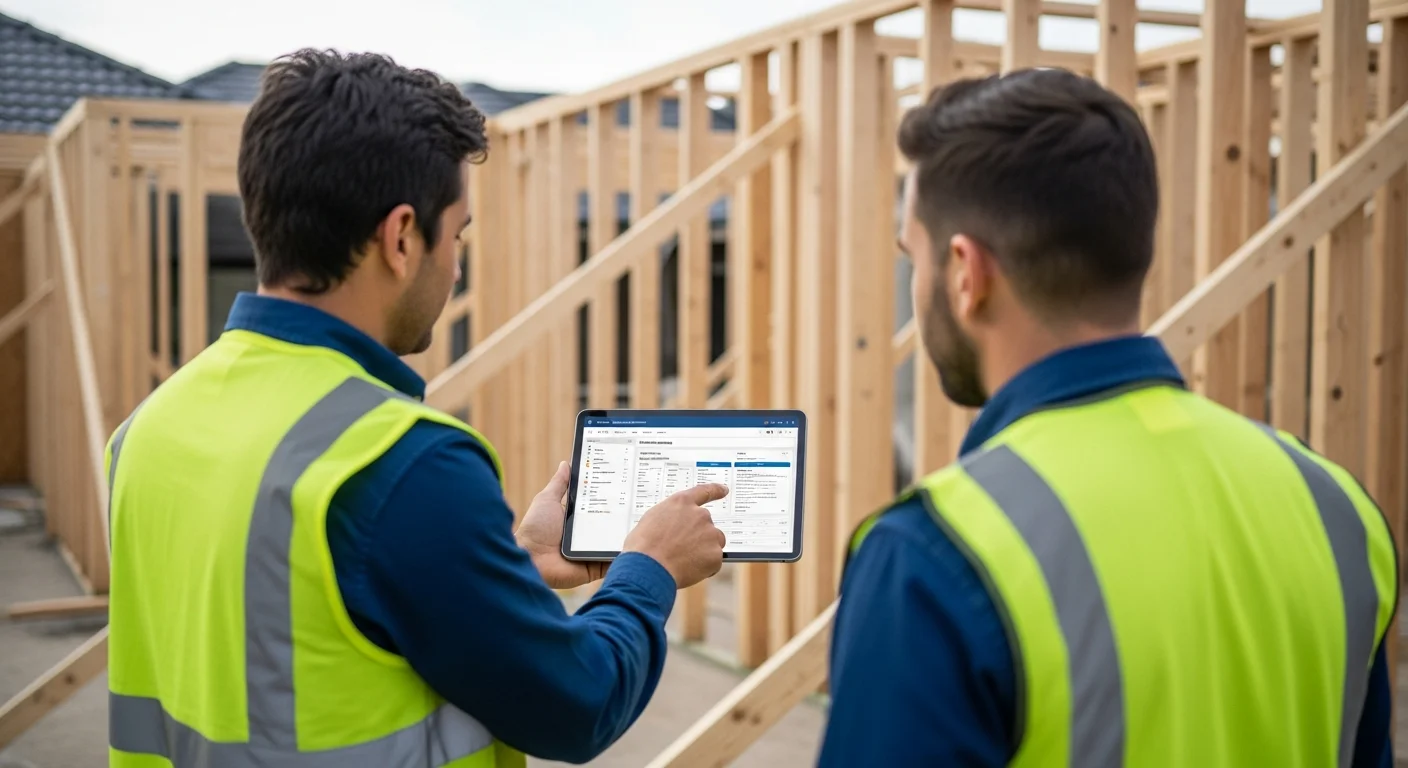
A client portal breaks that cycle by giving homeowners a live view of their project status. When a client logs in and sees that framing started this morning, that the electrician is scheduled for Thursday, and that the project is tracking on time, they do not pick up the phone. The anxiety evaporates because they have the information they need.
This is not just about convenience. It is about the psychology of how clients experience a construction project. Homeowners are spending tens or hundreds of thousands of dollars on something they do not fully understand. That is a scary position to be in. When you give them a window into the process, you are really giving them peace of mind.
The best portals show project timelines, milestone progress, and upcoming schedule items without requiring your team to do any extra work. If your crew is already logging daily updates and marking tasks complete in your project management software, those same updates automatically appear in the client’s portal view. Zero duplication of effort.
Contractors who implement this consistently report that client-initiated calls drop by 40 to 60 percent within the first month. That is not a small number. On a team running 8 to 10 active projects, that could mean reclaiming an entire workday each week.
2. Photo Updates That Build Trust and Reduce Disputes
If you have been in this industry for more than a week, you know that photo documentation is not optional. It protects you from disputes, proves work was completed, and gives you a record you can reference months or years later. But here is the thing most contractors miss: your clients want to see those photos too.
When a homeowner can log into their portal every evening and scroll through the day’s progress photos, something powerful happens. They feel involved. They feel informed. And they feel like they can trust the process, even when they cannot be on site.
This is especially true for clients who live far from the job site, investment property owners, or anyone who works during the day and cannot swing by to check on things. For them, photo updates through the portal are the only way they stay connected to their project.
The practical side matters just as much. When photos are shared through a portal instead of text messages or email threads, you create a permanent, organized record. No more scrolling through a group chat from six months ago trying to find that one photo of the rough-in. Everything is timestamped, attached to the right project phase, and accessible to both you and the client.
This also helps you protect your business. If a client ever disputes the quality of work or claims something was not done correctly, you have a dated photo trail that tells the real story. That kind of documentation has saved contractors thousands of dollars in potential disputes. For a deeper look at building good habits around this, check out our guide on construction photo documentation best practices.
Some portals let you control which photos clients see and which stay internal. This is important because not every field photo needs to reach the homeowner. Messy job site shots from mid-demo or photos of problems you already fixed can cause unnecessary worry. A good portal gives you that filter without slowing your crew down.
3. Document Sharing That Ends the Email Scavenger Hunt
Think about every document involved in a typical project: the signed contract, the original estimate, permit copies, architectural drawings, material specs, change orders, lien waivers, warranty info, and the final invoice. Now think about where all of those documents live right now. Some are in email threads. Some are in a filing cabinet. Some are on your desktop in a folder called “Smith Job Stuff.”
Your client’s version is even worse. They have some documents forwarded from their realtor, some from you via email six months ago, and a few they took photos of with their phone. When they need something, they have no idea where to look, so they call you.
A client portal solves this by creating a single, organized location for every project document. Clients log in, go to their documents section, and everything is right there. Contracts, change orders, specs, permits, invoices. All of it in one place, accessible any time.
This matters more than most contractors realize. According to industry surveys, construction professionals spend an average of 5.5 hours per week searching for project information. Your clients are spending time doing the same thing on their end. When both sides have immediate access to the same documents, that time waste disappears for everyone.
Document sharing through a portal also creates a clear audit trail. You can see when a client opened a document, which is helpful when someone claims they never received something. “The portal shows you opened the change order on Tuesday at 3:47 PM” is a much stronger position than “I think I emailed it to you last week.”
If you are still managing documents through email chains and shared drives, take a look at construction document management strategies that work with modern tools. The shift does not have to happen overnight, but it needs to happen.
4. Approval Workflows That Kill Delays and Keep Projects Moving
Here is a scenario that plays out on job sites every single day: your crew hits a point where they need a client decision before they can move forward. Maybe it is a change order for unexpected rock removal. Maybe the client needs to pick a tile before the bathroom rough-in gets covered. Maybe there is an additional cost that needs sign-off.
In a traditional workflow, your project manager calls the client. The client does not answer because they are at work. Your PM leaves a voicemail. The client calls back three hours later, but now your PM is on another site. They trade two more voicemails. Eventually they connect the next morning. That is a full day of delay because of a five-minute decision.
With a portal that supports approval workflows, you submit the change order or selection request digitally. The client gets a notification. They review it on their lunch break, tap “approve,” and your crew sees the green light in real time. Total elapsed time: 45 minutes instead of 24 hours.
Read real contractor reviews and see why Projul carries a 9.8/10 on G2.
Multiply that across every approval on every project, and you start to see how much schedule time gets eaten by simple communication lag. A portal with built-in approvals does not just make things more convenient. It directly protects your construction schedule.
The financial impact matters too. Delayed approvals create idle crews, push back subsequent trades, and can trigger penalty clauses in commercial work. Even on residential projects, every day a decision sits in limbo costs you money in overhead, extended equipment rentals, and missed start dates on the next job. If you want to dig into how approval bottlenecks connect to bigger scheduling problems, our piece on construction scheduling best practices covers that in detail.
Digital approvals also create an iron-clad paper trail. When a client signs off on a change order through the portal, that approval is dated, timestamped, and impossible to dispute later. Compare that to a verbal “yeah, go ahead” over the phone that turns into “I never agreed to that” when the invoice arrives.
5. Built-In Payment Portals That Get You Paid Faster
Cash flow is the lifeblood of every construction company, and late payments are the thing that kills it. If you have been in business for any length of time, you have dealt with clients who take 30, 60, or even 90 days to pay an invoice that was due on receipt. It is not always malicious. Sometimes the check is sitting on their counter and they just forget. Sometimes they want to pay but cannot find the invoice. Sometimes they are avoiding a phone call because they have a question about a line item.
A client portal with a built-in payment option removes most of these friction points. The client logs in, sees their invoice, reviews the details, and pays right there. No check to write, no stamp to find, no envelope to address. Just a few taps and the money moves.
The data on this is convincing. Construction companies that offer online payment through a portal typically see their average collection time drop by 10 to 15 days. On a business doing $2 million in annual revenue, that kind of acceleration can mean tens of thousands of dollars more in available working capital at any given time.
Progress billing works particularly well through a portal. Instead of mailing a draw request and waiting for the client to process it, you post the draw to their portal with supporting documentation and photos of completed work. The client can see exactly what they are paying for, which reduces questions and disputes, and then pay immediately. For contractors who handle construction invoicing across multiple active jobs, this alone can save hours each month.
Some portals also support automatic payment reminders, scheduled payments, and partial payment options. These features do not just help you get paid faster. They make the payment experience better for the client, which matters more than you might think. A homeowner who can pay their contractor with three taps on their phone has a very different experience than one who has to write and mail a $40,000 check.
The relationship between cash flow management and a payment portal is direct. When money comes in faster, you can pay your subs on time, stock materials without floating costs on a credit line, and take on new projects with confidence. Our guide on construction cash flow management goes deeper on why this matters for growth.
6. Fewer Phone Calls and Emails (Without Losing the Personal Touch)
Let us be honest about something: most contractors did not get into this business because they love being on the phone all day. You got into it because you like building things. But somewhere along the way, your phone became a full-time job.
The average small to mid-size contractor handles 15 to 25 client interactions per day through phone calls, emails, and text messages. The majority of those interactions are informational, not relational. Clients are not calling because they want to chat. They are calling because they need a piece of information that they cannot access on their own.
A client portal flips this dynamic. Instead of you pushing information to clients one conversation at a time, clients pull the information they need whenever they want it. This is a fundamental shift in how your office operates.
Here is what contractors consistently report after implementing a portal:
- Phone calls from clients drop by 40 to 60 percent
- Email volume related to project status drops by a similar margin
- The calls that do come through are higher quality, focused on actual decisions rather than status checks
- Client satisfaction scores go up, not down, even though there is less direct contact
That last point surprises a lot of people. You would think less communication means less happy clients. But the opposite is true. Clients who have portal access feel more informed and more in control of their project, which translates directly into higher satisfaction ratings and more referrals.
The key is understanding what a portal replaces and what it does not. It replaces the repetitive, transactional communication that drains your day: status updates, photo requests, document searches, and payment reminders. It does not replace the personal conversations that build relationships: walking clients through design options, explaining unexpected findings, celebrating milestones, and handling sensitive issues.
In fact, by eliminating the noise, a portal gives you more time and energy for those meaningful conversations. Instead of spending 20 minutes on the phone explaining that the plumber is coming Thursday, you spend that 20 minutes walking the client through the finished tile work and talking about the next phase. That is a better use of everyone’s time.
If you want to get serious about improving how you communicate with clients across every channel, not just the portal, our guide on construction client communication has practical tips you can start using this week.
Making the Shift: What to Look for in a Client Portal
Not every client portal is created equal. Some are tacked on as an afterthought, offering nothing more than a read-only project page. Others are deeply connected to your project management workflow, which means the portal updates itself as your team works.
Here is what separates a portal that actually gets used from one that collects dust:
Automatic updates from field activity. If your crew has to do extra work to update the portal, they will not do it. The portal should pull from the same daily logs, task completions, and photo uploads your team is already doing. If you are using a platform like Projul, this happens automatically.
Mobile-friendly access. Your clients are going to check their portal from their phone. If it does not work well on a small screen, adoption will be low. Make sure the portal experience is built for mobile from the start.
Granular permission controls. You should be able to decide exactly what each client sees. Some projects warrant full financial transparency. Others might only need photos and schedule access. A good portal lets you configure this per client or per project.
Integrated payments. If the portal does not let clients pay, you are leaving money on the table. The fewer steps between “client sees invoice” and “client pays invoice,” the faster your cash flow moves.
Digital approvals with timestamps. Change orders, selections, and scope adjustments should all flow through the portal with clear approval tracking. This protects both you and the client.
Simple onboarding. If it takes more than two minutes to get a client set up on the portal, something is wrong. The best portals generate a link, send an invite, and let the client create their login with minimal friction.
The Bottom Line
A client portal is not a luxury or a nice-to-have. For contractors running more than a handful of active projects, it is a practical tool that directly affects your bottom line. It reduces the hours you spend on the phone. It speeds up approvals and payments. It protects you with documented, timestamped records. And it makes your clients feel like they picked the right contractor.
The contractors who are growing the fastest right now are the ones who figured this out early. They stopped treating client communication as a reactive task and started treating it as a system. A portal is the backbone of that system.
If you are still relying on phone calls, text threads, and email chains to keep your clients in the loop, you are working harder than you need to. And your clients are probably less happy than they should be.
The technology exists. The cost is minimal. The payoff is immediate. The only question is how long you want to keep doing it the hard way.
See how Projul makes this easy. Schedule a free demo to get started.
Ready to see what a client portal looks like in practice? Start a free trial with Projul and give your next client the experience they are already expecting.
Frequently Asked Questions
What exactly is a construction client portal?
How much does a construction client portal cost?
Will my older clients actually use a portal?
Can a client portal replace all my client communication?
How long does it take to set up a client portal for my construction company?
Related Articles
How to Build a Construction Technology Stack That Actually Works
Most contractors juggle 5 to 8 apps that don't talk to each other. Here's how to build a construction technology stack...
Read More →
7 Best Construction Software Platforms (2026) - Honest Contractor Reviews
We tested 7 construction software platforms and compared real pricing, mobile apps, and job costing. See which ones...
Read More →
Construction Technology Trends 2026: What Contractors Need to Know
Construction technology trends 2026 are reshaping how contractors schedule, estimate, and manage projects. Here's what...
Read More →