
Construction Document Management Guide (2026)
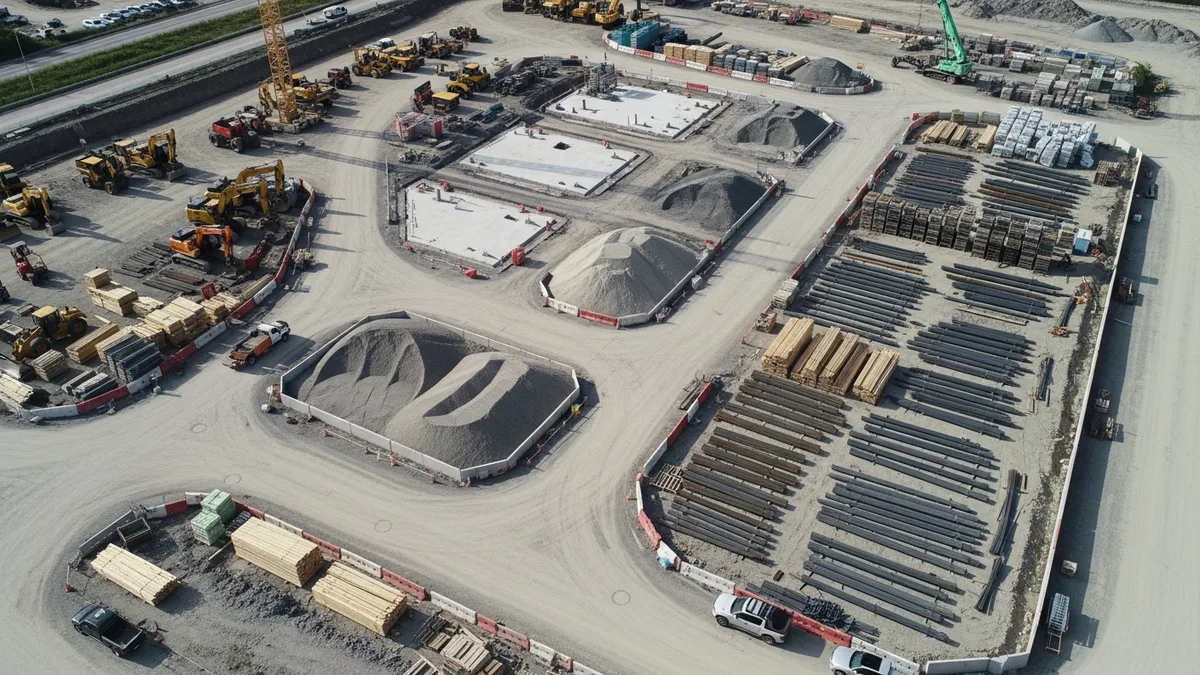
Every contractor has a horror story about a missing document. Maybe it was a permit that got buried in someone’s truck. Maybe it was a set of revised drawings that never made it to the framing crew. Maybe it was a signed change order that disappeared into a filing cabinet and did not surface until the client disputed the final invoice.
Construction document management is not glamorous work. Nobody gets into this business because they love organizing paperwork. But the contractors who figure out how to keep their documents organized, accessible, and up to date are the ones who avoid the expensive problems that sink their competitors.
The average commercial construction project generates thousands of documents. Residential projects are smaller, but even a straightforward kitchen remodel can produce dozens of files between contracts, permits, plans, change orders, inspection reports, and submittals. Multiply that across 10 or 20 active jobs, and you have a real problem on your hands if you do not have a system.
This guide breaks down a practical approach to construction document management that works whether you are running a two-person crew or a 50-person operation. No theory, no fluff. Just the stuff that actually keeps projects running smoothly.
The Paper Problem: Why Construction Companies Drown in Documents
Construction has a document problem, and it is getting worse every year. Building codes get more complex. Clients expect more communication. Insurance companies want more proof. Municipalities add more permit requirements. And every single one of those things generates more paper.
Here is what makes construction document management especially tricky compared to other industries:
Documents come from everywhere. Your architect sends plans as PDFs. The engineer emails structural calcs. The city hands you a paper permit. Your sub texts you a photo of the material spec sheet. The client sends a Pinterest link and calls it a “design document.” There is no single source, no standard format, and no consistent delivery method.
Multiple people need the same documents at different times. The estimator needs the plans during preconstruction. The project manager needs them during scheduling. The superintendent needs them on site. The accounting team needs contracts and change orders at billing time. If those documents live in one person’s email inbox or on one person’s laptop, the whole system breaks down the moment that person is unavailable.
Documents change constantly. Drawings get revised. Specs get updated. Change orders modify the scope. Addendums alter contracts. If your team is working off outdated documents, you are building the wrong thing. And rebuilding the right thing is always more expensive than building it correctly the first time.
The cost of lost documents is real. A missing permit can shut down a job site. A lost change order means you eat the cost of extra work. An outdated drawing means your crew installs something that has to be torn out. According to industry research, construction professionals spend roughly 35% of their time on non-productive activities like looking for project data, resolving conflicts, and managing rework. A big chunk of that traces back to document problems.
The contractors who struggle most with construction document management are usually the ones who grew up in the business doing things a certain way and never had a reason to change. The truck console filing system worked fine when you were running three jobs a year. It falls apart when you are running three jobs a month.
What Documents Every Construction Project Needs
Before you can organize your documents, you need to know what documents you are actually dealing with. Most contractors underestimate the sheer volume of paperwork a single project generates.
Here is a full breakdown of the documents that flow through a typical construction project:
Pre-Construction Documents
- Bid proposals and estimates
- Contracts and subcontractor agreements
- Scope of work documents
- Insurance certificates (yours and your subs)
- Bond documents (if applicable)
- Pre-construction meeting notes
- Site surveys and soil reports
Design and Planning Documents
- Architectural drawings and floor plans
- Structural engineering plans
- MEP (mechanical, electrical, plumbing) drawings
- Landscape plans
- Interior design specs and finish schedules
- Material specifications and cut sheets
- Shop drawings and submittals
Permits and Regulatory Documents
- Building permits
- Zoning approvals
- Environmental permits
- OSHA compliance records
- Safety plans and toolbox talk logs
- Inspection reports and sign-offs
Project Execution Documents
- Daily logs and field reports
- Daily logs that track crew activity, weather, and progress
- Change orders (signed by all parties)
- RFIs (Requests for Information)
- Meeting minutes
- Schedule updates
- Material delivery tickets and receipts
- Equipment rental agreements
Financial Documents
- Payment applications and invoices
- Lien waivers
- Budget tracking reports
- Purchase orders
- Expense receipts
Close-Out Documents
- Punch lists
- As-built drawings
- Warranty information
- O&M (Operations and Maintenance) manuals
- Certificate of occupancy
- Final inspection reports
- Lien releases
That is a lot of paper. And every single one of those documents matters to somebody at some point during the project. The challenge with construction document management is not just storing all of this. It is making sure the right people can find the right documents at the right time.
Organizing Digital Files: Folder Structures That Work
Curious what other contractors think? Check out Projul reviews from real users.
The biggest mistake contractors make when they go digital is recreating the chaos of their physical filing system on a computer. Dumping everything into a single “Projects” folder with no structure is just a digital version of the truck console.
A good folder structure does two things: it tells you where to put a document, and it tells you where to find it later. If you have to think about either one, the structure is not working.
Here is a folder structure that works well for most construction companies:
Company Root/
├── [Project Name - Address]/
│   ├── 01 - Pre-Construction/
│   │   ├── Estimates & Bids/
│   │   ├── Contracts/
│   │   └── Insurance & Bonds/
│   ├── 02 - Design & Plans/
│   │   ├── Architectural/
│   │   ├── Structural/
│   │   ├── MEP/
│   │   └── Submittals/
│   ├── 03 - Permits & Inspections/
│   ├── 04 - Field Documents/
│   │   ├── Daily Logs/
│   │   ├── Change Orders/
│   │   ├── RFIs/
│   │   └── Meeting Minutes/
│   ├── 05 - Financial/
│   │   ├── Invoices/
│   │   ├── Purchase Orders/
│   │   └── Lien Waivers/
│   ├── 06 - Photos/
│   │   ├── Pre-Construction/
│   │   ├── Progress/
│   │   └── Completion/
│   └── 07 - Close-Out/
│       ├── Punch Lists/
│       ├── As-Builts/
│       └── Warranties/
Why the numbers matter. The numbered prefixes keep folders in a logical order that mirrors the project timeline. Without numbers, your file explorer sorts alphabetically, and “Close-Out” ends up before “Contracts.” The numbers force everything into the order you actually need.
Naming conventions are non-negotiable. Every file should follow a consistent naming pattern. Something like: [ProjectCode]-[DocType]-[Description]-[Date]-[Version]. For example: SMITH-CO-01-KitchenDemo-20260215-v2.pdf. It looks tedious at first, but when you are searching for a specific change order six months later, you will be glad you did it.
Templates save time. Create a blank project folder template with all the subfolders already built out. When a new project starts, copy the template and rename it. That way, every project has the same structure from day one, and your team always knows where things go.
For tips on organizing the photo documentation side of things, check out our guide on construction photo documentation best practices.
Version Control: Making Sure Everyone Has the Latest Drawings
If there is one thing that causes more rework in construction than anything else, it is people working off the wrong version of a document. A set of plans gets revised, somebody does not get the update, and suddenly you have a crew installing windows in locations that changed two weeks ago.
Version control in construction document management is about three things: knowing which version is current, knowing what changed, and making sure everyone is working from the same page.
The simple version numbering system. Every time a document is revised, the version number goes up. v1, v2, v3. Simple. The current version is always the highest number. Old versions get moved to an “Archive” or “Superseded” subfolder so they are still accessible but clearly not current.
Mark superseded documents clearly. If you are distributing printed plans on site, stamp or watermark old versions with “SUPERSEDED” in big red letters. It sounds old school, but it works. A crew member who finds an old set of plans in the job trailer needs to know instantly that they should not be building from them.
Revision logs matter. Every time a plan set gets updated, maintain a simple log that records what changed, who made the change, when it happened, and which sheets are affected. This does not need to be complicated. A spreadsheet or a running list in a shared document works fine. The point is that when someone asks “what changed in Rev 3?” you can answer that question in under a minute.
Cloud storage changes the game. When documents live in the cloud instead of on individual computers or USB drives, version control gets dramatically easier. Everyone accesses the same central copy. When it gets updated, everyone sees the update. No more emailing revised plans and hoping everyone deletes the old ones.
Drawing distribution logs. For larger projects, keep a log of who received which version of which drawing set. If a problem comes up and someone claims they never got the revision, you have documentation that says otherwise. This kind of paper trail protects you when things go sideways.
The bottom line is that a construction document management system without version control is just organized chaos. Everything looks neat until someone builds from the wrong plans and you are writing a five-figure check to fix it.
Sharing Documents With Clients, Subs, and Inspectors
Construction projects involve a lot of people who need access to different documents at different times. Your client wants to see progress photos and invoices. Your electrician needs the electrical plans and the spec sheets. The building inspector needs permits and structural calcs. Your accountant needs contracts and lien waivers.
The challenge is giving everyone what they need without giving everyone access to everything.
Clients want visibility, not a file dump. Most clients do not want access to your entire project folder. They want to see progress, review invoices, and find important documents like their contract and warranty information. A customer portal that gives clients a curated view of their project is far more effective than sharing a Dropbox link and telling them to dig around.
Subcontractors need targeted access. Your plumber does not need to see the electrical plans, and your electrician does not need the plumbing specs. Share documents by trade and by need. When plans get revised, make sure the affected trades are notified immediately. A quick text saying “new plans posted, check the portal” takes 10 seconds and can prevent thousands of dollars in rework.
Inspectors want documents fast. When an inspector shows up on site, they do not want to wait while you call the office and ask someone to email a permit. Having your permits, approved plans, and relevant inspection records accessible on a phone or tablet means inspections go smoothly instead of getting rescheduled because you could not produce the right paperwork.
Email is not a document management system. This is worth saying clearly because so many contractors use email as their primary way to share documents. Email works fine for one-off communication, but it falls apart as a document repository. Files get buried in threads. Attachments have size limits. There is no version control. And when someone new joins the project, they do not have access to the six months of email history that contains all the critical documents.
Set permissions thoughtfully. Not everyone needs the ability to edit or delete documents. Most external stakeholders only need view access. Your project managers need edit access. A very small number of people should have delete permissions. This is basic security, but it prevents a lot of accidental problems.
Mobile access is not optional. Construction happens in the field, not at a desk. If your team cannot access project documents from their phones while standing on a job site, your document management system is not actually serving the people who need it most. Any system you set up needs to work on mobile devices without requiring a laptop or a trip back to the office.
How Construction Software Replaces Filing Cabinets
Everything we have covered so far can be done with cloud storage, spreadsheets, and discipline. But there is a reason more contractors are switching to purpose-built construction management software for their document management. It is the same reason you use a table saw instead of a handsaw. Both cut wood, but one of them is a lot faster and more precise.
Construction management software like Projul bundles document management with everything else you need to run a project. Your photos and documents live right alongside your schedules, budgets, daily logs, and client communications. That means no more bouncing between five different apps trying to piece together a complete picture of where a project stands.
Here is what dedicated construction software does that generic cloud storage does not:
-
Links documents to projects automatically. When you upload a permit, it is attached to the right project. When you snap a photo, it gets tagged with the date, location, and project name. There is no manual sorting, no drag-and-drop into folders, no hoping someone puts it in the right place.
-
Handles version control for you. Upload a revised plan set and the software tracks versions automatically. Your team always sees the latest version. Old versions are archived but still accessible if someone needs to reference them. No more “FINAL_v3_REVISED_actually-final.pdf” file names.
-
Controls access by role. Give your superintendent access to plans and daily logs. Give your client access to photos and invoices through the portal. Give your accountant access to financial documents. Everyone gets exactly what they need, and nothing they do not.
-
Makes everything searchable. Instead of clicking through folder after folder trying to find a specific change order, just search for it. Good construction software indexes your documents so you can find what you need in seconds instead of minutes.
-
Works on every device. Job site, office, truck, home. Documents are accessible wherever you are, on whatever device you have. No special software to install, no VPN to connect to, no calling the office to have someone look something up.
-
Creates an audit trail. Every upload, download, edit, and share gets logged. If there is ever a question about who had access to what and when, the answer is right there in the system.
The reality is that most construction companies outgrow manual document management around the time they hit 8 to 10 active projects. Below that threshold, folder structures and naming conventions can carry you. Above it, the time your team spends managing documents instead of building things starts to eat into your margins.
The transition from filing cabinets and cloud folders to dedicated software does not have to happen overnight. Most contractors start by moving their active projects onto the platform and migrating historical documents as they come up. Within a month or two, the old system becomes irrelevant because everything your team needs lives in one place.
Document Control Numbering and Revision Systems
A solid construction document management strategy depends on more than just folder organization. You also need a systematic way to number, label, and track every document that flows through your projects. Without a consistent numbering system, documents get lost, duplicated, or confused with older versions. With one, every single piece of paper or digital file has a unique identity that anyone on the team can trace back to its source.
Why document control numbering matters. Think of numbering as giving every document a fingerprint. When your project manager references “RFI-042” in a meeting, everyone knows exactly which document they are talking about. When your superintendent sees “DWG-A301-Rev3” on a drawing, they know it is the third revision of architectural sheet A301. There is no ambiguity, no digging through email, and no guessing.
Building a numbering system that scales. The best numbering systems follow a predictable pattern that anyone can learn in five minutes. A common approach looks like this:
- Project code - A short identifier for the project (e.g., SMITH-RES or 2026-042)
- Document type prefix - RFI, CO (change order), SUB (submittal), DWG (drawing), SI (site instruction)
- Sequential number - A three or four digit number that increments with each new document of that type
- Revision indicator - Rev0, Rev1, Rev2, or simply v1, v2, v3
Put it all together and you get something like 2026-042-CO-003-Rev1, which tells you it is project 2026-042, change order number 3, first revision. Anyone on the team can decode that without a manual.
Revision tracking is where most contractors fail. Creating a document is easy. Tracking its revisions over time is where things break down. Every time a document gets revised, three things need to happen: the revision number needs to increment, the previous version needs to be clearly marked as superseded, and everyone who holds a copy of the previous version needs to be notified.
A revision log should capture the following for every revision:
- Document number and title
- Revision number and date
- Who initiated the revision
- Summary of what changed
- Who was notified of the change
- Confirmation that superseded copies were collected or marked
Transmittals tie it all together. A transmittal is a formal record that a document was sent from one party to another. In construction, transmittals serve as proof that the right people received the right documents at the right time. When a dispute arises six months later about whether the subcontractor received the updated specs, your transmittal log provides the answer. Most project management platforms include transmittal tracking as a built-in feature, which eliminates the need for manual transmittal forms.
Digital document control systems automate the tedious parts. Manual numbering and revision tracking works, but it relies on every person following the system perfectly every time. One person who skips a step or forgets to update the log creates a gap that can cause real problems later. Construction management software handles numbering, versioning, and notification automatically. When a revised drawing gets uploaded, the system increments the version, archives the old one, and notifies the relevant team members without anyone having to remember to do it.
Start simple and stay consistent. If you do not have a numbering system today, do not try to create an elaborate one overnight. Start with project codes and document type prefixes. Add sequential numbering as your team gets comfortable. The system only works if everyone uses it, so simplicity beats sophistication every time.
RFI and Submittal Management Workflows
RFIs and submittals are two of the most important document types in construction, and they are also two of the most mismanaged. A poorly handled RFI can delay a project by weeks. A submittal that gets lost in someone’s inbox can mean the wrong materials show up on site. Getting these workflows right is a critical part of construction document management.
What RFIs actually are and why they matter. An RFI, or Request for Information, is a formal question from the contractor to the architect, engineer, or owner about something in the construction documents that is unclear, incomplete, or conflicting. RFIs exist because no set of construction documents is perfect. There are always gaps, ambiguities, and conflicts between drawings and specifications that need to be resolved before work can proceed.
The problem is that RFIs often get treated as casual questions instead of formal documents that need tracking. A superintendent calls the architect with a question, gets a verbal answer, and moves on. Six months later, that verbal answer turns into a dispute because there is no record of what was said.
A proper RFI workflow looks like this:
- The field team identifies an issue or conflict in the documents
- The superintendent or project manager drafts the RFI with a clear, specific question
- The RFI gets a sequential number (RFI-001, RFI-002, etc.) and logged in the RFI register
- The RFI is submitted to the architect or engineer with a requested response date
- The response is received, reviewed, and distributed to affected trades
- The RFI and its response are filed in the project record
- Any cost or schedule impact from the RFI response is documented
RFI response times can make or break a schedule. Most contracts specify a timeframe for RFI responses, typically 7 to 14 days. Tracking response times in your RFI log helps you identify bottlenecks. If your architect is consistently taking three weeks to respond to RFIs, that is a conversation you need to have before it derails your schedule. Recording these dates in your daily logs creates a contemporaneous record that supports delay claims if needed.
Submittals require a different workflow. A submittal is a document or sample that the contractor provides to the architect or engineer for review and approval before materials are fabricated, purchased, or installed. Shop drawings, material data sheets, product samples, and color selections are all submittals.
The submittal workflow typically follows this path:
- The contractor or subcontractor prepares the submittal package
- The general contractor reviews it for compliance with the contract documents
- The submittal is forwarded to the architect or engineer for review
- The architect returns the submittal with one of four dispositions: approved, approved as noted, revise and resubmit, or rejected
- The contractor distributes the approved submittal to the affected trades
- The submittal and its review comments are filed in the project record
Submittal schedules prevent bottlenecks. Smart project managers create a submittal schedule at the start of every project that lists every required submittal, its due date, and the lead time for the associated materials. This schedule ties directly into the construction schedule. If the countertop submittal needs to be approved eight weeks before installation, and installation is scheduled for week 20, that submittal needs to be in the architect’s hands by week 10 at the latest, accounting for review time and potential resubmittals.
Common mistakes that derail RFI and submittal management:
- Not numbering RFIs sequentially. This makes tracking impossible and creates confusion about which RFI is being discussed.
- Submitting vague RFIs. “What do you want us to do about the wall?” is not an RFI. “Drawing A301 shows a 2x4 stud wall at grid line C, but detail 3/S201 shows a 2x6 stud wall at the same location. Please clarify which is correct and whether any adjacent connections are affected.” That is an RFI.
- Not tracking submittal lead times. If you do not know that your custom windows have a 12-week lead time, you will not submit the shop drawings early enough, and the windows will not arrive when you need them.
- Losing submittals in email chains. When submittals bounce between the contractor, architect, and subcontractor via email, things get lost. A centralized system where all parties can access submittal status eliminates this problem.
The financial impact of poor RFI management is significant. Industry studies have found that the average cost to process a single RFI ranges from $1,000 to $2,500 when you factor in the time spent by all parties involved. On a project with 200 RFIs, that is $200,000 to $500,000 in administrative costs alone. Reducing unnecessary RFIs through better document review and clearer construction documents saves real money.
Cloud vs On-Premise Document Storage for Construction
One of the first decisions you face when setting up a construction document management system is where your documents will actually live. Twenty years ago, this was not really a decision. Documents lived in filing cabinets and on local servers. Today, the choice between cloud storage and on-premise storage has real implications for how your team works, how secure your data is, and how much you spend.
What on-premise storage actually means. On-premise means your documents live on servers or computers that your company owns and maintains. This could be a server in your office, a NAS (Network Attached Storage) device, or simply files on individual workstations. You control the hardware, the software, and the security.
What cloud storage means. Cloud storage means your documents live on servers owned and managed by a third-party provider. Google Drive, Dropbox, Microsoft OneDrive, and purpose-built construction platforms like Projul all use cloud storage. You access your files over the internet, and the provider handles the hardware, backups, security patches, and infrastructure.
The case for cloud storage in construction:
-
Field access. This is the single biggest advantage. Your superintendent can pull up the latest drawing revision on their phone while standing on a scaffold. Your project manager can review a change order from their truck between job site visits. Your client can check progress photos from their living room. On-premise storage requires a VPN or remote desktop connection, which rarely works well on a phone with spotty cell service at a construction site.
-
Automatic backups. Cloud providers replicate your data across multiple data centers. If one server fails, your documents are still safe on another one. With on-premise storage, you are responsible for your own backups. And the harsh reality is that most small construction companies do not have a reliable backup system. One hard drive failure or one office flood can wipe out years of project records.
-
No hardware to maintain. Servers need updates, patches, cooling, and eventual replacement. Someone has to manage all of that. For most construction companies, that someone does not exist on staff, which means hiring an IT consultant or just hoping nothing breaks.
-
Scalability. As your project volume grows, cloud storage grows with it. You do not need to buy a bigger server or add more hard drives. You just use more storage and your monthly cost adjusts accordingly.
-
Collaboration. Multiple people can access the same document simultaneously. Changes sync automatically. There is no emailing files back and forth or dealing with conflicting versions on different computers.
The case for on-premise storage:
-
Data sovereignty. You control exactly where your data lives. For contractors working on government or military projects with strict data residency requirements, this can be a deciding factor.
-
No internet dependency. If your office internet goes down, you can still access your files on the local server. Cloud storage requires an internet connection, though many platforms offer offline modes that sync when connectivity returns.
-
One-time cost vs recurring fees. A local server is a capital expense. Cloud storage is a monthly operating expense. Depending on your financial situation and preferences, one may be more attractive than the other.
-
Perceived security. Some contractors feel more comfortable knowing their data is on a server they can physically see and touch. In practice, major cloud providers invest far more in security than any small construction company could, but the perception persists.
The reality for most construction companies. Cloud storage has become the default choice for the vast majority of construction companies, and for good reason. The field access alone justifies the switch. When your estimator, project manager, superintendent, and office staff can all access the same documents from anywhere, you eliminate an enormous amount of friction from your daily operations.
Hybrid approaches work too. Some contractors keep sensitive financial and legal documents on a local server while putting project documents in the cloud. This gives you the field access benefits for the documents your team needs most while keeping particularly sensitive information under tighter control.
Security considerations for cloud construction documents. Whichever route you choose, security matters. Construction documents contain sensitive information including client personal details, financial data, proprietary designs, and security system layouts. At a minimum, your cloud storage should offer:
- Two-factor authentication for all users
- Role-based access controls (not everyone sees everything)
- Encryption of data in transit and at rest
- Audit logs showing who accessed what and when
- Compliance with relevant data protection regulations
The cost comparison is closer than you think. A basic cloud storage plan for a 10-person construction company runs $100 to $300 per month. A local server with proper backup, maintenance, and occasional IT support runs $3,000 to $8,000 per year, plus the upfront hardware cost of $2,000 to $10,000. When you factor in the productivity gains from field access and automatic backups, cloud storage usually comes out ahead for companies with fewer than 50 employees.
Compliance Documentation and Audit Trails
Construction is one of the most heavily regulated industries in the country. Between OSHA requirements, building codes, environmental regulations, labor laws, and insurance mandates, the amount of compliance documentation a contractor needs to maintain is staggering. And the consequences of not maintaining it range from fines to project shutdowns to personal liability.
Why compliance documentation deserves its own section in your document management system. Compliance documents are different from other project documents in two important ways. First, they have legal and regulatory weight. A missing safety plan is not just an organizational failure. It is a citable OSHA violation that can result in fines ranging from $16,550 to $165,514 per violation. Second, compliance documents often have strict retention requirements. You cannot just keep them “for a while.” Many need to be maintained for specific time periods after project completion, sometimes decades.
The core categories of construction compliance documents:
Safety and OSHA compliance
- Written safety programs (fall protection, hazard communication, confined space, etc.)
- Toolbox talk records and attendance sheets
- Safety inspection reports
- Incident and accident reports
- OSHA 300 logs (injury and illness records)
- Equipment inspection certifications
- SDS (Safety Data Sheets) for hazardous materials
- PPE distribution and training records
Environmental compliance
- Stormwater Pollution Prevention Plans (SWPPP)
- Erosion and sediment control inspection logs
- Dust control plans and monitoring records
- Hazardous material disposal manifests
- Environmental impact assessments
- Air quality permits and monitoring data
Labor and employment compliance
- Certified payroll records (required on prevailing wage and Davis-Bacon projects)
- Employee training certifications
- Drug testing records
- Equal opportunity compliance documentation
- Apprenticeship program records
- Worker classification documentation (employee vs subcontractor)
Building code and permit compliance
- Building permits and approved plan sets
- Inspection reports and sign-offs
- Special inspection reports (structural steel, concrete, fireproofing)
- Certificate of occupancy
- Fire marshal approvals
- ADA compliance documentation
Insurance and bonding compliance
- General liability insurance certificates
- Workers compensation certificates
- Auto insurance certificates
- Umbrella and excess liability certificates
- Performance and payment bond documentation
- Subcontractor insurance verification records
Audit trails are your best defense. An audit trail is a chronological record of every action taken on a document: who created it, who viewed it, who edited it, who shared it, and when all of those things happened. In construction, audit trails serve two critical purposes.
First, they protect you in disputes. When a client claims they never approved a change order, your audit trail shows exactly when they viewed it, how long they had it open, and when they signed it. When an inspector claims a permit was not posted on site, your audit trail shows when it was uploaded and who accessed it from the job site location.
Second, they demonstrate regulatory compliance. OSHA auditors do not just want to see that you have a safety program. They want to see that it is being actively maintained and followed. An audit trail showing regular safety inspection uploads, toolbox talk documentation, and incident report processing demonstrates a culture of compliance that goes beyond just having paperwork in a binder.
Retention requirements vary by document type. Here is a general guide, though you should always check your specific state and local requirements:
- OSHA records: 5 years after the end of the calendar year they cover
- Certified payroll records: 3 years under federal law, but some states require longer
- Tax records: 7 years (IRS recommendation)
- Insurance certificates: Duration of statute of limitations in your state
- Building permits and inspection records: Life of the structure in many jurisdictions
- Contracts and change orders: At least through the statute of repose period (6 to 12 years in most states)
- Environmental records: Varies widely, some require 30+ years for hazardous material documentation
Common compliance documentation failures:
- Relying on subcontractors to maintain their own compliance records. As the general contractor, you are often liable for your subcontractors’ compliance failures. Collect and verify their safety programs, insurance certificates, and training records before they set foot on your job site.
- Treating compliance as a one-time event. Safety plans need to be site-specific and updated as conditions change. Insurance certificates expire and need to be renewed. Training certifications have expiration dates. Compliance is ongoing, not a checkbox you tick at project start.
- Keeping compliance documents separate from project documents. Your compliance records should live within your construction document management system, organized by project with cross-references where needed. Keeping them in a separate binder in the office means they are not accessible when an inspector shows up on site.
- Not documenting near-misses. Near-miss reports are some of the most valuable safety documents you can create. They identify hazards before they cause injuries, and they demonstrate a proactive safety culture to auditors and insurance carriers.
How technology simplifies compliance management. Construction management software can automate many of the tedious parts of compliance documentation. Automatic reminders when insurance certificates are about to expire. Pre-built templates for toolbox talks and safety inspections. Digital signatures that create timestamped records. Automatic audit trails that log every document interaction without anyone having to remember to write it down. The technology does not replace the responsibility, but it makes meeting that responsibility dramatically easier.
For contractors managing compliance documentation across multiple active projects, the ability to run reports showing compliance status across all jobs from a single dashboard is transformative. Instead of calling each superintendent to ask if safety inspections are current, you can see the answer for every project in 30 seconds.
Getting Started: First Steps Toward Better Document Management
If your current construction document management system consists of truck consoles, email attachments, and a prayer, do not try to overhaul everything at once. Start with these steps:
-
Pick your three worst pain points. Maybe it is lost change orders, outdated plans on site, or clients who cannot find their invoices. Focus on fixing those first.
-
Set up a folder structure today. Use the template from the section above. Create it for your next new project and commit to using it consistently.
-
Establish naming conventions and write them down. Stick them on the wall in your office. Make sure every person who touches a file knows the system.
-
Move your active projects to the cloud. Google Drive, Dropbox, or OneDrive all work as a starting point. The goal is getting documents off individual devices and into a shared location.
-
Evaluate construction software when you are ready. Once you have the discipline of organized documents, moving to purpose-built software becomes a natural next step that amplifies what you are already doing. Our guide to the best construction management software can help you compare options.
Construction document management is not exciting. It is not the reason you got into this business. But it is the thing that keeps your projects running smoothly, protects you when disputes come up, and saves your team hours of wasted time every single week. The contractors who treat their documents like the valuable business assets they are will always have an edge over the ones still digging through the truck looking for that permit.
See how Projul makes this easy. Schedule a free demo to get started.
Frequently Asked Questions
What is construction document management?
Construction document management is the process of organizing, storing, sharing, and tracking all the documents associated with a construction project. This includes plans, permits, contracts, change orders, daily logs, photos, invoices, and close-out documents. A good system makes sure the right people can find the right documents quickly, that everyone is working from current versions, and that there is a clear record of all project communications and decisions.
How long should I keep construction project documents?
Most contractors should keep project documents for a minimum of six to ten years after project completion, depending on your state’s statute of limitations and statute of repose for construction defect claims. Some documents like contracts, warranties, and as-built drawings should be kept indefinitely. Tax-related documents should be kept according to IRS guidelines, which is generally seven years. When in doubt, keep it. Digital storage is cheap, and a document you never need again costs you nothing. A document you need and do not have can cost you everything.
Can I just use Google Drive or Dropbox for construction document management?
You can, and many smaller contractors do. Cloud storage platforms work well for basic file organization and sharing. The limitations show up as you scale. Generic cloud storage does not link documents to projects, does not handle version control automatically, does not create audit trails, and does not integrate with your scheduling, estimating, or accounting workflows. They are a solid starting point, but most growing contractors eventually move to purpose-built construction software that ties documents into the rest of their project management.
What is the biggest document management mistake contractors make?
The biggest mistake is not having a system at all and relying on individual people to keep track of documents in their own way. When your estimator saves files on their desktop, your PM keeps contracts in email, and your superintendent has plans saved to their phone camera roll, nobody can find anything when they need it. The second biggest mistake is setting up a system and not enforcing it. A folder structure only works if every single person on the team uses it consistently.
How does construction document management software differ from regular file storage?
Construction document management software is built specifically for how construction projects work. It connects documents to projects, trades, and phases automatically. It tracks versions so your team always sees the latest drawings. It controls who can access what based on their role. It creates searchable archives so you can find any document in seconds. And it integrates with the rest of your project management workflow, including scheduling, budgeting, daily logs, and client communication. Regular file storage treats your construction documents the same as any other file. Construction software understands what those documents are and how they fit into your projects.
Frequently Asked Questions
What documents does a construction project actually need?
What's the best way to organize construction documents?
How do I make sure my crew is working off the latest drawings?
How long should I keep construction project documents after the job is done?
Can poor document management actually cost me money?
Related Articles

Construction Team Meetings: A Practical Guide to Meetings That Actually Get Results
Most construction team meetings waste time. Here's how to run weekly check-ins, safety meetings, kickoffs, and...
Read More →
Project Management for Small Contractors: You Don't Need Enterprise Software
You don't need a 50-person company to benefit from project management. Even a 5-person crew loses money without a...
Read More →
Free Construction Schedule Template
A solid construction schedule keeps your jobs on track, your crews busy, and your clients happy. Grab our free...
Read More →