
Construction Team Meetings That Get Results
If you’ve ever walked out of a construction team meeting thinking “that could’ve been an email,” you’re not alone. Bad meetings are one of the biggest time wasters in the industry. But good meetings? They keep projects on schedule, crews safe, and problems small.
The difference between a meeting that wastes an hour and one that saves a week comes down to structure. This guide covers every type of construction team meeting you should be running, along with agenda templates, time management tips, remote and hybrid strategies, documentation best practices, and a system for follow-through that actually works.
Why Construction Team Meetings Matter
Construction is a coordination game. You’ve got multiple crews, subcontractors, material deliveries, inspections, weather delays, and client changes all happening at once. Without regular check-ins, small miscommunications turn into costly rework.
Good construction team meetings do three things:
- Surface problems early before they blow up your schedule
- Keep everyone aligned on priorities, timelines, and scope changes
- Create accountability so nothing falls through the cracks
The key word is “good.” A rambling, hour-long meeting with no agenda does more harm than good. Let’s fix that.
Types of Construction Meetings Every Contractor Should Know
Not all construction meetings serve the same purpose. Running one type when you need another is a recipe for wasted time and frustrated crews. Here is a breakdown of the five core meeting types and when to use each one.
Pre-Construction Meetings
Pre-construction meetings happen between contract signing and the first day of work on site. While the kickoff is about strategy, the pre-con meeting is about tactics. This is where your superintendent, foremen, and key subcontractor leads walk through the nuts and bolts of getting started.
Who attends: Superintendent, foremen, key subcontractor leads, safety manager.
When: 1 to 3 days before mobilization.
How long: 45 to 60 minutes.
Pre-Construction Meeting Agenda Template:
- Site readiness (10 min): Are permits posted? Temporary power and water in place? Erosion control installed? Port-a-johns delivered?
- First two weeks plan (15 min): Day-by-day walkthrough of the first two weeks. Who’s on site each day? What work is happening? What materials need to be there?
- Safety plan review (10 min): Site-specific safety plan, emergency contacts, nearest hospital, evacuation routes, required PPE beyond the basics.
- Quality standards (10 min): Review any special specs, finish standards, or inspection requirements. Show photos of what “done right” looks like if you have them from past projects.
- Coordination and conflicts (10 min): Walk through the first month’s schedule looking for trade stacking, access conflicts, or inspection bottlenecks.
- Contact list (5 min): Make sure everyone has every phone number they need. PM, super, client, inspector, utility locator, material suppliers.
The pre-construction meeting is your last chance to catch logistical problems before they become expensive field problems. A missed detail here, like a dumpster that was never ordered or a permit that hasn’t been posted, can shut down an entire crew on day one. Take the time to walk through every detail even if it seems obvious.
Daily Huddles
Daily huddles are the shortest and most informal meeting type, but they might be the most valuable on active job sites. These are 5 to 15 minute standup meetings at the start of each work day.
Who attends: Everyone on site that day, including subcontractor crews.
When: Start of every work day, right at the scheduled start time.
How long: 5 to 15 minutes. If it goes past 15, you’re solving problems instead of identifying them.
Daily Huddle Agenda:
- Yesterday’s progress: What got done? Anything left incomplete?
- Today’s plan: What is each crew working on today? Any sequence dependencies?
- Coordination needs: Does anyone need something from another crew, the office, or a supplier today?
- Safety moment: One quick safety reminder relevant to today’s work. Working near live electrical? Mention lockout/tagout. Pouring concrete? Mention silica dust.
- Blockers: Anything that could stop work today? Missing materials, weather, inspections not scheduled?
The daily huddle works best when your superintendent or lead foreman runs it the same way every single day. Keep it standing, keep it short, and keep it focused on the next 8 to 10 hours. Anything that needs a longer conversation gets handled separately with just the people involved.
Weekly Progress Meetings
This is your bread and butter. The weekly progress meeting keeps your entire operation moving in the same direction.
Who attends: Project managers, superintendents, foremen, office staff involved in scheduling or procurement.
When: Same day, same time, every week. Monday mornings work well since you’re planning the week ahead. Friday afternoons work if you prefer to review the week and set up the next one.
How long: 30 to 45 minutes. If it goes longer, your agenda is too loose.
Weekly Progress Meeting Agenda Template:
- Open action items (5 min): Review last week’s action items. Done or not done. No excuses, just status.
- Project updates (15 min): Each PM or super gives a 2-minute update on their active jobs. Focus on schedule, budget, and blockers.
- Schedule review (5 min): Look at the week ahead. Flag conflicts, resource shortages, or inspection windows.
- Procurement and materials (5 min): Any long-lead items? Pending deliveries? Material shortages?
- New business and bids (5 min): Quick rundown of incoming work and proposals due this week.
- New action items (5 min): Assign owners and deadlines before anyone leaves the room.
The secret to a tight weekly meeting is the two-minute rule for project updates. If a project needs more than two minutes of discussion, schedule a separate conversation with just the people involved. This single rule will cut your meeting time in half.
Safety Toolbox Talks
Safety meetings aren’t optional. They’re required by OSHA, and more importantly, they keep your people alive. But they don’t have to be painful.
Who attends: Every person on the job site that day, including subcontractor crews.
When: Weekly at minimum. Many contractors run them Monday mornings before work starts. Some run a brief safety moment at the start of each day.
How long: 15 to 30 minutes for a weekly toolbox talk. 5 minutes for a daily safety moment.
Safety Toolbox Talk Agenda Template:
- Incident review (5 min): Any near-misses or incidents since last meeting? What happened and what do we learn from it?
- Topic of the week (10 min): Pick one focused safety topic. Fall protection, trenching, electrical safety, heat illness, PPE compliance. Keep it relevant to the work happening this week.
- Site-specific hazards (5 min): Walk through any new hazards on site. Open excavations, overhead work, crane operations, new chemical storage.
- Q&A (5 min): Let the crew ask questions or raise concerns. This is where you hear about the stuff people are actually worried about.
- Sign-in sheet: Document attendance. You need this for OSHA compliance.
Pro tip: Rotate who leads the safety talk each week. When crew members teach the topic, they learn it better and the team stays more engaged than hearing the same voice every Monday.
Keep a library of toolbox talk topics organized by trade and season. Heat illness talks in summer, cold stress in winter, fall protection when you’re framing, trenching safety when you’re doing sitework. Planning topics a month in advance means you never scramble for content on Monday morning.
Closeout Meetings
Most contractors skip the closeout meeting, and it shows. Projects end with loose ends, punch lists drag on for months, and the same mistakes show up on the next job. A proper closeout meeting takes 30 to 60 minutes and saves you from repeating every problem on your next project.
Who attends: Project manager, superintendent, lead foreman, estimator, office manager or bookkeeper.
When: After substantial completion, before final payment.
How long: 30 to 60 minutes.
Closeout Meeting Agenda Template:
- Punch list status (10 min): What items are still open? Who owns each one? What is the deadline for completion?
- Budget review (10 min): How did actual costs compare to the estimate? Where did you make money? Where did you lose it? What change orders were approved vs. absorbed?
- Schedule review (5 min): Did you hit the original completion date? If not, what caused the delays? Were they avoidable?
- Client feedback (5 min): What did the owner say about the work? Any complaints? Any praise worth noting?
- Lessons learned (10 min): What went well? What would you do differently? This is the most valuable part of the closeout meeting. Be honest. Nobody learns from pretending everything was perfect.
- Documentation (5 min): Are as-builts complete? Warranties collected? O&M manuals delivered? Final photos documented?
- CRM update (5 min): Update the client record with project notes, satisfaction level, and potential for future work or referrals.
The lessons learned section is where closeout meetings pay for themselves ten times over. If your framing crew lost two days because the trusses showed up with the wrong heel height, that goes in the record. If your plumbing sub consistently finished ahead of schedule, that goes in the record too. Over time, this becomes the most valuable database your company owns.
Project Kickoff Meetings
The kickoff meeting sets the tone for the entire project. Skip it or rush through it, and you’ll spend months cleaning up confusion that could have been prevented in an hour.
Who attends: Project manager, superintendent, lead foreman, estimator who priced the job, client or owner’s rep (for the first portion), and key subcontractors.
When: After contract signing but before mobilization. Give yourself at least a week between kickoff and the first day on site.
How long: 60 to 90 minutes. This is the one meeting where going longer is acceptable because getting alignment up front saves weeks down the road.
Project Kickoff Agenda Template:
- Project overview (10 min): Scope, contract value, key dates, client expectations. Make sure everyone has read the plans and specs before this meeting.
- Schedule walkthrough (15 min): Review the project schedule milestone by milestone. Identify the critical path and any dates with zero float.
- Scope review and buyout (15 min): Walk through what’s included, what’s excluded, and what’s been bought out vs. still pending.
- Site logistics (10 min): Access points, staging areas, parking, material storage, dumpster placement, temporary utilities.
- Subcontractor coordination (10 min): Who’s on this job? What’s the sequence? Where are the overlaps? Identify potential conflicts now, not when two crews show up for the same space.
- Communication plan (10 min): How will the team communicate daily? Who calls the client? How do RFIs and submittals flow? Where do documents live?
- Risk review (10 min): What could go wrong? Soil conditions, permitting delays, long-lead materials, weather windows. Call it out now and make a plan.
- Action items and next steps (10 min): Every open item gets an owner and a deadline.
Running Effective Construction Meetings: Agenda Templates and Time Management
Having the right meeting types is only half the battle. Running them well is what separates contractors who get results from contractors who waste everyone’s time. Here is how to run meetings that people actually want to attend.
Build Your Agenda Before the Meeting, Not During It
Every meeting needs a written agenda, and it needs to go out before the meeting starts. For weekly meetings, send the agenda the afternoon before so people can come prepared. For job site meetings, post it on the whiteboard or text it to the crew the night before.
A good construction meeting agenda follows this structure:
- Review: What happened since last time? Open action items, completed tasks, unresolved issues.
- Update: What is the current status? Schedule, budget, safety, quality.
- Plan: What is coming next? Upcoming work, coordination needs, resource requirements.
- Assign: Who is doing what by when? Every item gets an owner and a deadline.
That four-part structure works for every type of construction meeting from a 5-minute daily huddle to a 90-minute kickoff. Scale the time for each section based on the meeting type, but keep the flow the same. When your team knows the structure, they know when to pay attention and when their input is needed.
The Two-Minute Rule for Project Updates
This one rule will transform your weekly meetings. Every project manager or superintendent gets exactly two minutes to update the team on their active jobs. Set a timer if you need to. Two minutes forces people to focus on what actually matters: schedule status, budget status, and anything that needs help from the group.
If a project needs more than two minutes of discussion, that’s a sign it needs its own meeting with just the people involved. Write it down as an action item, assign a meeting owner, and move on. Your weekly meeting is not the place to solve complex problems. It’s the place to identify them and route them to the right people.
Time-Boxing Each Agenda Item
Put a time limit on every agenda item and stick to it. Write the minutes right on the agenda so everyone can see them. When you hit the time limit, make a decision or table it. No exceptions.
This feels aggressive at first. People will push back. But after two or three meetings of finishing in 30 minutes instead of 60, your team will be converts. The key is being disciplined about it yourself. As the meeting leader, you set the pace. If you let the first agenda item run 10 minutes over, every item after it will run long too.
Parking Lot for Off-Topic Items
Keep a whiteboard, notepad, or section in your project management tool labeled “Parking Lot.” When someone brings up something that’s important but off-topic, write it in the parking lot and move on. Review the parking lot at the end of the meeting and assign each item to the right person or meeting.
This does two things. First, it validates the person’s concern so they don’t feel shut down. Second, it keeps the meeting on track without losing important items. Most parking lot items can be handled in a two-minute conversation after the meeting or in a quick phone call later that day.
Start on Time, End Early
Start at the scheduled time whether everyone is there or not. If you wait for stragglers, you train people to be late. After two meetings of missing the first five minutes, people start showing up on time.
Even better, aim to end 5 minutes early. Finishing at 9:25 instead of 9:30 feels like a win for everyone. It gives people a buffer before their next commitment and builds goodwill for next week’s meeting. When people associate your meetings with respecting their time, attendance and engagement go up.
Stand Up for Short Meetings
For daily huddles and safety toolbox talks, keep everyone standing. It naturally keeps things moving. Nobody delivers a 20-minute monologue when they’re standing in a circle on a job site. Standing meetings in construction run 25 to 30 percent shorter than seated meetings on average. If you have a job trailer with a conference table, step outside for the huddle instead.
Remote and Hybrid Meeting Strategies for Multi-Site Contractors
If you’re running crews on three different job sites across town, getting everyone in the same room for a weekly meeting is a logistical nightmare. And for many growing contractors, it’s not even worth trying. Remote and hybrid meetings have a real place in construction when you set them up the right way.
Which Meetings Work Remotely and Which Don’t
Not every construction meeting can go virtual. Here is the breakdown:
Works well remotely:
- Weekly progress meetings (office and field leadership)
- Owner and client update meetings
- Estimating and pre-bid strategy sessions
- Company-wide announcements and quarterly reviews
Must stay in person:
- Safety toolbox talks (OSHA expects site-specific, hands-on training)
- Daily huddles (these happen on the job site for a reason)
- Pre-construction walk-throughs
- Quality inspections and punch list reviews
Hybrid works best:
- Project kickoff meetings (client portion remote, field team in person)
- Subcontractor coordination (GC team in office, subs call in from their sites)
- Closeout meetings (field team on site for punch list, office team remote for budget review)
The rule of thumb is simple. If the meeting involves looking at physical conditions on a job site, it needs to be in person. If the meeting is about reviewing information and making decisions, it can be remote.
Setting Up Video Meetings That Don’t Waste Time
Construction video meetings fail for three common reasons: bad audio, no agenda, and people multitasking. Here is how to fix each one.
Audio quality matters more than video. Most construction meetings don’t need everyone’s camera on. But everyone needs to hear each other clearly. If someone is calling in from a noisy job site, they need to mute when they’re not talking. Get your superintendents a decent pair of bluetooth earbuds with a microphone. A $30 pair of earbuds prevents more confusion than a $300 webcam.
Share your screen. Pull up the project schedule, the budget spreadsheet, or the site photos while you talk. Giving people something to look at keeps them focused and reduces the “are we talking about the same thing?” problem that plagues phone meetings. Photo documentation from the job site is especially valuable for remote attendees who haven’t been on site recently.
Keep the same structure as in-person meetings. Use your agenda template, time-box each item, and assign action items with names and dates. The meeting format doesn’t change just because the medium does.
Keeping Remote Crews Engaged
The biggest risk with remote meetings in construction is that field people check out. They’re standing next to a job that needs their attention, and a voice on their phone talking about a different project feels irrelevant.
Fight this by only including people in meetings that are relevant to their work. If your weekly progress meeting covers 12 active projects, don’t make every superintendent sit through all 12 updates. Either break into smaller groups by region or project type, or let people drop off after their projects are covered.
Another option is the “call-in” model. Your core team meets in person or on video, and individual superintendents or foremen call in for just their portion. They give their two-minute update, answer questions, and get back to work. This respects their time and keeps them engaged when they are on the call.
Using Project Management Software to Reduce Meeting Load
The best remote meeting strategy is eliminating meetings that don’t need to happen in the first place. When your team has real-time access to project schedules, task status, and project communications in a shared tool, a lot of the “what’s the status on X?” conversations happen asynchronously.
Instead of waiting for the weekly meeting to find out if the electrical rough-in passed inspection, your superintendent updates the status in Projul and everyone who needs to know can see it immediately. The weekly meeting can then focus on real problems and decisions instead of status reports that everyone could have read on their own.
Meeting Documentation and Follow-Up Best Practices
The meeting itself is only half the job. What happens after the meeting determines whether anything actually changes. Most construction teams fail here. They run a decent meeting, walk out feeling productive, and then nothing happens until the next meeting when everyone realizes the action items fell through the cracks.
What to Document in Every Meeting
At minimum, capture these four things:
- Date and attendees. Who was there and who was not. This matters for accountability and for OSHA compliance on safety meetings.
- Key decisions. What was decided? If you discussed three options for the retaining wall and chose option B, write that down. Two weeks from now, nobody will remember why option B was chosen unless it’s documented.
- Action items with owners and deadlines. This is the most important thing to document. “Mike will get the revised structural drawings from the engineer by Friday” is complete. “Follow up on structural” is useless.
- Issues raised but not resolved. The parking lot items. Document them so they don’t disappear.
For safety meetings, also capture the topic covered, any incidents or near-misses discussed, and the sign-in sheet with every attendee’s signature. This is your OSHA documentation and it needs to be thorough.
Distribute Notes Within 24 Hours
Meeting notes lose value fast. If you send them out three days later, people have already forgotten the context and the urgency behind the action items. Get notes out within 24 hours, ideally the same day.
The easiest way to do this is to take notes directly in your project management system during the meeting. Then there’s nothing to distribute because everyone already has access. If you’re using a notebook or whiteboard, snap a photo of your notes and upload it to the project record before you leave the room.
Assign one person to own meeting notes for each meeting type. Rotating the note-taker sounds fair but produces inconsistent results. Pick someone who is organized, types fast, and actually follows through.
The 24-Hour Action Item Rule
Here is a rule that will change how your team handles follow-up: every action item assigned in a meeting must have its first update within 24 hours. The update doesn’t have to be “done.” It can be “started, waiting on engineer’s response, expect answer Wednesday.” The point is momentum.
When people know they need to show progress within 24 hours, they start working on action items immediately instead of waiting until the day before the next meeting. Build this expectation into your team culture and hold people to it.
Connecting Meeting Notes to Project Records
Meeting notes that live in someone’s email inbox are useless to the rest of the team. Meeting notes that live inside the project record, connected to the schedule, the budget, and the client relationship, are a source of truth that anyone can reference at any time.
When a superintendent needs to remember why the owner approved a two-week schedule extension, they should be able to pull up the meeting notes from that conversation without digging through email threads. When your project manager needs to verify what was discussed during the pre-construction meeting, the notes should be right there in the project file.
This is one of the biggest advantages of managing your projects in a tool like Projul instead of scattered spreadsheets and email chains. Everything from meeting notes to schedule updates to photo documentation lives in one place that your whole team can access from the field.
Building a Lessons Learned Database
Every closeout meeting should produce lessons learned. But those lessons are worthless if they sit in a folder nobody opens. Build a simple system for cataloging and searching lessons learned across all your projects.
Tag each lesson by trade, project type, and category (schedule, budget, safety, quality, client communication). Before every kickoff meeting, search your lessons learned for the relevant project type. If your last three concrete jobs all had issues with cure time scheduling in winter, that needs to come up in the kickoff for your next concrete job starting in November.
Over time, this database becomes one of your biggest competitive advantages. You stop making the same mistakes and start delivering more consistently. That shows up in your reputation, your referrals, and your bottom line.
How Project Management Software Replaces Unnecessary Meetings
Here is an uncomfortable truth: most construction companies hold too many meetings. Not because meetings are bad, but because meetings are being used to share information that could be shared more efficiently through the right tools.
Status Update Meetings Are the Biggest Offender
How many of your meeting minutes are spent on status updates? Someone asks “where are we on the Smith renovation?” and the PM gives a three-minute summary. Multiply that by 8 to 12 projects and you’ve burned 30 minutes of a 45-minute meeting on information that could have been read in advance.
When your team uses a project scheduling tool that everyone can access, status updates happen in real time. Your superintendent marks a phase complete from the job site. Your PM sees it immediately. Your owner can check the schedule without calling anyone. The weekly meeting can skip the status round-robin and focus on decisions, problems, and coordination that actually require a conversation.
Replace “Did You Get My Message?” With Centralized Communication
A shocking amount of meeting time goes to resolving communication breakdowns. “I sent you that email last Tuesday.” “I didn’t see it.” “I texted Mike about the change order but he didn’t respond.” These conversations happen in every construction meeting, and they are entirely preventable.
When your team communicates through a centralized project management platform instead of a mix of texts, emails, phone calls, and sticky notes, nothing gets lost. Every message is tied to a project and visible to the people who need it. The “did you get my message?” meeting agenda item disappears.
Photo Documentation Eliminates “Go Look at It” Trips
How many times has a meeting produced the action item “go look at the issue on site and report back”? With proper photo documentation, the person who found the issue can capture it immediately, tag it to the right project, and everyone in the meeting can see exactly what they’re discussing without anyone driving to the site.
This is especially valuable for remote and hybrid meetings. Instead of describing a problem with words and hoping everyone pictures the same thing, you pull up the photo and discuss the actual condition. Decisions happen faster and with less back-and-forth.
Automated Schedule Updates Replace Coordination Meetings
Many contractors hold separate coordination meetings just to make sure everyone knows the schedule. When the schedule lives in a shared tool like Projul’s project scheduling, schedule changes push out to everyone automatically. Subcontractors can see their upcoming windows. Superintendents can see what trades overlap. The coordination meeting becomes unnecessary because the information flows in real time.
This doesn’t mean you eliminate all meetings. It means you eliminate the meetings that exist only to move information from one person’s head to another person’s head. Keep the meetings that require real discussion, real decisions, and real collaboration. Cut the ones that are just information transfer.
The Meetings You Should Never Cut
Even with the best project management software, some meetings are irreplaceable:
- Safety toolbox talks. You cannot replace face-to-face safety training with a software notification. Safety meetings require human connection, eye contact, and the ability to ask questions.
- Project kickoff meetings. The kickoff is about building team alignment and trust, not just sharing information. That requires people in a room together.
- Problem-solving sessions. When a complex issue needs multiple perspectives, a real conversation beats a thread of comments every time.
- Client relationship meetings. Your CRM tracks the data, but the relationship is built face to face.
The goal is not to eliminate meetings. The goal is to make every meeting count by handling routine information flow through your tools and saving meeting time for the conversations that actually need to happen in person.
Common Mistakes That Kill Construction Team Meetings
Solving problems in the meeting. Meetings are for identifying problems and assigning owners. The actual problem-solving happens after, with just the people involved.
No agenda. You wouldn’t start a project without plans. Don’t start a meeting without an agenda.
Wrong people in the room. If someone doesn’t need to be there, don’t make them sit through it. Their time is better spent on the job.
Skipping the follow-up. The meeting is only as good as the follow-through. If action items from last week never get reviewed, people stop taking them seriously.
Running long. Respect the clock. If your 30-minute meeting regularly hits 50 minutes, something is wrong with your format.
No documentation. If nobody writes down the decisions and action items, the meeting might as well not have happened. Invest 5 minutes in notes now to save 30 minutes of confusion later.
Holding meetings out of habit. Just because you’ve always had a Thursday afternoon meeting doesn’t mean you still need one. Audit your meeting schedule quarterly. Cut anything that doesn’t produce clear value.
Not starting on time. Waiting even 3 minutes for stragglers tells your entire team that punctuality doesn’t matter. It adds up. Three minutes late per meeting across 50 weeks is over two hours of lost productivity per person per year.
Letting one person dominate. Every meeting has that one person who has an opinion on everything. As the meeting leader, it’s your job to manage airtime. Call on quieter team members directly. Use phrases like “Mike, what’s your take?” to spread participation. The quietest person in the room often has the most useful insight because they’ve been listening while everyone else was talking.
Mixing meeting types. Trying to combine a safety toolbox talk with a project progress update creates a meeting that does neither well. Keep each meeting type focused on its purpose. If you need to cover safety and project status, hold two separate short meetings instead of one long muddled one.
Making It All Work Together
The meeting types covered in this guide work as a system. Pre-construction meetings set up the project. Kickoff meetings align the team. Daily huddles keep the day on track. Weekly progress meetings keep the big picture moving. Safety toolbox talks protect your crew. Closeout meetings capture what you learned so the next project goes smoother.
When you run each type with a clear agenda, a tight time limit, and real follow-through on action items, meetings stop being a time suck and start being the reason your projects finish on time.
The biggest gap for most contractors isn’t the meetings themselves. It’s what happens between meetings. Action items get lost, schedules change without everyone knowing, and communication breaks down between the office and the field.
That’s exactly what Projul was built to fix. With scheduling that your whole team can see, built-in communication tools, photo documentation from the field, and a CRM that keeps your client relationships organized, Projul keeps the momentum from your meetings going all week long. Over 5,000 contractors already use it to keep their teams aligned and their projects moving.
Frequently Asked Questions
How often should construction teams meet?
How long should a construction team meeting last?
What should be on a construction meeting agenda?
How do you get subcontractors to show up to meetings?
What's the best way to track action items from construction meetings?
Can construction meetings be done remotely?
How do you document construction meetings properly?
Related Articles
Project Management for Small Contractors: You Don't Need Enterprise Software
You don't need a 50-person company to benefit from project management. Even a 5-person crew loses money without a...
Read More →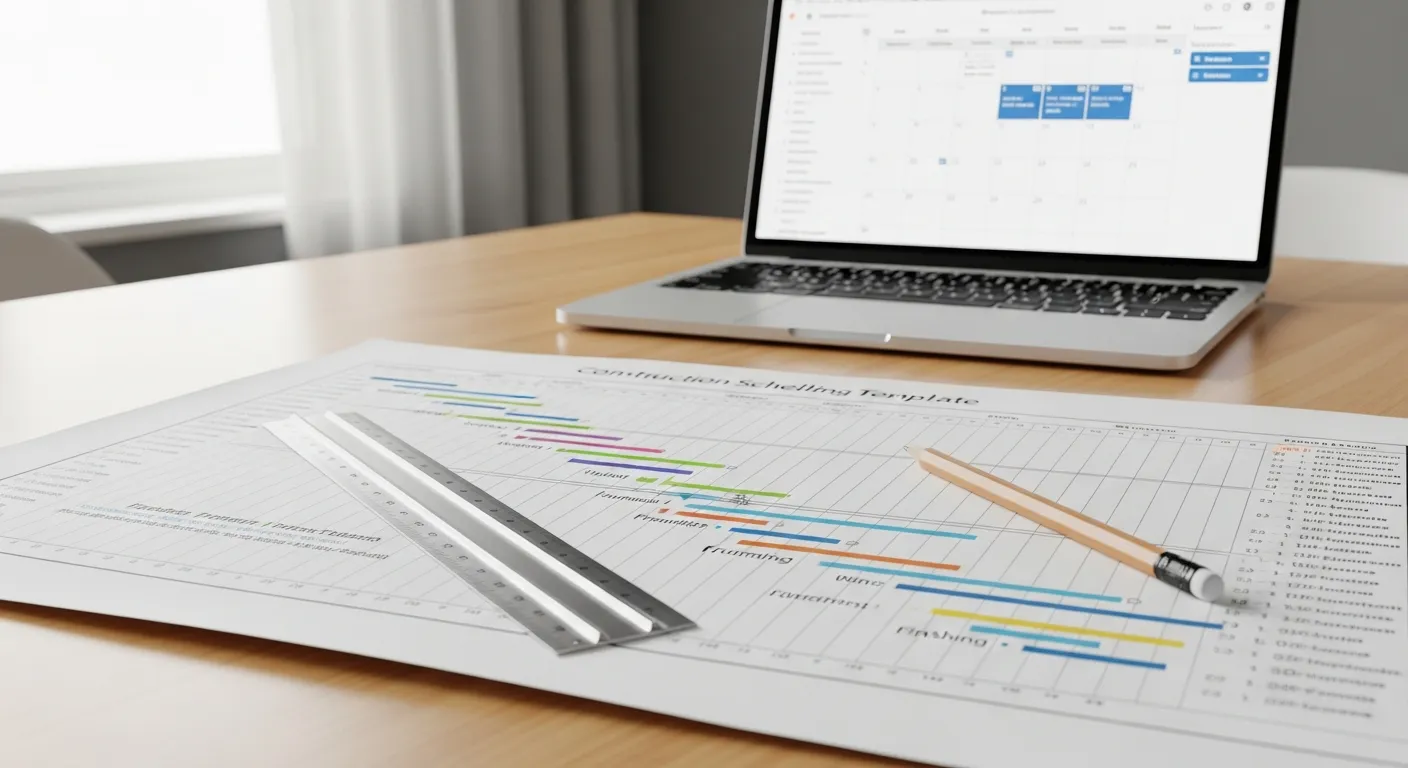
Free Construction Schedule Template
A solid construction schedule keeps your jobs on track, your crews busy, and your clients happy. Grab our free...
Read More →
Construction Inventory Management: How to Track Materials Across Multiple Jobsites
How to track materials across multiple jobsites so nothing gets lost, wasted, or double-ordered.
Read More →