
Construction Field Office Setup Guide
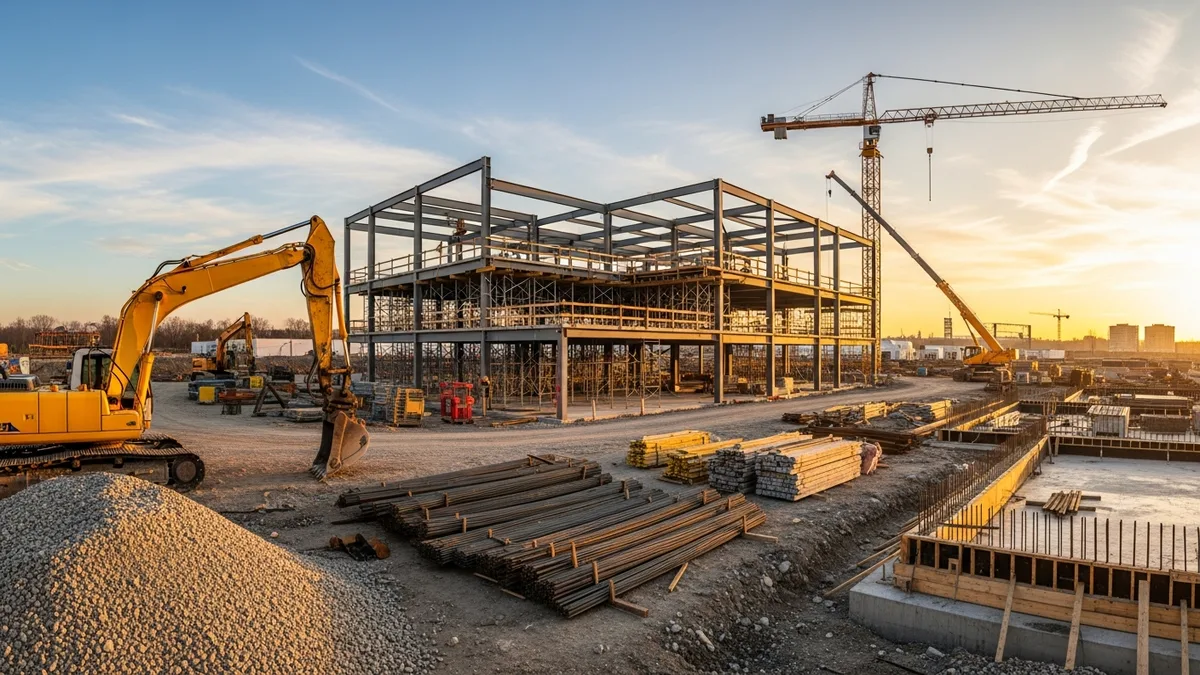
Construction Field Office Setup: How to Run an Efficient Jobsite Office
If you have been in this business long enough, you know the field office can make or break a project. A good one keeps your team organized, your subs on the same page, and your paperwork under control. A bad one turns into a junk room full of rolled-up plans nobody can find and a printer that hasn’t worked since week two.
The truth is, most GCs don’t spend enough time thinking about their field office setup until they are already behind. By then you are working out of the back of your truck, losing RFIs in email threads, and wondering why nothing is getting documented properly.
This guide covers everything you need to know about setting up a field office that actually works. We are talking trailer selection, layout, technology, document management, daily operations, and how to keep things running smooth from mobilization to closeout.
Picking the Right Trailer and Location
The first decision you need to make is what kind of space you actually need. This depends on the size of your project, how many people will work out of the office, and how long you will be on site.
Trailer sizing basics:
For most commercial projects, a 12x60 single-wide trailer handles a team of 3-4 people comfortably. If you have a full-time PM, a superintendent, a project engineer, and an owner’s rep who shows up twice a week, that size works. For larger projects where you are running multiple crews and have regular OAC meetings on site, step up to a double-wide or plan for two trailers.
Here is what to think about when selecting your unit:
- Number of workstations needed daily, not just occasionally
- Meeting space for weekly subcontractor coordination and OAC meetings
- Plan review area with enough table space to spread full-size drawings
- Storage for submittals, samples, PPE, and first aid supplies
- Restroom access, either in the trailer or nearby
Placement matters more than you think. Put the trailer where it gives you a clear line of sight to the main work areas if possible. Keep it close to the site entrance so subs and deliveries can find you without calling. But also keep it far enough from active work that you are not eating dust every time someone fires up a saw.
Think about utility access too. You need power, and depending on your setup, water and sewer. Running a 200-foot extension cord from a temp panel is not a plan. If you are on a long-duration project, get a dedicated circuit run to the trailer early. The cost is minimal compared to the headaches of unreliable power.
Check your site logistics plan before you commit to a location. Your trailer placement needs to work with your crane swing, material laydown areas, and construction traffic patterns. Moving a trailer mid-project is expensive and disruptive.
Setting Up the Interior for Real Work
Once your trailer is on site and level, resist the urge to just throw some desks in there and call it done. A little thought about the layout will pay off every single day.
The plan table is king. Every field office needs a large, flat surface dedicated to drawings. This is not your lunch table. It is not a place to stack binders. It is where you and your subs review plans, mark up changes, and work through problems. A 4x8 table works well, and keep it near the entrance so people can walk in and look at plans without tracking through the whole office.
Workstation layout:
Set up individual workstations along the walls, each with enough desk space for a laptop, a second monitor, and room to spread out a submittal or two. Give each person their own area. Shared desks sound efficient until you realize nobody keeps them organized because nobody owns them.
Here is a practical interior layout for a single-wide trailer:
- Entry area with a sign-in sheet, visitor log, and PPE station
- Plan table immediately inside the door, open to the room
- Individual workstations along both long walls (2-4 stations)
- Printer/copier station in the back corner with supply storage underneath
- Small meeting area with a wall-mounted TV or monitor for plan review
- File storage along one wall, organized by spec section and trade
Climate control is not optional. Your field office needs to be comfortable enough that people actually want to work in there. A trailer in August with no AC is just a metal box that nobody uses. Get the HVAC serviced before you move in, not after everyone is sweating through their shirts.
Stock the basics from day one: coffee maker, water cooler, small fridge, microwave. These cost almost nothing and keep people in the office during breaks instead of driving off site. That means faster response times and more face-to-face coordination.
Technology and Connectivity That Actually Works
Nothing kills field office productivity faster than bad internet. If your team cannot pull up drawings, send emails, or log into your project management software, you might as well not have an office at all.
Internet options for jobsites:
- Cellular hotspot or dedicated cellular router: This is the most common solution and works well in areas with decent cell coverage. Get a dedicated device, not just someone’s phone hotspot. Business-grade cellular routers from Cradlepoint or Peplink cost more upfront but give you reliable connections for the whole team.
- Temporary cable or fiber: On longer projects (12+ months), it can be worth getting a hardline installed. Call the local providers during preconstruction and find out lead times, because it can take 6-8 weeks.
- Starlink: This has become a real option for remote sites where cell coverage is spotty. The hardware is about $600 and service runs $120-$200 per month. It works surprisingly well on most jobsites.
Essential tech for every field office:
- Multifunction printer/copier/scanner (get one that handles 11x17 minimum)
- Large format display or TV (55” or bigger) for plan review in meetings
- Power strips and surge protectors at every workstation
- USB charging stations for phones and tablets
- Backup battery or small UPS for your router and main computer
The real difference maker, though, is your software setup. Your team needs a construction management platform they can access from the office and the field. Tools like daily logs should be dead simple to fill out on a phone or tablet so your superintendent does not have to come back to the trailer every time something needs documenting.
Thousands of contractors have made the switch. See what they have to say.
The same goes for photos and document management. If taking a photo, tagging it, and attaching it to the right daily report takes more than 30 seconds, your team will stop doing it. And that is when things start falling through the cracks.
Document Control That Doesn’t Fall Apart
Here is where most field offices go sideways. The physical setup can be perfect, but if your document control is a mess, you are still going to have problems.
Let’s be honest: most of us have walked into a field office where the “filing system” is a stack of binders nobody has touched in months, a pile of submittals on someone’s desk, and three different versions of the same drawing pinned to the wall. That is not a system. That is chaos waiting to bite you during a dispute.
Set up your document system before the first sub shows up. Here is what needs to be organized and accessible:
- Contract documents (owner contract, sub agreements, insurance certs)
- Drawings (current set clearly marked, superseded sets archived)
- Submittals (organized by spec section, with clear status tracking)
- RFIs (numbered, tracked, with response deadlines visible)
- Meeting minutes (OAC, subcontractor coordination, safety)
- Daily reports (more on this below)
- Inspection reports (third party and self-performed)
- Change orders (proposed, pending, approved, rejected)
Go digital wherever you can. A solid document control system saves you hours every week and protects you when disputes come up months or years later. Paper gets lost, coffee-stained, and misfiled. Digital records are searchable, backed up, and timestamped. If you want to take this further, our guide to going paperless as a construction company covers the full transition.
That said, keep one physical plan set current in the office at all times. Tablets are great, but sometimes you need to spread out full-size sheets and work through a coordination issue with three subs standing around the table. Just make sure someone is responsible for swapping in new sheets when revisions come out.
Submittal tracking tip: Create a submittal log on day one and update it weekly at minimum. Track the date submitted, date required, review status, and any resubmittal needs. When you are juggling 200+ submittals on a commercial project, this log is the only thing standing between you and missed lead times.
Running Daily Operations Like a Pro
A field office is only as good as the routines you build around it. The best-equipped trailer in the world is useless if your daily operations are sloppy.
Morning routine that sets the tone:
Start every day with a quick coordination huddle. Ten minutes, max. Your superintendent, PM, and project engineer should be there. Cover what is happening today, what subs are on site, any deliveries expected, any inspections scheduled, and any issues from yesterday that need follow-up. This is not a formal meeting. It is a standing conversation at the plan table with coffee in hand.
After the huddle, your super should be out in the field, not sitting at a desk. The field office exists to support the work happening outside, not the other way around. If your superintendent is spending more than an hour a day at a desk, something is wrong with your process.
Daily reporting is non-negotiable. Every day, without exception, someone needs to document what happened on site. Weather, manpower by trade, work performed, deliveries received, visitors, safety observations, and any incidents. This is your legal record, your progress documentation, and your scheduling evidence all in one.
If you are still writing daily reports by hand or typing them up at 7 PM after a ten-hour day, you are making this harder than it needs to be. Modern daily reporting tools let your super capture information in real time from their phone. Snap a photo, add a note, tag the trade, done. It takes two minutes instead of thirty.
Weekly rhythms to maintain:
- Subcontractor coordination meeting (weekly, same day/time, no exceptions)
- OAC meeting (weekly or biweekly per contract)
- Schedule update review (compare planned vs. actual progress)
- Submittal log review (catch anything falling behind)
- Safety walk (documented, with follow-up items tracked)
- Housekeeping of the office itself (yes, clean the field office weekly)
Keep a whiteboard or large monitor in the office showing the 3-week look-ahead schedule. When subs walk in, they should be able to see at a glance what is coming up. This reduces the “I didn’t know that was this week” conversations by about 90%.
For your field team, make sure they have the right mobile apps to capture information without having to come back to the trailer. The less time your people spend walking back and forth to the office, the more time they spend building.
Security, Safety, and Keeping It All Together
Your field office holds sensitive project documents, expensive equipment, and sometimes petty cash. Treat it accordingly.
Physical security basics:
- Deadbolt on the door (the standard trailer lock is not enough)
- Lockable file cabinets for contracts and sensitive documents
- Secure storage for electronics overnight
- Exterior lighting around the trailer
- Consider a camera if the trailer is in an isolated area
For a deeper look at protecting your jobsite and office, check out our guide on construction site security. Theft from field offices is more common than most people realize, especially laptops and tools.
Safety requirements for the field office:
Your trailer needs to meet the same safety standards as any workplace. That means:
- Fire extinguisher (inspected and mounted)
- First aid kit (stocked and accessible)
- Emergency contact numbers posted visibly
- Exit signs and clear egress path
- Slip-resistant steps with handrails at the entrance
- ADA-compliant ramp if required by your permit
Information security matters too. Your field office computers hold bid information, financial data, and proprietary project details. Use password-protected logins, lock screens when stepping away, and back up critical files to the cloud daily. A stolen laptop with an unsecured hard drive can cause way more damage than a stolen tool.
End-of-project procedures:
When the project wraps up, do not just yank the trailer and move on. Build a closeout checklist for your field office:
- Archive all physical documents (box, label, store per your retention policy)
- Verify all digital records are backed up and organized in your project management system
- Return any owner-provided equipment or documents
- Clean out the trailer completely
- Cancel or transfer utility accounts
- Document the trailer’s condition for the rental company
A clean closeout protects you during the warranty period and makes your life much easier if any claims come up down the road.
Putting It All Together
Setting up a field office the right way takes a few days of focused effort at the start of a project. Skipping that effort costs you weeks of frustration spread out over the life of the job.
The best field offices share a few things in common: they are well-organized, they have reliable technology, they support good document control habits, and they are run by people with consistent daily routines. None of that is complicated. It just takes intention. And if you are also setting up or reorganizing your construction office back at headquarters, the same principles of layout and document management apply.
If your current setup feels like it is working against you instead of for you, start with the basics. Get your document control tightened up, make sure your daily reporting is happening consistently, and give your team the tools they need to capture information in the field without fighting their software.
The contractors who run tight field offices are the same ones who close out projects on time, win disputes when they come up, and have repeat clients who trust them with bigger work. Your field office is where that reputation gets built, one well-documented day at a time.
Ready to see how Projul can work for your crew? Schedule a free demo and we will walk you through it.
Ready to see how Projul can help you run a better field office? Schedule a demo and we will walk you through how our daily logs, photo management, and document tools work on real jobsites.
Frequently Asked Questions
How much does a construction field office trailer cost?
What size field office do I need for my construction project?
What technology do I need in a construction field office?
How far in advance should I order a field office trailer?
Do I need permits for a construction field office?
Related Articles
Construction Septic System Installation: What Every GC Needs to Know
Septic systems on rural builds bring unique scheduling, permitting, and soil challenges that can wreck your timeline if...
Read More →
Construction Painting Project Management: Coordinating Interior and Exterior Phases
Painting is one of those trades that touches every other trade on the schedule. Get the sequencing wrong, and you're...
Read More →
Epoxy Flooring and Industrial Coatings: A Contractor's Complete Guide
Epoxy flooring and industrial coatings are high-margin work when you get the process right and a fast way to lose money...
Read More →