
Construction Inventory Management Guide
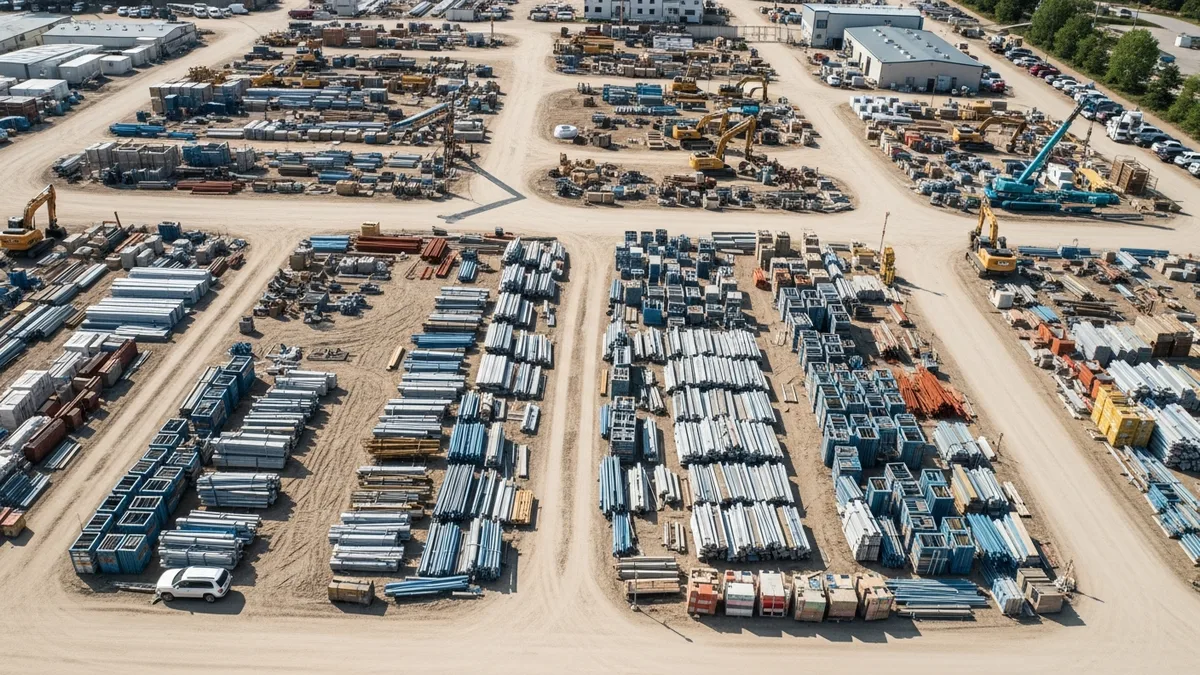
If you’ve ever shown up to a jobsite and realized the framing lumber you ordered last week ended up at your other project across town, you already know why inventory management matters. It’s not a glamorous topic. Nobody got into construction because they love tracking pallets of drywall. But when you’re running two, three, or five jobs at the same time, knowing where your materials are is the difference between a profitable quarter and a painful one.
This guide breaks down how to track materials across multiple jobsites without losing your mind, your money, or your crew’s trust.
Why Material Tracking Falls Apart on Multi-Site Operations
On a single jobsite, keeping tabs on materials is pretty straightforward. You order it, it shows up, your crew installs it. But the moment you add a second or third project, things get complicated fast.
Here’s what usually goes wrong:
- No single source of truth. One PM tracks orders in a spreadsheet. Another uses sticky notes. A third just “remembers.” When nobody is looking at the same information, materials get ordered twice or not at all.
- Deliveries go to the wrong site. Suppliers mix up addresses. Your office gives the wrong job number. A $4,000 load of engineered floor joists ends up at a demo site where nobody needs them.
- Surplus materials disappear. You finish a phase and have leftover materials. Instead of transferring them to the next job that needs them, they sit in a corner, get damaged by weather, or walk off the site entirely.
- Nobody tracks what’s actually been used. Materials arrive, but nobody logs how much got installed versus how much is still sitting on a pallet. When it’s time to reconcile costs, the numbers don’t add up.
The root cause in every case is the same: no system. And “no system” gets more expensive with every job you add.
If you’re juggling multiple projects right now, our guide on managing multiple construction projects covers the broader picture of staying organized across jobs.
Setting Up a Central Inventory System That Actually Works
A good inventory system doesn’t need to be complicated. It needs to be consistent. Every person who touches materials, from the office to the field, needs to follow the same process.
Pick one place to track everything
This is non-negotiable. Whether it’s construction management software or a shared cloud spreadsheet (though software is better for reasons we’ll get into), every material order, delivery, and transfer needs to live in one location.
That means:
- The estimator logs what was included in the takeoff
- The PM logs what was actually ordered
- The super or foreman confirms what arrived on site
- Field crews note what gets installed or moved
When your takeoff numbers feed directly into your ordering and tracking process, you can catch overages and shortages before they become budget problems.
Define your material categories
Not every item needs the same level of tracking. Break your inventory into tiers:
Tier 1: High-value, long-lead items. Custom windows, structural steel, specialty fixtures. These need purchase order numbers, delivery confirmations, and someone physically verifying they arrived undamaged.
Tier 2: Standard bulk materials. Lumber, drywall, concrete, roofing materials. Track quantities ordered versus delivered, and keep a running count of what’s on site.
Tier 3: Consumables and fasteners. Nails, screws, caulk, tape. Don’t waste time counting every box. Instead, set reorder thresholds and let your foreman flag when supplies are running low.
Assign ownership at every site
Every jobsite needs one person responsible for receiving deliveries, logging materials, and flagging issues. It doesn’t have to be a dedicated inventory manager. Your site super or lead foreman can handle it as long as it’s clearly their responsibility and they have a quick way to record what comes and goes.
Daily Habits That Keep Your Inventory Accurate
Systems only work if people use them every day. The contractors who stay on top of materials aren’t doing anything fancy. They’re just consistent about a few simple habits.
Log deliveries the moment they arrive
When a truck pulls up, someone needs to check the packing slip against the purchase order before anything gets unloaded. Count the quantities. Check for damage. Note any discrepancies right then, not at the end of the week when nobody remembers.
Using daily logs to record deliveries alongside your crew’s work progress creates a paper trail that saves you during disputes with suppliers or when reconciling job costs later.
Photograph everything
Take a photo of every delivery before it gets unloaded and after it’s staged. Shoot the packing slips too. If a supplier claims they delivered 200 sheets of plywood and you only received 160, a timestamped photo is worth more than a phone argument.
A good photo and document management system makes this painless. Your crew snaps pictures on their phones, tags them to the right job, and the records are there when you need them.
Do weekly material counts on active jobs
Once a week, walk your sites and do a quick count of what’s on hand versus what your system says should be there. This doesn’t have to take long. For most sites, 15 to 20 minutes will surface any major discrepancies.
The goal isn’t perfection. It’s catching problems while they’re small. A missing bundle of shingles is annoying. A missing pallet of copper pipe is a budget hit.
Transfer materials between sites with a paper trail
When you move surplus materials from one job to another (and you should, because leaving usable materials to rot is literally throwing money away), log it. Record what moved, how much, from which site, to which site, and who authorized the transfer.
Without this step, your job costing goes sideways. One project looks like it over-ordered, and the other looks like it got free materials. Neither picture is accurate, and you can’t make good decisions on bad data.
How Poor Inventory Management Bleeds Your Budget
Let’s talk money, because that’s what this really comes down to.
The double-order problem
When your PM doesn’t know that the drywall for the Smith renovation is already sitting at the Johnson remodel (because nobody logged the surplus), they order another load. Now you’ve got twice the drywall you need, and your supplier doesn’t take returns on delivered materials. That’s a direct hit to your margin.
Theft and shrinkage
Construction sites are targets. Materials left untracked are materials that walk off. The National Equipment Register estimates that construction theft costs the industry billions annually. You’ll never prevent all of it, but knowing exactly what should be on each site makes it a lot easier to spot when something goes missing.
Weather damage to unprotected surplus
Materials that sit around too long get damaged. Rain warps lumber. UV exposure degrades roofing materials. Freezing temps ruin adhesives and sealants. If you don’t know what surplus you have, you can’t protect it or move it to where it’s needed.
Wasted labor
When materials aren’t where they need to be, your crew stands around waiting. Or they drive across town to grab supplies from another site. Or they make a run to the supply house for something that was supposed to be delivered yesterday. Every hour of wasted labor is money you’re not getting back.
Not sure if Projul is the right fit? Hear from contractors who use it every day.
Tying your inventory tracking to your job costing gives you real visibility into how material issues affect your bottom line on each project. When you can see that Site A is 12 percent over budget on materials, you know exactly where to dig in.
For more on keeping material costs in check, take a look at our piece on reducing construction material waste.
Choosing the Right Tools for Material Tracking
You’ve got options here, ranging from low-tech to fully digital. The right choice depends on how many jobs you’re running and how much pain your current process is causing.
Spreadsheets
Best for: One or two active jobs with a small crew. If that describes your operation, our inventory management guide for small contractors goes deeper on lightweight systems that actually work.
A shared Google Sheet or Excel file on OneDrive can work if you keep it simple. Create tabs for each jobsite. Log orders, deliveries, and usage. Share it with your PMs and supers.
Where it breaks down: Spreadsheets don’t update in real time on the jobsite. They’re easy to overwrite. Version control is a nightmare. And good luck getting your framing crew to open a spreadsheet on a phone screen covered in sawdust.
Whiteboard and physical logs
Best for: Single-site operations with a dedicated site office.
Some old-school contractors swear by a whiteboard in the job trailer. It works for the people who can see it. It doesn’t work for the PM sitting in the office 20 miles away.
Construction management software
Best for: Any contractor running more than two active jobs.
Purpose-built software ties your inventory tracking to your scheduling, daily logs, job costing, and document management. Everyone sees the same data in real time. Field crews can update from their phones. The office can run reports without making 10 phone calls.
When you combine material tracking with your project schedule, you can time your orders to match your actual build sequence instead of guessing and stockpiling.
Barcode and QR code scanning
Best for: High-volume operations with large material warehouses.
If you’re running a big enough operation to stock a central warehouse, barcode or QR scanning systems can automate a lot of the counting and tracking. Tag materials when they arrive, scan them out when they go to a site, scan them back in if they return. It’s more setup than most small-to-mid contractors need, but for larger operations it pays for itself quickly.
Building an Inventory Process Your Crew Will Actually Follow
The best inventory system in the world is useless if your field crews won’t use it. Here’s how to make it stick.
Make it stupid simple
If logging a delivery takes more than two minutes, it won’t happen. Your process needs to work on a phone, in the rain, with gloves on. That means big buttons, simple forms, and as few required fields as possible.
Explain the “why” once
Most crews don’t resist tracking because they’re lazy. They resist because nobody told them why it matters. Take five minutes at your next team meeting to explain: “When materials go untracked, we lose money. When we lose money, there’s less for raises and bonuses.” That usually gets people’s attention.
Build it into the daily routine
Don’t make inventory tracking a separate task. Tie it to what crews are already doing. If they’re filling out a daily log at the end of shift, add a line for materials received and used. If they’re taking progress photos, have them snap the material staging area too.
Recognize the people who do it well
When a foreman catches a delivery discrepancy that saves you $2,000, say something. When a crew consistently logs their material usage and their job comes in under budget, let them know it mattered. People repeat behaviors that get noticed.
Audit regularly but don’t micromanage
Spot-check your inventory records against reality every couple of weeks. If the numbers are way off on a particular site, figure out why. Maybe the process needs adjusting. Maybe someone needs more training. Maybe materials are walking off and you need to tighten site security.
The point isn’t to catch people doing things wrong. It’s to keep the system honest so you can trust the data when it’s time to make decisions.
Common Inventory Tracking Mistakes That Cost Contractors Thousands
Even contractors who try to stay organized fall into patterns that quietly drain profits. If any of these sound familiar, you’re not alone, but fixing them now will save you real money over the next 12 months.
Treating inventory as an office task only
One of the biggest mistakes is keeping material tracking locked inside the office. The PM enters orders into a spreadsheet, but the field crew never sees it and never updates it. That gap between what the office thinks is happening and what’s actually on the ground is where money disappears.
Your tracking system has to live in the field. If your foreman can’t pull up current inventory on a phone while standing next to a stack of lumber, the data is already stale by the time anyone looks at it.
Ignoring small discrepancies
A delivery comes in short by 10 sheets of OSB. It’s not a huge deal, so nobody reports it. Next month, the same supplier shorts you again. Over the course of a year, those small discrepancies add up to thousands of dollars in materials you paid for but never received.
Build a habit of logging every discrepancy, no matter how minor. When you have six months of data showing a supplier consistently delivers less than what’s on the invoice, you have leverage to renegotiate or switch vendors.
Not connecting inventory to job budgets
Tracking materials without tying those numbers to your project budgets is like counting calories but never stepping on a scale. You have data, but you’re not using it to make better decisions.
When your inventory records feed into your job costing system, you can see in real time whether a project is trending over budget on materials. That gives you time to adjust before the overrun becomes permanent. Without that connection, you won’t know there’s a problem until the final invoice hits.
Waiting until the end of the project to reconcile
Some contractors treat inventory reconciliation like a tax filing: something you deal with once it’s all over. By then, it’s too late to fix anything. The lumber that went missing three months ago? Gone. The surplus copper that sat in the rain? Corroded and unusable.
Reconcile on a rolling basis. Weekly counts on active jobs. Monthly reviews of material spending versus budget. The more frequently you check, the smaller each correction will be.
Letting too many people place orders
When every foreman, PM, and superintendent can call suppliers directly, you end up with orders that overlap, conflict, or bypass your tracking system entirely. Centralize your purchasing process so that every order goes through one person or one approval workflow. That single chokepoint eliminates most double-ordering before it happens.
Skipping the transfer log
We mentioned this earlier, but it’s worth repeating because it’s one of the most common failures. Moving materials between jobsites without documenting the transfer creates two problems: the sending project looks like it wasted materials, and the receiving project looks like it got them for free. Neither set of numbers reflects reality, which means your estimates on future bids will be based on bad data.
How Construction Software Handles Inventory Better Than Manual Methods
If you’re still running inventory on spreadsheets, whiteboards, or a combination of text messages and memory, here’s what you’re missing by not using purpose-built construction management software.
Real-time visibility across every jobsite
Construction software gives everyone, from the office to the field, a single view of what materials are on hand at every active project. When a delivery arrives at Site A, the foreman logs it on a phone and the PM sees it instantly. When surplus gets transferred to Site B, both job records update at the same time.
That level of visibility is physically impossible with spreadsheets. By the time someone emails an updated file and the PM opens it, the data is already hours old.
Direct connection between materials and project costs
The real power of construction software is how it ties inventory data to everything else: your budget, your schedule, your purchase orders, and your profit margins. When you log materials against a specific job phase, the software automatically updates your live job costs. You don’t have to manually calculate whether you’re over or under on materials because the numbers are right there.
This is also where estimating tools become more accurate over time. When you have real usage data from past projects, your future takeoffs reflect what you actually use, not what the textbook says you should use.
Mobile access that works on a jobsite
Nobody wants to fire up a laptop in a job trailer to log a delivery. Good construction software runs on a phone or tablet. Big buttons, simple inputs, offline capability for sites with spotty service. Your crew can snap a photo of a packing slip, tag it to the right project, and move on in under a minute.
That low friction is what separates systems people actually use from systems that collect dust.
Scheduling and material coordination
When your inventory tracking connects to your project schedule, you can time material deliveries to land exactly when each phase of work begins. That means less material sitting on site exposed to weather, theft, and damage. It also means fewer delays caused by waiting on deliveries that should have arrived last week.
For contractors running three or more projects simultaneously, this coordination alone can save hours of phone calls and prevent costly scheduling conflicts.
Automated alerts and reorder triggers
Instead of relying on someone to notice that you’re running low on fasteners or sealant, construction software can flag low-stock items automatically. Set a threshold for each material category, and the system notifies the right person when it’s time to reorder. No more emergency supply house runs at 6 AM because the crew showed up to an empty staging area.
Reporting that tells you where the money went
At the end of a project (or midway through), you need to know: How much did we spend on materials? How does that compare to the estimate? Where did we go over? Where did we come in under?
Construction software generates those reports in seconds. Spreadsheets require hours of manual assembly, and the result is usually riddled with formula errors and missing entries. With clean data, you can dial in your pricing strategy and make sure future bids actually reflect your true costs.
Ready to Stop Guessing Where Your Materials Are?
If you’ve read this far, you probably recognize at least a few of these problems in your own operation. The good news: fixing them doesn’t require a massive overhaul. It starts with getting the right tool in place and committing to a consistent process.
Projul is built for contractors who run multiple jobs and need to keep materials, costs, and schedules connected in one place. Check our pricing page to see which plan fits your operation.
Instead of piecing together spreadsheets, text threads, and sticky notes, give your team one system that everyone can access from the office or the field. Your material tracking feeds into your job costing, your scheduling, and your daily logs, so nothing lives in isolation.
Schedule a free demo and see how Projul handles inventory, purchasing, and material coordination for real contractors running real projects. No pressure, no 45-minute sales pitch. Just a walkthrough of how it works and whether it fits your operation.
Putting It All Together
Construction inventory management isn’t about having a perfect system. It’s about having a system, period. One that everyone follows. One that gives you real numbers instead of guesses. One that lets you move materials between sites without losing track of what went where.
Start with the basics: a central tracking location, clear ownership at each site, and daily habits for logging what comes in and goes out. Build from there as your operation grows.
The contractors who get this right don’t just save money on materials. They bid more accurately because they have real usage data from completed projects feeding into their next round of estimates. They schedule better because they know when materials will arrive and can coordinate deliveries with their project timelines. They sleep better because they’re not wondering if that $8,000 order of copper fittings is sitting in a parking lot somewhere.
Material tracking also changes how you think about profitability. When you can see real numbers on every project, your job costing stops being a rearview mirror exercise and becomes a tool you use mid-project to protect your margins. That shift from reactive to proactive management is what separates contractors who grow from contractors who stay stuck at the same revenue year after year.
If you’re running more than a couple of jobs and your current material tracking involves a combination of text messages, memory, and hope, it’s time to put a real process in place. The cost of getting organized is a fraction of what you’re losing right now to double orders, missing materials, and wasted labor hours.
Book a quick demo to see how Projul handles this for real contractors.
That’s not magic. It’s just good management. And it starts with deciding that you’re done guessing where your stuff is.
Frequently Asked Questions
What is the best way to track construction materials across multiple jobsites?
How do I prevent double-ordering materials?
What should a construction inventory list include?
How much money do contractors lose to poor inventory management?
Can I manage construction inventory with spreadsheets?
Related Articles

Construction Team Meetings: A Practical Guide to Meetings That Actually Get Results
Most construction team meetings waste time. Here's how to run weekly check-ins, safety meetings, kickoffs, and...
Read More →
Project Management for Small Contractors: You Don't Need Enterprise Software
You don't need a 50-person company to benefit from project management. Even a 5-person crew loses money without a...
Read More →
Free Construction Schedule Template
A solid construction schedule keeps your jobs on track, your crews busy, and your clients happy. Grab our free...
Read More →