
Construction Project Tracking That Works
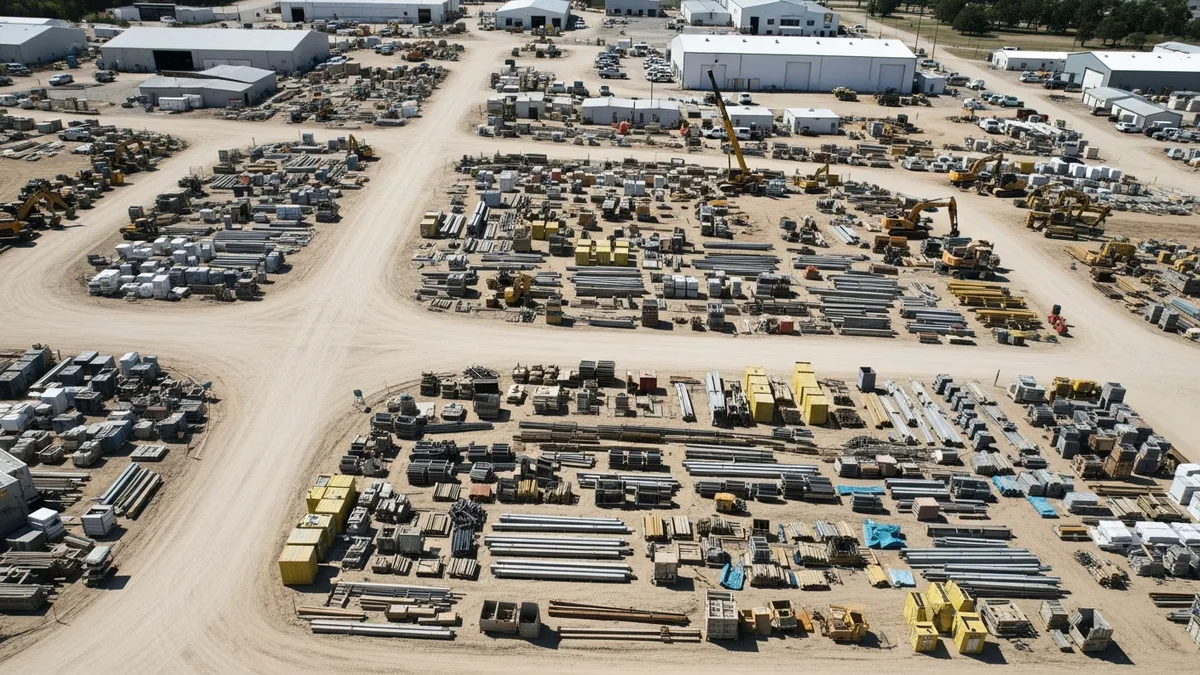
Ask a contractor how their jobs are going and you’ll usually get the same answer: “Good. Busy.” Press a little harder and the picture gets less clear. Which jobs are actually on schedule? Which ones are bleeding money? Is that kitchen remodel in phase three or phase four? When was the last time anyone checked?
This is the problem with construction project tracking for most companies. There’s a general sense of how things are going, but no real system for knowing. And “general sense” has a way of hiding six-figure problems until it’s too late to do anything about them.
This guide breaks down how to build a construction project tracking system that gives you the real status of every job, every day. No guesswork. No waiting for the Monday meeting to find out Friday’s problems. If you’re looking for the bigger picture on managing construction projects from start to finish, check out our complete construction project management guide.
Why Most Contractors Don’t Know the True Status of Their Jobs
Here’s an uncomfortable truth: most contractors are running partially blind. They know the broad strokes of their active projects but not the details. And the details are where money gets lost.
There are a few reasons this happens so consistently across the industry.
Information lives in people’s heads. The project manager knows the framing is behind on the Smith job. The superintendent knows the HVAC sub hasn’t confirmed their start date on the commercial build. The office manager knows that the permit for the renovation still hasn’t been approved. But none of these people are talking to each other in a structured way, so nobody has the full picture.
Updates happen on different timelines. The field crew updates the schedule when they remember to. The PM checks the budget at the end of the month. The owner gets a status report every other Friday. By the time all of that information reaches one place, it’s already stale.
Nobody wants to be the bearer of bad news. This is human nature, not a character flaw. When a job starts slipping, the natural instinct is to try to fix it before anyone notices. Sometimes that works. But when it doesn’t, you’ve lost days or weeks of response time.
Spreadsheets can’t keep up. A lot of contractors start with a spreadsheet to track project status. That works fine with two or three jobs. Once you hit eight or ten active projects, the spreadsheet becomes a full-time job to maintain, and the data is never current.
The result is that most construction companies operate in a reactive mode. They find out about schedule delays after the client starts calling. They discover budget overruns at the end of the job. They realize communication broke down only when something goes wrong.
Construction project tracking, done right, flips that dynamic. Instead of reacting to problems, you see them forming and step in before they become expensive.
What to Track: Schedule, Budget, Documents, and Communication
Effective construction project tracking comes down to four categories. Miss any one of them and you’ll have blind spots.
Schedule Progress
This is the most obvious one, but it’s also the most commonly tracked in an unreliable way. A lot of contractors update their project schedule at the beginning of the job and then let it drift. The schedule says the drywall starts on March 15th, but nobody has confirmed that the framing will actually be done by then.
What you need to track:
- Planned vs. actual completion for each phase or task
- Upcoming milestones and whether prerequisites are on track
- Dependencies that could cause cascading delays
- Weather days and other disruptions that shift the timeline
The schedule should be a living document that gets updated as work progresses, not a snapshot from the estimating phase that everyone quietly ignores.
Budget and Cost Tracking
Schedule tracking tells you if you’re on time. Job costing tells you if you’re on budget. And in construction, being on time but over budget is just a different kind of failure.
Track these numbers in real time:
- Committed costs (signed subcontracts, material POs)
- Actual costs (invoices paid, labor hours logged)
- Estimated costs to complete each remaining phase
- Change order impact on the original budget
- Percentage of budget consumed vs. percentage of work complete
That last one is the most important metric in construction project tracking. If you’ve burned 60% of the budget but only completed 40% of the work, you have a problem. The sooner you see that gap, the more options you have.
Document Management
Construction generates a mountain of paperwork. Plans, permits, submittals, RFIs, change orders, inspection reports, lien waivers, insurance certificates. Tracking where these documents stand is just as important as tracking the physical work.
What matters most:
- Outstanding RFIs and how long they’ve been waiting
- Pending change orders that haven’t been approved or priced
- Permit status for upcoming work
- Submittals that need review before materials can be ordered
- Daily logs that document what happened on site each day
Use daily logs to create a paper trail that protects you and keeps everyone honest. If a dispute comes up six months later, you’ll be glad you have a dated record of exactly what happened and when.
Communication Tracking
Not sure if Projul is the right fit? Hear from contractors who use it every day.
This is the category that most tracking systems miss entirely. Communication breakdowns cause more project failures than bad weather or material shortages. But most contractors don’t track communication the way they track costs or schedules.
At minimum, you should be able to answer:
- When was the last time someone communicated with the client on each job?
- Are there outstanding questions from subs that haven’t been answered?
- Has the team discussed the upcoming week’s work, or is everyone just showing up and figuring it out?
- Are change requests being documented in writing, or happening through verbal conversations that nobody remembers the same way?
When communication is tracked alongside schedule and budget data, you get a complete picture of project health instead of just a financial or timeline view.
Real-Time Dashboards vs Weekly Status Reports
There are two schools of thought on construction project tracking, and most companies are stuck in the wrong one.
The weekly status report approach works like this: someone (usually the PM or office manager) compiles updates from each project into a report that gets reviewed in a Monday meeting. The report covers what happened last week, what’s planned for this week, and any issues that need attention.
This approach has been the industry standard for decades. It’s also fundamentally flawed.
The problem is latency. If a problem surfaces on Tuesday, it doesn’t get formally reported until the following Monday. That’s almost a full week of lost response time. In construction, a week is enough for a small issue to become a major one. A missed inspection can delay an entire phase. A material shortage discovered on Wednesday means the crew sits idle Thursday and Friday.
The real-time dashboard approach works differently. Instead of compiling updates manually, project data flows into a central dashboard automatically as work happens. When a field crew logs their daily progress, it shows up immediately. When a cost gets recorded, the budget updates in real time. When a schedule task gets completed, the timeline adjusts.
This doesn’t mean you stop having weekly meetings. Those meetings still have value for discussing strategy, solving complex problems, and aligning the team. But the meeting shifts from “let me tell you what happened” to “you can already see what happened, so let’s talk about what to do next.”
The practical difference is massive:
- Weekly reports tell you where you were. Dashboards tell you where you are.
- Weekly reports require someone to compile data. Dashboards pull data from the source automatically.
- Weekly reports are a snapshot. Dashboards are a live feed.
- Weekly reports get skimmed and filed. Dashboards get checked throughout the day.
If you’re running more than five active projects, the weekly report model simply cannot give you the visibility you need to catch problems early. Real-time tracking isn’t a luxury anymore. It’s a requirement for any contractor who wants to stay ahead of issues instead of cleaning up after them.
Getting Field Teams to Update Project Status Consistently
Here’s where most construction project tracking efforts fall apart. You can set up the best dashboard in the world, but if the field crews aren’t feeding it data, you’re staring at a pretty screen with yesterday’s information.
Getting consistent updates from field teams is a people problem, not a technology problem. And it requires a different approach than just telling everyone to “fill out their daily logs.”
Make It Stupid Simple
If updating project status takes more than five minutes at the end of the day, it won’t happen. Field crews are tired after a full day of physical work. They’re not going to sit in their truck for 20 minutes filling out a complicated form.
The update process needs to be:
- Mobile-first. If it doesn’t work well on a phone, forget it.
- Minimal typing. Use dropdowns, checkboxes, and photo uploads instead of open text fields where possible.
- Fast. Three to five minutes, tops.
- Accessible offline. Cell service on construction sites is hit or miss. The tool needs to work without a connection and sync when service returns.
Tie It to Something They Care About
“The office needs this data” is not a compelling reason for a field worker to spend five minutes on a daily log. But “this is how you prove you did the work if there’s a dispute” gets attention. So does “this is how we make sure you get paid on time.”
Frame daily updates not as administrative overhead but as protection. When a client disputes a timeline, the daily log is your evidence. When a sub claims they were on site for eight hours, the photos and notes prove otherwise. When a change order gets challenged, the communication trail shows exactly what was agreed to and when.
Build It into the Routine
The most successful contractors make project updates part of the daily wrap-up routine, not an optional add-on. The last 10 minutes of every work day include cleaning up the site and updating the log. It’s not negotiable, the same way a safety briefing at the start of the day isn’t negotiable.
If you treat updates as optional, they’ll be the first thing that gets skipped when the day runs long. Build the habit early and enforce it consistently.
Lead from the Top
If the project manager doesn’t look at the daily updates, the field crew will stop submitting them. People do what gets inspected, not what gets expected. When a foreman submits a daily log and the PM follows up the next morning with a question about something in that log, the message is clear: this matters, and someone is paying attention.
The opposite is also true. If daily logs go into a black hole and nobody ever references them, the quality drops off within weeks. Acknowledge the data. Use the data. Reference the data in conversations. That’s how you create a feedback loop that sustains itself.
Spotting Problems Early: Warning Signs in Your Data
The whole point of construction project tracking is to see problems before they become emergencies. But data only helps if you know what to look for. Here are the warning signs that experienced project managers watch for.
The Budget Is Burning Faster Than the Work Is Progressing
This is the single most important metric in project tracking. Compare your percentage of budget spent against your percentage of work complete. When those two numbers start to diverge, something is wrong.
A 5% gap might be normal variance. A 15% gap is a red flag that needs investigation. Common causes include unpriced change orders, labor productivity issues, material waste, or an estimate that was too aggressive on certain line items.
Tasks Keep Getting Pushed Without Explanation
When schedule tasks slide by a day or two every update, the project is in a slow bleed. Each individual delay seems minor, but after four weeks of daily slips, you’re a month behind. Look for tasks that have been rescheduled more than twice. That’s a pattern, not bad luck.
Daily Logs Get Shorter or Stop Entirely
When the field updates go from detailed notes and photos to one-line entries like “continued framing,” something has changed. Either the crew is disengaged, the work isn’t progressing as expected, or there’s a problem nobody wants to put in writing. All three scenarios deserve a conversation.
Subcontractor Communication Goes Quiet
A subcontractor who was responsive during the bidding phase but goes silent once work starts is a classic warning sign. They might be overcommitted on other projects, having internal staffing problems, or avoiding a conversation about a delay. Silence from a sub is never good news.
RFIs and Submittals Are Aging
Track how long your RFIs and submittals have been outstanding. An RFI that’s been sitting for two weeks is holding up a decision. A submittal that’s been in review for three weeks might be delaying a material order that has a six-week lead time. These quiet delays compound quickly.
The Client Starts Asking More Questions
When a client who was previously hands-off starts asking for frequent updates, they’ve heard something that made them nervous. Maybe a neighbor mentioned the site looked quiet. Maybe they drove by and didn’t see progress. Increased client attention is a signal that their confidence is slipping, and you need to get ahead of it with proactive communication.
Project Tracking Software That Works for Construction
Generic project management tools like Monday.com, Asana, or Trello weren’t built for construction. They lack the industry-specific features that make tracking actually useful: job costing integration, field-friendly mobile apps, schedule dependencies, and document management built for how construction projects flow.
Here’s what to look for when choosing construction project tracking software.
Must-Have Features
- Integrated scheduling that connects to your field team’s daily updates, not a separate tool that requires manual syncing
- Real-time job costing that compares estimated vs. actual costs as invoices and hours are logged
- Mobile daily logs that field crews can complete in minutes, with photo and document attachments
- Dashboard views that show every active project’s status on one screen
- Document management for plans, permits, RFIs, change orders, and submittals
- Client communication tools so you’re not juggling email, text, and phone calls across different jobs
What to Avoid
- Tools that require a desktop computer. If your field team can’t use it from their phone, adoption will be low.
- Software that tries to do everything. Accounting, HR, fleet management, and project tracking all in one usually means none of them work well. Look for tools that focus on what contractors actually need in the field.
- Platforms with steep learning curves. Your team will not sit through eight hours of training videos. The software needs to be intuitive enough that someone can start using it on day one.
- Systems without construction-specific workflows. A generic Kanban board doesn’t map to how construction projects actually move through phases.
Why Projul
Projul was built specifically for contractors. Not adapted from a generic platform. Not designed for software developers and then marketed to construction. Built from the ground up for the way construction companies actually operate.
The scheduling tools connect directly to field updates so your timeline reflects reality, not optimism. The job costing updates in real time as costs come in, so you always know where your budget stands. Daily logs are designed for field crews who have five minutes and a phone, not 30 minutes and a laptop.
And because everything lives in one system, you don’t waste time jumping between tools or manually syncing data. Your schedule, budget, documents, and communication are all connected, giving you the complete picture of every job’s real status.
If you want to see how it works for your specific operation, check out the pricing and get started.
Putting It All Together
Construction project tracking isn’t complicated in theory. Track the schedule. Track the budget. Track the documents. Track the communication. Do it in real time instead of once a week. Make it easy enough that field teams will actually do it.
The hard part is execution. It takes the right tools, the right habits, and leadership that reinforces the system consistently. But the payoff is significant. Fewer surprises. Fewer budget overruns. Fewer “how did we not know about this” conversations. And more confidence that when you say a project is on track, it actually is.
Start by auditing your current process. How do you find out about problems right now? How long does it take for field information to reach the people making decisions? If the answer is “days” or “whenever someone mentions it,” that’s your gap. Close it with real-time tracking, mobile-friendly tools, and a team culture that values transparency over optimism.
Want to see this in action? Get a live demo of Projul and find out how it fits your workflow.
Your future self, the one who isn’t scrambling to explain a budget overrun to a client, will thank you.
Frequently Asked Questions
What is construction project tracking?
How often should I update project status on a construction job?
What's the best way to track multiple construction projects at once?
Can I track construction projects with spreadsheets?
What data should field crews be logging for project tracking?
Related Articles
Construction Team Meetings: A Practical Guide to Meetings That Actually Get Results
Most construction team meetings waste time. Here's how to run weekly check-ins, safety meetings, kickoffs, and...
Read More →
Project Management for Small Contractors: You Don't Need Enterprise Software
You don't need a 50-person company to benefit from project management. Even a 5-person crew loses money without a...
Read More →
Free Construction Schedule Template
A solid construction schedule keeps your jobs on track, your crews busy, and your clients happy. Grab our free...
Read More →