
Construction RFI Process: Handle Requests for Information Without Delays
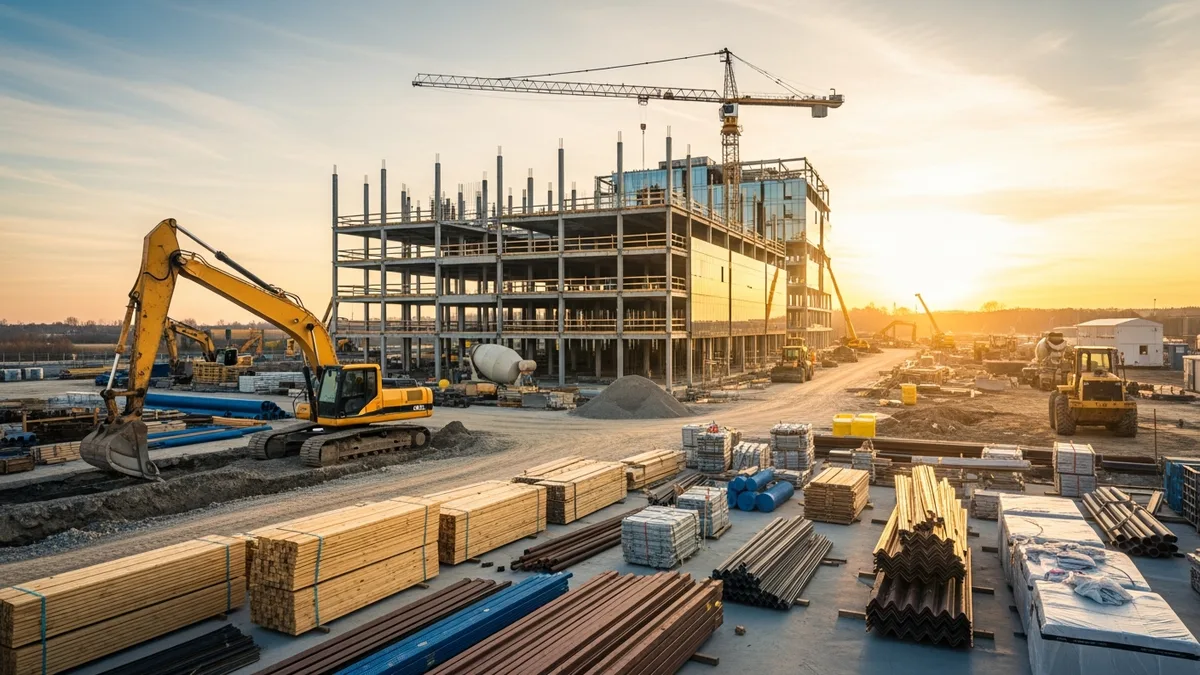
You are three weeks into a commercial build, and your framing crew hits a conflict between the structural drawings and the architectural plans. The beam callout on one sheet does not match what is shown on the other. Your foreman calls you, you pull up the plans, and sure enough, something does not add up. Work stops on that section until someone figures out which drawing is correct.
This is exactly the situation the construction RFI process exists to solve. But if you have ever submitted an RFI and waited two weeks for a response while your crew sat idle or got shuffled to another task, you know that the process itself can become the bottleneck.
The reality is that RFIs are a necessary part of construction. Drawings are never perfect. Specs leave gaps. Field conditions do not always match what was designed on a computer screen. The question is not whether you will need to submit RFIs. It is whether your construction RFI process is fast enough to keep the project moving or slow enough to cause the kind of delays that eat into your margin.
This guide covers everything from knowing when an RFI is actually necessary, to writing one that gets answered quickly, to tracking them across multiple active jobs so nothing falls through the cracks.
What Is an RFI and Why Does It Matter?
An RFI, or Request for Information, is a formal written question from the contractor to the design team asking for clarification on the construction documents. That includes the drawings, specifications, and any other contract documents that define the scope of work.
RFIs exist because no set of construction documents is perfect. Architects and engineers do their best, but conflicts, ambiguities, and missing details are part of every project. When something in the field does not match what is on paper, or when the plans simply do not address a specific condition, the contractor needs an official answer before proceeding.
Why does this matter? Because the response to an RFI becomes part of the contract record. If you just call the architect and get a verbal answer, there is no documentation. If that verbal direction later leads to a dispute about cost, schedule, or quality, you have nothing to point to. An RFI creates a paper trail that protects everyone involved.
Here is what a solid construction RFI process does for your business:
- Prevents rework. Getting the right answer before you build means you do not have to tear it out and do it again. Rework is one of the most expensive problems in construction, and most of it comes from acting on assumptions instead of getting clarification.
- Protects your schedule. A quick RFI turnaround means your crew keeps working. A slow one means idle labor, stacked trades, and downstream delays that ripple through the entire project. If you want to understand how delays compound, check out our construction project delay guide.
- Documents decisions. Every RFI response is a record of what was decided, when, and by whom. This is critical for change orders, claims, and dispute resolution.
- Keeps the owner informed. When RFIs pile up, it usually signals a problem with the documents. Tracking RFIs gives you data to have productive conversations with the owner about design issues that are affecting the project.
The construction RFI process is not just paperwork. It is one of the primary tools you have for managing risk and keeping the job on track. Treat it that way.
When to Submit an RFI (And When to Just Pick Up the Phone)
Not every question on a jobsite needs a formal RFI. If your electrician wants to know whether the outlet height in a closet should be 12 inches or 18 inches and the plans do not specify, that might be a quick phone call to the architect. If there is a conflict between the structural and mechanical drawings about where a duct penetration goes through a beam, that needs a formal RFI.
The general rule is this: if the answer could affect cost, schedule, or the permanent work, put it in writing. If it is a minor coordination question that does not change anything material, a phone call or email might be fine.
Here are situations that almost always require an RFI:
- Conflicts between drawings. When the architectural plans show one thing and the structural plans show another, you need a formal resolution. This is probably the most common reason for RFIs.
- Missing information. The plans call out a finish material but do not specify the manufacturer, color, or grade. You cannot order it without more detail.
- Field conditions that differ from the plans. You start excavation and hit rock where the geotechnical report said there would be soil. Or the existing conditions in a renovation do not match the as-built drawings.
- Ambiguous specifications. The spec says “or equal” but does not define what qualifies as equal. Or the spec references a product that has been discontinued.
- Design changes needed to make the work constructible. Sometimes what is drawn simply cannot be built the way it is shown. The contractor needs direction on an alternative approach.
On the other hand, here are situations where a phone call or email is usually enough:
- Minor clarifications that do not change the work (paint sheen in a storage room, for example)
- Coordination questions between your own subcontractors
- Scheduling logistics with the design team
- Questions about the owner’s preferences on items where the plans give you discretion
The key is judgment. Experienced contractors develop a feel for which questions need formal documentation and which ones just need a quick conversation. When in doubt, submit the RFI. It takes a few extra minutes, but the documentation is worth it. The alternative is making an assumption that turns out to be wrong, and that costs a lot more than the time it takes to write an RFI.
Writing an RFI That Gets Answered Fast
Thousands of contractors have made the switch. See what they have to say.
If your RFIs are taking two or three weeks to get responses, the problem might not be the architect. It might be how you are writing them.
A vague RFI that says “Please clarify the wall detail on sheet A-401” gives the design team almost nothing to work with. They have to figure out which wall, what about the detail is unclear, and what you actually need to know. That back-and-forth adds days to the response time.
A well-written RFI does the following:
References the exact location. Include the sheet number, detail number, grid lines, room number, and specification section. The more specific you are, the faster the reviewer can find the issue and respond. “Detail 3 on sheet S-201 at grid line B-4” is infinitely better than “the beam detail.”
Describes the issue clearly. Explain what the conflict is, what information is missing, or why the current documents are not sufficient to proceed. Use plain language. If two drawings contradict each other, say exactly what each one shows.
Includes photos or markups when helpful. A picture of the field condition, a markup highlighting the conflict, or a side-by-side comparison of the two contradicting details can save pages of written explanation. Keeping your project photos organized in a system like Projul’s photo and document management makes it easy to attach the right images to your RFIs.
Suggests a solution. This is the single biggest thing you can do to speed up RFI responses. If you already know a reasonable way to resolve the issue, include it. “We suggest framing the opening at 8’-0” to match the door schedule. Please confirm or advise.” This gives the design team something to react to instead of starting from scratch, and it shows that you understand the intent of the design.
States the impact if the response is delayed. If the crew will be idle, if a concrete pour will be pushed, or if a material order cannot be placed, say so. This gives the architect context for prioritizing their response. Nobody wants to be the reason a project lost a week of production.
Assigns a realistic due date. Check your contract for the specified RFI response period, and align your request accordingly. If you need an answer faster than the contractual window, explain why.
Here is a quick template:
- RFI Number: [Sequential number from your log]
- Date Submitted: [Date]
- Project: [Project name and number]
- Reference: [Sheet, detail, spec section, grid lines]
- Question: [Clear description of the issue]
- Suggested Resolution: [Your proposed solution]
- Impact if Delayed: [What stops or slows down]
- Response Needed By: [Date]
- Attachments: [Photos, markups, related documents]
The contractors who get fast RFI responses are the ones who make it easy for the design team to answer. Write your RFIs like you are building a case, not asking a question.
Tracking RFIs Across Multiple Projects
When you are running one project, tracking RFIs in a spreadsheet or even a paper log might work. When you are running four or five projects at the same time, that approach falls apart fast.
The construction RFI process generates a lot of moving pieces. Each RFI has a submission date, a required response date, an actual response date, a status (open, answered, closed), and often follow-up questions or clarifications. Multiply that by 20 or 30 RFIs per project across multiple active jobs, and you are looking at hundreds of items that need active tracking.
Here is what good RFI tracking looks like:
A centralized log. Every RFI for every project should live in one system. Whether you use construction management software, a shared spreadsheet, or a project management tool, the worst thing you can do is have RFIs scattered across emails, text messages, and paper files. When something is scattered, things get lost. When things get lost, you get delays.
Status visibility. At any point, you should be able to pull up your RFI log and see which RFIs are open, which are overdue, and which have been answered but not yet reviewed. This is especially important for project managers overseeing multiple jobs. You need a dashboard view, not a filing cabinet.
Automatic date tracking. Knowing when an RFI was submitted and when the response is due should not require manual calculation. Your system should flag overdue RFIs and alert you before the due date passes. If you are using Projul’s daily logs to document field activity, tying RFI status to daily reporting gives you a complete picture of what is happening on each project.
Integration with your schedule. RFIs often affect the critical path. If an RFI response is going to push a task, that should be reflected in your project schedule. Tools like Projul’s scheduling features help you connect the dots between open questions and downstream impact so you can plan around potential delays instead of reacting to them.
Easy retrieval for disputes. Months or years after a project is complete, you might need to pull up an RFI to resolve a warranty issue, support a change order claim, or respond to a legal inquiry. If your RFIs are buried in email chains, good luck finding the one you need. A proper tracking system gives you searchable, organized records that hold up when it matters.
The bottom line is that tracking RFIs is not a “nice to have.” It is a core project management function. The contractors who stay on top of their RFI logs are the same ones who finish projects on time and protect their margins.
Common RFI Mistakes That Cause Costly Delays
Even contractors who understand the construction RFI process make mistakes that slow things down. Here are the most common ones and how to avoid them.
Submitting RFIs too late. This is the number one problem. A lot of contractors do not submit RFIs until their crew is about to start the work in question. By that point, even a fast response takes longer than the crew can afford to wait. The fix is to review the documents well ahead of construction and submit RFIs as early as possible. If you are building in Phase 3, you should be reviewing Phase 3 drawings during Phase 1.
Writing vague or incomplete RFIs. We covered this above, but it bears repeating. A vague RFI gets a vague response, or worse, a request for clarification that adds another week to the cycle. Take the extra ten minutes to write it clearly the first time.
Not following up on overdue responses. Submitting an RFI and assuming the architect will respond on time is a recipe for problems. You need a system for tracking due dates and a process for following up when they pass. A polite but firm reminder at the 7-day mark, with a note about schedule impact, keeps things moving.
Submitting too many RFIs. This sounds counterintuitive, but flooding the design team with dozens of RFIs at once, especially if some of them are questions you could answer yourself, creates a bottleneck on their end and slows down the responses that actually matter. Be selective. Only submit RFIs for issues that genuinely require design team input.
Using RFIs to document problems instead of solve them. Some contractors use RFIs as a paper trail strategy, submitting them to create a record of design deficiencies for potential claims. While documentation is important, using the RFI process for this purpose clogs the system and makes the design team less responsive to your legitimate questions. If you have a claim issue, handle it through the proper change order or notice process.
Not distributing RFI responses to the field. Getting an RFI answer back and filing it away without telling the crew is surprisingly common. The foreman needs to see the response, understand it, and confirm it does not create new issues. Build a process for distributing RFI responses to everyone who needs them.
Failing to track cost and schedule impacts. An RFI response that changes the work is potentially a change order. If you do not flag it at the time, you lose take advantage of to recover the cost later. Every RFI response should be reviewed for cost and schedule impact, and anything that goes beyond clarification should trigger a change order request.
Avoiding these mistakes does not require more effort. It requires better habits and a system that keeps you organized. Most of the contractors who struggle with RFIs are not bad at construction. They just do not have a reliable process for managing the paperwork side of the job.
How Construction Software Speeds Up the RFI Process
If you are still managing your construction RFI process through email threads, paper logs, or disconnected spreadsheets, you are working harder than you need to. Construction management software changes the game by centralizing everything and automating the parts that used to require manual tracking.
Here is what the right software does for your RFI workflow:
Centralized submission and tracking. Instead of emailing an RFI to the architect, CC’ing the owner, and hoping everyone sees it, you submit it through a platform where all parties have access. The RFI is logged automatically with a timestamp, sequential number, and status. No more wondering whether it was received.
Automated notifications and reminders. The software sends alerts when an RFI is submitted, when a response is due, and when a response is overdue. This eliminates the need to manually track due dates and follow up. The system does it for you.
Document and photo attachments. Attaching markups, photos, and reference documents to an RFI should be as easy as dragging and dropping a file. When your photos and documents are already organized in Projul, pulling up the right image to attach to an RFI takes seconds instead of digging through a camera roll or a shared drive.
Real-time status dashboards. Seeing all open RFIs across all projects in one view lets you prioritize follow-ups and allocate resources based on where the bottlenecks are. If Project A has 12 overdue RFIs and Project B has two, you know where to focus your attention.
Integration with scheduling. When an RFI is tied to a scheduled task, the software can show you exactly how a delayed response affects the project timeline. Projul’s scheduling tools connect field activity to project milestones, so you can quantify the impact of an open RFI and communicate it to the design team with hard data instead of gut feelings.
Searchable history. Every RFI, response, and attachment is stored and searchable. A year after the project is done, you can pull up any RFI in seconds. This is invaluable for warranty disputes, claims, and lessons learned on future projects.
Mobile access for field teams. Your superintendent should be able to submit an RFI from the field with photos attached, without having to go back to the office and type it up on a computer. Mobile-friendly construction software makes this possible, which means RFIs get submitted sooner and with better field documentation.
If you are curious about how Projul handles document management, scheduling, and project communication, check out the pricing page to see what fits your operation.
Putting It All Together
The construction RFI process is one of those things that separates well-run projects from chaotic ones. It is not glamorous. Nobody gets into construction because they love writing formal information requests. But the contractors who handle RFIs well are the same ones who finish on time, protect their margins, and build reputations that keep clients coming back.
Here is the short version of everything we covered:
- Submit RFIs early, not when the crew is already waiting.
- Write them clearly with specific references, photos, and a suggested solution.
- Track every RFI in a centralized system with status visibility and due date alerts.
- Follow up on overdue responses before they become schedule problems.
- Review every RFI response for cost and schedule impact.
- Use construction software to automate the tracking and communication that used to eat up hours of your week.
Book a quick demo to see how Projul handles this for real contractors.
The construction RFI process does not have to be the thing that slows your projects down. With the right habits and the right tools, it becomes a system that actually keeps you moving forward.
Frequently Asked Questions
What does RFI stand for in construction?
How long should it take to get an RFI response?
Who is responsible for answering an RFI?
Can an RFI change the scope of a construction project?
What is the difference between an RFI and a submittal?
Related Articles
Construction Inventory Management: How to Track Materials Across Multiple Jobsites
How to track materials across multiple jobsites so nothing gets lost, wasted, or double-ordered.
Read More →
Construction Preconstruction Planning: How to Set Up Every Project for Success
The best contractors win or lose a project before they ever break ground. Preconstruction planning is where you catch...
Read More →
Construction Time Management: How to Stop Wasting Hours Every Week
Where you're losing hours every week and simple systems to get that time back.
Read More →