
6 Construction Scheduling Methods Compared (2026)
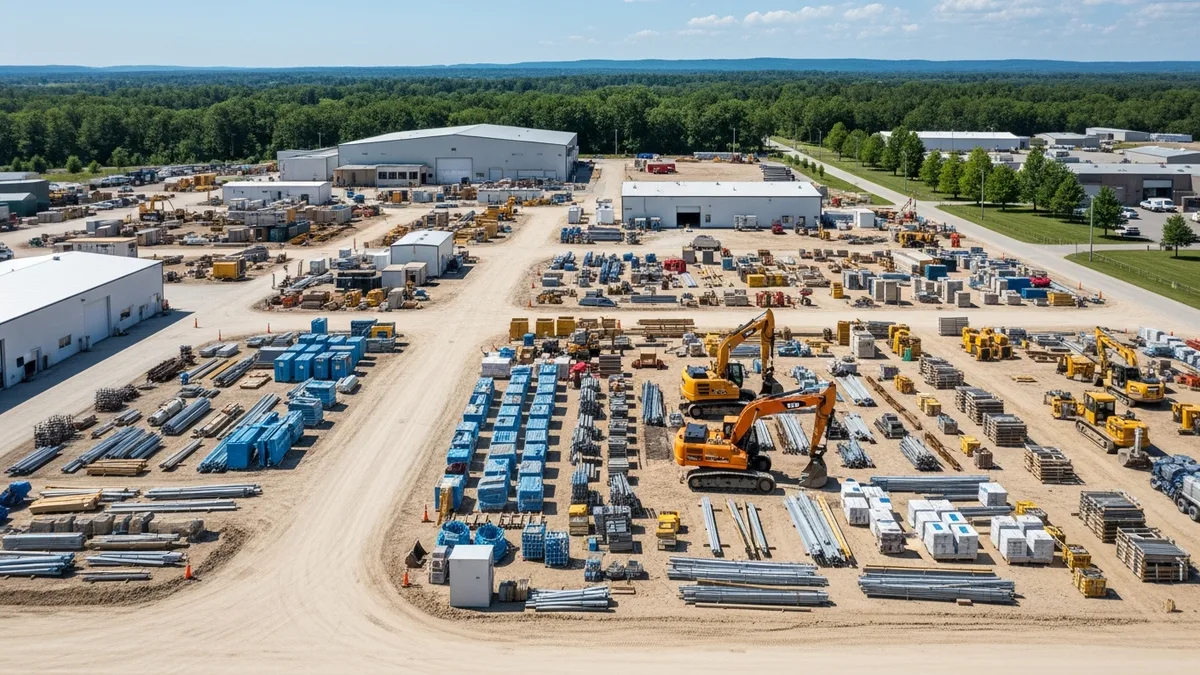
Every contractor has a scheduling system, even if that system is a whiteboard in the office and a stack of sticky notes on the dashboard. But as your projects get bigger and your team grows, those informal methods start breaking down fast. Missed handoffs between trades, materials showing up before the site is ready, and crews standing around waiting for the previous task to wrap up.
The fix is not just “get scheduling software.” The fix is understanding which scheduling method fits the way you actually build, and then using software to run that method without drowning in paperwork.
This guide breaks down the major construction scheduling methods, explains when each one makes sense, and walks you through building a schedule that holds up on a real jobsite. Whether you are running residential remodels or multimillion-dollar commercial builds, there is a method here that fits.
The Critical Path Method (CPM)
CPM is the heavyweight of construction scheduling. Developed in the late 1950s for industrial projects, it has become the standard for commercial, government, and large-scale construction. If you have ever worked on a project that required a formal schedule submittal, you have almost certainly dealt with a CPM schedule.
Here is how it works. You list out every task in the project, estimate how long each one takes, and define which tasks depend on which. The software then calculates the longest chain of dependent tasks from start to finish. That chain is your critical path, and its total duration is the shortest possible time to complete the project.
Why the critical path matters: Any delay on a critical path task delays the entire project. Tasks that are not on the critical path have “float,” meaning they can slip a bit without affecting the finish date. Knowing which tasks have float and which do not lets you make smarter decisions about where to focus your resources. For a deeper look at how float works, check out our guide to construction scheduling float and slack time.
CPM works well when:
- The project has dozens or hundreds of interdependent tasks
- The contract requires a formal schedule (most government and commercial contracts do)
- You need to analyze delay claims or prove schedule impacts
- Multiple trades need to coordinate complex sequencing
CPM gets clunky when:
- You are running small residential projects with straightforward sequencing
- The project changes constantly and recalculating the network takes more time than it saves
- Your team does not have the training to build and maintain a proper CPM schedule
The biggest mistake contractors make with CPM is treating it as a one-time exercise. You build the schedule before the project starts, submit it, and never update it again. A CPM schedule only works if you keep it current. That means logging actual start and finish dates, updating remaining durations, and recalculating the critical path as conditions change. Connecting your schedule to your daily logs makes this a lot easier because the data flows in without extra data entry.
Gantt Charts: The Visual Workhorse
If CPM is the engine, the Gantt chart is the dashboard. A Gantt chart displays your project tasks as horizontal bars along a timeline. Each bar represents a task, its length represents the duration, and you can see at a glance what should be happening this week, what is coming up, and what is running behind.
Gantt charts were invented over a century ago by Henry Gantt (hence the name), and they remain the most popular way to visualize a construction schedule. The reason is simple: they are intuitive. You do not need a scheduling certification to read a Gantt chart. Your project managers, superintendents, and field crews can all look at one and understand what is going on.
What makes a good Gantt chart tool for construction:
- Drag-and-drop task creation and editing
- Task dependencies (finish-to-start, start-to-start, etc.)
- Color coding by trade, phase, or status
- Milestone markers for key dates
- The ability to filter by crew, date range, or project phase
Modern construction scheduling software combines Gantt charts with dependency logic so you get the visual clarity of a Gantt chart and the analytical power of CPM in the same view. When you drag a task to a new date, dependent tasks shift automatically. That is a massive time saver compared to manually updating every downstream task.
Gantt charts work well when:
- You want a clear visual overview that the whole team can understand
- You are managing multiple projects and need to see everything on one screen
- You need to communicate the schedule to owners, architects, or subs who do not speak “scheduling”
Gantt charts fall short when:
- You rely solely on the visual and ignore the dependency logic underneath
- The project is so large that the Gantt chart becomes an unreadable wall of bars
- You print it once and never update it (the “poster schedule” problem)
For most contractors running projects in the $500K to $10M range, a solid Gantt chart with task dependencies is the sweet spot. It gives you enough structure to keep things organized without the overhead of a full CPM analysis. Check out our breakdown of the best construction scheduling software to see how different tools handle Gantt charts.
Pull Planning and Last Planner System
Pull planning flips traditional scheduling on its head. Instead of a project manager building the schedule from the top down and handing it to the trades, pull planning starts at the end and works backward. The people doing the actual work (trade foremen, superintendents, key subs) gather in a room and collaboratively plan the sequence of tasks needed to hit a milestone.
The name comes from the idea that downstream tasks “pull” work from upstream tasks. Instead of pushing a schedule onto your subs, you are letting the people closest to the work define what needs to happen and when.
How a pull planning session typically works:
- Define the target milestone (for example, “drywall complete by March 15”)
- Each trade writes their tasks on sticky notes or cards
- Working backward from the milestone, the group sequences the tasks on a wall or board
- Each trade “commits” to completing their tasks within the agreed timeframe
- The group reviews for conflicts, gaps, and unrealistic commitments
- The result is a detailed short-term schedule that everyone helped build
This is the foundation of the Last Planner System (LPS), a lean construction methodology developed by Glenn Ballard and Greg Howell. LPS adds weekly work planning and a tracking metric called Percent Plan Complete (PPC), which measures how many planned tasks were actually finished on time. Over weeks and months, PPC data reveals which trades are reliable and where your planning process needs work. If you want a full walkthrough of implementing LPS on your projects, our guide to lean principles and the Last Planner System covers each step in detail.
Pull planning works well when:
- Multiple trades need to work in tight coordination
- The project uses an IPD or lean delivery method
- You want buy-in from subs instead of just handing them a schedule
- The look-ahead window is 4 to 6 weeks
Pull planning struggles when:
- You need a full project-duration schedule for the owner or lender
- Your subs are not willing to participate in collaborative planning sessions
- The project is simple enough that a basic Gantt chart covers everything
Pull planning does not replace CPM or Gantt charts. It complements them. Many successful projects use CPM for the overall project timeline, Gantt charts for visual communication, and pull planning for detailed short-term coordination. Recording what actually happens each day in your daily logs gives you the data to measure your PPC and improve your planning accuracy over time.
Line of Balance (LOB) and Linear Scheduling
Line of Balance scheduling is not as well known as CPM or Gantt charts, but it is incredibly useful for a specific type of project: repetitive work across multiple locations or units. Think apartment buildings, housing subdivisions, highway construction, high-rise floors, or any project where the same sequence of tasks repeats across multiple identical sections.
Instead of showing tasks as horizontal bars on a timeline (like a Gantt chart), LOB uses a graph where the vertical axis represents locations (floors, units, stations) and the horizontal axis represents time. Each trade’s work is shown as a diagonal line moving across locations over time. The slope of the line tells you the production rate.
Why LOB is powerful for repetitive work:
- You can see at a glance if one trade is going to overtake another (the lines cross, which means a conflict)
- You can balance production rates so that crews flow smoothly from one location to the next without gaps
- It exposes bottlenecks that are hard to see in a traditional Gantt chart
For example, if your framing crew finishes a unit every 3 days but your electrical rough-in crew takes 5 days per unit, the framing crew will eventually stack up ahead of electrical and run out of work. LOB makes this obvious visually, so you can adjust crew sizes or sequencing before it becomes a problem on site.
LOB works well when:
- The project has 5 or more repetitive units or sections
- You need to balance crew flow and production rates
- Traditional CPM schedules become unwieldy because of the repetitive task count
LOB is not the right fit when:
- Every part of the project is unique (a one-off custom home, for example)
- Your team is not familiar with linear scheduling concepts
- The project is small enough that a simple Gantt chart handles it fine
LOB is common in large-scale residential, infrastructure, and industrial projects. If you are a GC building 50 townhomes in a subdivision, LOB will save you more time and headaches than any other method on this list.
Resource-Based and Cost-Loaded Scheduling
Most scheduling methods focus on time and task sequence. Resource-based scheduling adds another layer: making sure you actually have the people, equipment, and materials available when the schedule says you need them.
Here is a scenario every contractor has lived through. Your CPM schedule says you need two excavators on site next Monday. But one is stuck on another jobsite that ran long, and the rental company cannot deliver a replacement until Wednesday. Now your schedule is blown, not because of a sequencing error, but because of a resource conflict that nobody caught in advance.
Resource leveling is the process of adjusting your schedule so that resource demands stay within your actual capacity. Instead of scheduling three concrete pours on the same day across three different jobsites (when you only have one concrete crew), resource leveling spreads them out so each pour gets the crew it needs.
Cost-loaded scheduling takes this a step further by assigning dollar values to each task. This serves two purposes:
- Cash flow forecasting: You can project your monthly spending curve based on the schedule, which helps with financing and payment applications.
- Earned value tracking: By comparing the cost of completed tasks to the cost of scheduled tasks, you get a clear picture of whether you are ahead or behind, in both time and money.
Tying your schedule to your job costing data closes the loop between what you planned to spend and what you actually spent. When your schedule, daily logs, and cost tracking all live in the same system, you catch budget problems while there is still time to do something about them.
How to Build a Construction Schedule That Holds Up
Knowing your scheduling methods is half the battle. The other half is building a schedule that survives contact with reality. Here is a five-step process that works whether you are framing a custom home or managing a $10M commercial buildout.
Step 1: Define every task from start to finish. Walk through the entire project in your head. Site prep, demolition, foundation, framing, rough-ins, inspections, finishes, punch list, final walkthrough. Do not skip the small stuff. Ordering materials, calling in inspections, and waiting for permit approvals are all tasks that take time and need a spot on the schedule.
Step 2: Sequence your tasks and map dependencies. Figure out what has to happen before the next thing can start. You cannot hang drywall before rough-in inspections pass. You cannot pour a slab before the plumber runs underground. These dependencies are what separate a real schedule from a wish list. Miss one, and you end up with crews on site who cannot work.
Step 3: Estimate durations from real data. Use your actual project history, not optimistic guesses. If framing a 2,000 square foot house took your crew 8 days on the last three jobs, plan for 8 days. Padding every task “just in case” bloats your schedule. Being honest about durations keeps it tight and realistic.
Step 4: Build in buffer for what you cannot control. Weather, inspection delays, material backorders, and sub no-shows will happen. Add buffer days around critical path activities and exterior work. A good rule of thumb: add 1 to 2 buffer days per week for exterior work during rainy or winter seasons in your area.
Step 5: Assign responsibility and load it into software. Every task needs a name attached to it. If nobody owns it, nobody does it. Load your schedule into a platform like Projul so your office, field crews, and subs can all see the same plan. When something changes, everyone knows right away instead of finding out when they show up to a job that is not ready for them.
Why Digital Scheduling Beats Spreadsheets and Whiteboards
If your construction schedule still lives in Excel or on a whiteboard in the trailer, you are spending hours every week on work that software handles in minutes. Here is what spreadsheets cannot do:
- Show task dependencies. When framing slips 3 days, a spreadsheet does not automatically move electrical, insulation, and drywall. You update every row by hand, or worse, you forget and your subs show up to a site that is not ready.
- Send notifications. Your crew finds out about schedule changes when they call the office or check a group text that is buried under 47 other messages. With Projul, schedule changes push to every affected crew member’s phone the moment you make the change.
- Prevent double-booking. Spreadsheets cannot flag that you scheduled the same crew on two different jobsites on the same day. Scheduling software catches conflicts before they cost you a wasted trip and a frustrated crew.
- Update in real time. A spreadsheet is a snapshot of the schedule at the moment someone last saved it. If three people have different versions, nobody knows which one is current.
Contractors using scheduling software report saving 5 to 10 hours per week on coordination and admin. On a 20-person crew billing $50 per hour, even 5 hours saved per week adds up to over $13,000 per year. That more than covers the cost of any scheduling platform.
The switch does not have to be painful. Most teams are up and running within a week. Start by entering your active jobs and crew roster. Run both systems for a few days if that makes you more comfortable. But once your crew sees that they can check tomorrow’s assignments from their phone instead of calling the office, adoption happens fast.
Choosing the Right Method for Your Projects
There is no single “best” scheduling method. The right choice depends on your project size, contract requirements, team capabilities, and the level of coordination involved.
If you are a residential contractor running 5 to 20 projects at a time: Start with Gantt charts and basic task dependencies. This covers 90% of what you need. Focus on a tool that makes it easy to create, update, and share schedules with your crew. Automated notifications when tasks change will save you hours of phone calls every week.
If you are a commercial GC with projects over $5M: You probably need CPM for your contract submittals and overall project planning. Layer in pull planning for short-term coordination with your subs. Use Gantt charts as the daily communication tool for your superintendents and field teams.
If you are building repetitive units (multifamily, subdivisions, infrastructure): Add Line of Balance scheduling to your toolkit. It will reveal production rate conflicts that CPM and Gantt charts miss.
If you are managing a portfolio of projects with shared resources: Resource-based scheduling is worth the extra setup time. Knowing where your crews and equipment are committed helps you avoid the domino effect when one project runs long.
Regardless of which method you choose, the fundamentals stay the same:
- Update your schedule regularly (weekly at minimum)
- Connect it to what is actually happening in the field
- Use it as a communication tool, not just a planning exercise
- Make sure your team can actually see and use the schedule (mobile access matters)
- Track your costs alongside your schedule so you see the full picture
The best scheduling method in the world will not help if it lives in a file that nobody opens. Pick a method your team will actually use and pair it with software that makes maintaining it painless.
CPM Step-by-Step: A Real Project Example
Understanding CPM in theory is one thing. Seeing it applied to an actual project makes it click. Let’s walk through a CPM schedule for a 4,000 square foot commercial tenant improvement (TI) buildout, the kind of project a mid-size GC might take on any given month.
The project: Converting raw shell space into a dental office with 6 operatories, a reception area, a lab, and a break room. The lease requires substantial completion in 60 working days.
Step 1: List every activity and its estimated duration.
Here is a simplified task list (a real TI schedule would have 80 to 120 line items, but this covers the major activities):
- Demolition of existing partitions: 3 days
- Rough framing: 7 days
- Underground plumbing (dental chairs, lab sinks): 4 days
- Overhead MEP rough-in (HVAC, electrical, low voltage): 10 days
- Plumbing inspection: 1 day
- Electrical inspection: 1 day
- Insulation: 3 days
- Drywall hang: 5 days
- Drywall tape and finish: 4 days
- Ceiling grid and tile: 4 days
- Paint: 4 days
- Flooring (LVT in operatories, carpet in reception): 5 days
- Millwork and casework installation: 4 days
- MEP trim-out (fixtures, devices, registers): 5 days
- Dental equipment rough-in: 3 days
- Final inspections: 2 days
- Punch list and owner walkthrough: 3 days
Step 2: Define dependencies.
Demolition must finish before framing starts. Underground plumbing starts after framing because the plumber needs walls laid out to locate chair connections. Overhead MEP rough-in starts after framing but runs concurrently with underground plumbing. Both inspections must pass before insulation. Drywall cannot start until insulation is complete. And so on through the chain.
Step 3: Calculate the critical path.
When you map out all the dependencies and run a forward pass (earliest start and finish for each task) and a backward pass (latest start and finish without delaying the project), the critical path for this project looks like this:
Demolition (3d) > Framing (7d) > Overhead MEP rough-in (10d) > Electrical inspection (1d) > Insulation (3d) > Drywall hang (5d) > Drywall finish (4d) > Paint (4d) > Flooring (5d) > MEP trim-out (5d) > Final inspections (2d) > Punch list (3d) = 52 working days
That gives you 8 days of project float against the 60-day deadline. But notice: underground plumbing (4d) happens during the MEP rough-in window and is NOT on the critical path. It has float. If the plumber runs 2 days late, the project finish date does not move. But if drywall runs 2 days late, the whole project slides 2 days.
Step 4: Use the critical path to manage the project.
Now you know exactly where to focus. Your superintendent should be checking on MEP rough-in progress daily because that 10-day activity is the longest critical path task and the most likely to slip. Meanwhile, you can flex the plumbing schedule a few days if the plumber has a conflict on another job, because you have float to absorb it.
When you track this in a tool with an interactive Gantt view, the critical path highlights in red so your team can see at a glance which tasks cannot move. Drag a non-critical task and the system shows you how much float you are consuming. Drag a critical task and every downstream bar shifts with it, making the schedule impact immediately visible.
Step 5: Update weekly.
Every Friday, log actual completion percentages and remaining durations. Recalculate the critical path. On a real project, the critical path often shifts mid-project as some activities finish early and others run late. A task that had 5 days of float in week 1 might land on the critical path by week 4 if other tasks slipped around it. This is why static schedules fail and live schedules powered by project scheduling software keep you ahead of problems.
The Last Planner System and Pull Planning for Construction Teams
We covered pull planning basics earlier in this guide. Let’s go deeper into the Last Planner System (LPS) framework and how construction teams actually implement it week over week.
LPS has five layers, and pull planning is just one of them:
1. Master schedule. The high-level project timeline showing major phases and milestones. This is typically a CPM schedule covering the full project duration. It answers the question: “What needs to happen and roughly when?”
2. Phase scheduling (pull planning). The collaborative sessions where trade foremen and superintendents work backward from a phase milestone to define detailed task sequences. Each session covers a 6 to 12 week window. It answers the question: “How will we coordinate across trades to hit this milestone?”
3. Make-ready planning (look-ahead). A rolling 4 to 6 week window where the project team identifies constraints that could block upcoming tasks. Does the electrician have enough wire on order? Has the permit for the elevator shaft been pulled? Is the concrete sub confirmed for next Tuesday? Make-ready planning is about removing roadblocks before they stall the schedule. This pairs directly with a look-ahead schedule.
4. Weekly work planning. Every Monday (or Friday for the coming week), each trade foreman makes specific commitments: “My crew will complete tasks X, Y, and Z this week.” These are not assignments from a project manager. They are promises from the people doing the work. The commitment is public and tracked.
5. Learning (PPC tracking). At the end of each week, the team measures Percent Plan Complete: of all the tasks committed for this week, how many were actually finished? A PPC of 100% means every commitment was met. Most projects start around 50 to 60% PPC and improve to 75 to 85% as the team gets better at planning. Anything below 60% signals a systemic planning problem.
Why PPC matters more than you think. When a foreman commits to finishing conduit rough-in in Unit 3 this week and does not deliver, the team records why. Over time, patterns emerge. Maybe the electrical sub consistently over-commits. Maybe material deliveries from a specific supplier are always 2 days late. PPC data turns vague frustration (“this project is behind”) into specific, actionable insights (“our insulation sub has missed 4 out of 6 weekly commitments because of crew shortages”).
Running a pull planning session in practice:
Gather the key trade foremen and your superintendent in a room with a large blank wall. Give each trade a stack of sticky notes in their assigned color. Starting from the target milestone, work backward. The drywall foreman puts up “hang drywall, Unit 4” and asks the framing foreman: “When will framing be done in Unit 4 so I can get in?” The framing foreman checks with the MEP trades: “When will rough-in be done so I can close walls?” The conversation reveals conflicts, unrealistic timelines, and coordination gaps that a top-down schedule would miss entirely.
The result is a schedule built by the people who will execute it, which means dramatically higher buy-in and accountability. When your drywall foreman helped set the date, he owns it. That is fundamentally different from receiving a printed schedule from the GC’s office.
Tools like Projul support this workflow by letting you build the resulting task commitments into your project schedule and then track completion against those commitments. When tasks get completed or shifted in the field, the project sliding feature adjusts downstream dates automatically so your pull plan stays connected to reality.
How to Choose the Right Scheduling Method for Your Project Type
With all these methods available, how do you decide which ones to use? Here is a decision framework based on the types of projects we see contractors running every day.
Solo trade contractor (1 to 5 crew members, residential): Use a simple Gantt chart with task dependencies. You do not need CPM analysis or pull planning. Your main goal is keeping your crew moving efficiently between jobs without gaps or double-bookings. A mobile-friendly scheduling tool that your crew can check from their phones covers everything you need.
Residential GC or remodeler (5 to 20 people, multiple active projects): Gantt charts with task dependencies and crew assignments. Add a 2-week look-ahead for each active project. The key feature you need is multi-project visibility so you can see all your jobs on one screen and catch resource conflicts before they happen. Scheduling with built-in crew management is the sweet spot here.
Commercial GC ($1M to $20M projects): CPM for the master schedule and contract submittals. Gantt charts for daily communication with your field team. Consider pull planning for MEP coordination phases where trade sequencing gets complex. You need task dependencies, milestone tracking, and the ability to connect your schedule to daily logs and cost tracking.
Large-scale commercial or infrastructure ($20M+): Full CPM with regular schedule updates. Pull planning sessions for every major phase. LOB scheduling if the project has repetitive elements (floors, bays, stations). Resource leveling across the project portfolio. Cost-loaded schedules for cash flow forecasting and earned value analysis. At this level, you likely need a dedicated scheduler on staff.
Multifamily or subdivision builder: Start with CPM for the overall project. Add LOB to manage production flow across units. Use pull planning for phases where multiple trades stack up in tight spaces. The ability to visualize crew flow across units is critical for preventing bottlenecks.
The common thread across all project types: Your schedule must be accessible to your team, updated regularly, and connected to what is actually happening in the field. A perfect CPM schedule locked on a project manager’s desktop is worth less than a basic Gantt chart that every crew member can pull up on their phone.
Scheduling Software Comparison: Spreadsheets vs. MS Project vs. Construction-Specific Tools
Your scheduling method is only as good as the tool you use to manage it. Here is an honest comparison of the three most common options.
Spreadsheets (Excel, Google Sheets)
Spreadsheets are where most contractors start, and for a solo operator running 1 to 3 jobs, they can work. You list tasks in rows, dates in columns, and manually color-code cells to show the timeline.
But spreadsheets hit a wall fast:
- No dependency logic. When one task moves, you manually adjust every related task.
- No notifications. Your crew does not know the schedule changed until someone tells them.
- No resource visibility. You cannot see that you booked the same crew on two jobsites.
- No mobile experience. Pinching and zooming on a spreadsheet from the cab of a truck is miserable.
- Version control nightmares. Which copy is current? The one you emailed Monday or the one saved on the shared drive?
Cost: Free to ~$20/month. Best for: Solo operators with fewer than 3 active projects.
Microsoft Project and Primavera P6
These are the traditional powerhouses of project scheduling. MS Project handles CPM calculations, resource leveling, cost loading, and earned value analysis. Primavera P6 is the gold standard for large-scale commercial and government projects.
The problem: they were built for professional schedulers, not for contractors who are also estimating, managing subs, and checking on three jobsites a day.
- Steep learning curve. Most contractors use maybe 10% of the features.
- Desktop-first design. Your field team cannot easily access or update the schedule from a phone.
- Siloed data. The schedule lives separate from your daily logs, job costing, change orders, and client communication.
- Expensive. MS Project runs $30 to $55/user/month. P6 licenses start around $2,000+/year.
- Overkill for most residential and mid-size commercial work.
Cost: $30 to $55/user/month (MS Project) or $2,000+/year (P6). Best for: Large commercial GCs with dedicated schedulers, or projects that contractually require P6 submittals.
Construction-specific scheduling software (Projul and similar)
These tools are built from the ground up for how contractors actually work. They combine scheduling with the other things you need every day: daily logs, job costing, client communication, change orders, and crew management. Everything lives in one system, so updating your schedule does not mean opening a separate application and re-entering data.
Key advantages:
- Drag-and-drop Gantt charts with dependency logic built in.
- Mobile apps your crew will actually use from the field.
- Automatic notifications when the schedule changes.
- Crew and resource visibility across all active projects.
- Schedule updates flow into daily logs and vice versa.
- Project sliding automatically shifts downstream tasks when dates change.
- Integrated with estimates, invoicing, and job costing so your schedule connects to your money.
The learning curve is measured in hours, not weeks. Most teams are fully operational within a few days.
Cost: Varies by platform, typically $40 to $100/user/month for full-featured plans. Best for: Residential and commercial contractors who want scheduling, field management, and job costing in one platform.
The bottom line: If you are still using spreadsheets and running more than 3 jobs, you are losing hours every week to manual updates, missed notifications, and coordination errors. If you are paying for MS Project but your field team never opens it, you are paying for software that is not improving your outcomes. Construction-specific tools close the gap between the office schedule and what is actually happening on the jobsite, and that is where the real value lives.
Related Scheduling Resources
Building a strong schedule is just the start. These guides dig deeper into specific aspects of construction scheduling:
- Construction Schedule Template: How to Build One That Works - step-by-step template with a sample residential breakdown
- Construction Crew Scheduling Guide - managing multiple crews across multiple jobsites
- Construction Look-Ahead Schedule Guide - 2-week and 3-week planning that bridges your master schedule and daily work
- Construction Scheduling Float and Slack Time Guide - understanding free float vs. total float
- Construction Schedule Recovery Techniques - what to do when you fall behind
- Best Construction Scheduling Software - feature comparison of the top tools
When you are ready to see how all of this comes together in one platform, check out Projul’s pricing to find a plan that fits your operation. Every plan includes scheduling with Gantt charts, task dependencies, crew assignments, and integrations with daily logs and job costing that make your schedule a living document instead of a dusty artifact.
Want to put this into practice? Book a demo with Projul and see the difference.
Frequently Asked Questions
What is the most common scheduling method in construction?
What is the difference between CPM and Gantt chart scheduling?
When should I use pull planning instead of CPM?
Can construction scheduling software handle multiple scheduling methods?
What scheduling method works best for small residential contractors?
How do I build a construction schedule from scratch?
Why should I switch from spreadsheets to scheduling software?
How often should I update my construction schedule?
Related Articles

Construction Team Meetings: A Practical Guide to Meetings That Actually Get Results
Most construction team meetings waste time. Here's how to run weekly check-ins, safety meetings, kickoffs, and...
Read More →
Project Management for Small Contractors: You Don't Need Enterprise Software
You don't need a 50-person company to benefit from project management. Even a 5-person crew loses money without a...
Read More →
Free Construction Schedule Template
A solid construction schedule keeps your jobs on track, your crews busy, and your clients happy. Grab our free...
Read More →