
As-Built Drawings Guide for Contractors
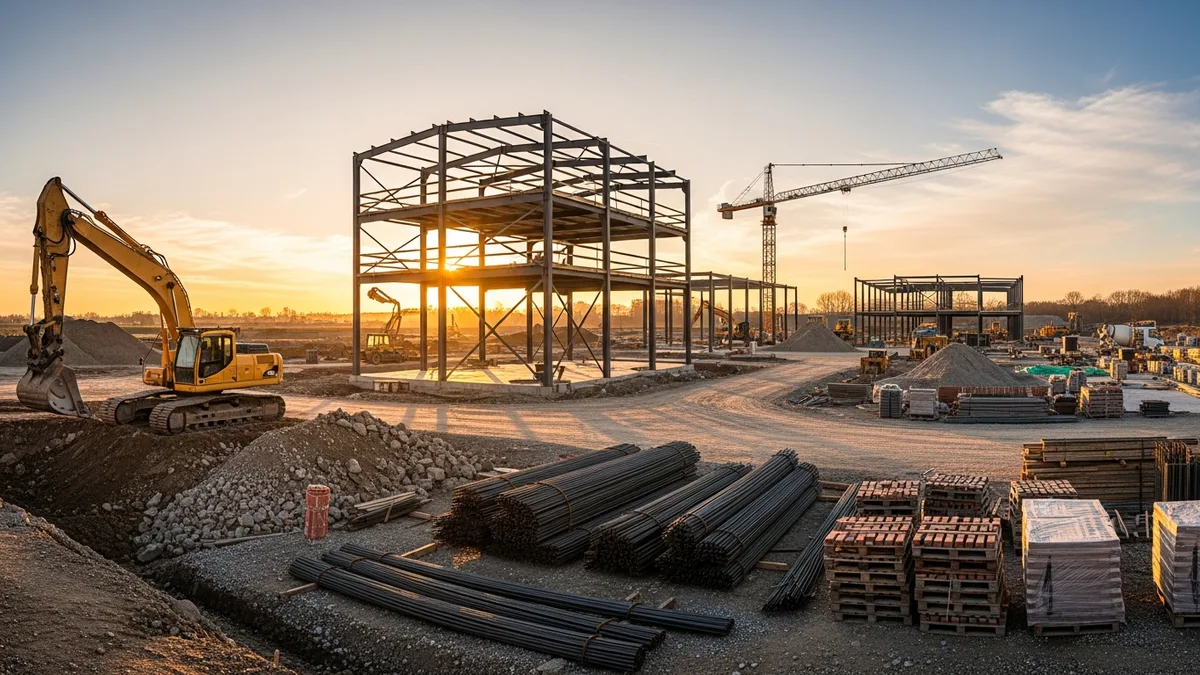
If you have been in construction long enough, you have probably opened up a wall or dug a trench only to find something that does not match the original plans. A water line where it should not be. Conduit running through a spot the drawings said was clear. Framing that got shifted six inches during rough-in because of a field conflict nobody documented.
That is what happens when as-built drawings get skipped or half-done. And it is one of those problems that does not show up until months or years later, when someone else is trying to work on the building and has no idea what is actually behind the drywall.
As-built drawings are not glamorous. Nobody gets into construction because they love redlining plans. But if you want clean closeouts, happy owners, and a reputation that keeps work coming in, getting your as-builts right is non-negotiable.
Let us break down what as-built drawings actually are, who handles them, and how to build a process that does not fall apart halfway through the job.
What Are As-Built Drawings?
As-built drawings are the modified versions of the original construction documents that show what was actually built, not what was originally designed. Every construction project starts with a set of plans from the architect and engineer. Those plans represent the intent. But anyone who has spent a day on a job site knows that intent and reality are two different things.
Changes happen constantly. An underground utility conflicts with the foundation design, so footings shift three feet east. The owner decides to add a door opening during framing. The HVAC subcontractor reroutes ductwork to avoid a beam that was not shown correctly on the structural drawings. A plumber drops a waste line two inches because of a grade issue.
Each of these changes needs to be captured on the drawings. That is the as-built set: the original plans, marked up with every deviation, addition, and deletion that occurred during construction.
As-builts typically include:
- Dimensional changes to walls, openings, and structural elements
- Rerouted utilities including electrical, plumbing, mechanical, and fire protection
- Material substitutions when specified products were unavailable or swapped
- Elevation changes to floors, ceilings, or site grading
- Added or removed scope from change orders or field decisions
- Underground utility locations with accurate depths and offsets from permanent reference points
Think of as-builts as the “truth document” for the building. The original plans tell you what was supposed to happen. The as-builts tell you what actually did.
This ties directly into your broader construction document management process. If your document control is a mess, your as-builts will be too.
Who Creates As-Built Drawings (and Who Is Responsible)?
This is where things get murky on a lot of projects, and it is one of the main reasons as-builts end up incomplete. If nobody owns the process, nobody does the work.
Here is how it typically breaks down:
The General Contractor
The GC carries the primary responsibility for as-built drawings on most projects. This means:
- Maintaining a dedicated set of drawings on site specifically for as-built markups
- Collecting redline markups from every subcontractor
- Reviewing sub markups for completeness and accuracy
- Submitting the compiled as-built set to the architect at closeout
Your project manager or superintendent usually handles this day to day. On larger jobs, you might have a dedicated document control person. Either way, someone on the GC side needs to own it.
Subcontractors
Each sub is responsible for marking up changes to their own scope of work. The electrician marks changes to panel locations, conduit routes, and junction box placements. The plumber marks changes to pipe runs, cleanout locations, and valve positions. The mechanical sub marks duct routing, equipment placement, and control locations.
The challenge is getting subs to actually do it. Most subcontractors are focused on production, not paperwork. If you do not set the expectation early and follow up consistently, you will be chasing redlines at the end of the project when everyone has already moved on to their next job.
Put it in the subcontract. Make it a condition of final payment. And check progress at every monthly meeting. If you wait until closeout to ask for as-built markups, you are going to have a bad time.
The Architect and Engineer
The design team takes the contractor’s field markups and produces the final record drawings. These are clean, updated versions of the original CAD or BIM files that incorporate all the field changes. Record drawings are the polished deliverable that goes to the owner.
Not every project includes this step. On smaller residential or light commercial jobs, the contractor’s marked-up set might be the only as-built record. But on anything with an architect of record, the contract usually requires formal record drawings as part of construction closeout.
The Owner’s Role
The owner does not create as-builts, but they should be pushing for them. Smart owners and facility managers know that a complete as-built set saves them serious money on future maintenance and renovations. If you are a contractor who consistently delivers thorough as-builts, you stand out from the competition. It is a selling point.
When to Update As-Built Drawings
The number one mistake contractors make with as-builts is treating them as a closeout task. If you wait until the end of the project to do all your markups, you are relying on memory, and memory is unreliable.
Here is when as-builts should be updated:
After Every Change Order
When a change order gets approved and the work is complete, mark up the drawings immediately. Change orders are already documented with descriptions and pricing, so the information is fresh and available. There is no excuse for missing these.
After Every RFI Response
RFI responses often result in field changes that differ from the original design intent. When the architect issues a response that changes dimensions, routing, materials, or methods, capture it on the as-built set right away.
After Field Adjustments
Not every change goes through the formal change order or RFI process. Sometimes a superintendent makes a call in the field to shift a wall two inches because of a conflict, or a plumber adjusts a pipe route to avoid existing conditions. These informal adjustments are the ones most likely to get missed on as-builts, and they are just as important as the documented changes.
At Major Milestones
Even if you are marking up changes as they happen, it is smart to do a formal as-built review at key milestones:
- Foundation complete (before backfill buries everything)
- Rough-in complete (before insulation and drywall hide the MEP systems)
- Above-ceiling close-up (last chance to verify what is up there)
- Substantial completion (final review before closeout package assembly)
The underground and rough-in stages are especially critical. Once concrete is poured over utilities or drywall covers framing and mechanicals, you cannot see what is there anymore. If you did not document it when it was exposed, you are not going to remember the exact offset of that water main six months later.
Build It Into Your Weekly Routine
The best contractors treat as-built updates like a weekly habit, not a special event. During your weekly site walk or superintendent meeting, spend five minutes reviewing what changed that week and making sure the markups are current. This small investment of time prevents the painful scramble at closeout.
Good photo documentation supports this process. Photos with timestamps and location tags create a visual record that backs up your redline markups.
Digital vs. Paper As-Built Drawings
The construction industry has been slow to go fully digital, and as-built drawings are no exception. Most contractors fall somewhere on a spectrum between all-paper and all-digital, and there are real trade-offs to consider.
Paper Markups
The traditional method is simple: keep a dedicated set of full-size prints on site, and mark them up with red ink as changes occur. Red for additions, blue or green for deletions, and clear notes with dates and initials.
Pros of paper:
- Zero learning curve for field crews
- Works in rain, dust, and direct sunlight
- No battery life or connectivity issues
- Quick to grab and mark up in the moment
Cons of paper:
- Only one copy exists (if it gets lost, damaged, or coffee-stained, you are starting over)
- Hard to share with the office or design team in real time
- Takes up physical storage space
- Must be digitized later for the final record set
- Difficult to search or reference specific details
Digital Markups
Digital as-builts use tablets or field software to mark up PDF or CAD drawings directly on screen. Tools like Bluebeam, PlanGrid (now Autodesk Build), Procore, or even basic PDF markup apps let field crews annotate drawings, add photos, and attach notes. On larger projects, some teams use 3D laser scanning to capture precise existing conditions and feed that data directly into their as-built sets.
Pros of digital:
- Instant sharing between field and office
- Cloud backup means no single point of failure
- Easy to search, filter, and reference
- Photos and notes can be pinned directly to drawing locations
- Cleaner handoff to the design team for record drawings
- Version history tracks when changes were made and by whom
Cons of digital:
- Requires tablets or devices in the field
- Learning curve for crews not comfortable with technology
- Screen glare and battery life in field conditions
- Software costs and ongoing subscriptions
- Connectivity issues on remote job sites
The Hybrid Approach
Many contractors find that a hybrid approach works best, especially during the transition from paper to digital. Field crews carry paper sets for quick markups during the workday, and the project engineer or document controller digitizes those markups weekly.
This gives you the speed and simplicity of paper in the field with the backup and sharing benefits of digital in the office. Over time, as field crews get comfortable with tablets, you can shift more of the process to digital.
Whatever method you choose, the important thing is consistency. A beautifully organized digital system is worthless if nobody uses it, and a paper system works fine as long as someone is actually maintaining it.
Your broader project management approach should account for how as-builts fit into your document workflow. It is not a standalone task. It connects to scheduling, communication, and closeout.
Why As-Built Drawings Matter for Handoff and Closeout
Read real contractor reviews and see why Projul carries a 9.8/10 on G2.
As-built drawings are a core component of the closeout package you deliver to the owner. A complete closeout checklist will always include as-builts, and for good reason.
Final Payment
On many projects, final payment is tied to delivering a complete closeout package, which includes as-built drawings. If your as-builts are incomplete, you may be holding up your own final payment and retainage release. The same applies to your subcontractors. If their redlines are not submitted, their final payment should be held until they deliver.
Owner Satisfaction and Repeat Business
Handing over a thorough set of as-built drawings signals professionalism. It tells the owner you care about the long-term performance of the building, not just getting through construction and moving on. Owners talk to each other. Property managers talk to each other. Being known as the contractor who delivers clean, complete documentation is a competitive advantage you cannot buy with advertising.
Legal Protection
As-built drawings create a record of what was built and when decisions were made. If a dispute arises years later about whether something was built to spec or who authorized a change, your as-builts (combined with change orders, RFIs, and daily logs) tell the story. Without them, you are relying on he-said-she-said, and that rarely goes well in court or arbitration.
Future Maintenance and Renovations
This is the big one. Buildings outlast projects by decades. The plumber who needs to find a shut-off valve five years from now, the electrician tracing a circuit during a tenant improvement, the structural engineer evaluating load capacity for a rooftop addition: they all need to know what is actually in the building.
Accurate as-builts save future contractors from:
- Exploratory demolition to find hidden utilities
- Accidentally cutting into live systems because locations were not documented
- Re-engineering solutions that already exist but are not shown on outdated plans
- Code violations from modifications that conflict with undocumented existing conditions
When you deliver solid as-builts, you are not just closing out your project. You are making life easier for every contractor, engineer, and facility manager who touches that building after you.
Building a Reliable As-Built Process for Your Company
Knowing that as-builts matter is one thing. Actually building a consistent process that your team follows on every project is another. Here is how to make it happen.
Set Expectations Before the Job Starts
Include as-built requirements in your subcontracts. Spell out what format you expect (paper redlines, digital markups, or both), how often markups should be submitted, and that final payment is contingent on complete as-built delivery. If subs know the rules from day one, compliance goes way up.
During your preconstruction kickoff, walk through the as-built process with your superintendent and project manager. Assign ownership. Decide where the dedicated as-built set will live on site. Make it part of the project handoff from estimating to operations so nothing falls through the cracks.
Designate an As-Built Set
Whether paper or digital, have a clearly identified set of drawings that is used only for as-built markups. Do not let people grab sheets from the as-built set for field reference or layout. That set stays clean and dedicated to recording changes.
If you are using paper, mark the cover sheet “AS-BUILT SET” in big red letters. Keep it in a specific location on site, and make sure everyone knows where it is.
If you are using digital, create a separate folder or layer in your document management system specifically for as-built markups. Control who has edit access so markups do not get accidentally deleted or overwritten.
Create a Markup Standard
Consistency matters. Establish a standard for how markups are done so that anyone can read them, not just the person who made them:
- Red for additions (new work not on original plans)
- Blue or green for deletions (work shown on plans but not built)
- Yellow highlight for items installed differently than shown
- Always include dimensions with reference points to permanent features
- Date and initial every markup
- Add notes explaining why the change was made when it is not obvious
Distribute this standard to every sub and crew member working on the project. A one-page markup guide laminated and posted next to the as-built set goes a long way.
Review Monthly (Minimum)
Add as-built status to your monthly project review. Pull out the as-built set, compare it against the change order log and RFI log, and verify that all approved changes are captured on the drawings. This is also the time to chase down any subcontractor markups that are behind.
If you catch gaps monthly, they are easy to fix. If you catch them at closeout, they are a nightmare.
Closeout Assembly
At the end of the project, compile all as-built markups into the closeout package. If your contract requires formal record drawings, submit your markups to the architect with enough lead time for them to produce the final set. If the contractor’s markups are the final deliverable, make sure they are complete, legible, and organized by trade and discipline.
Include a transmittal letter that describes what is in the as-built package, notes any areas where changes were made but not captured on drawings (it happens, and it is better to be honest about it), and provides contact information for questions.
Pair your as-builts with your other closeout documentation: warranties, O&M manuals, inspection certificates, and your punch list records. Together, these documents give the owner everything they need to maintain and operate the building going forward.
The Bottom Line
As-built drawings are not the most exciting part of running a construction project. But they are one of the most important records you produce. They protect you legally, they get you paid, they make owners happy, and they serve as the lasting blueprint of what was actually built.
The key is treating as-builts as an ongoing process, not a last-minute task. Build the habit into your weekly routine, hold your subs accountable, and deliver a clean, complete set at closeout. Your future self (and the next contractor who works on that building) will thank you.
Ready to see how Projul can work for your crew? Schedule a free demo and we will walk you through it.
If you are looking for a better way to manage project documentation, scheduling, and communication across your jobs, Projul was built specifically for contractors who want to keep their projects organized without drowning in paperwork. It is worth a look.
Frequently Asked Questions
What is the difference between as-built drawings and record drawings?
Who is responsible for creating as-built drawings?
When should as-built drawings be updated during a project?
Are digital as-built drawings better than paper markups?
What happens if as-built drawings are incomplete or missing?
Related Articles

How to Implement Construction Software Without Losing Your Mind
Most construction software rollouts fail. Not because the software is bad, but because the rollout was rushed. Here are...
Read More →
How Selections Can Pay for Themselves in Three Easy Steps
Most contractors lose thousands each year on wrong material orders, slow client decisions, and missed upsell chances....
Read More →
3 Free Concrete Estimate Templates for Every Pour Type (2026)
Three ready-to-use concrete estimate templates with realistic line items, material costs, labor rates, and markup...
Read More →