
Construction Daily Logs: What to Track and Why
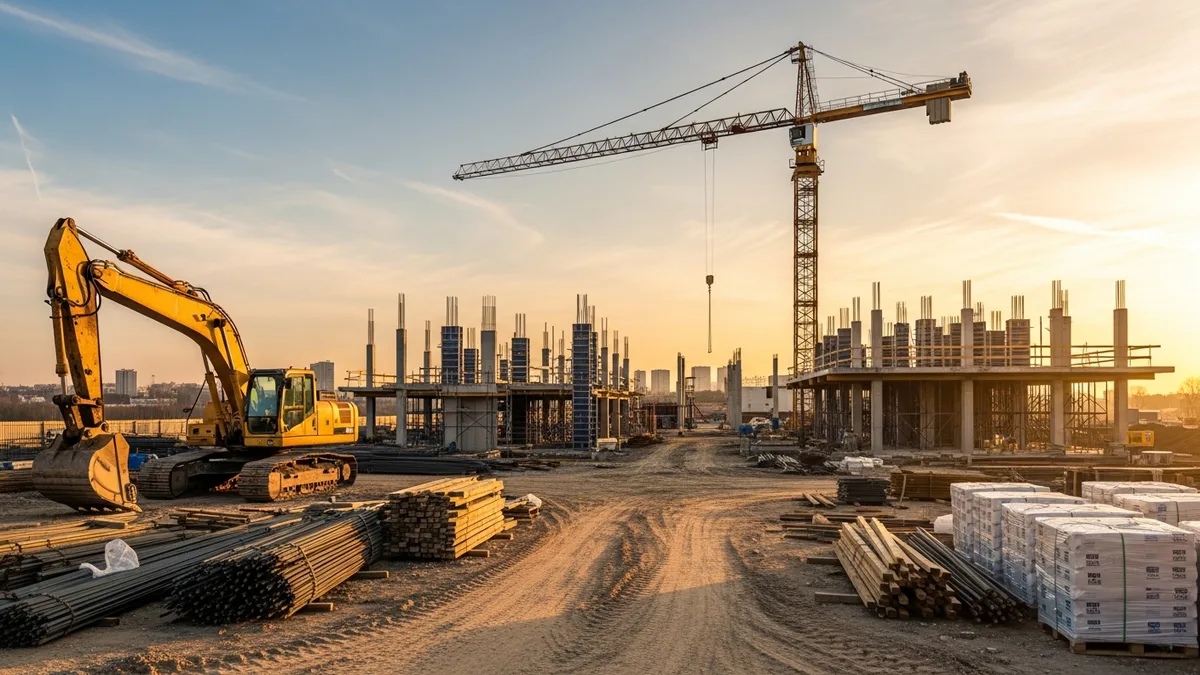
If you have ever been in a dispute with a client, a sub, or an inspector and wished you had better records, you already know why construction daily logs matter. The problem is that most contractors know they should be keeping them but either skip the habit, half-fill a form at the end of the week, or rely on memory when it counts.
Daily logs are not busywork. They are the single most valuable record you create on a job site. They protect you legally, help you manage projects in real time, and give you data you can actually use when estimating future work. The contractors who keep solid daily logs sleep better at night. The ones who do not find out the hard way why they should have.
This guide covers exactly what belongs in your construction daily logs, how to get your team to fill them out consistently, and how to pick a system that works when your hands are dirty and your schedule is packed.
Why Daily Logs Are Your Best Legal Protection
Construction disputes are not rare. They are practically guaranteed over a long enough timeline. Whether it is a client claiming work was not completed on a certain date, a subcontractor saying they were never told about a scope change, or an insurance adjuster asking what happened before a weather delay, the first thing everyone asks for is documentation.
Daily logs are that documentation.
When you end up in mediation, arbitration, or court, your word against someone else’s word is not worth much. But a daily log entry written on the day something happened? That carries real weight. Courts treat contemporaneous records (notes made at or near the time of an event) as far more credible than after-the-fact recollections.
Here is what solid daily logs protect you from:
- Delay claims. If an owner says you fell behind schedule, your logs show exactly what happened each day, including weather delays, material shortages, and change orders that shifted the timeline.
- Payment disputes. Your logs document who was on site, what work was performed, and what materials were used. That is hard evidence when someone questions an invoice.
- Injury and safety claims. If there is an accident, your daily log showing safety briefings, site conditions, and crew activities becomes critical for your defense.
- Scope disagreements. When a client says “I never asked for that” or “That was supposed to be included,” your daily log with notes about verbal directives and change discussions tells the real story.
One contractor we talked to put it simply: “My daily logs saved me $80,000 on a single dispute. The client claimed we caused a plumbing issue. Our logs showed we were not even on that part of the building during the dates in question. Case closed.”
The legal protection alone makes construction daily logs worth every minute you spend on them. Everything else is a bonus.
What Every Construction Daily Log Should Include
A daily log that just says “worked on framing” is barely better than no log at all. The value comes from specifics. You do not need to write a novel, but you need enough detail that someone reading the log six months or two years later can understand exactly what happened that day.
Here is what every construction daily log entry should cover:
Weather Conditions
Record the weather at the start of the day, midday, and end of day if conditions change. Include temperature, precipitation, wind, and whether conditions affected work. Weather is the number one cause of schedule delays, and having it documented day by day is critical for delay claims.
Workforce on Site
List every person on site, including your crew, subcontractors, inspectors, the owner, architects, and anyone else who showed up. Note arrival and departure times. This matters for time tracking accuracy and for proving who was where and when.
Work Performed
Describe what was accomplished in each area of the project. Be specific. “Installed 12 windows on the north elevation, second floor” is useful. “Window work” is not. Break it down by trade or crew if you have multiple teams working.
Materials and Equipment
Note significant material deliveries, any materials that arrived damaged or incorrect, and equipment on site. If a concrete pour happened, log the batch ticket numbers. If a specialty material was installed, note the manufacturer and lot number. This ties directly to your photo and document management records.
Visitors and Inspections
Record every inspection, who conducted it, and whether it passed or failed. Log visits from the owner, architect, engineer, or anyone else. If the building inspector flagged something, write down exactly what was said.
Safety Notes
Document toolbox talks, safety briefings, any near misses, and any hazards identified and corrected. If someone was not wearing PPE and you corrected it, log that. This is your safety culture on paper.
Delays and Issues
If work stopped or slowed for any reason, document it. Weather, late material deliveries, design changes, utility conflicts, inspection failures. Note how long the delay lasted and what you did about it.
Change Orders and Directives
Any verbal or written direction from the owner, architect, or GC that changes the scope, schedule, or cost should be logged immediately. Even if the formal change order paperwork comes later, your daily log captures the moment it happened.
Photos
Pair your daily log with photos. A photo log connected to your daily notes creates a record that is nearly bulletproof in a dispute. Take photos of completed work, problem areas, site conditions, and anything out of the ordinary. If your daily log system supports photo attachments, use them every single day.
Paper Logs vs Digital Logs: Making the Switch
Paper daily logs have been the standard for decades. Yellow pads, carbonless copy forms, binders that sit in the job trailer. They work, sort of. But they come with real problems that digital construction daily logs solve.
The case against paper:
- They get lost. Paper lives in trucks, trailers, and filing cabinets. One coffee spill, one misplaced binder, and months of documentation disappear.
- They are hard to search. When you need to find a specific entry from eight months ago, you are flipping through pages one by one.
- Handwriting is a problem. Your PM’s handwriting might be fine. Your superintendent’s might look like a seismograph reading. In a legal proceeding, illegible records are almost as bad as no records.
- They do not travel. If you are in the office and need to know what happened on site today, you are making a phone call, not pulling up a record.
- No photos attached. Paper logs and job site photos live in separate worlds. Connecting them after the fact is tedious and unreliable.
The case for going digital:
- Access from anywhere. Your daily logs live in the cloud. Pull them up from the office, the truck, or the couch at 9 PM when a client sends a frustrated email.
- Search and filter. Find every entry that mentions “concrete” or “delay” in seconds.
- Photos built in. Snap a photo and attach it directly to that day’s log entry. The timestamp and GPS data come along for the ride.
- Legible every time. Typed entries do not have handwriting problems.
- Automatic backups. No more lost binders. Your data is backed up and secure.
- Time stamps you cannot fake. Digital entries carry metadata showing exactly when they were created and modified. That matters in legal situations.
The switch does not have to be painful. Most crews adapt within a week or two, especially if the app is simple enough to use with work gloves on. Start with one project as a pilot, get the kinks worked out, and then roll it across all your jobs.
How Daily Logs Help Resolve Disputes and Claims
Disputes in construction are not just common. They are expensive. The average construction claim costs tens of thousands of dollars to resolve, and the outcome often comes down to who has better documentation. Construction daily logs are the backbone of that documentation.
Here is how daily logs work in real dispute scenarios:
Schedule Delay Claims
The owner says you are three weeks behind. Your daily logs show 11 days of weather delays, 4 days waiting on an owner-furnished material that arrived late, and 3 days lost to a design revision. You are not behind. The schedule absorbed events outside your control, and your logs prove it day by day.
Differing Site Conditions
You hit rock where the geotech report said there would be clay. Your daily log from that morning documents the discovery, includes photos, and notes the time you called the owner and engineer. That real-time record is worth more than any after-the-fact report.
Subcontractor Back Charges
Don’t just take our word for it. See what contractors say about Projul.
A sub did not show up for three days and then claimed they were never scheduled. Your daily log shows the planned schedule, the absence, and the phone calls you made. Back charge justified and documented.
Defective Work Claims
A client says the work was defective from day one. Your daily logs show the work was inspected and approved, with the inspector’s name and the passing result recorded. Your quality control process and daily log entries together paint a picture that is very hard to argue with.
Insurance and Workers’ Comp
After a job site injury, the insurance company wants to know everything. Your daily log shows the safety briefing that morning, the crew assignments, the site conditions, and the sequence of events. Incomplete records in these situations can cost you coverage.
The pattern is clear: in every dispute scenario, the party with better daily records wins more often. It is not complicated, but it does require consistency.
Getting Your Team to Actually Fill Out Daily Logs
This is where most daily log programs fall apart. You know the value. You set up a system. And then two weeks later, half your crew has stopped filling them out and the other half is writing “same as yesterday” every day.
Getting buy-in from the field is not about lecturing people on the importance of documentation. It is about making the process fast, easy, and obviously useful.
Here is what actually works:
Make It Part of the Routine, Not an Add-On
Daily logs should be the last thing that happens before a foreman leaves the site, every single day. Not “when you get a chance” and not “at the end of the week.” Build it into the daily close-out process the same way you would a tool count or a lockup check.
Keep It Under Five Minutes
If your daily log takes 20 minutes to fill out, people will skip it. The best daily log systems use templates, dropdown menus, and quick-entry fields that let someone capture a full day’s record in under five minutes. If it takes longer than that, your form is too complicated.
Show Them Why It Matters
Share a story (your own or someone else’s) about a time daily logs saved a contractor’s neck. When crew members understand that these logs protect the company and their jobs, compliance goes up. Nobody wants to be the person whose missing log entry cost the company $50,000.
Lead From the Top
If the superintendent is not filling out daily logs, the foremen will not either. Compliance starts with leadership. Review logs weekly and give feedback. When someone does a great job documenting a tricky situation, say so.
Use a System They Can Handle
A foreman standing in the mud at 4:30 PM is not going to fire up a laptop and fill out a 30-field spreadsheet. The system needs to work on a phone, with big buttons, simple fields, and the ability to snap photos inline. If the technology is frustrating, people will revert to paper or just skip it entirely.
Automate What You Can
Pre-populate fields like project name, date, and weather. Pull crew rosters from your scheduling system. The less your team has to type from scratch, the more likely they are to complete the log accurately and on time.
Choosing a Daily Log App That Works in the Field
Not all construction daily log apps are created equal. Some are built by software people who have never set foot on a job site. Others are so feature-packed that finding the daily log function takes five taps and a scroll.
Here is what to look for when picking a daily log app:
Mobile-First Design
This is non-negotiable. Your daily logs are created on job sites, not in offices. The app needs to work smoothly on a phone, load fast on spotty cell service, and be usable with dirty or gloved hands. If it was designed for desktop and then squeezed onto mobile, you will feel it immediately.
Photo Integration
The ability to attach photos directly to a daily log entry is critical. Look for apps that let you snap a photo from within the log, not ones that require you to take a photo separately and then upload it. Every extra step is a step someone will skip.
Offline Capability
Job sites do not always have cell service. Your daily log app needs to work offline and sync when connectivity returns. If the app requires a constant internet connection, it will fail you on rural sites, in basements, and inside concrete structures.
Templates and Quick Entry
Look for apps that let you create templates for common log entries. Pre-set fields for weather, standard crew lists, and common work descriptions save time and improve consistency across your team.
Integration With Other Tools
Your daily logs do not exist in isolation. They connect to your schedule, your time tracking, your photos and documents, and your budget. A daily log app that integrates with your project management system is far more valuable than a standalone tool.
Export and Reporting
When you need to share daily logs with an owner, a lawyer, or an insurance adjuster, you need clean exports. Look for PDF export, date-range filtering, and the ability to generate summary reports. If getting your data out of the app is painful, that is a red flag.
Pricing That Makes Sense
Some apps charge per user per month. Others charge per project. Some have tiered plans that lock critical features behind expensive upgrades. Understand the pricing model before you commit, and make sure it scales with your business. Check pricing pages carefully and do the math for your team size.
Projul’s daily log feature was built specifically for contractors in the field. It checks every box above: mobile-first, photo integration, offline sync, templates, and full integration with scheduling, time tracking, and document management. It is worth a look if you are shopping for a system that your crew will actually use.
Ready to see how Projul can work for your crew? Schedule a free demo and we will walk you through it.
Frequently Asked Questions
What is a construction daily log?
A construction daily log is a written record of everything that happens on a job site each day. It typically includes weather conditions, workforce on site, work performed, materials delivered, equipment used, inspections, safety notes, delays, and any issues or changes. It serves as both a project management tool and a legal record.
How long should I keep construction daily logs?
Keep your construction daily logs for at least as long as your state’s statute of limitations for construction defect claims, which ranges from 4 to 12 years depending on the state. Many contractors keep logs for 10 years as a standard practice. Digital storage makes long-term retention easy and essentially free.
Are construction daily logs legally required?
Requirements vary by state, contract type, and project type. Many government and public works contracts explicitly require daily logs. Even when they are not legally required, daily logs are strongly recommended because they serve as your primary evidence in any dispute, claim, or legal proceeding.
Who should be responsible for filling out the daily log?
The project superintendent or site foreman is typically responsible for completing the daily log. On larger projects, each trade foreman might complete a log for their crew, with the superintendent compiling or reviewing them. The key is assigning clear ownership so logs do not fall through the cracks.
Can I go back and edit a construction daily log after the fact?
You can, but you should be cautious. Edits made well after the original entry date can undermine the credibility of the log in legal situations. If you need to add information later, make the addition clearly dated and noted as a supplement to the original entry. Digital daily log systems with audit trails handle this well because they record when changes were made, preserving the integrity of the original record.
Frequently Asked Questions
What should be included in a construction daily log?
How do I get my crew to actually fill out daily logs?
Can construction daily logs protect me in a legal dispute?
How long should I keep construction daily logs after a project is done?
Are paper daily logs still acceptable or do I need software?
Related Articles

Construction Team Meetings: A Practical Guide to Meetings That Actually Get Results
Most construction team meetings waste time. Here's how to run weekly check-ins, safety meetings, kickoffs, and...
Read More →
Project Management for Small Contractors: You Don't Need Enterprise Software
You don't need a 50-person company to benefit from project management. Even a 5-person crew loses money without a...
Read More →
Free Construction Schedule Template
A solid construction schedule keeps your jobs on track, your crews busy, and your clients happy. Grab our free...
Read More →