
Construction Daily Reports: What to Include (2026)
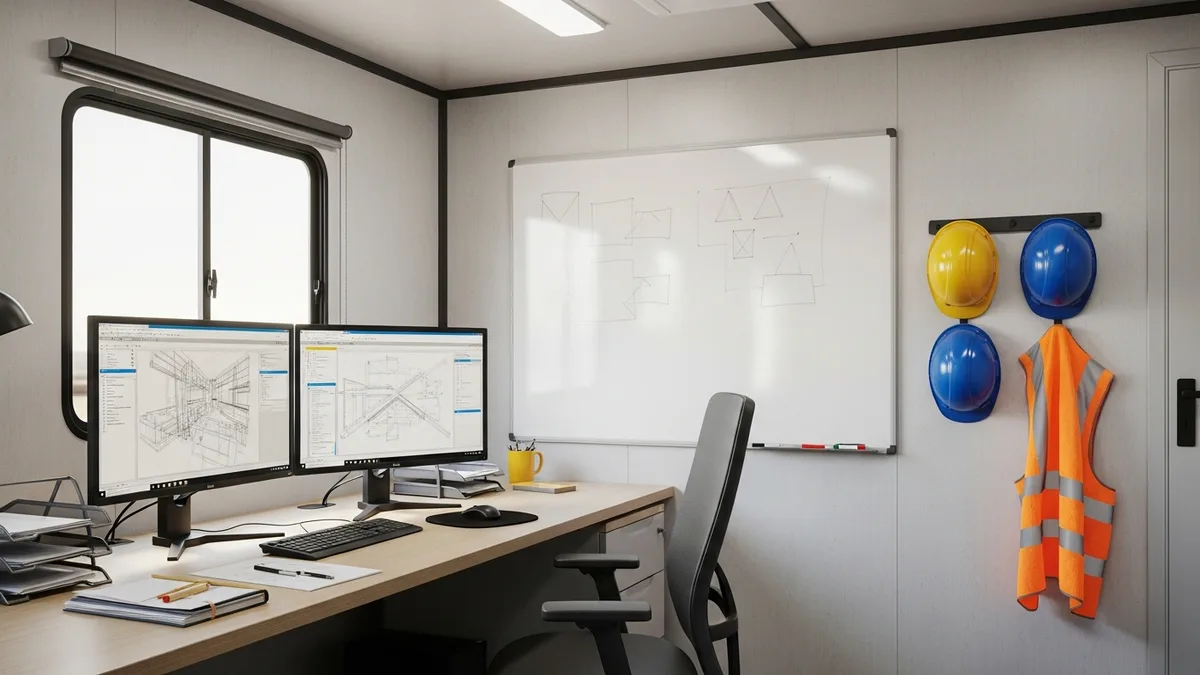
Every contractor knows the feeling. It is 5:30 PM, the crew just left, and the last thing you want to do is sit down and document what happened today. You were there. You saw it. Why write it down?
Then three months later, the GC calls and says your crew caused a two-week delay. Or the owner disputes a change order you know was approved on site. Or an insurance adjuster wants proof of conditions on a specific Tuesday in October. And suddenly you wish you had spent those ten minutes at the end of the day.
Daily reports are not glamorous. Nobody got into construction because they love paperwork. But the contractors who fill them out consistently are the ones who win disputes, get paid faster, and keep projects on track. Here is what to include, why it matters, and how to actually get your crew to do it.
What a Construction Daily Report Actually Is
A daily report is a written record of everything that happened on a jobsite during a single workday. Think of it as a snapshot. If someone who was not on site needed to understand exactly what took place that day, the daily report should give them the full picture.
This is not a novel. It is not a detailed narrative. It is a factual, straightforward log of conditions, labor, equipment, materials, progress, problems, and anything else worth noting. The best daily reports are short, specific, and honest.
Some contractors call them daily logs, daily field reports, or superintendent reports. The name does not matter. What matters is that someone fills one out every single day work happens on the project.
Daily reports serve multiple purposes. They are a communication tool between field and office. They are a scheduling reference when you need to look back at how long something actually took. They are a billing record when you need to justify time-and-material charges. And they are your single best piece of evidence if anything goes sideways.
If you are not doing daily reports right now, start today. Not tomorrow. Today. The job you document now might be the one that saves you $50,000 in a dispute down the road.
The 10 Things Every Daily Report Should Cover
Not sure if Projul is the right fit? Hear from contractors who use it every day.
You do not need a twenty-page template. You need a consistent format that covers the basics every time. Here is what belongs in every daily report:
1. Date, project name, and report number. Seems obvious, but undated reports are worthless in a dispute. Always include the full date and the project identifier.
2. Weather conditions. Temperature, precipitation, wind. Note it at the start of the day and again if conditions change significantly. Weather is the most common cause of delays, and your daily report is how you prove it.
3. Crew and labor. List every worker on site, their trade, and hours worked. If subs were on site, note which companies and how many people. This ties directly into your time tracking and helps verify payroll, productivity, and who was present if an incident occurs.
4. Equipment on site. What equipment was delivered, used, or removed? If a crane sat idle because of wind, write that down. Equipment logs matter for billing, scheduling, and rental cost tracking.
5. Materials delivered and installed. Note deliveries with quantities and any materials that arrived damaged or short. This protects you when a supplier claims they delivered something they did not.
6. Work completed. Describe what was accomplished in plain language. “Poured footings for Building B, grid lines 4 through 7” is useful. “Worked on concrete” is not. Be specific enough that someone reading it six months from now knows exactly what happened.
7. Delays and disruptions. If work stopped or slowed for any reason, document it. Rain, missing materials, design conflicts, utility strikes, inspections that did not happen. This is the section that wins or loses delay claims.
8. Safety incidents and observations. Any injuries, near misses, or safety concerns. Even if nothing happened, a note that says “no safety incidents” shows you were paying attention.
9. Visitors and inspections. Log anyone who came to the site: owners, architects, inspectors, delivery drivers. If an inspector passed or failed something, note the result.
10. Photos. A daily report without photos is half a report. Shoot progress photos, conditions, deliveries, anything that supports what you wrote. Photos are the most convincing evidence in any dispute. We wrote a full guide on construction progress photos if you want to get serious about your photo documentation.
That is it. Ten items. If you cover these every day, you have a record that protects your business, supports your billing, and keeps your projects moving.
Why Daily Reports Matter More Than You Think
Let’s be real: most contractors who skip daily reports do not get burned every time. You can go years without needing one. But when you do need them and do not have them, the cost is brutal.
Disputes and claims. Construction disputes happen. When they do, the contractor with better documentation almost always wins. Daily reports establish timelines, prove conditions, and show who did what and when. Attorneys love them because they are contemporaneous records, meaning they were written at the time events happened rather than reconstructed from memory months later. If you are dealing with a disagreement and want to avoid litigation, solid daily reports give you the evidence to resolve things without going to court.
Billing and payment. For time-and-material work, daily reports are your backup when an owner questions an invoice. “We had four guys on site for eight hours” is not convincing by itself. A daily report that lists those four workers by name, describes what they did, and includes photos of the completed work is much harder to argue with. Even on fixed-price contracts, daily reports help justify change orders and additional work.
Scheduling and planning. How long did the framing actually take on your last project? If you have daily reports, you know. If you do not, you are guessing. Good daily logs feed directly into better scheduling on future projects. They help you spot patterns, like which phases always take longer than estimated, so you can plan more accurately. Pairing your daily reports with a real scheduling tool makes this even easier.
Safety and compliance. OSHA can request documentation during an investigation. Insurance companies want records after an incident. Daily reports that consistently note safety observations show you were proactive about jobsite safety, which matters when claims get filed.
Project tracking. Daily reports are the raw data behind every weekly update, monthly report, and progress meeting. Without them, project managers are piecing together status from memory and guesswork. With them, you have a clear record to pull from when you need to update the owner or prepare a project tracking report.
The bottom line: daily reports cost you ten minutes a day. Not having them can cost you tens of thousands of dollars in a single incident.
Common Mistakes That Make Daily Reports Useless
Not all daily reports are created equal. Some are so vague, incomplete, or inconsistent that they would not hold up in a meeting, let alone a mediation. Here are the mistakes that kill the value of your reports:
Being too vague. “Worked on plumbing” tells you nothing. Where? What specifically? Rough-in or finish? The more specific your descriptions, the more useful the report. You do not need to write a book, but give enough detail that someone who was not there can follow along.
Skipping days. A daily report from Monday and then nothing until Thursday raises questions. What happened Tuesday and Wednesday? Were those days off, or did someone just not bother? Gaps in your reporting create gaps in your credibility. If no work happened, log that: “No work performed due to rain” is a perfectly valid daily report.
Ignoring problems. The temptation is to only report the good stuff. Work completed, progress made. But the real value of daily reports is in documenting problems. Delays, material shortages, design conflicts, weather impacts. If you only write about what went well, the report cannot protect you when things go wrong.
No photos. Written descriptions are good. Written descriptions with photos are ten times better. A timestamped photo of standing water on site supports your delay claim more than any paragraph you could write. Make photo documentation a standard part of your daily routine.
Waiting too long to fill them out. A daily report written three days later is not a daily report. It is a recollection. And recollections are less reliable, less detailed, and less credible. Fill it out the same day, ideally right after work stops.
Making it too complicated. If your daily report template has 40 fields, nobody is going to fill it out. Keep it simple. Cover the essentials every time, and add detail when something notable happens. The best report is the one that actually gets completed.
How to Get Your Crew to Actually Do Daily Reports
This is the real challenge. You can design the perfect template, buy the best software, and explain the importance until you are blue in the face. If the person responsible does not fill it out consistently, none of it matters.
Here is what works:
Make it someone’s job. Do not assume daily reports will happen. Assign them to a specific person on each jobsite. The superintendent, the foreman, whoever is the last one out. Make it as much a part of their role as running the crew.
Make it fast. If the daily report takes 30 minutes, it will not get done. Aim for 10 to 15 minutes. Use a tool with dropdown fields, quick photo uploads, and pre-populated crew lists. The less typing required, the better. A good daily log feature can cut reporting time in half compared to paper or spreadsheets.
Make it mobile. Nobody wants to drive back to the office to fill out a report on a desktop computer. Your reporting tool needs to work on a phone or tablet, in the field, at the end of the day. If your crew has to jump through hoops to submit a report, they will not do it.
Review them. Nothing kills a habit faster than feeling like nobody reads what you write. Project managers should review daily reports regularly and follow up when something looks off. When field teams see that their reports actually matter to the people above them, they take them more seriously.
Connect it to pay. Some contractors tie daily report completion to payroll approval. No daily report, no timesheet approval. That might sound harsh, but it works. When daily reporting is a requirement rather than a suggestion, compliance goes up fast.
Start simple and build. If your crew has never done daily reports, do not hand them a ten-section template on day one. Start with the basics: date, weather, crew, work completed, photos. Once the habit is in place, add more detail over time.
The goal is not perfection. The goal is consistency. A simple report filled out every day is worth infinitely more than a detailed report filled out once a week.
Picking the Right Tool for Daily Reporting
You can do daily reports on paper, in a spreadsheet, via email, or in a purpose-built construction app. All of them work, technically. But some make the process so painful that compliance drops off after a few weeks.
Paper forms are cheap and familiar. But they get lost, they are hard to search, and good luck finding a specific report from eight months ago in a filing cabinet. They also cannot include photos without a separate process, which means photos either do not get taken or they end up disconnected from the written record.
Spreadsheets and email are a step up from paper, but they still require manual effort to organize, search, and share. When you need to pull up every daily report from October to respond to a claim, scrolling through an inbox is not going to cut it.
Construction management software is where most contractors land once they get serious about documentation. The right tool gives you mobile access, photo attachments, crew and equipment tracking, and searchable archives all in one place. It connects your daily reports to your schedule, your time records, and your document management system so everything lives together instead of in five different places.
When evaluating tools, look for these basics:
- Mobile-friendly with offline capability (jobsites do not always have great signal)
- Photo uploads directly in the report
- Pre-built templates you can customize
- Searchable archive of past reports
- Integration with scheduling and time tracking
- Simple enough that your field crew will actually use it
The best daily reporting tool is the one your team will use every day. Fancy features mean nothing if the interface is confusing or the app is slow on a phone. Before you commit, have your foreman try it for a week and see if it sticks.
If you are comparing options, take a look at what Projul offers for daily logs. It was built specifically for construction crews who need something fast, simple, and connected to the rest of their project data. And the pricing is straightforward, so you know exactly what you are getting.
Start Today, Not Monday
Daily reports are one of those things every contractor knows they should be doing. The gap between knowing and doing is where most businesses get hurt.
You do not need a perfect system to start. Grab a notebook and write down what happened on your jobsite today. Date, weather, who was there, what got done, what went wrong, and snap a few photos. That is a daily report. It is not pretty, but it counts.
Once the habit is in place, move to a tool that makes it faster and keeps everything organized. Build on the basics. Add equipment logs, material tracking, safety notes. Over time, your daily reports become one of the most valuable records your business produces.
The contractors who document their work consistently are the ones who get paid on time, win disputes, plan better projects, and sleep easier at night. Ten minutes a day is all it takes.
Ready to see how Projul can work for your crew? Schedule a free demo and we will walk you through it.
So close this article, open your reporting tool, and fill out today’s report. Your future self will thank you.
Frequently Asked Questions
What should be included in a construction daily report?
Who is responsible for filling out daily reports on a construction project?
How long should a construction daily report take to complete?
Are daily reports required on construction projects?
Can daily reports help with construction disputes and delay claims?
Related Articles

Construction Team Meetings: A Practical Guide to Meetings That Actually Get Results
Most construction team meetings waste time. Here's how to run weekly check-ins, safety meetings, kickoffs, and...
Read More →
Project Management for Small Contractors: You Don't Need Enterprise Software
You don't need a 50-person company to benefit from project management. Even a 5-person crew loses money without a...
Read More →
Free Construction Schedule Template
A solid construction schedule keeps your jobs on track, your crews busy, and your clients happy. Grab our free...
Read More →