
Field Takeoffs: Your Crew Measures, Your Estimate Fills In
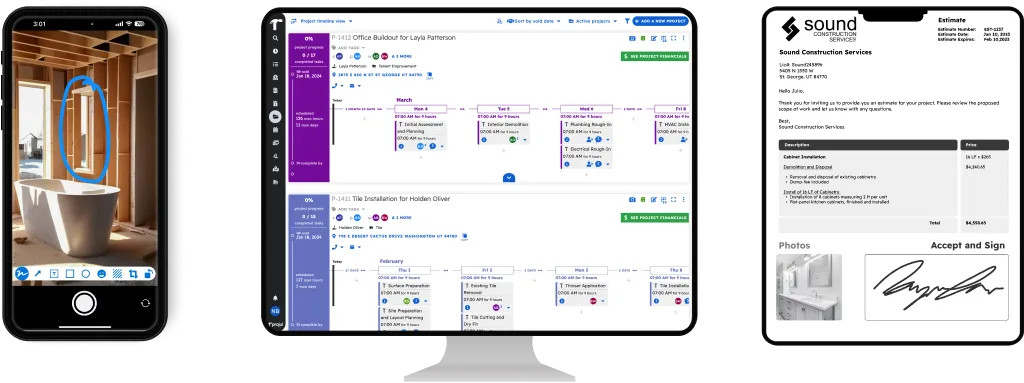
Projul Field Takeoffs let your crew record the measurements an estimate needs right on the job site. The quantities land on the estimate automatically, so the office only has to price it and send it.
- Your crew sees only the measurements, never prices, markup, or totals
- Photos and notes for the office ride along with the measurements
- Quantities fill in on the estimate automatically, ready for pricing
Measure Once, Bid Right
Projul Field Takeoffs turn a site visit into a priced estimate faster. Your crew records the measurements the estimate needs while they’re standing in the room, and those quantities fill in on the estimate on their own. Your estimator opens it, adjusts pricing, and sends it to the client.
No measurements scribbled on cardboard. No texting photos of a tape measure. No retyping numbers into the estimate and hoping nothing got transposed along the way.
Your crew handles the measuring. Your office handles the money. The person on site sees only the measurements the job needs, never your prices, markup, or totals. The numbers that matter to your margin stay with the people who set them.
See a Field Takeoff, Start to Finish
This two-minute video follows a takeoff from the job site to the office:
- A crew member opens Field Takeoffs from a task
- Measurements update every line that depends on them
- A photo is attached and a note is left for the office
- The estimator opens the estimate with the quantities already filled in
- Setting up a takeoff from any estimate
How It Works on the Job Site
- Assign the measuring. Give someone a task to measure the job, the same way you’d schedule any other work.
- Open the takeoff from the task. On site, they open Field Takeoffs from the task’s 9-dot menu. The form is laid out in the same sections as the estimate.
- Enter the measurements. They fill in the measurements the estimate asks for. One measurement can update several lines at once, so measuring a floor can fill in the flooring, the finish, and the underlayment together.
- Add photos and notes. They snap a photo of what they found and attach it to the line it belongs to, then leave a note for the office. Save, close, and on to the next job.
What the Office Sees
When your estimator opens the estimate, the quantities are already there and the crew’s note is right at the top. Photos sit with the lines they explain, so questions like “how bad is that subfloor?” get answered without a phone call.
Pricing stays where it belongs. Your estimator reviews the quantities, adjusts pricing where needed, and sends the estimate to the client. Measuring and pricing happen in the right order, by the right people, without anyone copying numbers between notebooks and screens.
Your crew sees
- The estimate’s sections and the measurements each one needs
- Fields for quantities and shared measurements
- Photo and note tools for the office
Your crew never sees
- Unit prices or costs
- Your markup
- Line, section, or estimate totals
Your office gets
- Quantities filled in on the estimate
- The crew’s note at the top of the estimate
- Photos attached to the lines they explain
Your client sees
- The estimate and its descriptions, as you wrote them
- Never the takeoff notes or photos
One Document, Not Two
A field takeoff isn’t a separate form you have to build and keep in sync. Open Field Takeoffs from the 3-dot menu on any estimate, and every section on the estimate becomes a section on the takeoff. You can view the takeoff side by side with the estimate.
Because they’re really one document, a change on either side shows up on both. Your crew’s measurements are the estimate’s quantities, with nothing to export, import, or match up later.
Built Around How You Estimate
- Line quantities or shared measurements. A takeoff entry can be the quantity for a single line, or a measurement that several lines use, like a room’s square footage feeding flooring, finish, and underlayment. If you build estimates with assemblies and formulas, one measurement on site reprices every line that depends on it.
- You choose what shows up. Pick which lines appear on the takeoff form, so your crew is only asked for what you actually need.
- Room for surprises. If the crew finds something on site that isn’t on the estimate yet, they can add a section template or a cost item right from the takeoff.
- Starts from a task. Field Takeoffs open from the task your crew is already working from, so measuring a job fits into the same tasks and to-dos they use every day.
Faster Estimates, Fewer Return Trips
The slowest part of estimating is often the gap between the site visit and the office. Notes get lost, a dimension gets missed, and someone has to drive back out. With Field Takeoffs, the measurements, photos, and context arrive together, inside the estimate they belong to.
That means estimates go out sooner, the numbers match what’s actually on site, and your best estimator spends their time pricing work instead of chasing measurements.
Included on Projul Pro
Field Takeoffs is included with the Projul Pro plan, alongside Daily Logs, GPS and geofencing, and purchase orders and selections. See what each plan includes on the pricing page, or start a free 7-day Pro trial from inside Projul if you’re already a customer.


