
Projul AI Connect - Let AI Handle the Busywork in Projul
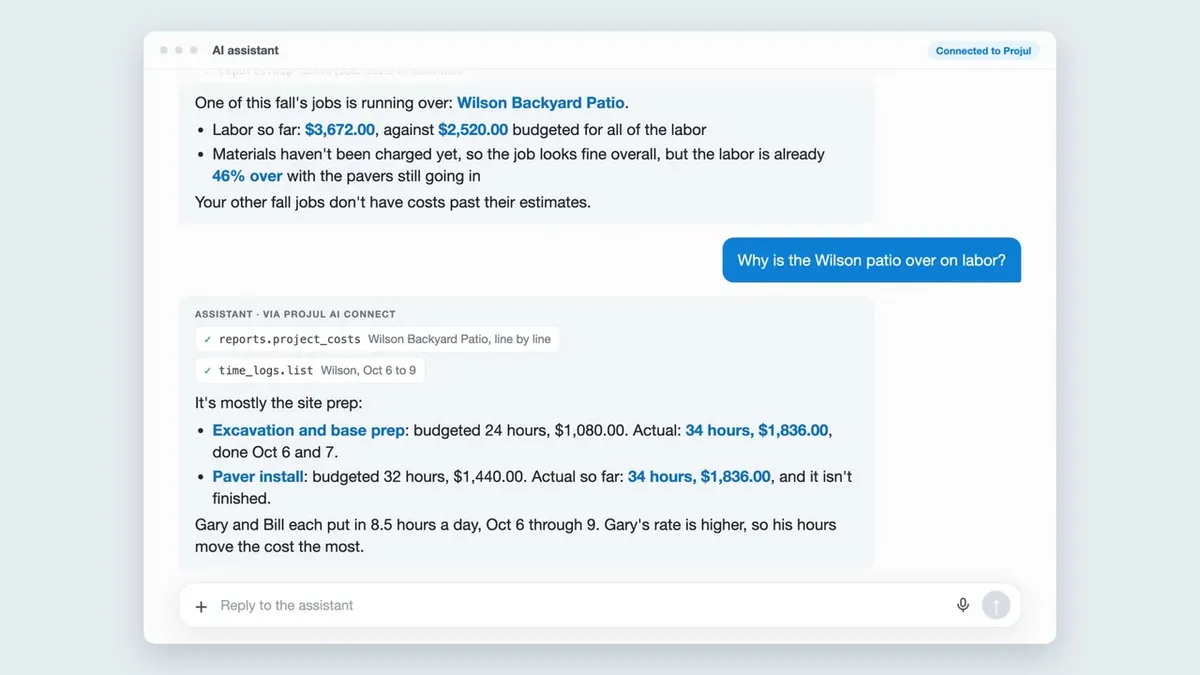
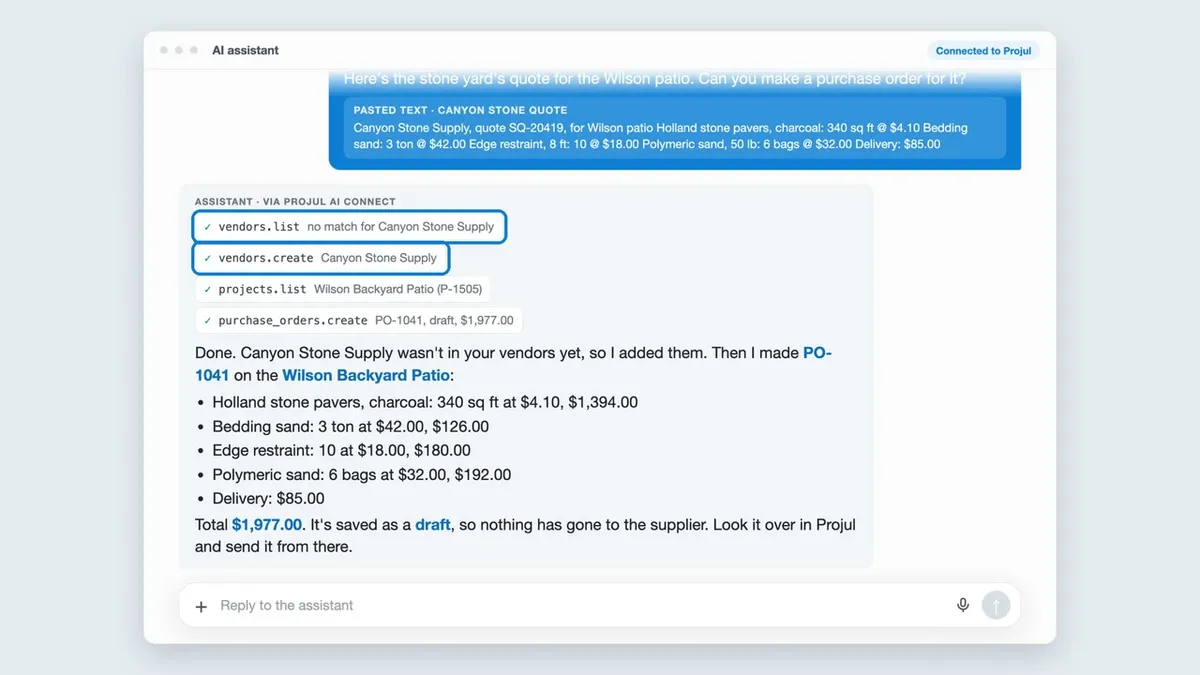
Projul AI Connect lets an AI assistant like ChatGPT or Claude work in your Projul account. Just tell it what you need.
- Add leads, draft estimates, and update the schedule by asking in plain English
- Works with ChatGPT, Claude, Zapier and more
- Estimates and change orders stay drafts until you send them
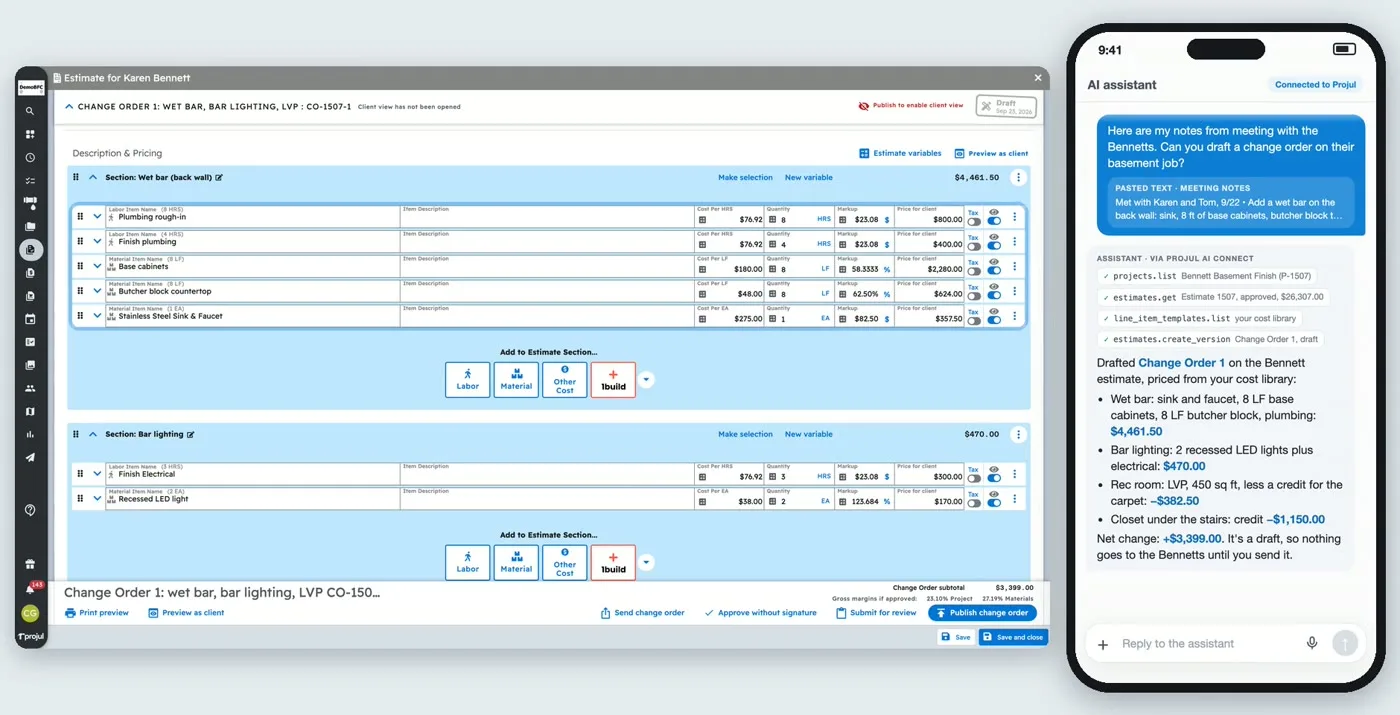
Tell Your AI Assistant What You Need. It Updates Projul.
Projul AI Connect lets AI assistants like ChatGPT and Claude work directly in your Projul account. You ask for something in plain English, and your assistant makes the change in Projul. No copying, no pasting, no typing the same information twice.
Under the hood, Projul AI Connect is an MCP server. MCP (Model Context Protocol) is the open standard that ChatGPT, Claude, and tools like Cursor use to connect to outside software, so Projul plugs into the assistant you already use instead of adding another chatbot.
The same connection works with Zapier, so you can link Projul to thousands of other apps without writing code.
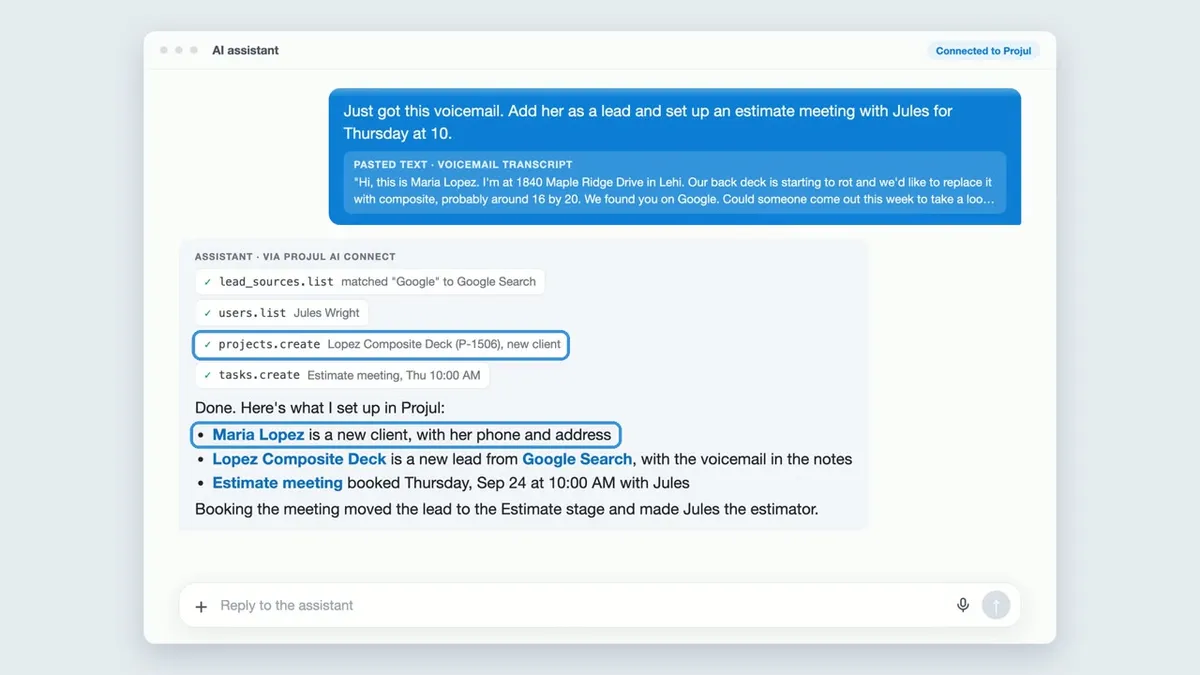
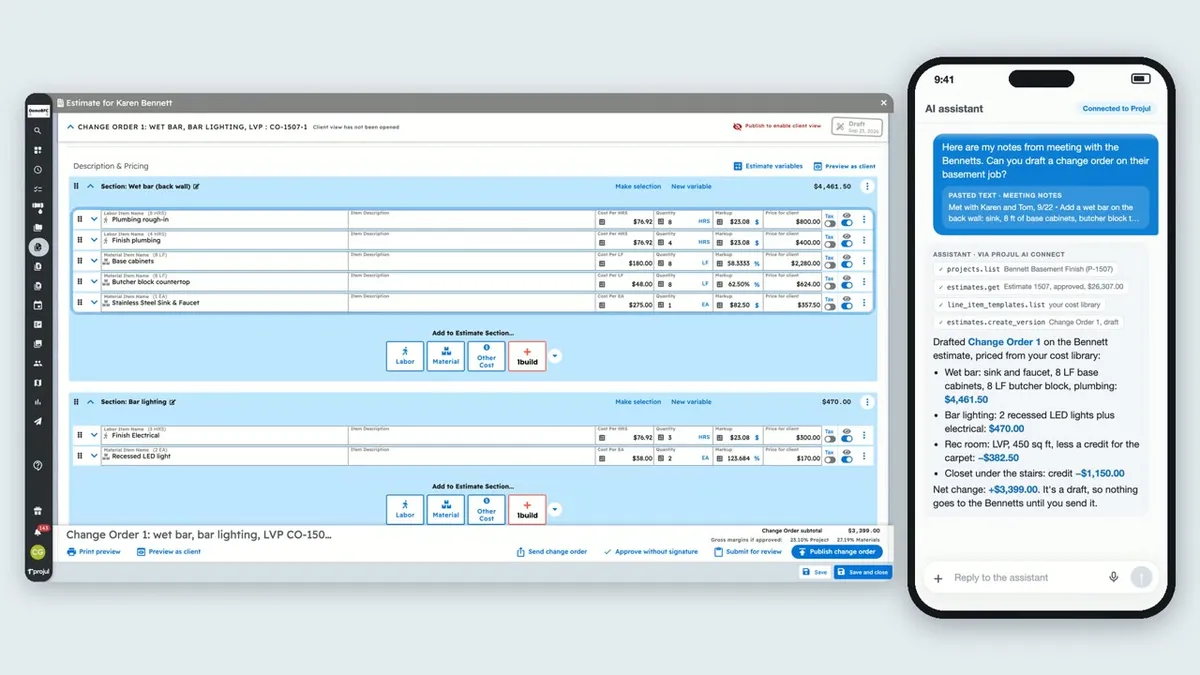
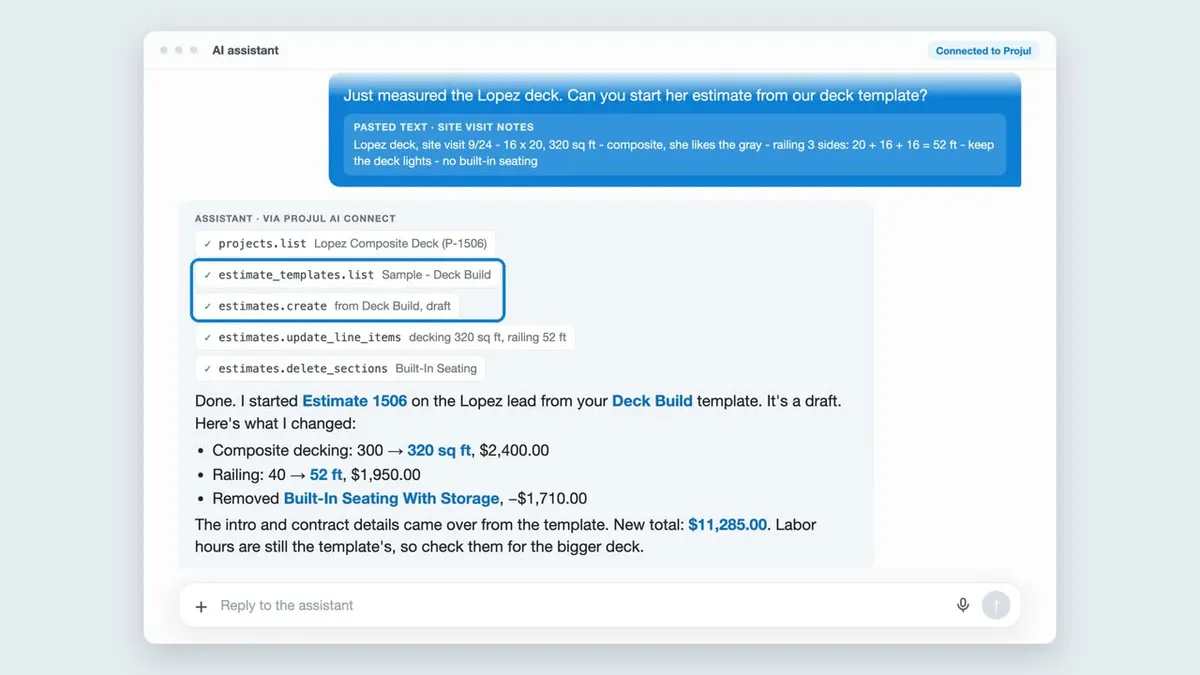
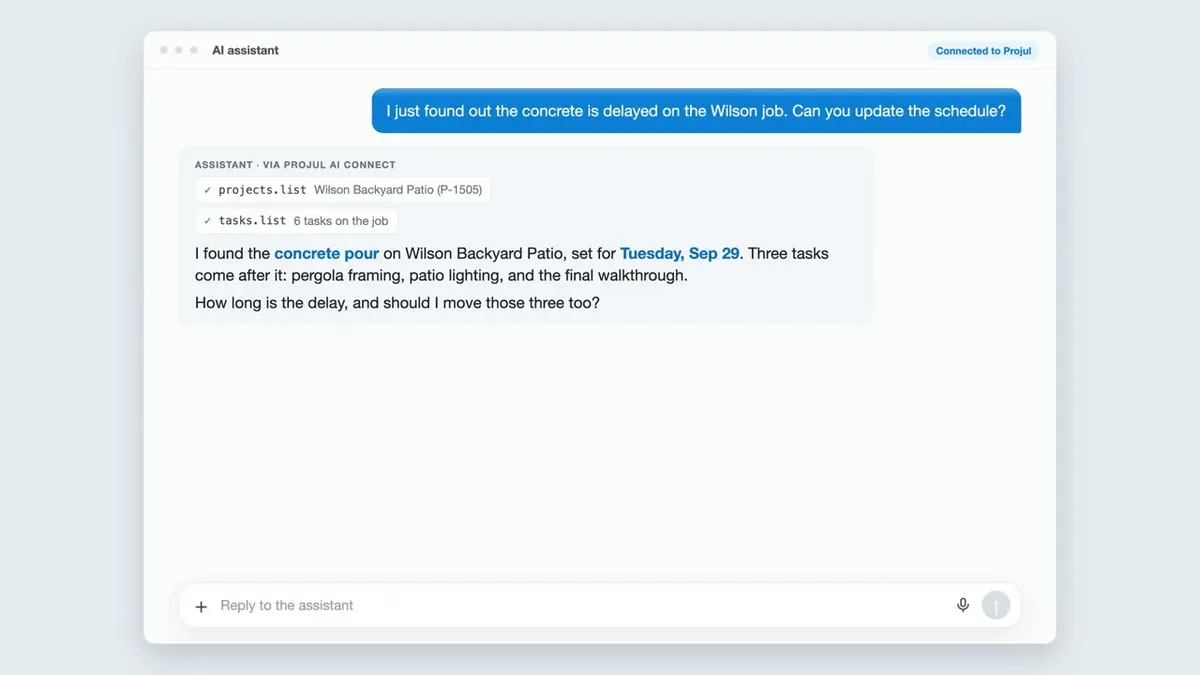
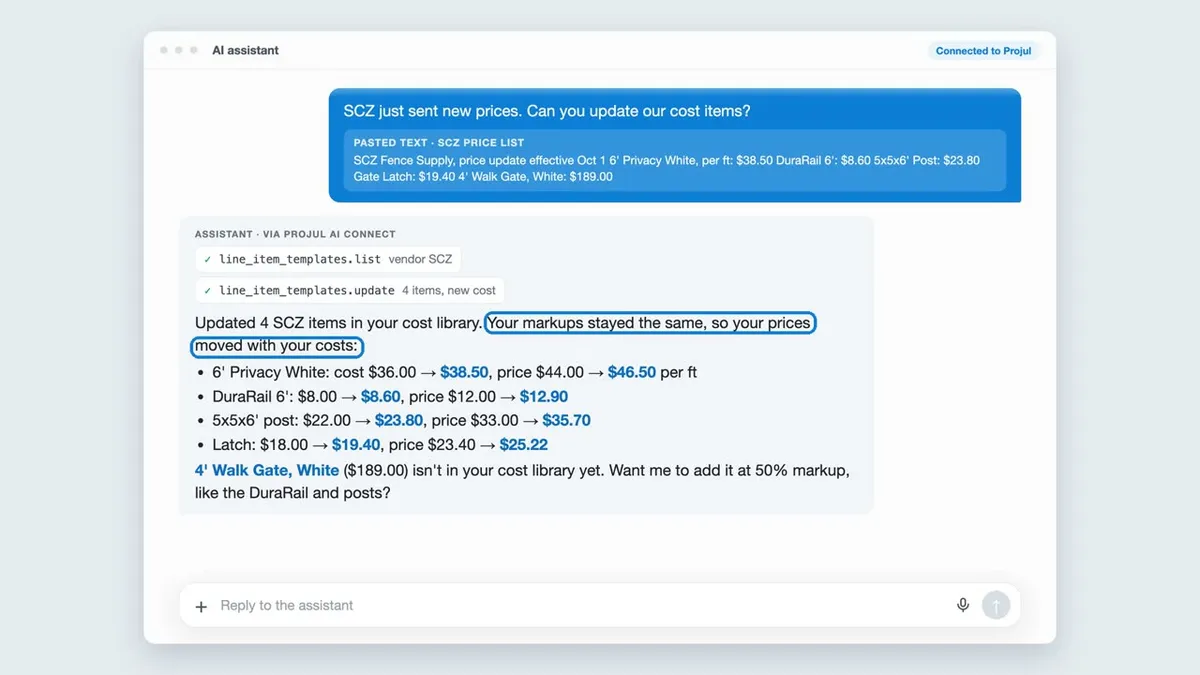
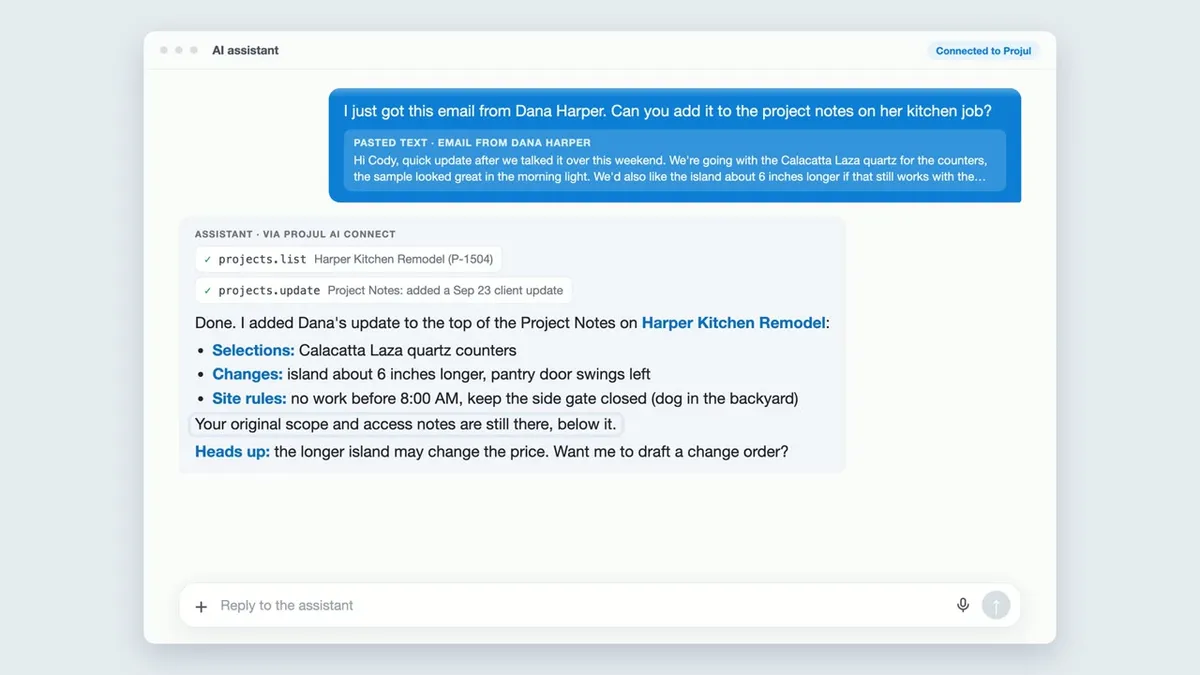
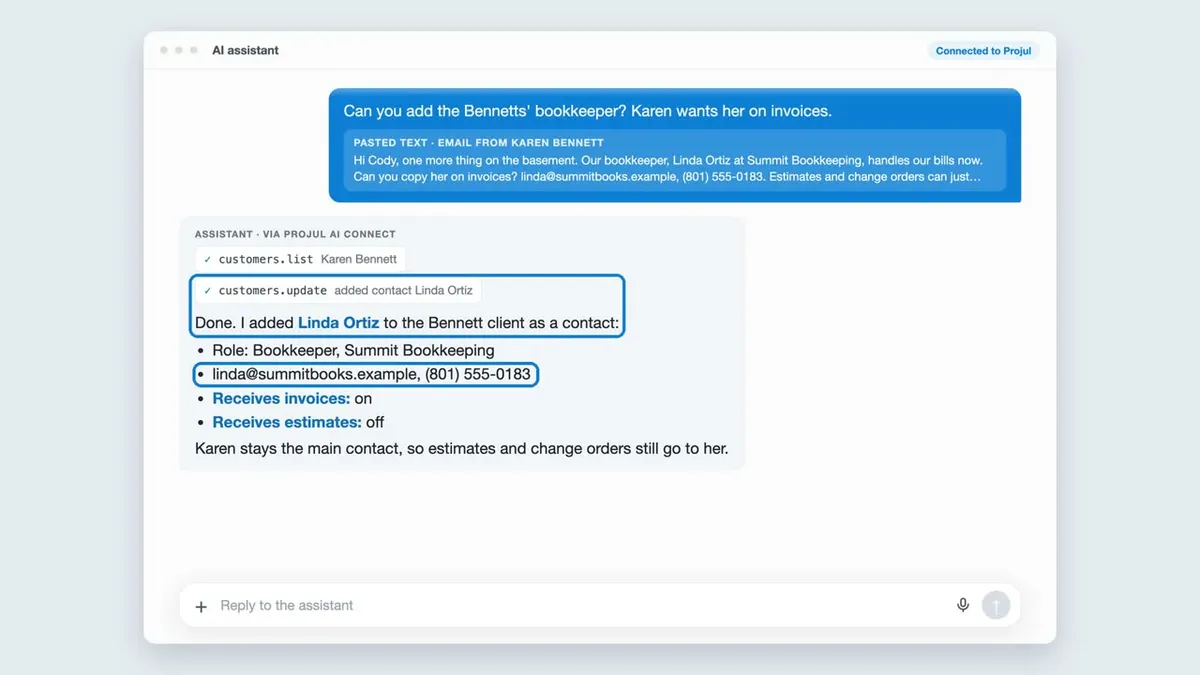
See Projul AI Connect in Action
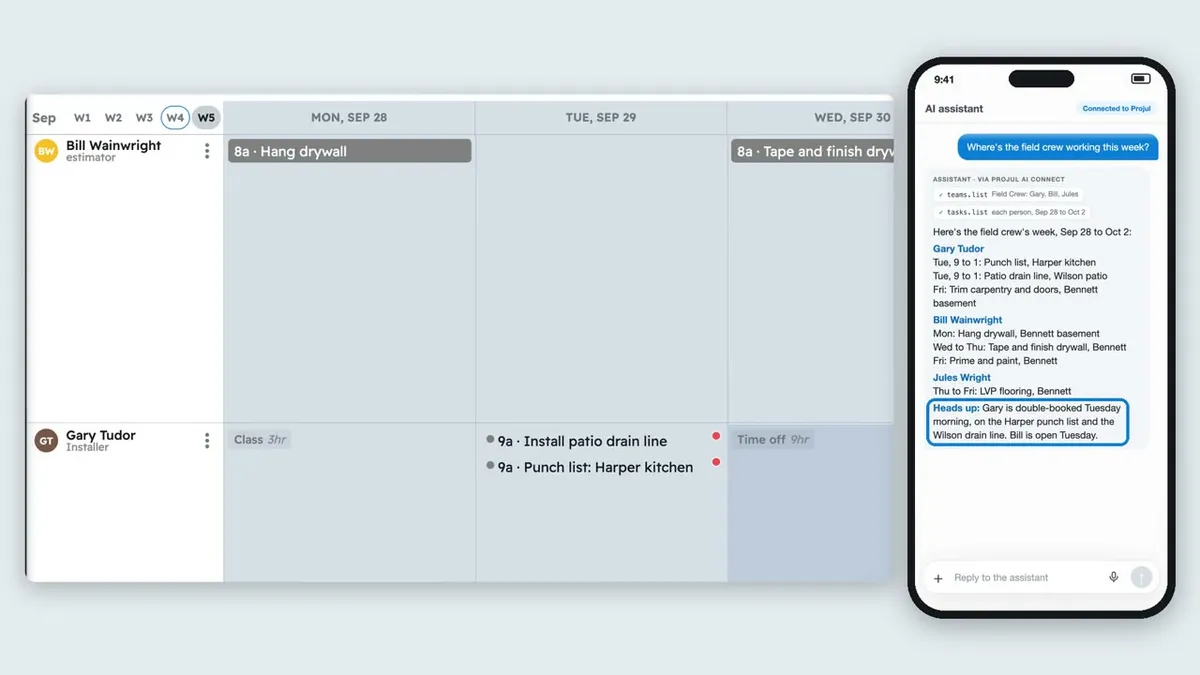
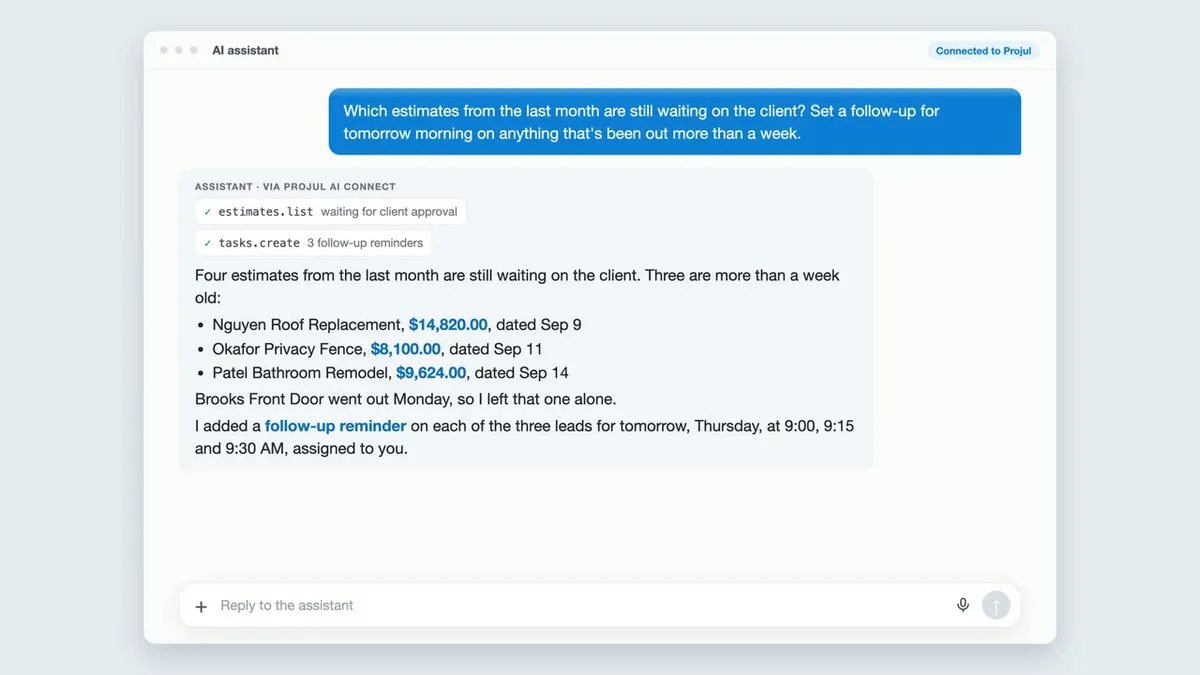
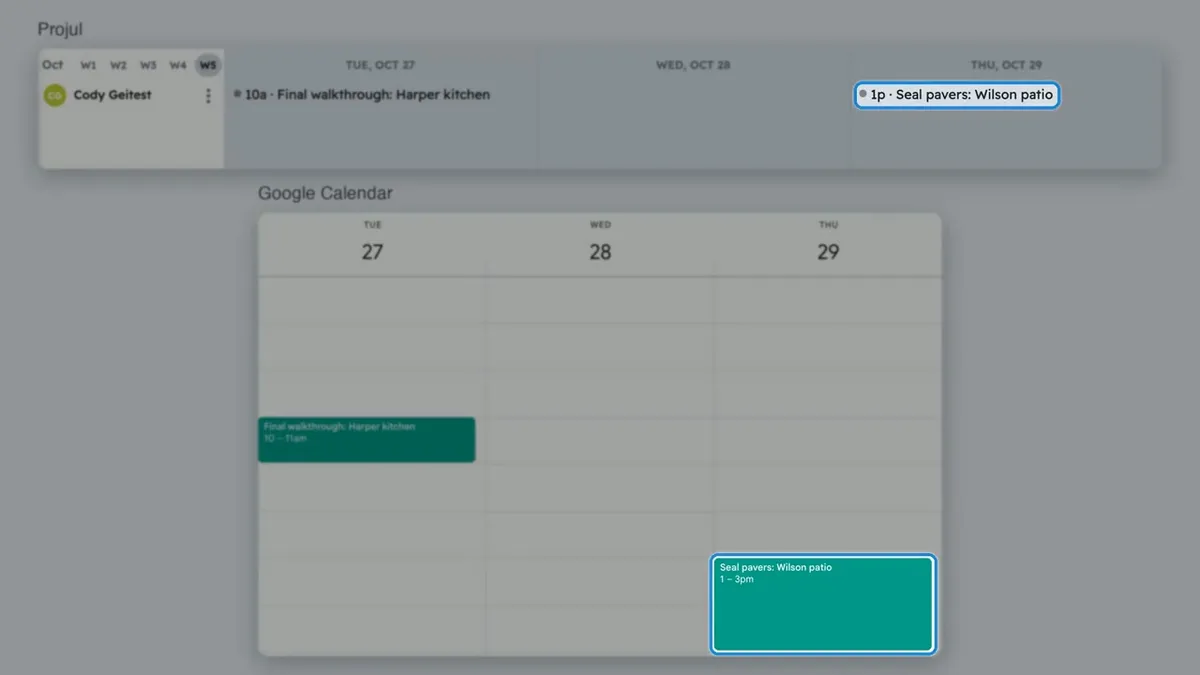
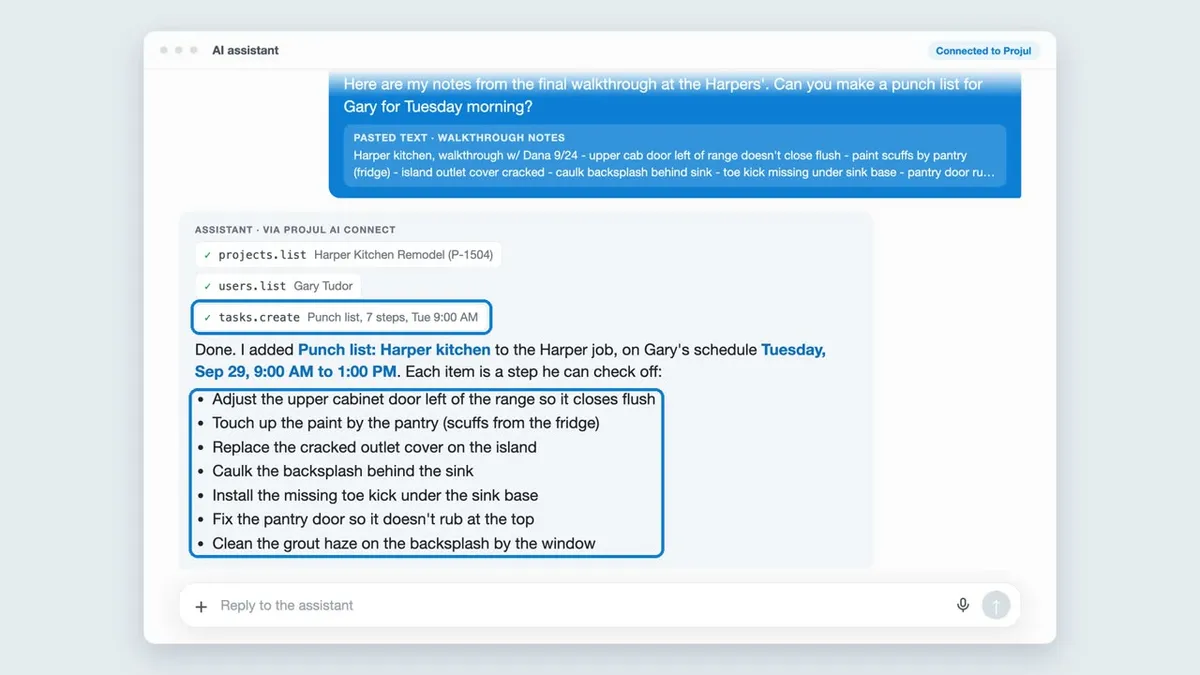
Each short video shows a real request in Projul from start to finish.
What You Can Hand Off
Automate with Zapier
- Send your Projul tasks to Google Calendar
- Connect Projul to thousands of other apps without writing code
Leads and clients
- Turn a voicemail into a new lead with the address and a summary
- Add and update clients without creating duplicates
- Move leads through your pipeline or mark a project sold
Estimates and change orders
- Build a draft estimate from your templates
- Draft a change order from your meeting notes
- Add, change, or remove line items on a draft
- Add new items and update prices in your cost library
Scheduling
- Create tasks, assign crews, and add checklists
- Shift the schedule when materials or subs run late
- Set up repeating tasks for maintenance and inspections
Notes and files
- Turn a client email into project notes
- Log calls, texts, and site visits
- Upload photos and documents to the right project
Answers about your business
- See which estimates need a follow-up
- Check what’s on the schedule next week
- Find which projects sold this month
These are a few examples. Projul AI Connect works with your clients, projects, estimates, schedule, notes, and files, so try asking in your own words.
Nothing Goes to a Client Without Your OK
With Projul AI Connect, your assistant can build and edit draft estimates and change orders, but it can’t send or approve them, and it can’t text or email your customers. A person on your team always makes that call. Totals, taxes, and markups are calculated by Projul from your pricing, not by the AI.
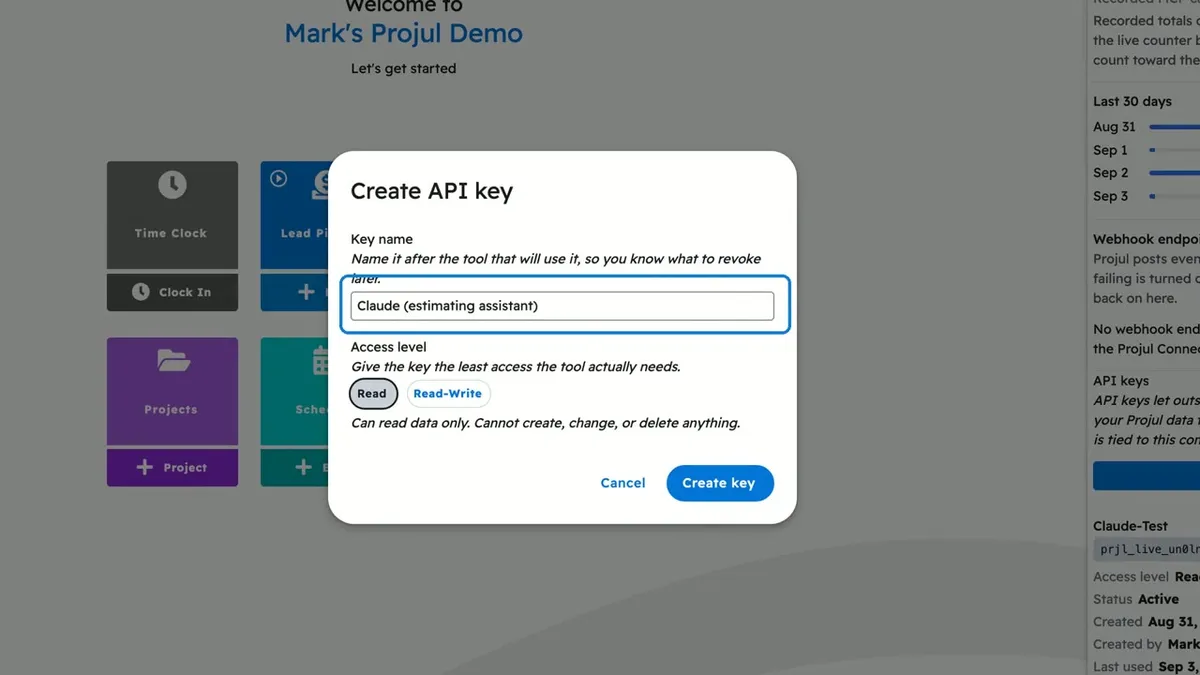
You also control access. Only owners and admins can create a key, you can choose read-only or read and write, and you can turn a key off at any time.
How to Set Up Projul AI Connect
Setting up Projul AI Connect takes about five minutes, and no coding is required:
- Click your initials at the bottom of the sidebar. Under Pro features, turn on Projul AI Connect if it isn’t on already.
- Open Settings and choose Projul AI Connect.
- Click Create API key, name it after the tool you’ll use, and choose Read or Read-Write access. Confirm your password.
- Copy your key. It’s only shown once.
- Add it to your tool. In Claude, open Customize, then Connectors, and add a custom connector with the Projul AI Connect address and your key. In Zapier, choose Projul and paste your key when asked.
Step-by-step guides for each tool are in the Help Center. To see how Projul compares with other construction software that connects to AI assistants, read Which Construction Software Works With ChatGPT and Claude? The same key also works with ChatGPT, Make, n8n, and developer tools like Cursor and Claude Code.