
6 Best SingleOps Alternatives (2026 Ranked)

6 Best SingleOps Alternatives for Contractors in 2024
SingleOps (now SingleOps by Granum) has carved out a solid spot in the landscaping and tree care world. If you run a lawn care crew or an arborist business, it probably handles most of what you need. The CRM is decent. The scheduling works for route-based service work. And the proposal system gets the job done for simple bids.
But here is the problem: if you are a general contractor, remodeler, or specialty trade contractor, SingleOps starts showing its cracks pretty fast.
The estimating tools are too basic for construction bids. Job costing is an afterthought. And project management features? They are built for recurring service work, not multi-phase construction projects.
If you have been feeling like you are forcing SingleOps to do something it was not designed for, you are not alone. A lot of contractors hit this wall and start looking for something better.
We put together this list of the six best SingleOps alternatives so you can find software that actually fits how you run your business.
Why Contractors Look for SingleOps Alternatives
Before we get into the list, let’s talk about why contractors start shopping around in the first place.
Built for Landscaping, Not Construction
SingleOps was designed for green industry businesses. The workflows, templates, and features all assume you are doing recurring property maintenance or tree work. If you are building additions, running renovation projects, or managing subcontractors on a commercial job, the software just does not map to your reality.
Weak Estimating for Construction
Creating a detailed construction estimate in SingleOps is tough. There is no assembly-based estimating, no material takeoff integration, and no way to build the kind of multi-line, phased proposals that construction clients expect. You end up doing half the work in spreadsheets anyway.
Job Costing Falls Short
Tracking actual costs against your budget on a construction project requires real-time data from the field. SingleOps does not give you that level of detail. You might know your revenue, but you will not have a clear picture of your margins until the project is over.
Limited Project Management
Construction projects have phases, dependencies, and change orders. SingleOps treats work more like a series of service tickets. That works fine for mowing schedules but falls apart when you are managing a 12-week kitchen remodel.
What to Look for in a SingleOps Alternative
Before you start comparing platforms, it helps to know exactly what matters most. Not every tool is built for the same type of contractor, so here is a breakdown of the key criteria to evaluate.
Estimating Power
Your estimating tool should do more than spit out a number on a page. Look for software that supports assembly-based estimating, line-item detail, and the ability to build phased proposals. If you are putting together bids for construction work, you need the flexibility to break costs down by labor, materials, and subcontractor pricing. Bonus points if the platform lets clients approve and sign estimates electronically. Projul’s estimating tools were built with this exact workflow in mind.
Scheduling and Crew Management
A calendar is not enough. You need scheduling that shows you which crews are available, what jobs are coming up, and where your people need to be on any given day. Drag-and-drop scheduling, automatic notifications, and mobile access for field teams are all must-haves. The best platforms also let you assign tasks at the crew or individual level, so nothing falls through the gaps. Projul’s scheduling features handle all of this in one view.
Real-Time Job Costing
This is where a lot of tools fall flat. Basic job costing tells you what a project cost after it is done. Real-time job costing shows you where you stand while the work is still happening. That means tracking labor hours, material purchases, and subcontractor invoices against your original estimate as the project moves forward. If your software cannot do this, you are flying blind on margins until it is too late to fix anything.
CRM and Lead Management
Winning work starts before the estimate. A good CRM helps you track every lead, follow up on time, and see where each prospect sits in your sales pipeline. SingleOps has a CRM, but it is geared toward recurring service clients. If you need to manage a longer sales cycle with multiple touchpoints, you want a CRM built for project-based work.
Invoicing and Payments
Invoicing should connect directly to your estimates and completed work. The less manual data entry between “job done” and “invoice sent,” the faster you get paid. Look for platforms that support progress billing, partial invoicing, and online payment options. Projul’s invoicing system pulls from your estimates and schedules so you can bill accurately without starting from scratch.
Pricing Structure
Price every option for the number of people who will actually use it, including office staff, estimators, and field crews, and ask what happens to the bill when you hire. Some platforms charge per user, some charge per plan with a user limit, and some quote by company size.
Mobile App Quality
Your office team might love the desktop version, but your field crews live on their phones. A weak mobile app means your team will not use the software, and that kills adoption. Test the mobile experience before you commit. Can crews clock in, view their schedule, upload job photos, and check project details from their phone? If not, keep looking.
Integration with Accounting Software
Most contractors run QuickBooks or Xero for their books. Your project management platform needs to sync with your accounting software so you are not entering data twice. Look for two-way sync that pushes invoices, payments, and expenses between systems automatically. If a platform only offers a one-way export or requires manual CSV uploads, that is a red flag. Double entry creates errors, and errors cost you money.
Reporting and Dashboards
You cannot improve what you cannot measure. The right platform should give you clear reports on job profitability, revenue by project type, outstanding invoices, and team productivity. Dashboards that show your key numbers at a glance save you from digging through spreadsheets every week. Look for customizable reports so you can track the metrics that matter most to your specific business.
Onboarding and Support
Switching software is a big deal. The platform you choose should offer real onboarding support, not just a link to a help center. Look for live training, data migration help, and a support team that actually picks up the phone. The faster your team gets comfortable, the faster you see a return on your investment.
The 6 Best SingleOps Alternatives
1. Projul - Best Overall Alternative for Contractors
Best for: General contractors, remodelers, and specialty trades who want everything in one place
Projul was built from the ground up for construction contractors. It covers the full project lifecycle from lead capture to final invoice, and it does it without charging you per user.
What makes Projul stand out:
- Estimating that handles assemblies, cost databases, and detailed line items. You can build professional proposals and get them signed electronically.
- Scheduling with drag-and-drop crew management, calendar views, and automatic notifications so your team always knows where to be.
- Real-time job costing that tracks labor, materials, and subs against your estimate so you can see your margins while the project is still running.
- CRM built for contractors with lead tracking, follow-up reminders, and pipeline management. No more leads falling through the cracks.
- Invoicing tied directly to your estimates and schedules. Pull from completed work, send invoices, and get paid faster.
- No per-user fees on any plan. Your office staff, project managers, and field crews can all access the system without per-seat charges.
- Projul AI Connect on Pro. Ask ChatGPT, Claude, or another AI assistant to set up repeating maintenance tasks, log a client call, or draft an estimate from your templates, and it makes the update in Projul for your team to review.
Pricing:
| Plan | Users | Monthly | Annual |
|---|---|---|---|
| Starter | Up to 3 | $249/mo | $2,388/yr |
| Core | Up to 10 | $529/mo | $4,788/yr |
| Core+ | Up to 20 | $799/mo | $7,188/yr |
| Pro | Unlimited | $1,599/mo | $14,388/yr |
No plan charges per user, and Pro includes unlimited users. See full pricing details.
Why switch from SingleOps: Projul gives you the construction-specific tools that SingleOps lacks, like detailed estimating, real-time job costing, and project management designed for multi-phase builds.
2. Jobber - Best for Small Service-Based Contractors
Best for: Small to mid-size service businesses like HVAC, plumbing, and electrical
Jobber is a popular choice for service contractors who need quoting, scheduling, and invoicing in a clean interface. It is well-designed and easy to learn, which makes it a good pick for smaller teams getting off paper or spreadsheets.
Key features:
- Client hub where customers can approve quotes, pay invoices, and request work
- GPS tracking and route optimization for field crews
- Automated follow-ups and reminders
- QuickBooks and Xero integration
Where it falls short:
Jobber is designed for same-day or short-duration service work. If your projects run for weeks or months, you will quickly outgrow its scheduling and project management. Estimating is basic, and job costing is limited.
3. Buildertrend - Best for Residential Builders and Remodelers
Best for: Custom home builders and large remodeling companies
Buildertrend is a heavy hitter in the residential construction space. It offers project management, scheduling, financial tools, and a customer portal. If you are building custom homes or running large-scale remodels, Buildertrend has the depth you need.
Key features:
- Gantt chart scheduling with task dependencies
- Change order management
- Selection sheets for client choices (finishes, fixtures, etc.)
- Built-in customer portal for communication and approvals
- Purchase order management
Where it falls short:
Buildertrend can be overwhelming for smaller teams. The learning curve is steep, and the setup process takes time. Pricing is on the higher end, and some contractors feel like they are paying for features they do not use. The mobile app has also received mixed reviews from field crews.
Pricing: Buildertrend no longer publishes prices. Its last published plans (late 2024) started at $449 a month billed annually, and third-party estimates (Connecteam) put a 20-person builder at $9,000 to $14,000 a year. Quotes are based on annual construction volume and include unlimited users.
4. Service Fusion - Best for Commercial Service Contractors
Best for: Commercial HVAC, plumbing, and electrical contractors
Service Fusion focuses on field service management with dispatching, work orders, and customer management. It is a good fit for commercial service contractors who run a high volume of work orders and need strong dispatching tools.
Key features:
- Drag-and-drop dispatching board
- Inventory management
- GPS fleet tracking
- Customer portal for work order status
Where it falls short:
Service Fusion is built for service work, not construction projects. If you do any kind of project-based work with phases, milestones, or detailed estimates, you will find it too limited. The interface also feels dated compared to newer platforms, and reporting could use improvement.
5. Aspire - Best for Large Landscaping Operations
Best for: Large landscaping and property maintenance companies doing $1M+ in revenue
If you are sticking with the landscaping industry but need something more powerful than SingleOps, Aspire might be your answer. It is built for larger landscaping businesses and offers deep financial tracking, labor management, and property-level job costing.
Key features:
- Property-level job costing and profitability tracking
- Crew and labor management with real-time hours
- Detailed estimating with material and labor rates
- Accounts receivable and purchasing
- Business intelligence dashboards
Where it falls short:
Aspire is expensive and complex. It is designed for companies doing seven figures or more, so smaller operations will find it overkill. Implementation takes weeks, and you will likely need dedicated training. It is also still focused on landscaping, so general contractors will not find the construction features they need.
Pricing: Custom pricing. Typically starts well above $1,000/mo for larger operations.
6. LMN - Best for Landscape Estimating and Budgeting
Best for: Landscaping companies that need better estimating and budgeting
LMN (Landscape Management Network) comes from the same company as SingleOps, which is now sold as SingleOps by Granum. LMN is popular with landscapers who want to get serious about their numbers. The estimating and budgeting tools are solid, and the time tracking helps you compare estimated hours to actual hours on every job.
Key features:
- Detailed estimating with labor burden calculations
- Budget vs. actual tracking
- Time tracking with GPS clock-in
- Crew scheduling
- Industry benchmarking data
Where it falls short:
LMN is laser-focused on landscaping. If you do anything outside of that industry, the templates, workflows, and reports will not fit. It also lacks a built-in CRM, so you will need another tool for lead management. The interface can feel clunky, and the mobile experience is not as polished as some competitors.
Pricing: Starts around $297/mo. Add-ons increase the cost.
How to Choose the Right SingleOps Alternative
Picking the right software comes down to a few key questions:
What type of work do you do?
If you are a general contractor or remodeler, you need construction-specific features like phased estimating, change orders, and project-based job costing. Projul and Buildertrend are your best bets.
If you are a service contractor doing short-duration jobs, Jobber or Service Fusion will fit better.
If you are staying in landscaping but need more power, Aspire or LMN are worth a look.
How big is your team?
Count everyone who needs access, including office staff and field crews, and check how each platform prices for that number. Projul has no per-user fees on any plan, and Pro includes unlimited users.
What is your budget?
Be honest about what you can spend. But also factor in the cost of using software that does not fit. If you are spending hours every week working around limitations, that lost time has a dollar value too.
Do you need mobile access?
Your field crews need to clock in, view schedules, upload photos, and check job details from their phones. Make sure whatever platform you choose has a solid mobile app.
How important is job costing?
If knowing your margins on every project is critical to your business (and it should be), prioritize platforms with real-time job costing. Projul excels here, tracking labor, materials, and subcontractor costs as they happen.
Switching from SingleOps: What to Expect
Making the switch to a new platform does not have to be painful. Here is what the process typically looks like:
-
Export your data. Pull your client list, job history, and any financial data from SingleOps. Most platforms accept CSV imports.
-
Set up your new system. Configure your services, pricing, templates, and user accounts. Many platforms offer onboarding support to help with this.
-
Train your team. Block out time for your office staff and field crews to learn the new system. Most modern platforms are intuitive enough that people get comfortable within a week or two.
-
Run parallel for a bit. If possible, run both systems side by side for a few weeks. This gives you a safety net while your team adjusts.
-
Go all in. Once everyone is comfortable, cut over completely. Keeping two systems running long-term just creates confusion.
Most contractors are surprised by how smooth the transition is. The biggest challenge is usually getting your field crews to adopt the new mobile app, but if the app is well designed, that happens naturally within the first few weeks. Projul’s onboarding team walks you through every step, from importing your client list to configuring your first estimate template.
Real-World Scenarios: When SingleOps Breaks Down
It is one thing to talk about features on a comparison chart. It is another to live through the frustration of software that does not fit your day-to-day. Here are some real situations where contractors hit the wall with SingleOps and realized they needed something different.
The Remodeler Who Could Not Send a Real Estimate
A kitchen and bath remodeler in Dallas spent six months trying to make SingleOps work. His estimates needed 40 to 60 line items broken down by phase: demo, rough-in, cabinets, countertops, tile, fixtures, paint, and punch list. SingleOps proposal tools were designed for “mow lawn, trim hedges, blow driveway.” He could not group items by phase. He could not attach spec sheets to individual line items. And every time he tried to send a proposal to a homeowner, it looked like a service invoice instead of a professional construction bid.
He ended up building every estimate in Excel, then copying totals into SingleOps just to track the job. That is two systems doing the work of one, and neither doing it well. When he switched to a platform with assembly-based estimating, he cut his estimate time in half and started winning more bids because his proposals looked like they came from a real construction company.
The Specialty Contractor Who Needed Real Job Costing
An electrical contractor running commercial tenant improvement projects needed to know his margins on every job, not after the project closed out, but while the work was happening. SingleOps could tell him how much he had invoiced. It could not tell him how much he had actually spent on labor, materials, and his sub for low-voltage work.
He found out a $38,000 project was underwater only after sending the final invoice and reconciling in QuickBooks. By then the damage was done. He had eaten $4,200 in overruns that he could have caught at week two if his software tracked costs in real time. That kind of visibility is not a nice-to-have. It is the difference between a profitable year and a bad one. Platforms built for construction give you that job costing view while work is still in progress, so you can make adjustments before it is too late.
The Multi-Trade Company That Outgrew Service Software
Some companies start in one trade and expand. A pressure washing company in Phoenix grew into exterior painting, then concrete coatings, then full exterior renovations. SingleOps handled the pressure washing side fine because those were short, repeatable jobs. But the renovation projects needed scheduling across multiple weeks, subcontractor coordination, change orders when the homeowner wanted to add a pergola, and progress billing tied to milestones.
SingleOps had no concept of project phases. There was no way to create a change order and have it automatically update the estimate and the remaining invoice amount. Every change was manual. Every adjustment required recalculating in a spreadsheet. The owner spent more time managing the software than managing the jobs. When your business model changes, your software needs to change with it. If you are doing any type of project management that involves phases, milestones, or multi-week timelines, you need a platform that was designed for that from the start.
Hidden Costs of Sticking with the Wrong Software
Contractors tend to focus on the sticker price of software. That monthly bill is real and easy to measure. But the hidden costs of using the wrong tool are often five to ten times larger than the subscription fee. Most people never calculate them because they show up as wasted time, missed bids, and margin leaks instead of a line item on a credit card statement.
Time Spent on Workarounds
Every time you export data to a spreadsheet because your software cannot produce the report you need, that is a workaround. Every time you manually calculate a change order because the system does not support them, that is a workaround. Every time you text a crew leader their schedule because the app is too clunky for them to check it themselves, that is a workaround.
Add up those workarounds across your whole team. If three people spend 30 minutes a day working around software limitations, that is 7.5 hours of lost productivity per week. Over a year, that is nearly 400 hours. At a loaded labor cost of $35 an hour, you just spent $14,000 doing things your software should have handled. That is more than the annual cost of most construction management platforms.
Bids You Lose Because Your Estimates Look Unprofessional
Homeowners and commercial clients compare proposals. If your competitor sends a clean, phased estimate with line-item detail, professional formatting, and an electronic signature button, and you send a one-page summary that looks like it was typed in Notepad, you are at a disadvantage before the client even reads the numbers.
Your estimate is the first real impression of how you run your business. Software that limits your proposal format is costing you jobs you will never know about. The client just picks the other guy and you never find out why. Good estimating software pays for itself with the first extra job you win because your bid looked like it came from a company that has its act together.
Margin Erosion from Delayed Job Costing
If you only find out your margins after a project is done, you cannot fix problems while they are still small. A crew burning 20 percent more labor hours than estimated is manageable at week two. By week eight, that overage has compounded into thousands of dollars in lost profit.
Contractors who track costs in real time catch these issues early. They reassign crew members, adjust schedules, or have a conversation with a subcontractor before the budget is blown. Contractors who wait until the end to reconcile just absorb the loss and hope the next job goes better. Hope is not a financial strategy.
Employee Turnover from Bad Tools
This one surprises people, but it is real. Good employees, especially younger project managers and field supervisors, expect decent technology. When your software is clunky, slow, or requires double entry, your best people get frustrated. They know other companies use better tools. And when a recruiter calls, the promise of “we actually have good software” is a real selling point.
You might not lose someone over software alone, but it contributes to the overall experience of working for your company. Making your team fight bad tools every day sends a message that you are not investing in making their work easier. The cost of replacing a project manager, including recruiting, training, and lost productivity during the transition, runs $15,000 to $30,000. Decent software is a fraction of that.
How to Evaluate Software Without Wasting a Month on Demos
Contractor time is valuable. You do not have three weeks to sit through demos, compare feature matrices, and run pilot programs. Here is a practical approach to narrowing down your options fast.
Start with Your Three Biggest Pain Points
Do not start with a feature checklist. Start with the three things that frustrate you most about your current setup. Maybe it is estimating speed, maybe it is not knowing your margins mid-project, maybe it is the fact that your crew never opens the app. Write those three things down and make them your filter. If a platform does not directly solve at least two of them, cross it off the list.
Watch a Demo Video Before Booking a Live Demo
Most platforms have recorded demo videos or product tours on their websites. Watch those first. You can get through a 10-minute video in the truck between jobs. That will tell you whether the platform is even in the right ballpark before you commit to a 45-minute sales call. Projul has a quick demo option that lets you see the platform without sitting through a hard sell.
Ask About Data Migration Upfront
The biggest fear most contractors have about switching software is losing their data or spending weeks re-entering everything. Ask about data migration on the first call. Can they import your client list? Your job history? Your estimate templates? The answer will tell you a lot about how seriously the company takes onboarding. If they say “just export a CSV and upload it,” that is code for “you are on your own.”
Test the Mobile App on Day One
Do not wait until after you have signed up to check the mobile app. Download it during your trial or ask for a mobile walkthrough during the demo. Open it on your phone and try to do the five things your field team does most: check the schedule, clock in, view job details, upload a photo, and look at a task list. If any of those feel slow or confusing, your crew will not use it. And software your crew does not use is software you are paying for but getting no value from.
Talk to a Contractor Who Uses It, Not Just the Sales Team
Every sales rep will tell you their platform is perfect. That is their job. What you want is a conversation with someone who actually runs a business on the platform. Ask the vendor for a reference, or search for reviews on sites like Capterra or G2 from contractors in your trade and size range. One honest conversation with a fellow contractor is worth more than five demo calls.
The Bottom Line
SingleOps is a solid platform for what it was designed to do: manage landscaping and tree care businesses. But if you are a contractor whose needs go beyond that, you deserve software that was built for how you work.
For most general contractors, remodelers, and specialty trades, Projul is the strongest choice. It gives you everything from estimating to invoicing in one platform, built for multi-phase construction work.
Whatever you choose, the most important thing is finding a tool that fits your business instead of forcing your business to fit the tool.
Take the Next Step
If you are tired of working around the limitations of SingleOps, now is a good time to explore what else is out there. The right software should make your day easier, not harder. It should help you win more bids, track your costs in real time, keep your crews on schedule, and get paid faster.
Projul was built by contractors who got frustrated with the same problems you are dealing with right now. Every feature exists because a real contractor needed it on a real job. That is why thousands of contractors trust Projul to run their businesses every day.
You do not have to take our word for it. Schedule a free demo and see for yourself how Projul handles estimating, scheduling, job costing, and invoicing in one simple platform. No pressure, no gimmicks. Just a clear look at what your day could look like with the right tools in place.
Ready to see how Projul works for your crew? Check out the pricing or schedule a free demo to see it in action.
Frequently Asked Questions
Is SingleOps good for general contractors?
What is the best alternative to SingleOps for construction?
Can I switch from SingleOps to another platform easily?
Does SingleOps have job costing?
What features should I look for in a SingleOps alternative?
Related Articles
Best Software for Remodeling Contractors (2026): 7 Options Compared
Remodelers need software that handles change orders, client selections, occupied-home communication and tight margins....
Read More →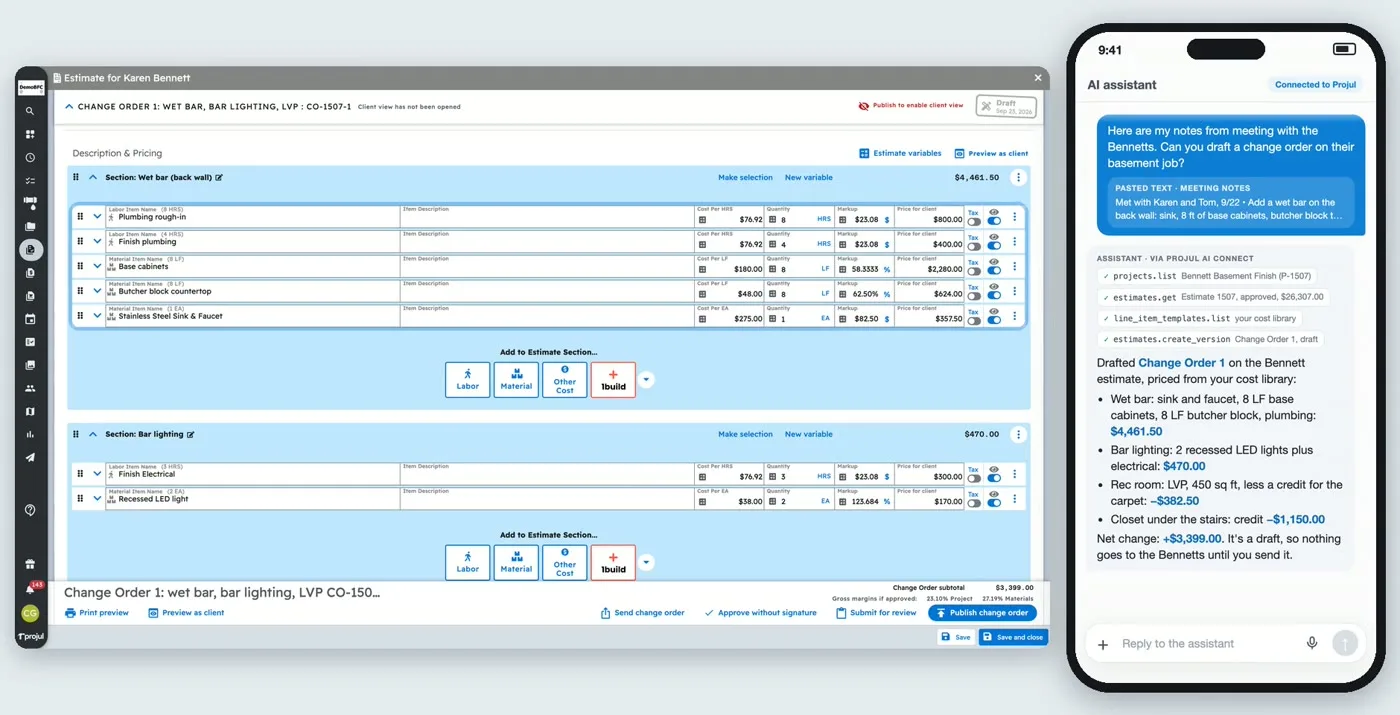
Which Construction Software Works With ChatGPT and Claude? (2026)
ChatGPT and Claude can now work inside some construction software, not just answer questions about it. Here is which...
Read More →
5 Best Fieldwire Alternatives for Contractors in 2026
Fieldwire is solid for field management, but it won't run your whole business. If you need more than task tracking and...
Read More →