
Construction Dispatch Management Guide (2026)
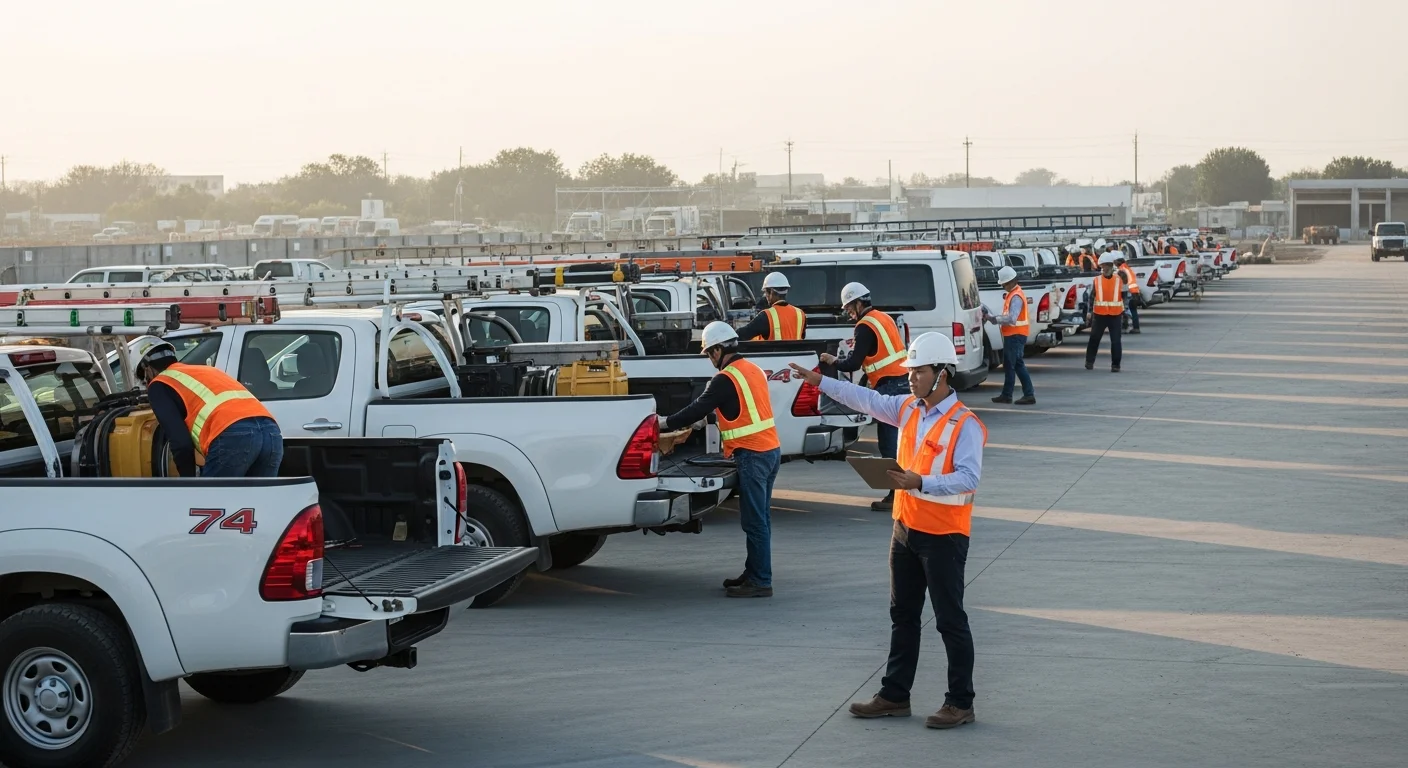
If you run more than one jobsite at a time, you already know the headache. Monday morning hits, your phone starts buzzing, and suddenly you’re playing air traffic controller for concrete trucks, framing crews, and subcontractors who all need to be somewhere different by 7 AM.
That is construction dispatch management, and most contractors are doing it the hard way.
The good news is that building a reliable dispatch system does not require a massive overhead investment. It requires the right process, the right tools, and a commitment to getting your crews where they need to be without the daily fire drill. This guide walks through exactly how to make that happen.
The Dispatch Problem: Why Most Contractors Are Flying Blind
Here is the reality for most small to midsize contractors. Dispatch lives inside one person’s head. Maybe it is the owner. Maybe it is a project manager with a whiteboard and a phone full of text threads. Either way, the system works until it does not.
When you are running two jobs, you can keep it all straight. You know where everyone is. You know what equipment is on which site. But the moment you scale to three, four, or five active projects, things start slipping through the cracks.
Crews show up at the wrong site. Equipment sits idle on one job while another crew waits for it. A sub arrives for a task that is not ready yet because the previous phase ran behind. These are not rare events. For contractors without a structured dispatch process, they happen weekly.
The core problem is visibility. Without a centralized system, nobody has a complete picture of where every crew, piece of equipment, and material delivery stands on any given day. Field supervisors know their job. The office knows the schedule on paper. But the gap between those two views is where money gets wasted.
And wasted time is wasted money. Every hour a crew sits idle because of a dispatch mix-up costs you labor dollars with zero production to show for it. Multiply that across a week, and you are looking at thousands in lost revenue that never shows up on a report because nobody tracked it.
The first step toward fixing dispatch is admitting that the current system, if you can call it a system, is held together with duct tape. That is not a criticism. It is how every growing contractor operates until they hit the wall. The question is what you build on the other side.
Manual Dispatch vs Software-Based Scheduling
Let us be honest about what manual dispatch actually looks like. It is a combination of whiteboards, group texts, phone calls at 5 AM, and maybe a shared spreadsheet that three people update differently. It works, sort of, until someone forgets to check the board or a text gets buried.
Manual dispatch has a few specific failure points:
- Single point of failure. If the person who “knows” the schedule is sick, on vacation, or just having a rough morning, the whole operation stutters.
- No audit trail. When a crew says they were never told about a change, there is no way to prove otherwise. He-said-she-said does not solve the problem.
- Slow communication. Calling or texting each crew lead individually takes time. By the time everyone is updated, the morning is half gone.
- No connection to costs. Whiteboards do not talk to your accounting software. You have no idea if Tuesday’s dispatch decisions are helping or hurting your margins until the job is over.
Software-based scheduling flips all of this. When your construction schedule lives in a platform that your whole team can access, dispatch becomes a shared responsibility instead of a solo act.
With the right construction schedule software, you can see every job, every crew assignment, and every dependency in one view. Changes update instantly. Crew leads can check their assignments from their phone. And the schedule ties directly to your project data, so dispatch decisions have context.
This does not mean software replaces good judgment. You still need someone who understands which crews work well on which types of jobs, how long drive times affect productivity, and when to shuffle people around. But software gives that person accurate, real-time information instead of a mental model that is already outdated by 8 AM.
How to Build a Daily Dispatch System
A dispatch system does not need to be complicated. It needs to be consistent. Here is a framework that works whether you are running three jobs or thirty.
Step 1: Build Your Dispatch Board the Night Before
The best dispatch decisions happen before the workday starts. Every evening, someone in your operation should confirm the next day’s assignments. That means reviewing which jobs are active, what phase each one is in, and which crews are available.
Your dispatch board, whether digital or physical, should show:
- Every active jobsite with its current status
- Crew assignments for each site
- Equipment allocations
- Material deliveries expected
- Any inspections or milestones that affect the work sequence
If you are using a platform like Projul, your scheduling tools already have most of this information. The dispatch step is simply confirming that tomorrow’s plan still matches today’s reality.
Step 2: Confirm With Crew Leads
Before you lock in the dispatch, confirm with each crew lead. A quick check, either through your scheduling app or a brief call, ensures that nobody is surprised in the morning.
This is also when crew leads can flag issues. Maybe a crew member called in sick. Maybe the concrete pour got pushed back. Catching these things at 4 PM is a lot cheaper than catching them at 7 AM when trucks are already rolling.
Step 3: Send Assignments Before the Morning
Your crews should know where they are going before they leave home. If they are driving to the shop first and then getting redirected, you are wasting 30 to 60 minutes of productive time every single day.
The goal is simple: every crew member wakes up knowing their jobsite, start time, and what they are working on. Digital scheduling tools make this automatic. Crew members check their phone and see the plan. No calls needed.
Step 4: Track Actual vs Planned
This is where most contractors stop, and it is exactly where the real value starts. When you compare your dispatch plan against what actually happened, you start seeing patterns. Maybe one jobsite consistently needs more people than you planned. Maybe drive times between two sites are eating into production hours.
Use time tracking to capture where crews actually spend their hours. When that data feeds back into your scheduling process, your dispatch accuracy improves week over week.
Step 5: Debrief and Adjust
Don’t just take our word for it. See what contractors say about Projul.
At the end of each week, spend 15 minutes reviewing how dispatch went. Where did you have idle time? Where were you short-handed? What surprised you? This review is how you turn a reactive dispatch process into a proactive one.
Handling Last-Minute Changes Without Chaos
No dispatch plan survives contact with reality. Rain delays, equipment breakdowns, no-show subcontractors, failed inspections. The list of things that can blow up a daily plan is long.
The difference between contractors who handle changes well and those who spiral into chaos is not luck. It is preparation.
Have a backup plan for your backup plan. When you build your dispatch board, identify which assignments are flexible. If Job A gets rained out, can that crew shift to Job B where they are doing interior work? Knowing your fallback options before you need them is the single most valuable thing you can do for construction dispatch management.
Centralize your communication. When changes happen, you need one channel where the updated plan lives. If updates go out over text, phone, and email simultaneously, someone will get conflicting information. A single source of truth, ideally your scheduling platform, eliminates confusion.
Give crew leads to make field decisions. Not every change needs to go through the office. If a crew lead arrives on site and sees that the previous trade is not finished, they should have the authority and the information to redirect their crew without waiting 45 minutes for a callback. This requires that crew leads have visibility into the overall schedule, not just their own slice.
Document what happened. After a disrupted day, log what changed and why. Daily logs serve double duty here. They give you a record for client communication and disputes, and they create data that helps you plan better in the future. If you notice that a particular subcontractor causes a schedule disruption every other week, that is information you can act on.
Communicate changes quickly and clearly. When a jobsite gets shut down due to weather or an inspection failure, every affected person needs to know within minutes, not hours. Automated notifications through your scheduling software beat phone trees every time.
Communication Tools That Keep Crews in the Loop
Dispatch is really a communication problem. The schedule itself is just data. What turns it into action is getting the right information to the right people at the right time.
Here is what effective dispatch communication looks like in practice:
Scheduling Visibility for Everyone
Your crew leads should not need to call the office to find out what they are doing tomorrow. If your scheduling tool has a mobile view, use it. If it does not, find one that does.
With Projul’s scheduling features, every team member can see their assignments, jobsite details, and task notes right from their phone. That alone eliminates half of the morning phone calls that slow down your operation.
Time Tracking That Doubles as Check-In
When crew members clock in using time tracking, you get automatic confirmation that they arrived at the right jobsite. No need for a separate check-in process. You know who is where, and the hours are already being captured against the correct job for costing purposes.
Daily Logs as End-of-Day Reports
Instead of calling each crew lead at 5 PM to ask how the day went, have them fill out a quick daily log. Photos, notes on progress, any issues they ran into. This takes five minutes and gives the office everything they need to plan tomorrow’s dispatch.
Reducing “Telephone Game” Errors
Every time information passes through an extra person, it degrades. The office tells the PM, the PM tells the superintendent, the superintendent tells the crew lead, and by the time it reaches the person doing the work, the message has changed. Digital tools short-circuit this chain. One update, visible to everyone, no translation errors.
The contractors who run the tightest dispatch operations are not the ones with the fanciest technology. They are the ones who picked a communication method, made it mandatory, and stuck with it.
Connecting Dispatch to Scheduling and Job Costing
Here is where construction dispatch management goes from “keeping people organized” to “making you more money.”
When your dispatch data connects to your scheduling and job costing systems, you unlock insights that are invisible otherwise.
Dispatch Feeds Scheduling Accuracy
Every time you dispatch a crew and track their actual hours against the scheduled work, you are building a dataset. Over time, that data tells you how long tasks really take, not how long you thought they would take. This feedback loop makes your future estimates more accurate, which makes your bids more competitive and your margins more predictable.
Time on Site Drives Job Costing
Labor is the biggest variable cost on most construction projects. When you know exactly how many hours each crew spent on each jobsite, you can calculate your actual cost per task, per phase, and per project. Compare that against your estimate, and you will see exactly where you are making money and where you are losing it.
Without dispatch-connected time tracking, this data does not exist. You are left guessing whether a job was profitable until the final invoice goes out.
Equipment Utilization Gets Tracked
Dispatch is not just about people. It is about equipment too. When you track which equipment goes to which jobsite and for how long, you can calculate utilization rates. That excavator sitting idle three days a week might be costing you more in rental fees than it is producing in billable work.
Subcontractor Coordination Improves
When your dispatch system and schedule are in the same platform, coordinating with subcontractors gets easier. You can see when their work is scheduled relative to your crews, flag conflicts before they happen, and document when they show up late or not at all.
The Bottom Line
Dispatch, scheduling, and job costing are not three separate functions. They are three views of the same operation. When they live in separate systems, you spend hours reconciling data and still miss things. When they are connected, like in an all-in-one platform, every dispatch decision automatically informs your financial picture.
If you are ready to connect your dispatch process to the rest of your project management, take a look at Projul’s pricing to see how an integrated platform compares to the patchwork of tools you are using today.
Getting Started With Better Dispatch
You do not need to overhaul your entire operation overnight. Start with one change: build tomorrow’s dispatch plan before you leave the office today. Confirm it with your crew leads. Send assignments before the morning. Then track what actually happened.
Do that for two weeks, and you will have more data about your operation than most contractors collect in a year. From there, layer in digital tools to automate the parts that eat up your time, like notifications, time tracking, and daily logs.
Construction dispatch management is not about perfection. It is about having a system that is better than what you had yesterday. Every small improvement in how you get crews to the right place at the right time compounds into real money saved and real headaches avoided.
Want to put this into practice? Book a demo with Projul and see the difference.
The contractors who grow from five jobs to fifty do not do it by working harder. They do it by building systems that scale. Dispatch is one of the first systems worth getting right.
Frequently Asked Questions
What is construction dispatch management?
How do I dispatch crews without construction software?
What should a daily dispatch board include?
Can dispatch software reduce labor costs?
How does Projul help with construction dispatch?
Related Articles

Construction Team Meetings: A Practical Guide to Meetings That Actually Get Results
Most construction team meetings waste time. Here's how to run weekly check-ins, safety meetings, kickoffs, and...
Read More →
Project Management for Small Contractors: You Don't Need Enterprise Software
You don't need a 50-person company to benefit from project management. Even a 5-person crew loses money without a...
Read More →
Free Construction Schedule Template
A solid construction schedule keeps your jobs on track, your crews busy, and your clients happy. Grab our free...
Read More →