
Free Construction Schedule Template (Download)
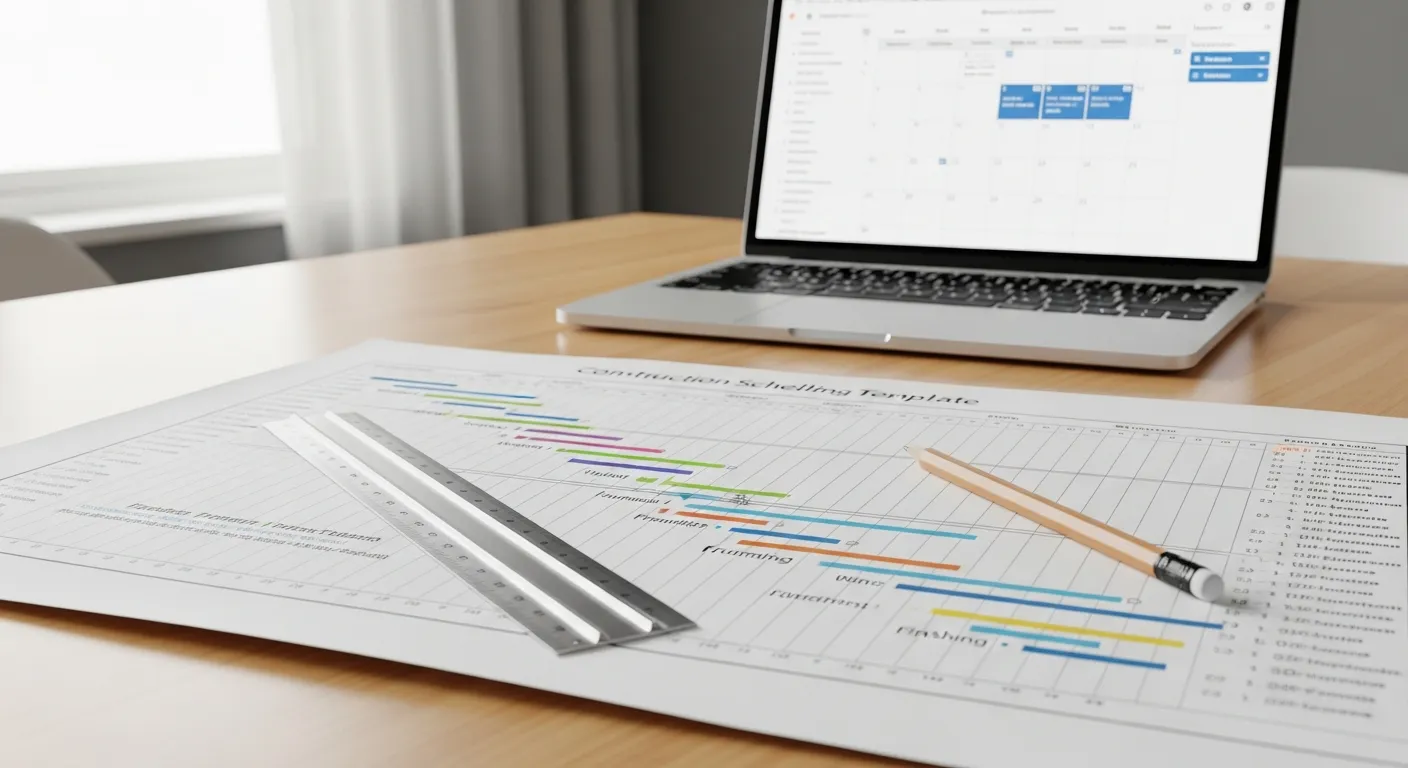
Every contractor has been there. You start a job with a rough plan in your head, things go sideways by week two, and suddenly you have three crews sitting around waiting because materials did not show up. That is what happens when you skip the schedule.
A construction schedule template fixes this. It gives you a clear, day-by-day plan for every task on the job. Who is doing what. When it starts. When it needs to be done. And what has to happen before the next phase can begin.
This post walks you through a free construction schedule template you can start using today. We cover what goes into it, how to fill it out, the different schedule types available, a sample residential breakdown, and when it makes sense to move to dedicated construction scheduling software.
Why You Need a Construction Schedule
If you are running jobs without a written schedule, you are leaving money on the table. Here is why.
You will finish jobs faster. When every crew knows exactly what they are doing and when, there is less downtime. No one is guessing. No one is waiting on someone else to finish before they can start.
You will catch problems early. A schedule forces you to think through the whole project before you break ground. You will spot conflicts, missing materials, and unrealistic timelines before they become expensive problems.
You will keep clients happy. Homeowners and GCs want to know when things will be done. A schedule gives you a real answer instead of “we will see how it goes.” That builds trust and gets you referrals.
You will protect your margins. Every day a project runs over schedule costs you money. Crew wages, equipment rentals, and overhead do not stop just because the job is behind. Tracking those costs in real time with job costing tools makes the impact visible before it spirals.
You will win more bids. Showing up to a bid meeting with a detailed project schedule tells the client you are organized and professional. That matters, especially on commercial work.
4 Types of Construction Schedules
Not every project needs the same scheduling approach. Here are the four most common types and where they fit best.
Gantt Chart Schedule
This is the one most contractors know. A Gantt chart shows each task as a horizontal bar on a timeline. The length of the bar represents the duration. You can see overlapping tasks, milestones, and the general flow of the project at a glance.
Best for: Residential projects, remodels, and smaller commercial jobs. It is visual and easy to share with clients and subs.
Critical Path Method (CPM)
CPM identifies the longest chain of dependent tasks from start to finish. That chain is your critical path. If any task on the critical path slips, your whole project end date moves. Tasks NOT on the critical path have “float,” meaning they can slip a bit without affecting the finish date.
Best for: Commercial projects, multi-phase residential builds, and any job where you need to know which tasks you cannot afford to delay.
Pull Planning (Last Planner System)
Pull planning starts from the completion date and works backward. You bring each trade into the conversation and ask: “What do you need finished before you can do your work?” This gets buy-in from subs because they help build the schedule instead of just receiving it.
Best for: Larger commercial projects, design-build, and any job where coordination between multiple trades is critical.
Short-Interval Schedule (Look-Ahead)
A short-interval schedule is a detailed, week-by-week breakdown of upcoming tasks. Think of it as a zoom-in on the next few weeks of your master schedule. Your master schedule might say “rough plumbing: Week 6.” Your look-ahead breaks that into daily tasks.
Best for: Every project. Even if you use a simple Gantt chart as your master schedule, a weekly look-ahead keeps your team focused on what is happening right now. Our look-ahead schedule guide covers this in detail.
For a deeper look at all scheduling methods, read our construction scheduling methods guide.
What to Include in Your Construction Schedule Template
A construction project schedule template does not need to be complicated. But it does need to cover the basics.
Task Name
Every activity on the job gets its own row. Be specific. Do not write “framing.” Write “frame second floor exterior walls” or “install roof trusses.” The more specific you are, the easier it is to track progress and assign the right crew. Break large phases into smaller tasks so you can spot delays before they snowball. For a deeper look at what causes schedule problems and how to avoid them, check out our construction project delay guide.
Start Date and End Date
When does this task begin? How long will it take? Be realistic. If framing a 2,000 square foot house takes your crew four days, do not put three. Padding your schedule with an extra day here and there is smart. Pretending tasks take less time than they do will burn you every time.
Assigned Crew
Who is responsible for this task? Put the crew lead’s name or the sub’s company name. When something falls behind, you need to know who to call. This also helps you avoid double-booking crews across multiple jobs.
Status
Keep it simple. Use four options:
- Not Started — the task is upcoming
- In Progress — work is actively happening
- Complete — the task is finished
- Delayed — something pushed this task back
Update this column regularly. A schedule that shows everything “not started” three weeks into the job is useless.
Dependencies
This is the column most contractors skip, and it is the one that saves you the most headaches. Dependencies tell you which tasks have to finish before another one can start.
There are four types:
- Finish-to-Start (FS): The most common. Task B cannot start until Task A finishes. Example: You cannot pour the foundation until excavation is complete.
- Start-to-Start (SS): Two tasks can start at the same time. Example: Exterior siding and interior drywall can often start simultaneously.
- Finish-to-Finish (FF): Two tasks need to finish at the same time. Less common in construction.
- Start-to-Finish (SF): Rare. Almost never used in construction scheduling.
Map your dependencies carefully. This is what makes your schedule predict reality instead of just wishing for it.
Notes
Your catch-all column. Material delivery dates. Inspector availability. Special instructions from the architect. Client requests. Anything that affects the task but does not fit elsewhere goes here.
Template Variations by Project Type
Not every project needs the same schedule format.
Simple Weekly Schedule
Best for small jobs like bathroom remodels, deck builds, or single-room additions. This version strips things down to the basics: task name, week number, assigned crew, and status. A simple weekly schedule fits on one printed page. Tape it to the wall in the job trailer and check tasks off as they get done. For jobs with five to fifteen tasks, this is all you need.
Phased Schedule With Milestones
Best for new home builds, large remodels, and multi-trade projects. This version groups tasks into phases (site work, foundation, framing, mechanicals, finishes) and marks key milestones like inspections, client walkthroughs, and material deliveries. Milestones act as checkpoints. If you hit the framing milestone on time, you know the project is tracking. This format works well with task management tools that let you group and filter by phase.
Multi-Project Dashboard
Best for GCs and specialty contractors running three or more active jobs at the same time. This version gives you a high-level view of all your projects on one sheet. Each row is a project, and the columns show start date, current phase, percent complete, next milestone, and any flags. You still keep a detailed schedule for each individual job, but the dashboard gives you a quick snapshot of which projects need attention today.
Schedule Templates by Trade
Different trades have different scheduling needs.
General Contractors
GCs juggle the most moving pieces. Your schedule needs to track every sub, every inspection, and every material delivery. Focus on dependency tracking. When the framing crew runs two days late, you need to see how that pushes back the electrician, the plumber, and the insulation crew. Use color coding to group tasks by trade. Projul’s scheduling tools do this automatically.
Electricians
Electrical work happens in two main phases: rough-in and finish. Your schedule should clearly separate these with the inspection as a hard milestone between them. List each room or zone as its own task during rough-in. Track inspection dates carefully since a failed inspection can push back drywall and every finish trade behind it.
Plumbers
Plumbing has underground work before the slab, a rough-in phase, and a finish phase. Your schedule needs three distinct phases. Pay close attention to fixture delivery dates. Custom vanities and specialty faucets can have lead times of six to eight weeks.
Roofers
Roofing schedules are heavily weather-dependent. Pair this schedule template with a roofing estimate template to keep your bids and timelines aligned. Build in two to three rain days for every week of scheduled work. Break the job into sections (tear-off, decking repair, underlayment, shingle install, flashing, cleanup) instead of treating it as one big task.
HVAC Contractors
HVAC rough-in happens during the mechanical phase, but equipment installation and startup often come much later. Mark equipment delivery as a separate milestone since lead times for commercial units can run 10 to 16 weeks. Include testing, balancing, and commissioning as their own line items.
Painters
Painting is one of the last trades on the job, which means you absorb all the delays that happened before you. Build extra buffer into your start dates and confirm with the GC 48 hours before you plan to mobilize. Break your schedule into primer, first coat, second coat, and touch-up phases.
How to Build Your Schedule: Step by Step
Step 1: List Every Task (Work Breakdown Structure)
Before you touch a calendar, list every task required to complete the project. Break them into phases, then break each phase into individual activities. For a residential build, your phases might include:
- Pre-construction (permits, surveys, utility locates)
- Site work (clearing, grading, excavation)
- Foundation
- Framing
- Roofing
- Rough mechanicals (plumbing, electrical, HVAC)
- Insulation
- Drywall
- Interior finishes (cabinets, trim, flooring, paint)
- Exterior finishes (siding, flatwork, landscaping)
- Final mechanicals (fixtures, devices, equipment hookups)
- Punch list and closeout
Do not skip anything. The tasks you forget are the ones that blow your schedule later. If you need a reference for closeout items, our construction punch list guide covers it trade by trade.
Step 2: Estimate Durations
For each task, assign a realistic duration based on your experience and crew size. Talk to your subs. If your framer says a 2,400 sq ft house takes his crew 12 working days, do not plug in 8 because you want it done faster.
Step 3: Map Dependencies
Go through each task and ask: “What has to be done before this can start?” Write that in the dependencies column. This step takes ten minutes and will save you days of wasted time on the job site.
Step 4: Add Inspections and Lead Times
Build inspection wait times into your schedule. Some cities do next-day inspections. Others take 3 to 5 business days. Also add rows for major material orders with order dates, expected delivery dates, and the tasks that depend on them.
Step 5: Add Float and Weather Days
Build in buffer. In most regions, plan for 1 to 2 lost days per month for weather. Add 10 to 15 percent to your total project duration as contingency. Spread it at key milestones rather than at the end.
Step 6: Assign Crews
For each task, note who is responsible. Not just “framing crew” but “Johnson Framing, 4-man crew, confirmed for March 10.” When you assign specific subs and crews to dates, you will quickly spot conflicts.
Step 7: Set Milestones
Good milestones for residential construction: permit approved, foundation complete, framing complete, rough inspections passed, drywall complete, cabinet install complete, certificate of occupancy, client walkthrough, and project closeout.
Step 8: Share and Update
Review the schedule with your PM and key subs before the project kicks off. Print a copy for the job trailer. Then set a reminder to update weekly. Mark completed tasks. Adjust dates for anything that slipped. A living schedule is a useful schedule. A stale one is just decoration.
Sample Schedule: 2,400 Sq Ft Custom Home
Here is a realistic schedule for a single-family custom home build assuming a standard slab-on-grade foundation, stick-frame construction, and a reasonably cooperative inspection department.
| Phase | Duration | Weeks |
|---|---|---|
| Pre-construction (permits, engineering, procurement) | 4-6 weeks | 1-6 |
| Site work and excavation | 1-2 weeks | 7-8 |
| Foundation (form, pour, cure, strip, waterproof) | 2-3 weeks | 9-11 |
| Framing (walls, roof, sheathing, windows, doors) | 3-4 weeks | 12-15 |
| Roofing | 1 week | 16 |
| Rough plumbing, electrical, HVAC | 2-3 weeks | 17-19 |
| Insulation and inspection | 1 week | 20 |
| Drywall (hang, tape, texture) | 2-3 weeks | 21-23 |
| Exterior finishes (siding, stone, paint) | 3-4 weeks | 21-25 |
| Cabinets and countertops | 2 weeks | 24-25 |
| Interior trim (doors, base, casing, shelving) | 2-3 weeks | 26-28 |
| Paint (interior) | 1-2 weeks | 29-30 |
| Flooring | 1-2 weeks | 31-32 |
| Final mechanical trim (fixtures, devices) | 1 week | 33 |
| Flatwork, driveway, landscaping | 2-3 weeks | 31-34 |
| Final cleaning and punch list | 1-2 weeks | 35-36 |
| Final inspections and CO | 1 week | 37 |
Total: about 8 to 9 months from permit to certificate of occupancy.
Notice how some phases overlap. Exterior finishes happen while interior drywall is going in. Landscaping and flatwork happen while interior flooring is being installed. Your schedule should reflect how work actually flows, not a neat sequential list.
Tips for a Better Schedule
Use Historical Data From Past Jobs
The best way to estimate task durations is to look at how long similar tasks took on your last three to five projects. Keep a simple log of actual vs. planned durations. After a few projects, your estimates will get much tighter.
Schedule Inspections Early
Many jurisdictions need 48 to 72 hours of advance notice. Some busy districts take even longer. Put your inspection request dates in the schedule so you are not scrambling at the last minute.
Account for Material Lead Times
Lumber, windows, HVAC equipment, custom cabinets, and specialty fixtures all have lead times. Add a row for each major material order with the order date, expected delivery, and the task that depends on it.
Communicate the Schedule to Everyone
A schedule that lives on your laptop is not doing its job. Share it with every crew lead, sub, and project stakeholder. When everyone can see the plan, fewer people show up on the wrong day.
5 Scheduling Mistakes That Cost Contractors Real Money
1. Building the schedule alone. If your subs did not help build the schedule, they do not own it. Tasks nobody owns are tasks that slip. Even 30 minutes of input from each trade makes a huge difference.
2. Ignoring material lead times. Custom items and specialty materials still take weeks or months. Check lead times BEFORE you lock your schedule.
3. Not updating the schedule. A schedule that has not been updated in three weeks is fiction. Update it weekly at minimum.
4. No float, no contingency. Every task finishing exactly on time, with zero buffer, on a 9-month project? That is not a schedule. That is a fantasy.
5. Scheduling without looking at the calendar. Holidays, weather patterns, and crew availability all matter. Cross-reference before you commit.
Gantt Charts vs Critical Path: Choosing the Right Scheduling Approach
Most contractors default to Gantt charts because they are visual and easy to understand. But Gantt charts and Critical Path Method (CPM) scheduling solve different problems. Understanding when to use each one will make your schedules more accurate and your projects more predictable.
How Gantt Charts Work in Construction
A Gantt chart plots every task on a horizontal timeline. Each task is a bar. The bar starts on the task’s start date and ends on its finish date. Overlapping bars show you which tasks run in parallel. It is a snapshot of the entire project on one screen.
Gantt charts are great for communication. When you pull up a Gantt chart in a client meeting, everyone immediately understands where the project stands. Subs can see when their window is and what comes before and after them. Your project manager can spot gaps or overlaps at a glance.
The limitation of a basic Gantt chart is that it does not tell you which tasks matter most. Every bar looks the same. A two-day task that could slip by a week without affecting anything looks identical to a two-day task that will push your entire project back if it runs even one day late.
How Critical Path Method Works
CPM solves that problem. It calculates the longest sequence of dependent tasks from project start to project finish. That sequence is your critical path. Every task on it has zero float, meaning any delay on a critical path task delays the entire project.
Tasks not on the critical path have float. Float is the amount of time a task can slip without pushing back the project completion date. If your electrician’s rough-in has three days of float, he can start three days late and your project end date stays the same. But if your framing crew is on the critical path and runs two days over, your CO date just moved two days.
When to Use Each Method
For most residential projects under $500,000, a Gantt chart with dependencies mapped is plenty. You get the visual layout plus enough structure to see how delays ripple through the schedule. Projul’s interactive Gantt view lets you drag tasks, set dependencies, and instantly see how changes affect downstream work.
For larger residential builds, commercial projects, or any job with 50 or more tasks, CPM analysis gives you a significant advantage. You can focus your attention on the tasks that actually control your completion date instead of treating every task with equal urgency.
The best approach for most growing contractors is to combine both. Use a Gantt chart as your visual interface and layer CPM analysis on top to identify which tasks need the most protection. When you know your critical path, you can make smarter decisions about where to add resources, where to build buffer, and which delays to fight hardest against.
Practical Example: Residential New Build
On a typical 2,400 sq ft home, the critical path usually runs through foundation, framing, rough mechanicals, drywall, and interior finishes. Exterior work like siding, landscaping, and flatwork usually has float because it runs in parallel with interior trades.
That means if your siding crew is a week late, your project probably finishes on time. But if your drywall crew is a week late, every finish trade behind them shifts. Knowing this changes how you allocate your energy. You call the drywall crew daily. The siding crew gets a weekly check-in.
Weather Delay Planning for Construction Schedules
Weather is the single biggest schedule killer in construction. You cannot control it, but you can plan for it. Contractors who build weather contingency into their schedules from day one finish closer to their original timelines than those who treat every delay as a surprise.
Quantifying Weather Risk by Season and Region
The first step is understanding your local weather patterns. Pull historical weather data for your area and calculate the average number of lost workdays per month. In the Southeast, summer thunderstorms might cost you 3 to 5 days per month. In the Pacific Northwest, winter rain can eat 8 to 12 days per month. Northern states deal with frozen ground and snow that can shut down exterior work entirely from December through February.
Build a simple table for your region:
| Month | Avg Lost Days | Primary Cause |
|---|---|---|
| January | 4-8 | Snow, frozen ground |
| February | 4-7 | Snow, frozen ground |
| March | 2-4 | Rain, mud |
| April | 2-3 | Rain |
| May | 1-2 | Rain |
| June | 1-3 | Heat, thunderstorms |
| July | 2-4 | Heat, thunderstorms |
| August | 2-4 | Heat, thunderstorms |
| September | 1-2 | Hurricanes (coastal) |
| October | 1-2 | Rain |
| November | 2-4 | Rain, early snow |
| December | 4-8 | Snow, frozen ground |
Your numbers will vary. The point is to have real data instead of guessing.
Building Weather Buffers Into Your Schedule
Once you know your average lost days, add them to your schedule at the phase level. Do not dump all your weather contingency at the end of the project. Spread it across weather-sensitive phases.
For a project starting in March with exterior work running through June, you might add:
- 3 extra days during site work and excavation (March - rain and mud)
- 2 extra days during foundation (April - rain delays pour days)
- 2 extra days during framing (April/May - scattered rain)
- 1 extra day during roofing (May - thunderstorms)
Interior work gets minimal weather buffer since it is not directly affected. But remember that if exterior weather delays push back your dry-in date, every interior trade shifts too.
Weather-Sensitive vs Weather-Proof Tasks
Categorize every task on your schedule:
Cannot work in rain or extreme cold:
- Excavation and grading (mud makes it impossible)
- Concrete pours (rain ruins the finish, cold prevents curing)
- Roofing (safety hazard, material adhesion issues)
- Exterior painting and stucco
- Flatwork and concrete finishing
Can work in light rain but not heavy:
- Framing (slippery, but possible in drizzle)
- Siding installation
- Landscaping
Weather-proof (interior):
- Rough mechanicals (after dry-in)
- Drywall, taping, texturing
- Cabinet installation
- Interior trim and paint
- Flooring
- Final mechanical trim
When you see a rain day coming, check your schedule for weather-proof tasks that can be pulled forward. If your electrician was not scheduled until next week but the framing crew cannot work tomorrow, see if the electrician can start rough-in a day early. Flexibility is the key. A rigid schedule breaks in bad weather. A flexible one adapts.
Tracking Weather Delays in Real Time
Keep a weather log on every project. Record each lost day with the reason (rain, snow, extreme heat, wind) and which tasks were affected. This does three things:
- It gives you data for future scheduling. After five projects, you will know exactly how many weather days to expect in your area by month.
- It protects you in contract disputes. If the owner claims you are behind schedule, your weather log documents legitimate delays.
- It helps you adjust the current schedule accurately. When you lose two days to rain in week three, update the schedule immediately so downstream trades know their dates shifted.
Use your project management tools to tag delayed tasks with a weather flag. Over time, this builds a dataset that makes every future schedule more accurate.
Resource Leveling Techniques for Construction
Resource leveling is the process of smoothing out your labor and equipment usage so you do not have peaks where you need 30 workers and valleys where you need 5. Uneven resource demand is expensive. When you need a huge crew for one week and half that crew the next week, you are either paying people to sit or scrambling to find temporary labor.
Why Resource Leveling Matters
On paper, the fastest way to complete a project is to start every task as early as possible. But that creates resource conflicts. If three tasks can all start on Monday and they each need a 4-person crew, you need 12 workers. If you only have 8, something has to wait.
Resource leveling uses the float in non-critical tasks to spread work more evenly across the project timeline. Instead of starting all three tasks Monday, you start two on Monday and delay the third (which has float) to Wednesday when the first task finishes and frees up a crew.
The result is a schedule that is slightly longer than the theoretical minimum but actually achievable with your available resources.
Step-by-Step Resource Leveling
1. Identify your resource constraints. How many crews do you have? How many pieces of heavy equipment? Which subs are shared across multiple jobs? Write down the maximum capacity for each resource type.
2. Plot resource demand against your schedule. For each day or week, add up the total workers, equipment, and subs required. Look for peaks that exceed your capacity.
3. Find tasks with float. These are your adjustment opportunities. Any non-critical task can be shifted within its float window without affecting the project end date.
4. Shift tasks to flatten peaks. Move floatable tasks away from high-demand periods into lower-demand periods. If week 12 needs 20 workers and week 13 needs 8, move a floatable task from week 12 to week 13.
5. Verify the critical path is unchanged. After leveling, recalculate your critical path to make sure you did not accidentally extend the project. If you only moved tasks within their float, the end date stays the same.
Leveling Across Multiple Projects
Resource leveling gets more complex when you run multiple projects simultaneously. Your framing crew might be finishing one house while they need to start another. Your excavator is booked on a commercial pad but you need it for a residential dig.
The key is a multi-project resource calendar. Projul’s scheduling tools let you see all your active projects on one timeline so you can spot resource conflicts before they happen. When you can see that your best framing crew finishes Project A on March 15 and Project B needs them on March 14, you know to adjust before anyone shows up to the wrong job site.
Common Resource Leveling Mistakes
Over-leveling. If you push every task to its latest possible start date to flatten resources, you eliminate all your float. That means any single delay cascades through the entire schedule. Leave some float intact as a safety net.
Ignoring sub availability. You can level your own crews, but subs have their own schedules. If you delay your plumber by a week to level resources, confirm the plumber is still available that week. Otherwise, you might create a worse conflict.
Not accounting for mobilization time. Moving a crew from one job site to another is not instant. Factor in travel time, setup, and the inevitable half-day of getting oriented on a new site.
Schedule Compression Strategies
Sometimes you need the project done faster than the schedule allows. Maybe the owner moved the deadline up. Maybe weather delays put you behind. Maybe a sub dropped out and you lost two weeks finding a replacement. Whatever the reason, you need to compress the schedule without sacrificing quality or safety.
Fast-Tracking
Fast-tracking means overlapping tasks that would normally happen in sequence. Instead of waiting for framing to finish completely before starting rough plumbing, you start plumbing on the first floor while framing continues on the second floor.
Where fast-tracking works in construction:
- Start rough electrical on completed sections while framing continues on other sections
- Begin exterior siding on one elevation while interior drywall starts on the opposite side
- Start cabinet installation in the kitchen while interior painting continues in the bedrooms
- Begin landscaping while interior punch list work is underway
Where fast-tracking is risky:
- Starting drywall before all rough inspections pass (you will tear it out if you fail)
- Pouring concrete in sections without proper cold joints planned
- Installing finish materials before the building is fully dried in
- Starting trim work before paint is complete (overspray and damage risk)
The rule of thumb: fast-track tasks that happen in different physical areas of the building. Two trades working in the same room at the same time creates congestion, safety issues, and damage to each other’s work.
Crashing
Crashing means adding resources to critical path tasks to finish them faster. If your framing crew of 4 takes 12 days, adding 4 more framers might get it done in 7 days. You pay more for the extra labor, but you gain 5 days on the schedule.
Crashing only works on critical path tasks. Adding workers to a task with float does not help your end date at all. It just costs more money for zero schedule benefit.
How to decide which tasks to crash:
- List all tasks on the critical path
- For each task, estimate the cost per day of acceleration (extra crew wages, overtime, equipment rental)
- Rank them from cheapest to most expensive per day gained
- Crash the cheapest tasks first until you hit your target date or your budget limit
Common crashing options:
- Add a second crew to framing, working opposite ends of the building
- Use overtime (time and a half or double time) for critical path trades
- Rent additional equipment (second excavator, additional boom lift)
- Hire specialty subs for specific bottleneck tasks
- Pre-fabricate components off-site (trusses, wall panels, plumbing assemblies)
Using Overtime Strategically
Overtime is a quick lever but an expensive one. At time-and-a-half, a 10-hour Saturday shift costs 50% more per hour. Productivity also drops on overtime hours. Studies show that after four consecutive weeks of 50-hour work weeks, productivity per hour drops 15 to 20 percent. Workers get fatigued, make more mistakes, and have more accidents.
Use overtime in short bursts for specific critical path tasks, not as a sustained strategy. Two Saturdays to catch up on framing works. Two months of mandatory overtime creates burnout, turnover, and quality problems.
Re-sequencing Work
Sometimes you can compress the schedule by changing the order of tasks. For example, if your standard sequence is rough plumbing, then rough electrical, then rough HVAC, but the HVAC contractor is available right now and the plumber is not available for two weeks, start with HVAC. As long as the tasks do not have physical conflicts (working in the same spaces on overlapping systems), re-sequencing can eliminate gaps.
Review your schedule dependencies carefully before re-sequencing. Some sequences exist for good reasons (you cannot install insulation before rough inspections). Others are just habits that can be adjusted.
Scope Reduction and Value Engineering
When all other compression strategies fall short, the conversation shifts to scope. Can the owner accept a simpler finish in certain areas? Can some landscaping be deferred to a Phase 2? Can you use a standard cabinet line instead of custom to save 6 weeks of lead time?
These are tough conversations, but they are better than blowing past the deadline. Present the options with clear time savings and cost impacts so the owner can make an informed decision.
Combining Compression Strategies
In practice, you rarely use just one compression technique. A realistic recovery plan might look like this:
- Fast-track exterior and interior work to run in parallel (saves 2 weeks)
- Crash framing with a second crew (saves 1 week)
- Work two Saturdays to catch up on electrical rough-in (saves 3 days)
- Re-sequence cabinet delivery to an in-stock model (saves 3 weeks of lead time)
That combination might recover 6 to 7 weeks on a project that is behind. Document every compression decision with its cost impact so you can track whether the recovery plan is working and adjust the project budget accordingly.
When to Upgrade From a Template to Software
Spreadsheet templates work great for single projects or small operations running one or two jobs. But they have limits.
You are running multiple projects. Juggling three or four active jobs on separate spreadsheets gets messy fast. You end up double-booking crews or losing track of which job needs attention.
Your team needs real-time updates. With a spreadsheet, you update it and then email the new version. By the time they see it, things may have already changed.
You want automatic notifications. When a task is coming due or a dependency gets delayed, you do not want to chase people down. Software sends alerts automatically. Projul’s mobile notifications push schedule changes and task updates straight to your crew’s phones.
You need better reporting. Clients and investors want progress reports. Software generates them with a few clicks.
You want to connect scheduling to task management. Your schedule tells you when things happen. Task management tells you the details of what needs to happen and who owns it. When these two systems talk to each other, nothing falls through the cracks.
If any of these sound familiar, it is time to look at dedicated tools. Our best construction scheduling software guide compares the top platforms. Projul’s scheduling feature gives you drag-and-drop Gantt charts, crew notifications, and real-time progress tracking. It connects directly to your project management workflow, so your schedule, budget, and communication all live in one place.
Get Started With Your Free Construction Schedule
A construction schedule template is the simplest way to bring structure to your projects without spending a dime. Print it out, pin it to the wall in your job trailer, or keep it open on your laptop. The format does not matter as much as the habit.
Plan the work. Work the plan. Update as you go.
And when your business grows to the point where spreadsheets are slowing you down, Projul is here to help. We built our scheduling tools specifically for contractors, because we know this industry and we know what you need to keep jobs on track.
Ready to see how Projul can simplify your scheduling? Over 5,000 contractors already use Projul to keep their projects on time and their crews in sync. Schedule a free demo and see the difference for yourself.
Get Your Free Estimate Templates
Download Projul’s free construction estimate templates, built by contractors, for contractors. Create professional estimates in minutes and win more jobs.
Frequently Asked Questions
What is a construction schedule template?
Can I use a construction schedule template for residential and commercial projects?
What is the best format for a construction project schedule template?
How often should I update my construction schedule?
When should I switch from a template to construction scheduling software?
What should a construction schedule template include?
Why do most construction schedule templates fail?
What is the difference between a Gantt chart and a construction schedule?
Related Articles

Construction Team Meetings: A Practical Guide to Meetings That Actually Get Results
Most construction team meetings waste time. Here's how to run weekly check-ins, safety meetings, kickoffs, and...
Read More →
Project Management for Small Contractors: You Don't Need Enterprise Software
You don't need a 50-person company to benefit from project management. Even a 5-person crew loses money without a...
Read More →
Construction Inventory Management: How to Track Materials Across Multiple Jobsites
How to track materials across multiple jobsites so nothing gets lost, wasted, or double-ordered.
Read More →