
Data Center and Server Room Buildout Guide
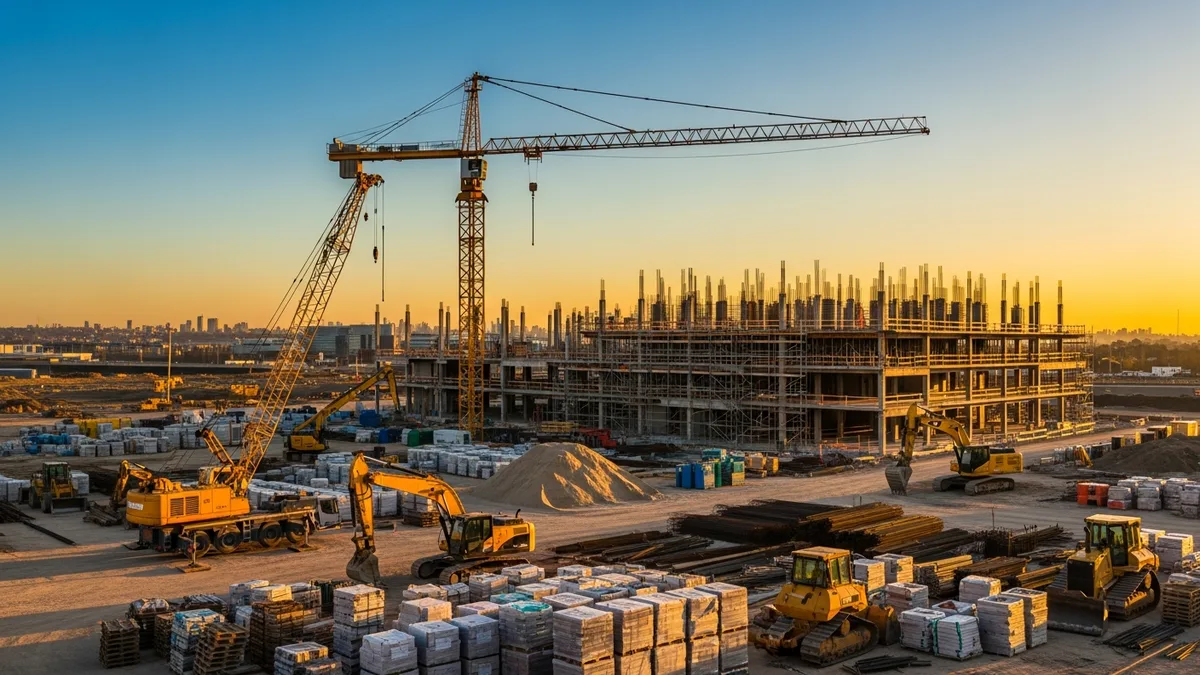
Data center and server room construction is a niche that keeps growing. Every business needs more computing power, more storage, and more network capacity. That means somebody has to build the rooms and facilities that house all that equipment. If you are a contractor looking at this market, or you have already landed a data center project, this guide breaks down what you need to know.
These are not ordinary commercial build-outs. The tolerances are tighter, the systems are more interdependent, and the consequences of getting something wrong are measured in millions of dollars of downtime. But the margins can be worth it, and the repeat work from clients who trust you is steady.
Let’s walk through the major components of a data center or server room build-out, from the ground up.
Power Redundancy: The Backbone of Every Data Center
Power is the single most important system in a data center. Without it, nothing else matters. And the client is not just asking for power. They want power that never goes out.
Most data center designs follow a tier system defined by the Uptime Institute. Tier 1 is a single path with no redundancy. Tier 4 is fully fault-tolerant with multiple independent paths. The tier level drives nearly every decision you will make on the electrical side.
Here is what a typical mid-tier power distribution path looks like:
- Utility feed (often dual feeds from separate substations)
- Automatic transfer switches (ATS)
- Diesel or natural gas generators with fuel storage
- Uninterruptible power supplies (UPS), either battery or flywheel
- Power distribution units (PDUs)
- Remote power panels (RPPs)
- Rack-level power strips
Each layer adds cost and complexity. For a Tier 3 facility, you are building at least an N+1 redundancy setup, meaning one extra component beyond what is needed to carry the full load. Tier 4 goes to 2N, which is a complete duplicate of every power path.
From a construction standpoint, this means running parallel conduit paths, installing multiple switchgear lineups, and coordinating generator pads, fuel systems, and exhaust routing. The electrical scope alone can represent 40% or more of the total project cost.
A few things that trip up contractors new to this work:
Generator coordination. Generators need load bank testing, and the ATS systems need to be tested under real conditions. Plan for this in your schedule. It is not a one-day task.
UPS room requirements. Battery-based UPS systems generate heat and require ventilation. Some use lead-acid batteries that need special containment. Newer lithium-ion systems are lighter and smaller but come with their own fire suppression considerations.
Grounding and bonding. Data centers require extensive grounding systems, including a ground grid under the slab, bonding of all metallic components, and isolated grounding for sensitive equipment. This is not the same as grounding a typical commercial building.
Tracking the electrical scope on a project like this requires real-time job costing visibility. When you are managing multiple electrical subs and buying switchgear with long lead times, you need to know where your budget stands at all times.
Cooling Systems: Keeping Equipment at the Right Temperature
Servers generate a lot of heat. A single rack of high-density servers can produce 10 to 30 kilowatts of heat, sometimes more. Multiply that by hundreds of racks and you have a serious cooling challenge.
Don’t just take our word for it. See what contractors say about Projul.
The cooling design depends on the facility size, density, and client requirements. Here are the most common approaches you will encounter:
Computer Room Air Conditioning (CRAC) units. These are the traditional approach. They sit on the data center floor or along the perimeter and push cold air into the underfloor plenum. Simple, proven, but not the most efficient for high-density deployments.
Computer Room Air Handlers (CRAH) units. Similar to CRACs but use chilled water instead of direct expansion refrigerant. They connect to a central chilled water plant, which gives you more flexibility in scaling.
In-row cooling. These units sit between server racks and target hot spots directly. Good for high-density areas without redesigning the entire cooling layout.
Rear-door heat exchangers. Mounted on the back of server racks, these use chilled water to capture heat right at the source. They can handle very high densities.
Hot aisle/cold aisle containment. This is a layout strategy more than a cooling type. You arrange racks so that cold air intakes all face one aisle and hot exhaust faces another. Physical barriers (curtains, panels, or hard walls) separate the two. It makes every other cooling method work better.
Liquid cooling. For the highest density applications, some facilities are moving to direct liquid cooling where coolant flows through pipes attached to server components. This is still relatively specialized, but it is becoming more common.
From a construction perspective, cooling work involves:
- Concrete pads and structural support for rooftop or ground-level condensers and chillers
- Chilled water piping, often with redundant loops
- Underfloor plenum sealing and airflow management
- Controls integration with building management systems (BMS)
- Commissioning and balancing
The HVAC scope on a data center is significantly more complex than a typical commercial project. If you are managing subcontractors on the mechanical side, make sure they have data center experience. A crew that normally installs rooftop units for office buildings will struggle with the precision and redundancy requirements here.
Raised Floors, Slabs, and Structural Considerations
The raised access floor is one of the defining features of traditional data center construction. It creates a space, typically 18 to 36 inches deep, between the structural slab and the finished floor surface. That space serves as:
- A plenum for distributing conditioned air from CRAC/CRAH units to server racks through perforated floor tiles
- A pathway for power cables, data cables, and sometimes chilled water piping
- A flexible infrastructure layer that can be reconfigured as needs change
Raised floor construction involves:
Slab preparation. The concrete slab needs to be level, sealed, and clean. Any vapor barrier issues need to be addressed before the raised floor goes in. Moisture under a raised floor can cause long-term problems including corrosion and mold.
Pedestal and stringer installation. The raised floor sits on adjustable pedestals connected by stringers. The whole assembly needs to be level to tight tolerances, typically within 1/8 inch over 10 feet.
Floor tile selection. Tiles come in different load ratings. Standard tiles handle about 1,250 pounds concentrated load, but high-density areas may need tiles rated for 2,000 pounds or more. Perforated tiles go in the cold aisles to deliver air, while solid tiles go everywhere else.
Sealing and grounding. The underfloor plenum needs to be sealed to prevent air leaks that waste cooling capacity. Floor tiles and pedestals also need to be part of the grounding system.
Not every modern data center uses a raised floor. Some newer designs use overhead cable trays and overhead cooling distribution instead. The client’s design team will drive this decision, but you should be familiar with both approaches.
Structural loading is another major consideration. A fully loaded server rack can weigh 2,000 to 3,000 pounds. Rows and rows of those racks put serious point loads on the slab. The structural engineer needs to design for these loads, and you need to verify that the slab, footings, and any raised floors can handle them. This is especially critical in retrofit projects where you are converting existing office or warehouse space into a server room.
Using scheduling software is essential for coordinating raised floor installation with the electrical and mechanical trades that need to work in the same plenum space. Sequencing matters. You cannot install floor tiles before the cabling is in place, and you cannot run cables before the cable tray is mounted.
Cable Management: Structured Cabling and Pathway Design
Cable management in a data center is a different world from typical commercial low-voltage work. The volume of cable is enormous, the organization requirements are strict, and the labeling standards leave no room for shortcuts.
A mid-sized data center might have:
- Thousands of copper patch cables (Cat 6A or Cat 8)
- Hundreds of fiber optic runs (single-mode and multi-mode)
- Power cables from PDUs to every rack
- Out-of-band management cables
- Fire alarm, security, and BMS cabling
All of this needs to be organized, labeled, documented, and accessible for future changes.
Cable pathways. Cables run through a combination of underfloor cable trays (in raised floor designs), overhead ladder racks and cable trays, and vertical cable managers within and between racks. The pathway design needs to account for bend radius requirements, especially for fiber, and cable fill ratios that comply with code and best practices.
Separation requirements. Power and data cables need physical separation to prevent electromagnetic interference. This means separate trays or defined spacing between cable types. The NEC and TIA standards spell out the requirements, and the client’s specifications may be even stricter.
Labeling. Every cable gets labeled at both ends with a standardized naming convention. Every port on every patch panel gets labeled. Every pathway segment gets labeled. This is not optional. It is what allows the operations team to manage the facility after you hand it over.
Testing and certification. Every copper and fiber run gets tested and certified. You are documenting insertion loss, return loss, and for fiber, OTDR traces that show the entire link including every splice and connector. This testing data becomes part of the as-built documentation package.
Fire-rated penetrations. Cables passing through fire-rated walls and floors need properly rated firestop systems. In a data center, there are a lot of these penetrations, and they all need to be documented and inspected.
The cabling scope requires careful coordination with the electrical and mechanical trades. You are all working in the same tight spaces, whether it is under the raised floor or above the ceiling grid. Good project management practices and clear communication between crews prevent conflicts and rework.
Commissioning: Testing Every System Before Go-Live
Commissioning (Cx) is where all the planning and construction work gets validated. In a data center, commissioning is more rigorous than almost any other building type. The owner wants proof that every system works as designed, individually and together, before any live equipment goes in.
The commissioning process typically follows these phases:
Factory witness testing. For major equipment like generators, UPS systems, and switchgear, the commissioning agent may witness factory tests at the manufacturer before the equipment ships. This catches problems before they get installed.
Installation verification. As equipment gets installed, the Cx agent inspects it against the design documents. Are the generators on the right pads? Are the UPS units wired correctly? Are the CRAH units piped and controlled properly?
Component-level testing. Each piece of equipment gets tested individually. Generators get load bank tested. UPS systems get charged, loaded, and tested for transfer times. CRAH units get started and balanced. Every ATS gets tested for transfer and retransfer under load.
Integrated systems testing (IST). This is where it gets serious. IST tests the systems working together under simulated failure conditions. What happens when utility power fails? Does the UPS pick up the load? Do the generators start and synchronize? Does the ATS transfer? Does the cooling system respond correctly to the changed conditions? These tests run through dozens of failure scenarios and verify that the facility responds as designed every time.
Thermal testing. Before the facility goes live, the team may do a full thermal test using portable heat loads to simulate the heat output of servers. This validates that the cooling system can maintain the required temperatures under design load conditions.
Commissioning takes weeks and sometimes months for a large facility. It requires close coordination between the general contractor, all subcontractors, the commissioning agent, and the owner’s operations team. Everyone needs to be available for retests when something does not pass.
For contractors, commissioning means your work gets scrutinized at a level you may not be used to. Every connection, every label, every seal gets inspected and tested. The good news is that if you build it right the first time, commissioning goes smoothly. The bad news is that cutting corners will cost you dearly in rework during Cx.
Keeping track of commissioning punch lists, test results, and corrective actions requires solid documentation systems. Construction management software that handles document management and job tracking can save you from drowning in paper during the Cx phase.
Tracking Data Center Projects with Construction Software
Data center projects have characteristics that make project tracking especially important:
- Long lead times on equipment. Generators, switchgear, and UPS systems can have lead times of 20 to 40 weeks. If you miss an order date, the whole project shifts.
- Many overlapping trades. Electrical, mechanical, fire protection, low-voltage, concrete, steel, controls. They are all working in the same spaces with tight dependencies.
- Strict quality requirements. The client and commissioning agent will hold you to the design documents. Deviations need formal change orders.
- High cost of rework. Tearing out and redoing work in a data center is expensive because of the interdependencies between systems.
- Detailed as-built documentation. The owner needs complete records of everything that was installed, tested, and certified.
Using a construction management platform like Projul helps you stay on top of these demands. Here is how contractors use project management tools on data center work:
Scheduling with dependencies. You need a schedule that shows how the electrical rough-in connects to the raised floor installation, which connects to the cooling system startup, which connects to commissioning. When one thing slips, you need to see the downstream impact immediately.
Cost tracking in real time. With equipment costs alone running into the millions, you need to know where your budget stands at every phase. Waiting until the end of the month to reconcile costs is not good enough on a project with this much at stake. Real-time job costing gives you the visibility to catch overruns early.
Change order management. Design changes happen on every project. In a data center, a change to the power distribution design can ripple through cooling, cabling, and fire protection. You need a system that documents changes, tracks the cost impact, and gets approvals before work proceeds.
Photo documentation. Before you close up walls, seal penetrations, or install floor tiles, document everything with photos tied to specific locations and dates. This is invaluable during commissioning and for resolving disputes.
Subcontractor coordination. When you have multiple subs working in the same facility, clear communication and schedule visibility prevent conflicts. A shared platform where everyone can see the current schedule and their responsibilities reduces the “I didn’t know” problems.
Mobile access for field teams. Your foremen and superintendents need access to drawings, schedules, and communication tools from the field. A clipboard and a set of printed drawings will not cut it when you are coordinating this many systems in real time. Field-ready apps make a real difference on complex projects like these.
Data center construction is demanding, but it is also rewarding. The projects are well-funded, the clients are professional, and the work is steady for contractors who build a reputation for quality. Whether you are building a small server closet or a multi-megawatt facility, the fundamentals are the same: plan carefully, build precisely, test thoroughly, and track everything.
Fire Suppression and Life Safety in Data Centers
Fire suppression in a data center is nothing like what you install in a typical commercial building. You cannot just throw in a wet pipe sprinkler system and call it done. Water and electronics do not mix, and the owner is going to want a system that can knock down a fire without destroying millions of dollars in servers.
Most data center fire suppression designs use one or more of these approaches:
Clean agent systems. These are the most common choice for the white space (the actual server room area). Clean agents like FM-200, Novec 1230, or inert gas blends (such as Inergen) suppress fire by removing heat or displacing oxygen without leaving residue on the equipment. They discharge as a gas, do their job, and leave the servers intact. The trade-off is cost. Clean agent systems require sealed rooms, specialized piping, pressurized agent storage cylinders, and detailed calculations to ensure the right concentration fills the room fast enough.
Pre-action sprinkler systems. Many data centers use pre-action systems as a secondary layer of protection or in areas outside the white space like electrical rooms, storage, and offices. A pre-action system requires two triggers before water flows: the detection system has to activate AND a sprinkler head has to open. This two-step process reduces the risk of accidental discharge. Some facilities use double-interlock pre-action, which requires both an alarm condition and a sprinkler head activation before the valve opens.
VESDA (Very Early Smoke Detection Apparatus). This is an air-sampling smoke detection system that continuously pulls air from the protected space through a network of small pipes and analyzes it for smoke particles. VESDA can detect smoke at much earlier stages than traditional spot detectors. In a data center, early warning means the operations team can investigate and respond before a small issue becomes a catastrophic fire. From a construction standpoint, VESDA requires running sampling pipe networks throughout the ceiling space and under the raised floor, plus installing the detection units and connecting them to the fire alarm system.
Underfloor detection and suppression. The space under the raised floor is a real fire risk. It is full of power cables, and any electrical fault can ignite cable insulation. Many designs require smoke detection in the underfloor plenum, and some require clean agent suppression there as well. This means additional piping runs, nozzles, and detection devices in a space that is already crowded with cables and cooling infrastructure.
For the fire protection contractor, data center work requires careful attention to a few things that differ from standard commercial projects:
Room integrity testing. Clean agent systems only work if the room holds the agent long enough to suppress the fire. Before the system can be commissioned, the room needs a door fan test (sometimes called a room integrity test) to verify that the enclosure is tight enough. This means every penetration through walls, floors, and ceilings needs to be properly sealed. If the room fails the integrity test, you are chasing leaks, and that can hold up the entire commissioning schedule.
Agent storage and piping layout. The agent cylinders are heavy and need to be accessible for maintenance and recharging. Piping runs need to be calculated precisely for the required flow rates and discharge times. Nozzle placement matters for even distribution. This is specialized design work, and most GCs sub it out to fire protection contractors with data center experience.
Coordination with HVAC. When a clean agent system discharges, the HVAC system needs to shut down to prevent the agent from being diluted or pulled out of the room. This interlock between the fire alarm system and the building management system needs to be designed, installed, and tested. It is one of those coordination items that falls through the cracks if nobody is tracking it.
EPO (Emergency Power Off) systems. Most data centers have an EPO system that can shut down all power to the white space in an emergency. The fire alarm system, EPO, and HVAC shutdown all need to work together in the right sequence. Testing this sequence is part of commissioning, and it requires all trades to be present and coordinated.
Building a data center fire suppression system is detail-heavy work with zero margin for error. The good news is that fire protection contractors who do this well become very sought after in the data center market. If you are looking at how to manage all the submittals, inspections, and test documentation that fire suppression scope requires, having a solid document management system in place from day one will save you headaches at commissioning time.
Physical Security and Access Control Construction
Data centers house some of the most valuable and sensitive assets a company owns. The physical security requirements reflect that. As the contractor, you are responsible for building the infrastructure that makes it all work, even if the security integrator handles the actual electronics.
Here is what goes into the physical security build-out for a typical data center:
Perimeter security. This starts at the property line. Bollards around the building exterior to prevent vehicle attacks. Anti-climb fencing, often with detection sensors. Controlled vehicle gates with card readers or guard stations. Exterior lighting designed to eliminate blind spots. The site work scope for a data center includes significantly more security infrastructure than a standard commercial project.
Man traps and vestibules. The main entrance to a data center typically includes a man trap: a small room with two interlocking doors where only one door can be open at a time. You badge in through the first door, it closes and locks behind you, and then you badge through the second door to enter the facility. From a construction standpoint, these require reinforced walls, specialized door frames and hardware, and precise coordination with the access control wiring.
Access control infrastructure. Card readers, biometric scanners (fingerprint, iris, facial recognition), and keypads need to be installed at every controlled entry point. That means structured cabling to every reader location, conduit for door strikes and maglocks, power for the access control panels, and coordination with the security integrator who programs it all. In a larger facility, there might be 50 or more controlled doors, each with its own reader, lock, request-to-exit sensor, and door position switch.
Video surveillance. Cameras go everywhere: parking lots, perimeter, hallways, entrances, loading docks, server rooms, and mechanical spaces. The construction scope includes running cable (often a mix of Cat 6A for IP cameras and fiber for backbone connections), mounting cameras, installing camera poles for exterior coverage, and providing power. Many data centers want 90 days or more of recorded video retention, which means building out a dedicated security operations room with storage servers and monitoring displays.
Interior partitions and cages. In colocation facilities where multiple tenants share the same building, individual tenant spaces are separated by floor-to-ceiling wire mesh cages or hard walls. Each cage has its own locked door with access control. Building these partitions requires coordination with the raised floor layout, cable pathway routing, and fire suppression zones.
Loading dock security. Equipment deliveries are a security vulnerability. The loading dock typically has its own access controls, cameras, and sometimes a separate staging area where deliveries are inspected before being brought into the white space. The construction details include dock levelers rated for the weight of server racks and UPS batteries, roll-up doors with interlocks, and adequate space for forklifts and pallet jacks to maneuver.
Monitoring and alarm systems. Beyond access control and cameras, data centers often have intrusion detection systems, vibration sensors on walls and floors, water leak detection systems, and environmental monitoring (temperature, humidity). All of these require cabling, power, and integration with the central monitoring system.
The security scope is easy to underestimate during bidding. It involves multiple trades: electricians for power, low-voltage contractors for cabling, door and hardware specialists, fencing contractors, concrete crews for bollards and pads, and the security integrator who ties it all together. Keeping all of these trades coordinated takes deliberate effort. This is where having your construction schedule dialed in really pays off, because security hardware installation has to happen in sequence with the architectural finishes, and the integrator needs everything in place before they can commission the system.
Bidding and Estimating Data Center Work
If you have not bid data center work before, it can be intimidating. The specifications are thick, the standards are unfamiliar, and the equipment lists include items you may never have installed. But the fundamentals of estimating still apply. You just need to know where the differences are.
Read the specifications cover to cover. Data center specs are detailed for a reason. They will call out specific manufacturers, specific testing requirements, specific labeling standards, and specific quality documentation that you need to provide. Missing a spec requirement is the fastest way to eat your profit on change orders and rework. Do not skim these documents.
Understand the tier requirements. The tier level (I through IV) drives everything. A Tier 2 facility has some redundancy but allows maintenance windows. A Tier 3 facility is concurrently maintainable, meaning any component can be taken offline for service without affecting the IT load. A Tier 4 facility is fault-tolerant, meaning it can sustain any single failure without impacting operations. Each step up means more equipment, more pathways, more testing, and significantly more cost. Make sure your estimate reflects the actual tier being built.
Account for long lead times in your schedule. Switchgear, generators, UPS systems, and even raised floor systems can have lead times that stretch well past six months. If you are bidding a project with an aggressive timeline, verify equipment availability before you commit to a completion date. Including early procurement milestones in your bid schedule shows the owner that you understand the realities of this market.
Price commissioning participation into your bid. Commissioning is not free for the contractor. Your electricians, pipefitters, controls techs, and superintendent all need to be on site during testing phases that can stretch for weeks. You will be retesting and fixing punch list items. If you do not budget for this labor, you will lose money at the end of the project when you can least afford it.
Factor in quality documentation labor. Data center owners want complete as-built drawings, cable test certifications, equipment submittals, O&M manuals, and commissioning records in an organized package. Assembling this documentation takes real labor hours. Many contractors overlook this line item and then scramble at closeout.
Visit the site during pre-bid. For retrofit projects, you need to see the existing conditions. What is the existing power capacity? What is the slab thickness and reinforcement? Are there overhead obstructions that limit cable tray routing? What are the access constraints for getting large equipment into the building? These questions can only be answered by walking the site.
Build relationships with specialty subs. You are going to need fire protection contractors, security integrators, controls specialists, and structured cabling companies that have data center experience. Build these relationships before you need them. Getting quotes from subs who understand the work means your numbers will be accurate. Getting quotes from subs who are guessing means surprises during construction.
Use your estimating tools. If you are still estimating in spreadsheets, data center projects are a good reason to upgrade. The number of line items, the complexity of the equipment pricing, and the need to track alternates and allowances all make a case for purpose-built estimating and project management tools. The time you save on the estimate you can spend on understanding the actual scope.
One thing to remember about data center clients: they are sophisticated buyers. They have built facilities before, they know what things cost, and they will push back on inflated numbers. But they also value contractors who clearly understand the work and can deliver quality. A well-organized bid that demonstrates competence will beat a low number from a contractor who does not understand the scope.
Retrofitting Existing Buildings for Data Center Use
Not every data center starts as a purpose-built facility. Many projects involve converting existing buildings, whether they are warehouses, office buildings, manufacturing plants, or retail spaces, into data center or server room environments. Retrofit work comes with its own set of challenges that differ significantly from new construction.
Structural assessment is step one. The first thing you need to know is whether the existing structure can handle the loads. A fully loaded server rack weighs 2,000 to 3,000 pounds, and you might have hundreds of them on a floor that was designed for office furniture at 50 pounds per square foot. A structural engineer needs to evaluate the slab, footings, columns, and any upper floors that will carry IT load. Reinforcement options range from slab overlays and additional footings to steel reinforcement and load-spreading platforms. Get the structural analysis done early because it affects every other decision.
Power infrastructure gaps. Most existing commercial buildings have nowhere near the electrical capacity that a data center requires. A 50,000 square foot office building might have a 2,000 amp service. A data center of the same size could need 10 to 20 times that capacity. You are typically looking at new utility service (which requires coordination with the utility company and can take months), new switchgear, transformers, and distribution throughout the building. The existing electrical can sometimes serve the support spaces (offices, storage, security rooms) while new infrastructure serves the white space.
Ceiling height limitations. Data centers need vertical space for cable trays, lighting, fire suppression piping, and potentially overhead cooling distribution. If the building has a standard 9-foot office ceiling, you may not have enough room for a raised floor plus adequate overhead clearances. Warehouse conversions tend to work better because of higher ceilings, but you still need to verify that the clear height under any structural members, ducts, or existing piping meets the design requirements.
Roof condition and capacity. Many cooling system designs place condensers, dry coolers, or cooling towers on the roof. Existing roofs may not have the structural capacity, the area, or the penetration allowances for this equipment. Evaluate the roof early and plan for any reinforcement or replacement needed. Rooftop equipment also adds weight that affects the structural analysis.
Environmental considerations. Older buildings may have asbestos in floor tiles, pipe insulation, or ceiling materials. Lead paint is another possibility. Before you start demolition, get an environmental survey done. Abatement adds cost and schedule time, and it is not something you want to discover after demolition has started.
Utility coordination. Beyond electrical service, data centers need significant water capacity for cooling (if using water-cooled systems), sewer capacity for condensate, and often natural gas for generators. The existing utility connections may need to be upsized, or new connections may need to be run from the street. Utility work involves permits, inspections, and lead times that can affect your critical path.
Building envelope upgrades. A warehouse with metal siding and minimal insulation is not a great environment for temperature-sensitive equipment. You may need to add insulation, seal the building envelope, and install vapor barriers to maintain the required environmental conditions without burning excessive energy on cooling.
Working in occupied spaces. Some retrofit projects happen in buildings that are partially occupied. Maybe the client is converting one floor to a server room while the rest of the building remains in use. This adds constraints around noise, dust, vibration, and access. You need to plan construction sequencing to minimize disruption, and you may need temporary barriers, dedicated construction entrances, and after-hours work for noisy tasks.
Retrofit projects are great opportunities for contractors who are good at problem-solving. Every building is different, and the ability to assess existing conditions, identify constraints early, and propose practical solutions is what separates the contractors who win these projects from the ones who pass on them.
Managing a retrofit means constantly tracking what you find as you open up walls, ceilings, and floors. Conditions change from what was shown on the original building drawings (if drawings even exist). Having a system where your field team can document discoveries, flag issues, and push updates to the project team in real time makes a huge difference. This is exactly the kind of coordination that construction management software is built to handle.
See how Projul makes this easy. Schedule a free demo to get started.
The contractors who succeed in this space are the ones who treat every conduit run, every cable label, and every commissioning test as if the whole facility depends on it. Because in a data center, it does.
Frequently Asked Questions
What trades are involved in a data center build-out?
How long does a server room build-out take?
What is the difference between Tier 1 and Tier 4 data centers?
Why do data centers use raised floors?
How do you track a data center construction project?
Related Articles

Construction Bridge Building and Repair: A Contractor's Field Guide
Bridge construction and repair demand a different level of coordination than most commercial or residential projects....
Read More →
Soil Nail Walls vs. MSE Retaining Structures: A Contractor's Field Guide
Soil nail walls and MSE retaining structures both hold back earth, but they work in completely different ways. This...
Read More →
Construction Wastewater Treatment Plant Guide: Concrete Tankage, Process Piping, and SCADA
Building a wastewater treatment plant is one of the most demanding projects a contractor can take on. From massive...
Read More →