
4 Free Construction Budget Templates (2026) - Download & Track Every Dollar | Projul
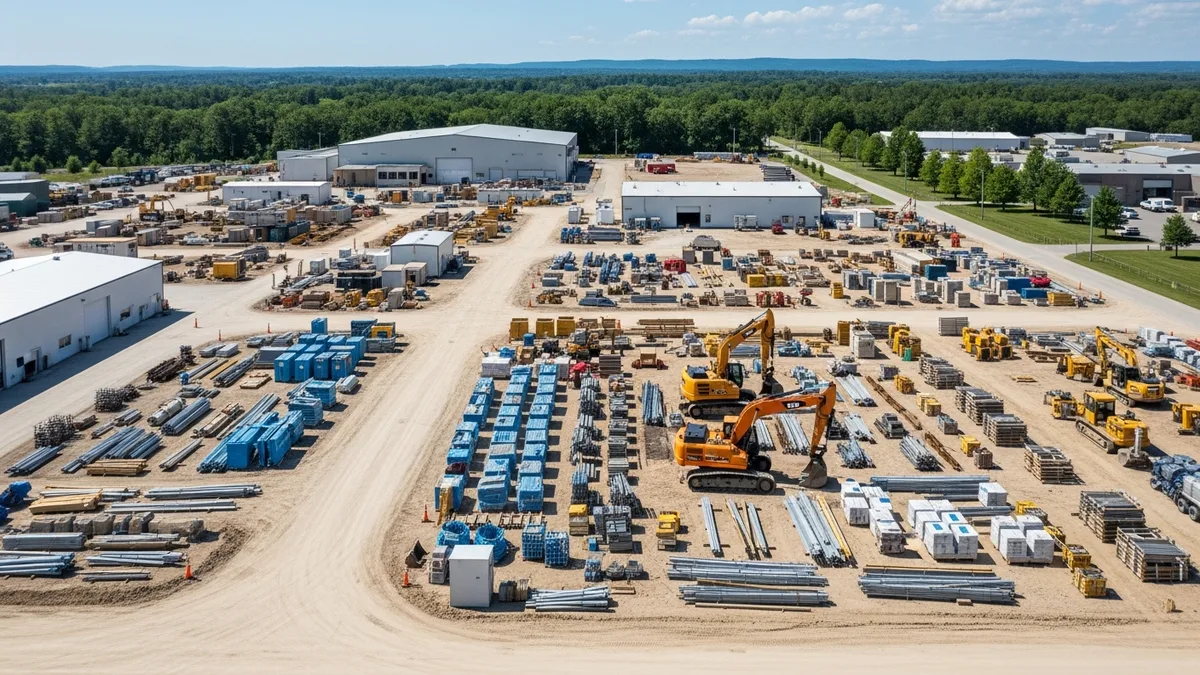
TL;DR: Download 4 free construction budget templates (residential remodel, new construction, commercial, and weekly tracking). Each template has estimated cost, actual cost, and variance columns so you can spot overruns before they eat your profit. Set contingency at 5% to 15% depending on project type, update your numbers weekly, and track every dollar from permit fees to final punch list.
You Can’t Manage What You Don’t Track
Here is a story you have probably lived. You bid a kitchen remodel at $45,000. The job felt solid. Materials came in a little hot. Your sub took an extra two days. You forgot to bill for that dumpster rental. When the dust settled, you made $1,200 on a job that should have netted $9,000.
That is not a pricing problem. That is a tracking problem.
Most contractors run their business from memory. Costs live in a truck console, a text thread, or a stack of receipts on the passenger seat. There is no single place where estimated costs sit next to actual costs so you can see the gap before it swallows your profit.
A free construction budget template fixes that. It gives you one document where every dollar has a home. Materials, labor, equipment, subs, overhead, contingency, and profit all get their own line. When the real numbers start rolling in, you compare them to the plan and adjust before it is too late.
In this guide, we will walk through four budget templates you can copy and start using today. We will cover residential remodels, new construction, commercial projects, and weekly cost tracking. Each one is built for how contractors actually work.
How to Build a Construction Budget From Scratch
If you have never built a formal budget before, here is the process from start to finish. This works whether you are framing houses or running a commercial GC operation.
Step 1: Review the Scope of Work
Before you touch a spreadsheet, read the plans and scope of work line by line. Every item in the scope needs a matching line in your budget. If it is not in the budget, it will still cost you money. You just will not see it coming.
Pull out the spec book if there is one. Check the drawings for notes that affect cost. A scope review that takes an extra hour up front can save you $5,000 in missed line items.
Step 2: Break Costs Into Categories
Group your expenses into buckets: materials, labor, equipment, subcontractors, permits, overhead, contingency, and profit. For bigger jobs, break each bucket into specific line items. The more detail you add up front, the easier it is to track later.
Use your cost codes to standardize these categories across every job. When you use the same codes on a $30,000 bathroom remodel and a $400,000 custom home, you can compare costs across projects and see exactly where your money goes over time.
Step 3: Get Real Numbers
Do not guess. Call your suppliers for current material pricing. Get sub bids in writing. Check your historical data from past jobs to see what similar work actually cost. Your past project data is the best estimating tool you own.
If you are using Projul, your estimates and change orders from previous jobs give you real numbers to pull from. That beats guessing every time.
Step 4: Add Overhead and Profit
A lot of contractors forget to include overhead in their budget. Your truck payment, insurance, office rent, and phone bill do not stop when you start a new job. Calculate your true annual overhead, divide it across your expected projects, and add that number to every budget. Then add your target profit margin on top. For help with the math, check out our construction overhead costs guide.
Step 5: Build in Contingency
Set aside 5% to 15% depending on project type. New builds with clean plans can get away with 5% to 8%. Remodels, older buildings, and anything with unknowns should be 10% to 15%. Our construction contingency budget guide goes deeper on how to set the right number.
Step 6: Set Up Tracking Columns
Your budget needs three columns for every line item: Estimated Cost, Actual Cost, and Variance. The variance tells you exactly where you are winning and where you are bleeding. Update it weekly at minimum.
Step 7: Review and Adjust as the Job Progresses
A budget is not a set-it-and-forget-it document. Review it every week. Compare actual spending to planned spending. If a category is trending over, figure out why and make changes before the overrun gets worse. This is how you prevent the cost overruns that kill your margins.
Budget vs Estimate vs Bid: What is the Difference?
Contractors use these three terms every day, but they mean different things. Mixing them up can cost you money.
An estimate is your calculated cost for a project. You add up materials, labor, equipment, and subs to figure out what the job will cost you to build. If you need help with the estimating process, our estimate vs quote vs proposal guide breaks down the differences. You can also check out our general contractor estimate templates for ready-to-use formats.
A bid is the price you submit to win the work. Your bid includes your estimate plus overhead, contingency, and profit. It is what the customer or GC sees. Your bidding strategy determines how you mark up your estimate to stay competitive while protecting your margins.
A budget is your internal spending plan. It is more detailed than your bid and tracks how you plan to spend the money throughout the project. Your budget is a living document that you update as costs come in.
Here is the simple way to think about it:
- Estimate = What will this cost me to build?
- Bid = What am I charging the customer?
- Budget = How will I manage the money to hit my target profit?
The contractors who make the most money keep all three separate. They estimate carefully, bid strategically, and budget everything so they know exactly where every dollar goes.
Why Every Contractor Needs a Budget Template
A construction project budget template does three things for your business:
-
It forces you to plan before you spend. Writing down every cost category makes you think through the job. You catch missing items before they become surprise expenses.
-
It shows you where the money goes. When you track actual costs against your estimate, you see exactly which categories run over and which come in under. That data makes your next bid sharper.
-
It protects your profit margin. Contractors who track costs weekly make more money. Period. You cannot fix a budget problem you do not know about. Templates give you a simple early warning system.
If you want to dig deeper into what healthy margins look like, check out our construction profit margin benchmarks guide.
Template 1: Residential Remodel Budget
Remodels are where budgets go to die. Hidden damage, scope creep, and material price swings make them unpredictable. This template accounts for all of it.
Sample Line Items
| Category | Description | Estimated Cost | Actual Cost | Variance |
|---|---|---|---|---|
| Demolition | Demo labor, dumpster, disposal fees | $3,200 | $3,450 | -$250 |
| Materials | Lumber, drywall, tile, fixtures, hardware | $12,500 | $12,100 | +$400 |
| Labor | Framing, drywall, tile, paint, trim | $11,000 | $11,800 | -$800 |
| Electrical Sub | Panel upgrade, new circuits, fixtures | $4,200 | $4,200 | $0 |
| Plumbing Sub | Rough-in, fixtures, water heater | $3,800 | $4,100 | -$300 |
| HVAC Sub | Ductwork modifications, new register | $1,500 | $1,500 | $0 |
| Permits & Inspections | Building permit, electrical, plumbing | $850 | $850 | $0 |
| Equipment | Scaffolding rental, saw rental, lift | $600 | $750 | -$150 |
| Overhead | Insurance, truck, office, phone | $3,200 | $3,200 | $0 |
| Contingency (10%) | Unexpected issues, hidden damage | $4,085 | $2,500 | +$1,585 |
| Profit (15%) | Target margin | $6,740 | - | - |
| Total | $51,675 | $44,450 |
How to Use This Template
Copy these categories into a spreadsheet. Adjust the line items to match your trade. The key columns are Estimated Cost, Actual Cost, and Variance. Fill in your estimates before the job starts. Update actual costs as invoices come in.
The variance column is where the magic happens. A negative number means you are over budget. Catch it early and you can adjust. Catch it at the end and you just donated your profit to the project.
For a deeper look at overhead, read our construction overhead costs guide.
Template 2: New Construction Budget
New construction budgets are bigger and have more line items. But they are actually easier to manage than remodels because you are building from plans, not guessing what is behind a wall.
Sample Line Items
| Category | Description | Estimated Cost | Actual Cost | Variance |
|---|---|---|---|---|
| Site Work | Clearing, grading, excavation | $8,500 | $8,200 | +$300 |
| Foundation | Footings, slab, waterproofing | $18,000 | $18,500 | -$500 |
| Framing | Lumber, trusses, sheathing, labor | $42,000 | $41,200 | +$800 |
| Roofing | Shingles, underlayment, flashing, labor | $12,000 | $12,000 | $0 |
| Exterior | Siding, windows, doors, trim | $22,000 | $23,100 | -$1,100 |
| Plumbing | Rough and finish, fixtures | $14,000 | $13,800 | +$200 |
| Electrical | Rough and finish, panel, fixtures | $16,000 | $16,400 | -$400 |
| HVAC | System, ductwork, controls | $11,500 | $11,500 | $0 |
| Insulation & Drywall | Spray foam, batts, hang and finish | $14,000 | $14,300 | -$300 |
| Interior Finishes | Flooring, cabinets, countertops, paint | $28,000 | $27,500 | +$500 |
| Landscaping | Grading, seed, irrigation, driveway | $6,500 | $7,000 | -$500 |
| Permits & Fees | Building, impact, utility connection | $4,200 | $4,200 | $0 |
| Equipment | Crane, loader, scaffolding | $3,800 | $4,100 | -$300 |
| Overhead (8%) | Insurance, office, vehicles, admin | $16,040 | $16,040 | $0 |
| Contingency (7%) | Weather delays, price changes | $14,035 | $8,000 | +$6,035 |
| Profit (12%) | Target margin | $24,060 | - | - |
| Total | $254,635 | $225,840 |
Tips for New Construction Budgets
Break materials and labor into separate lines when possible. It helps you see if your cost problem is a pricing issue or a productivity issue.
Track change orders as their own section. Every change order should add to both the revenue and the cost side of your budget. If you are adding scope without adding budget, you are working for free.
Need help building better bids? Our construction bidding strategies guide covers how to price jobs that win and still make money.
Template 3: Commercial Construction Budget
Commercial projects bring more complexity. You are dealing with larger crews, more subs, longer timelines, and tighter compliance requirements. Your construction budget spreadsheet needs to handle all of that.
Sample Line Items
| Category | Description | Estimated Cost | Actual Cost | Variance |
|---|---|---|---|---|
| Pre-Construction | Engineering, surveys, soil testing | $15,000 | $15,000 | $0 |
| Site Work | Demolition, earthwork, utilities | $45,000 | $47,200 | -$2,200 |
| Concrete & Foundation | Footings, walls, slab on grade | $62,000 | $60,500 | +$1,500 |
| Structural Steel | Beams, columns, decking, erection | $85,000 | $88,000 | -$3,000 |
| Exterior Envelope | Curtain wall, masonry, roofing | $54,000 | $53,000 | +$1,000 |
| Mechanical (HVAC) | Rooftop units, ductwork, controls | $72,000 | $72,000 | $0 |
| Electrical | Service, distribution, lighting, fire alarm | $58,000 | $59,500 | -$1,500 |
| Plumbing | Domestic water, waste, fixtures | $34,000 | $33,800 | +$200 |
| Fire Protection | Sprinkler system, standpipes | $18,000 | $18,000 | $0 |
| Interior Build-Out | Framing, drywall, ceilings, flooring | $48,000 | $49,500 | -$1,500 |
| Specialties | Signage, accessories, equipment | $12,000 | $11,200 | +$800 |
| General Conditions | Temp power, fencing, porta-johns, cleanup | $22,000 | $24,000 | -$2,000 |
| Permits & Inspections | Building, fire, occupancy | $8,500 | $8,500 | $0 |
| Bonds & Insurance | Performance bond, builder’s risk | $14,000 | $14,000 | $0 |
| Overhead (6%) | Home office, project management | $32,730 | $32,730 | $0 |
| Contingency (5%) | Unforeseen conditions | $27,275 | $15,000 | +$12,275 |
| Profit (8%) | Target margin | $43,640 | - | - |
| Total | $651,145 | $601,930 |
Why Commercial Budgets Need More Detail
On a $600K job, a 2% cost overrun is $12,000. That could be your entire profit. The more line items you track, the faster you spot problems. Group your expenses by CSI division so you can compare performance across projects.
Template 4: Weekly Cost Tracking
The templates above show the full project budget. But you also need a way to track spending week by week. This construction cost tracking template helps you stay on top of cash flow and catch overruns in real time.
Sample Weekly Tracker
| Week | Planned Spend | Actual Spend | Cumulative Planned | Cumulative Actual | Variance |
|---|---|---|---|---|---|
| Week 1 | $12,000 | $11,500 | $12,000 | $11,500 | +$500 |
| Week 2 | $18,000 | $19,200 | $30,000 | $30,700 | -$700 |
| Week 3 | $22,000 | $21,000 | $52,000 | $51,700 | +$300 |
| Week 4 | $15,000 | $16,800 | $67,000 | $68,500 | -$1,500 |
| Week 5 | $20,000 | $18,500 | $87,000 | $87,000 | $0 |
| Week 6 | $10,000 | - | $97,000 | - | - |
How to Use the Weekly Tracker
At the start of the project, map out your expected spending by week. This is your cash flow plan. Every Friday, enter what you actually spent. Compare the cumulative columns to see if you are on track.
The cumulative variance is the number that matters most. Week-to-week fluctuations are normal. Materials might arrive early or a sub might invoice late. But if cumulative actual keeps climbing above cumulative planned, you have a real problem that needs attention now.
Contingency Planning: How Much to Set Aside and Why
Contingency is the line item that separates profitable contractors from broke ones. It is not padding. It is not a slush fund. It is a calculated reserve for the things you cannot predict.
Here is a simple framework based on project type:
- New construction with complete plans: 5% to 8%. You know what you are building. The risk is lower.
- Remodels and renovations: 10% to 15%. Opening walls always brings surprises. Rot, outdated wiring, asbestos, plumbing that is not where the plans say it is.
- Historic or older buildings: 15% or more. The unknowns multiply with building age.
- Commercial tenant build-outs: 8% to 12%. Existing conditions vary, and landlord requirements can change mid-project.
On a $200,000 remodel, 10% contingency is $20,000. That sounds like a lot until you find $8,000 worth of termite damage behind the shower wall and need $6,000 in structural repairs the engineer requires before you can close up. That is $14,000 gone in one week, and you still have the rest of the job to finish.
The contractors who skip contingency are the ones posting on forums asking how to break even on a job they thought would make money.
A common question: should contingency be a single line item or spread across categories? Keep it as one line. When you spread contingency across every category, it disappears into your budget and you lose track of how much safety net you have left. One line item means you always know exactly how much reserve remains.
Also, do not touch contingency for scope changes. If the client adds a feature or changes a finish, that is a change order with its own budget. Contingency is for unknowns that nobody asked for. Rotten subfloor. A water line in the wrong place. Three days of rain that pushes your schedule and your labor costs.
For a deeper look at how to calculate and manage your contingency, read our construction contingency budget guide.
Budget Tracking During Construction: The Weekly Review Process
Having a budget is step one. Keeping it current is where the money is made. Here is a weekly review process that takes 20 minutes and saves thousands.
Friday Budget Review (20 Minutes)
- Collect all receipts and invoices from the week. Material purchases, sub invoices, equipment rentals, permit fees. Everything.
- Enter actual costs into your budget. Update each line item with real numbers. If you use Projul’s budgeting tools, your team can log costs from the field and this step is already done for you.
- Check the variance column. Any line item more than 10% over budget gets a red flag. Figure out why before next week.
- Update the weekly tracker. Enter your total spend for the week into the weekly tracking template. Compare cumulative actual to cumulative planned.
- Adjust the forecast. If you are trending over in one category, can you save in another? Do you need to submit a change order? Make the call now, not at the end of the job.
What to Do When You Spot an Overrun
Say your labor line is $3,000 over budget at the halfway point of a remodel. That is not a small number. Here is how to handle it:
- Find the cause. Is it overtime? Low productivity? Rework from a mistake? Each cause has a different fix.
- Check if the scope changed. If the homeowner added a recessed lighting layout that was not in the original plan, that is a change order, not a budget overrun. Write it up, get it signed, and add the revenue and cost to your budget. Projul’s estimates and change orders feature makes this a two-minute process instead of a 30-minute argument.
- Adjust remaining categories. Maybe you budgeted $2,000 for equipment rental and only need $1,200. That $800 savings helps offset the labor overrun.
- Communicate with your client. If the overrun affects the project total, have that conversation now. Clients handle bad news much better at 50% complete than at 95%.
Real Example: How Weekly Tracking Saved $7,200
A remodeling contractor was running a $95,000 bathroom and kitchen gut job. At the end of week two, his Friday review showed plumbing labor $2,400 over budget. The original plumber had quoted the job flat rate but kept adding T&M charges for “unforeseen conditions.”
Because the contractor caught it in week two instead of week six, he had options. He called the plumber, pulled out the original quote, and got the charges reversed. Then he added a $1,200 contingency hit for the legitimate extra work (a cast iron drain that needed replacement). Without that weekly check, the full $2,400 would have stood, plus another $4,800 in similar charges over the next four weeks. Total savings: $7,200. Total time spent on the Friday review that caught it: 20 minutes.
That is the math on weekly budget tracking. Twenty minutes saves thousands.
Common Budget Mistakes That Kill Contractor Profits
Every mistake on this list has a dollar sign attached to it. These are not theoretical problems. They are the exact reasons contractors leave money on the table every single job.
Mistake 1: Not Budgeting for Overhead ($3,000 to $8,000 per job)
Your truck payment is $650 a month. Insurance is $1,200. Your phone, software, fuel, and office cost another $2,000. That is $3,850 every month whether you have work or not. If you run four jobs a month, each job needs to carry about $960 in overhead. Most contractors never add that line. They think their profit is $12,000 when it is really $8,000 after overhead.
Mistake 2: Skipping Contingency ($2,000 to $15,000 per job)
On a $100,000 job with zero contingency, one surprise wipes out your margin. A failed inspection that requires rework. A material price jump between bid day and install day. A sub who no-shows and you have to bring in someone more expensive. Budget 5% to 15% and you absorb these hits without losing the job.
Mistake 3: Forgetting to Track Change Orders ($1,500 to $10,000 per job)
The homeowner says, “While you are here, can you move that outlet?” You say sure. Fifteen minutes of work. Then they ask for three more things. Then a whole accent wall. At the end of the job, you did $4,000 in extra work you never billed for. Every change needs a signed order with a price before the work starts.
Mistake 4: Updating the Budget Monthly Instead of Weekly
By the time you look at a monthly budget update, the damage is already done. A $2,000 overrun in week two becomes a $6,000 overrun by week four if nobody catches it. Weekly reviews cost you 20 minutes. Monthly reviews cost you thousands.
Mistake 5: Using One Document for Bidding and Tracking
Your bid is what the customer sees. Your budget is your internal plan. They should not be the same document. Your budget should have more detail, include overhead allocation, and show your true target margin. When you mix them together, you either show the client too much or track too little.
How to Set Up Your Construction Budget Spreadsheet
Here is a step-by-step process to turn these templates into a working system:
Step 1: List every cost category. Start with the major groups: materials, labor, equipment, subcontractors, overhead, contingency, and profit. Then break each group into specific line items for your project.
Step 2: Enter your estimated costs. Pull numbers from your estimate or bid. If you used a detailed takeoff, transfer those numbers directly. If you bid from experience, write down your best estimate for each line.
Step 3: Set your contingency. Use 5% to 8% for straightforward new construction. Use 10% to 15% for remodels or projects with unknowns. This is your safety net.
Step 4: Add your overhead and profit. Overhead should cover your real business costs, not a guess. Calculate your actual annual overhead and divide it across your projects. For markup and margin guidance, see our construction overhead costs guide.
Step 5: Track actual costs weekly. Every time you pay a bill, receive an invoice, or process payroll, enter the real number next to the estimate. This takes 15 to 20 minutes per week and will save you thousands.
Step 6: Review variance reports. Look at the difference between estimated and actual. Anything more than 10% over in a category needs investigation. Ask why, fix it, and adjust your future bids.
When to Upgrade From Spreadsheets to Software
A free construction budget template in a spreadsheet is a great starting point. It is better than nothing. But spreadsheets have real limits, and you will hit them faster than you think:
- No live updates. Your field crew cannot update costs from the job site. You are always working with old data. With Projul’s mobile app for iOS, Android, Windows, and Mac, your team logs costs from wherever they are.
- No connection to invoicing. You track costs in one place and send invoices from another. The two never match up. Projul’s invoicing pulls directly from your job data so the numbers always agree.
- No team access. One person owns the spreadsheet. Everyone else is guessing.
- Version control nightmares. Someone saves over the master file. Someone else is working from last week’s copy. Nobody knows which numbers are right.
- No cost code tracking. You cannot easily roll up costs across multiple projects to see trends by category.
- No connection to your schedule. Budget overruns and schedule delays go hand in hand. When you track them in separate tools, you miss the connection until it is too late.
Here is a good rule of thumb: if you are running more than three jobs at the same time, or you have more than five people in the field, spreadsheets are costing you more than they are saving you.
The signs you have outgrown spreadsheets:
- You spend more than 30 minutes a week just entering data
- You have found errors from someone overwriting formulas
- Your field crew cannot see or update budget info
- You cannot tell your real profit on a job until weeks after it is done
- You are managing leads in your head instead of in a CRM
This is where construction management software like Projul comes in. Projul gives you real-time job costing built into the same platform where your team manages schedules, documents, and communication. Your budget updates automatically as costs are logged. No double entry. No version conflicts. No chasing receipts. And your time tracking feeds directly into your labor costs so you always know where your crew hours are going.
Projul Pricing
Projul offers three annual plans:
- Core: $4,788/year. Job management, scheduling, and basic cost tracking.
- Core+: $7,188/year. Everything in Core plus advanced reporting and job costing.
- Pro: $14,388/year. Full platform with custom workflows, API access, and premium support.
See all the details on our pricing page.
Related Construction Templates
Your budget is just one piece of the puzzle. Here are more free templates to help you run a tighter operation:
- Construction Contract Templates - Protect yourself legally on every job
- Construction Change Order Templates - Track scope changes that affect your budget
- Construction Invoice Templates - Bill clients faster and get paid sooner
- Construction Schedule Template - Plan your timeline alongside your budget
- Construction Daily Report Template - Document progress and costs every day
- Construction Scope of Work Templates - Define the work before you budget it
- Construction Business Plan Template - Plan your company finances beyond individual jobs
- Roofing Estimate Templates - Trade-specific budgeting for roofers
- Plumbing Estimate Templates - Ready-to-use formats for plumbing contractors
- Electrical Estimate Templates - Budget templates built for electricians
Want all of your templates, budgets, and job tracking in one place? Projul’s templates feature lets you save and reuse your best formats across every project.
Start Tracking Today
You do not need fancy software to start tracking your construction budget. You need a system. The templates in this guide give you that system. Copy them into a spreadsheet, customize the line items for your trade, and start filling in real numbers this week.
If you want to see what is possible when budgeting, scheduling, and job management all live in one place, book a demo with Projul. We will show you how contractors just like you are keeping more of the money they earn.
Your profit is hiding in the details. A good budget helps you find it.
Frequently Asked Questions
What should a construction budget template include?
How do I track actual vs estimated costs on a construction project?
What percentage should I budget for contingency on a construction project?
Can I use a spreadsheet for construction budgeting?
How often should I update my construction project budget?
What is the difference between a construction budget and a construction estimate?
Is there free construction budget software?
What is the difference between a budget, an estimate, and a bid in construction?
How do I handle budget overruns on a construction project?
Should I use the same budget template for every project?
Related Articles
Free Construction Business Plan Template (2026)
Most contractors skip the business plan and learn as they go. That works until you need a bank loan, a bonding line, or...
Read More →
5 Free Construction Change Order Templates for 2026 (Ready to Use)
Verbal change orders cost contractors thousands every year. Use these free construction change order templates to...
Read More →
7 Free Construction Scope of Work Templates (2026) + Writing Guide
Vague scopes of work cost contractors thousands in disputes and change orders every year. Grab these free construction...
Read More →